

Checkout Files Upload for WooCommerce
v2.4.2WP Wham · 2016年9月6日 上架
Let your customers upload files on (or after) WooCommerce checkout.
- 正在使用
- 7,000+
- 评分
- 4.4 / 5
- 累计下载
- 19 万
- 最近更新
- 2026年11月12日
贡献者
 WP Wham
截图


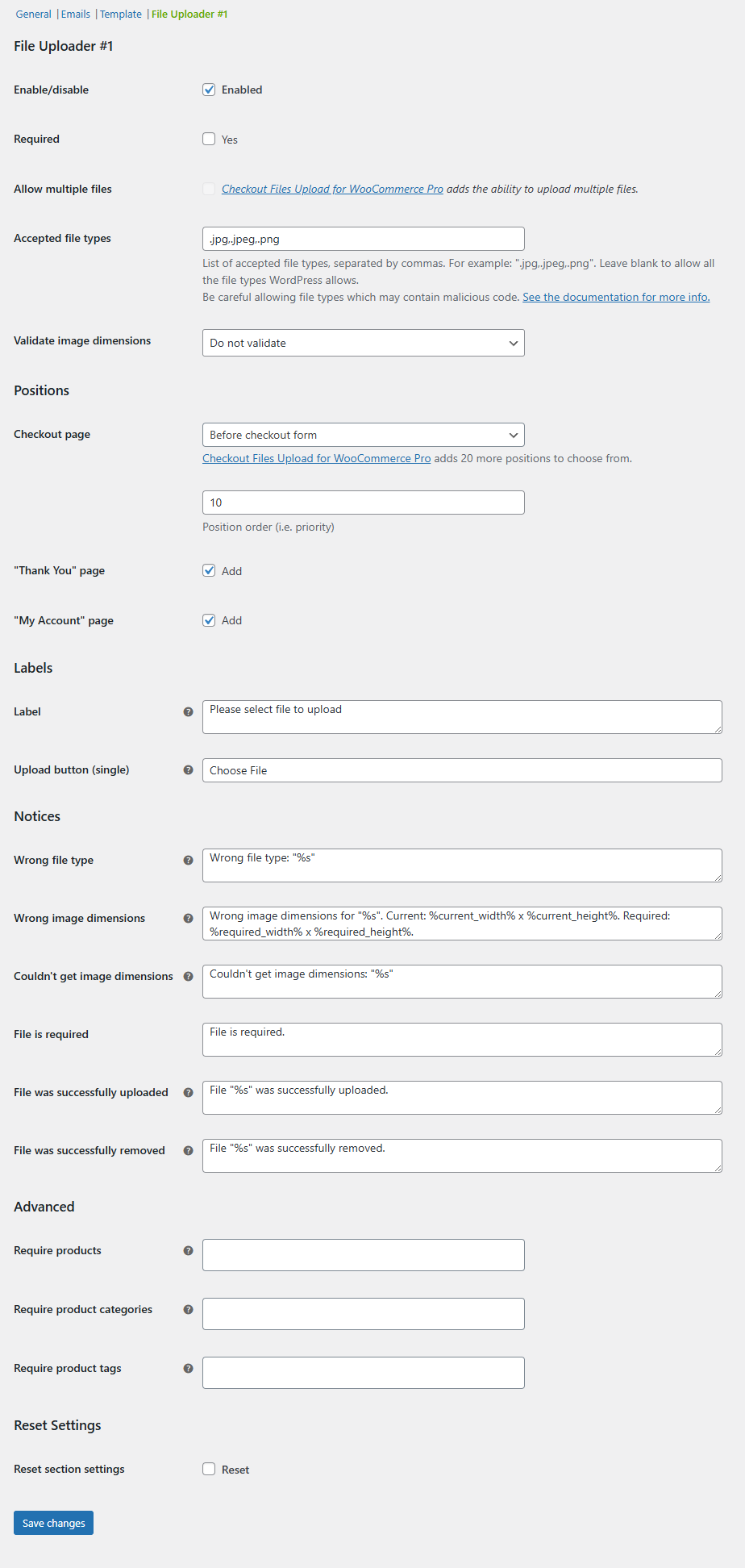
Checkout Files Upload for WooCommerce plugin lets your customers upload files on (or after) WooCommerce checkout.
Features
Set field’s position on WooCommerce checkout page:
- Before checkout form.
- After checkout form.
- Do not add on checkout.
Set if file upload is required.
If you need files to be uploaded after order is created, you can optionally add field to:
- WooCommerce Thank You (i.e. Order Received) page.
- WooCommerce My Account page.
Add custom label to the field.
Set accepted file types.
Set custom Upload and Remove button labels.
Set custom messages:
- “Wrong file type”.
- “Wrong image dimensions” and “Couldn’t get image dimensions”.
- “File is required”.
- “File was successfully uploaded”.
- “No file selected”.
- “File was successfully removed”.
Optionally set field to show up only if in cart there are selected:
- Products.
- Product categories.
- Product tags.
Add uploaded files to admin and customers emails.
Send additional emails if user uploads or removes files on “Thank You” or “My Account” pages.
Customize the frontend files upload form.
Optionally enable AJAX form for file uploads.
Set max file size option.
Optionally validate image dimensions.
Feedback
- We are open to your suggestions and feedback. Thank you for using or trying out one of our plugins!
- Drop us a line at www.wpwham.com.