Celestial Lunar Phase Widget
v2.3.1John Martin · 2026年4月14日 上架
Display lunar phase, moonrise, moonset, illumination, and astronomical twilight with local calculations and bundled imagery.
- 正在使用
- 50+
- 评分
- 5.0 / 5
- 累计下载
- 1,618
- 最近更新
- 2026年11月22日
贡献者
 John Martin
截图
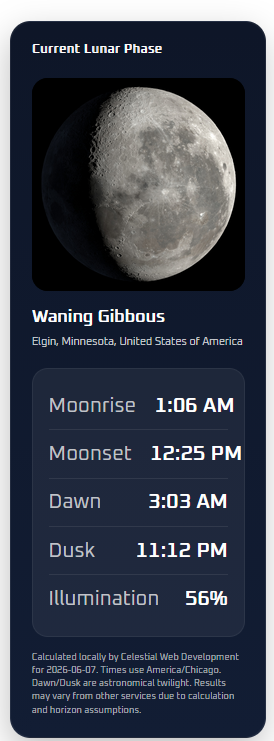
Celestial Lunar Phase Widget helps WordPress sites display the current Moon phase in a polished astronomy card.
The plugin shows:
- Current lunar phase name
- Moonrise time
- Moonset time
- Astronomical dawn time
- Astronomical dusk time
- Illumination percentage
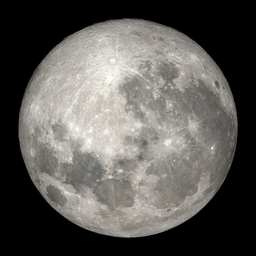
- Bundled Moon phase image matched to the phase
- Optional location label
- Optional calculation/source note
Version 2.3 uses local astronomy calculations and adds automatic Moon image orientation by hemisphere. The plugin can rotate the bundled lunar imagery for Northern Hemisphere observers, with manual Northern, Southern, and Original orientation overrides in Settings.
Key features
- Local astronomy calculations; no API key required
- Moonrise and moonset times
- Astronomical dawn and dusk display
- Current lunar phase and illumination percentage
- Bundled Moon phase photos packaged locally
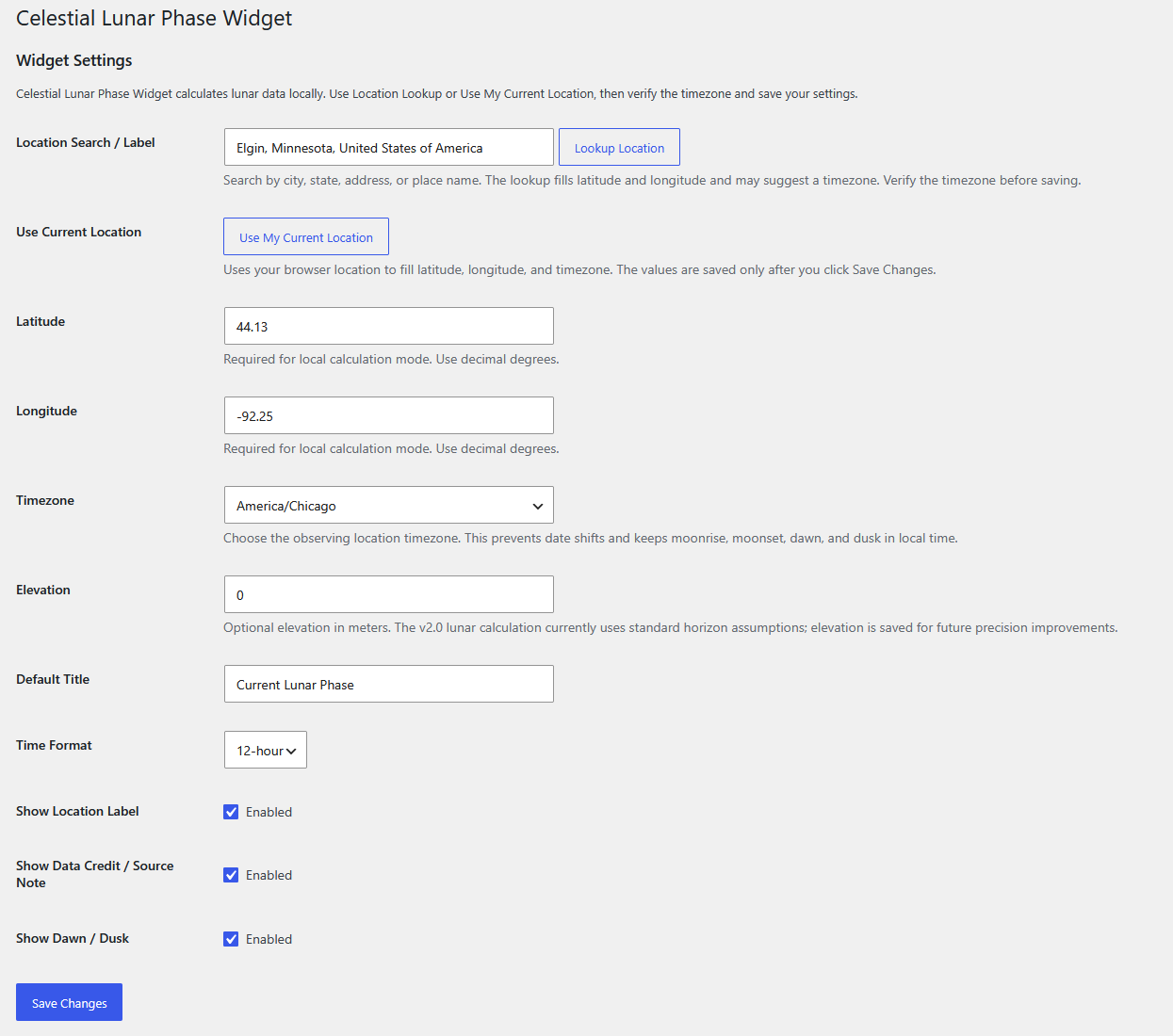
- Location lookup helper for admin setup
- Browser geolocation helper for admin setup
- Timezone dropdown to prevent typos and date-shift errors
- Latitude, longitude, timezone, and optional elevation settings
- Shortcode:
[celestial_lunar_phase_widget] - Gutenberg block: Celestial Lunar Phase Widget
- 12-hour or 24-hour time display
- Per-location and per-date caching for better performance
- Admin notice after update if location settings need to be completed
- Automatic Moon image orientation based on configured latitude
- Manual Northern Hemisphere, Southern Hemisphere, and Original image orientation options
Support
Support and documentation are available at:
https://celestialwebdevelopment.com/lunar-phase-plugin/
External Services
This plugin performs all lunar phase, moonrise, moonset, astronomical dawn, and astronomical dusk calculations locally. It does not send visitor data to an astronomy API.
The optional Lookup Location button on the admin settings page uses the OpenStreetMap Nominatim geocoding service to convert a place name into latitude and longitude. This lookup is only triggered by an administrator clicking the button in wp-admin. The query entered by the administrator is sent to Nominatim for geocoding. The service may receive the searched location text, your site’s server IP address, and standard request metadata.
Service provider: OpenStreetMap Nominatim
Terms: https://operations.osmfoundation.org/policies/nominatim/
Privacy: https://osmfoundation.org/wiki/Privacy_Policy
The Use My Current Location button uses the browser’s built-in geolocation prompt. Coordinates are only saved after the administrator clicks Save Changes.
Calculation details
Version 2.3.1 calculates lunar position using a bundled Meeus periodic series. Today’s phase and illumination are evaluated at the current UTC 15-minute reference bucket and displayed for the configured observing timezone. For explicitly requested past or future dates, phase and illumination refer to local noon. The optional calculation note identifies the reference time. Normal WordPress page caches may retain older rendered output until their expiry.
Moonrise and moonset refer to the stated local calendar day; a morning moonset may precede the afternoon moonrise on that same date. Calculations use a standard level horizon, lunar radius, parallax and a standard refraction allowance. Saved elevation is not currently applied. Local terrain and actual atmospheric conditions are not modeled.
Lunar periodic-series implementation adapted from Sonia Keys’ MIT-licensed Meeus library. Legacy SunCalc-derived helpers retain the BSD-2-Clause notice. Full notices and source references are included in CREDITS.txt and includes/. No external astronomy request, API key or paid account is required.