
Catalune – Product Catalog Feed Checker
v1.0.2Tico · 2026年11月2日 上架
Builds your WooCommerce product feed for Pinterest catalogs and checks every product first, with each problem in plain words and a link to fix it.
- 正在使用
- 10 以下
- 评分
- 暂无
- 累计下载
- 537
- 最近更新
- 2026年11月24日
贡献者
 Tico
截图

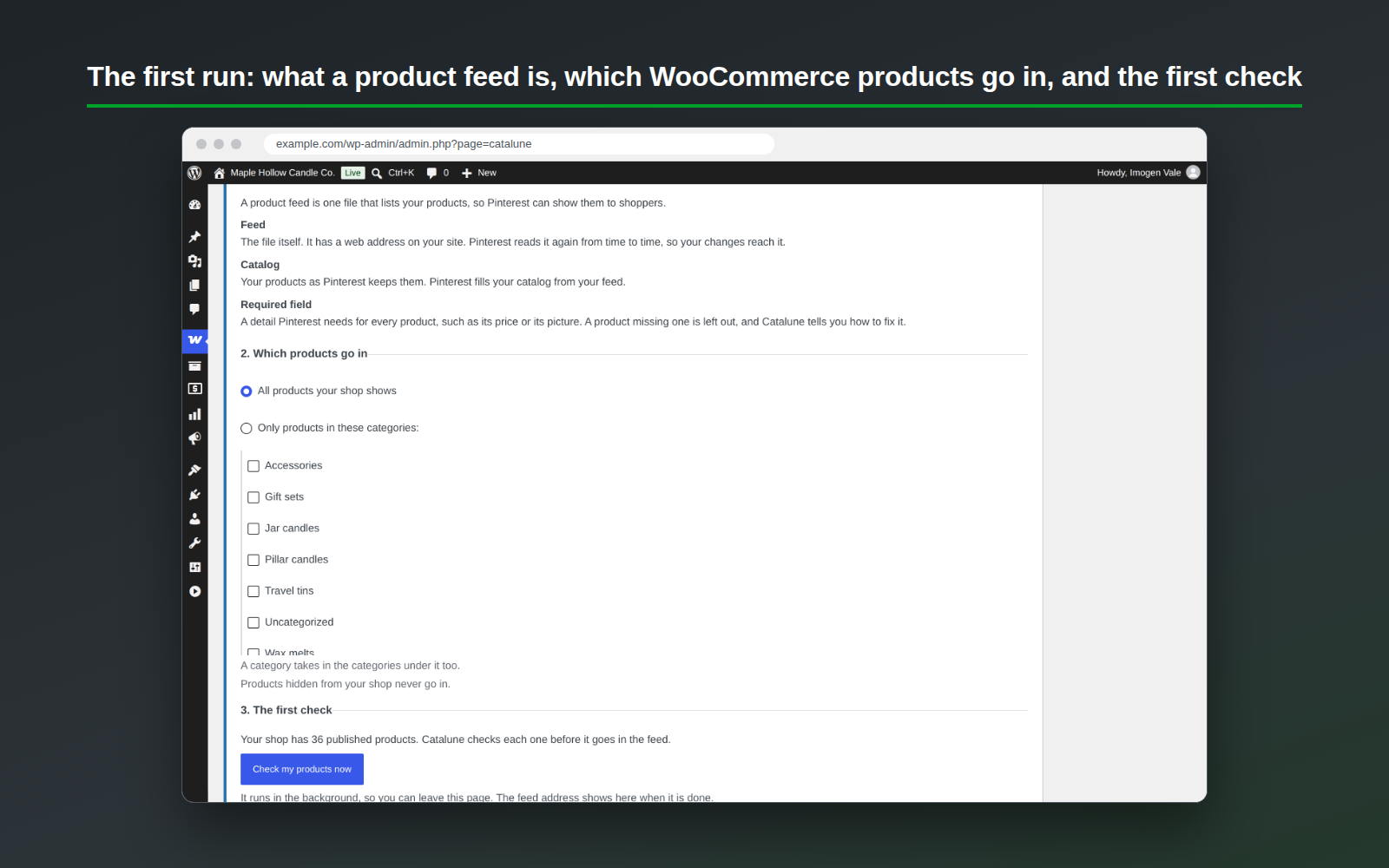
Catalune builds the product feed file Pinterest reads for your shop’s catalog, and checks every product against Pinterest’s published catalog requirements before Pinterest reads the file. Each problem is one plain sentence (the product, the field, why Pinterest would refuse it and how to fix it) with an Edit link straight to that product. It is made for Pinterest’s catalog alone.
Why before: Pinterest’s page Get started with retail catalogs (read on 2026-10-27) says of a catalog’s required fields: “If they’re missing, or formatted incorrectly, your entire retail catalog will fail ingestion.” So a product with an error is left out of the feed and listed with the reason, and the products that pass stay in the feed without it.
Apart from the More plugins page and the update card’s Update now, both described under External services below, Catalune connects to no external service: it reads your own WooCommerce products, everything happens on your site, and Pinterest reads the feed file from your site only after you add its address in your own Pinterest account.
The feed
Catalune writes your Pinterest product feed as one file on your own site, from WooCommerce’s own product data: each product’s name, description, page address, pictures, price and sale price, stock status, category, brand and barcode, with each variation tied to its main product. It is built again every day and about 10 minutes after you change a product, at the same address, so your Pinterest catalog gets your latest products every time the file is read.
The checks
Catalune looks for the Pinterest catalog errors and feed errors that would make the catalog’s ingestion fail: no price or a price of zero, no description or code left in it, the same SKU twice, a name or description too long, a stock status or currency Pinterest does not read, a variation without its main product. A product with an error stays out of the feed; a product with only a warning stays in, and Catalune says what to fix.
The pictures
The Pinterest image size for a main product picture is at least 1000 by 1500 pixels. Catalune reads each picture’s size from your media library’s own records, never by downloading it, and warns about product images too small: a main picture under that size, or a gallery picture under 75 by 75 pixels. It also warns about a comma in a picture’s address, and a new picture put under the old address.
The screen
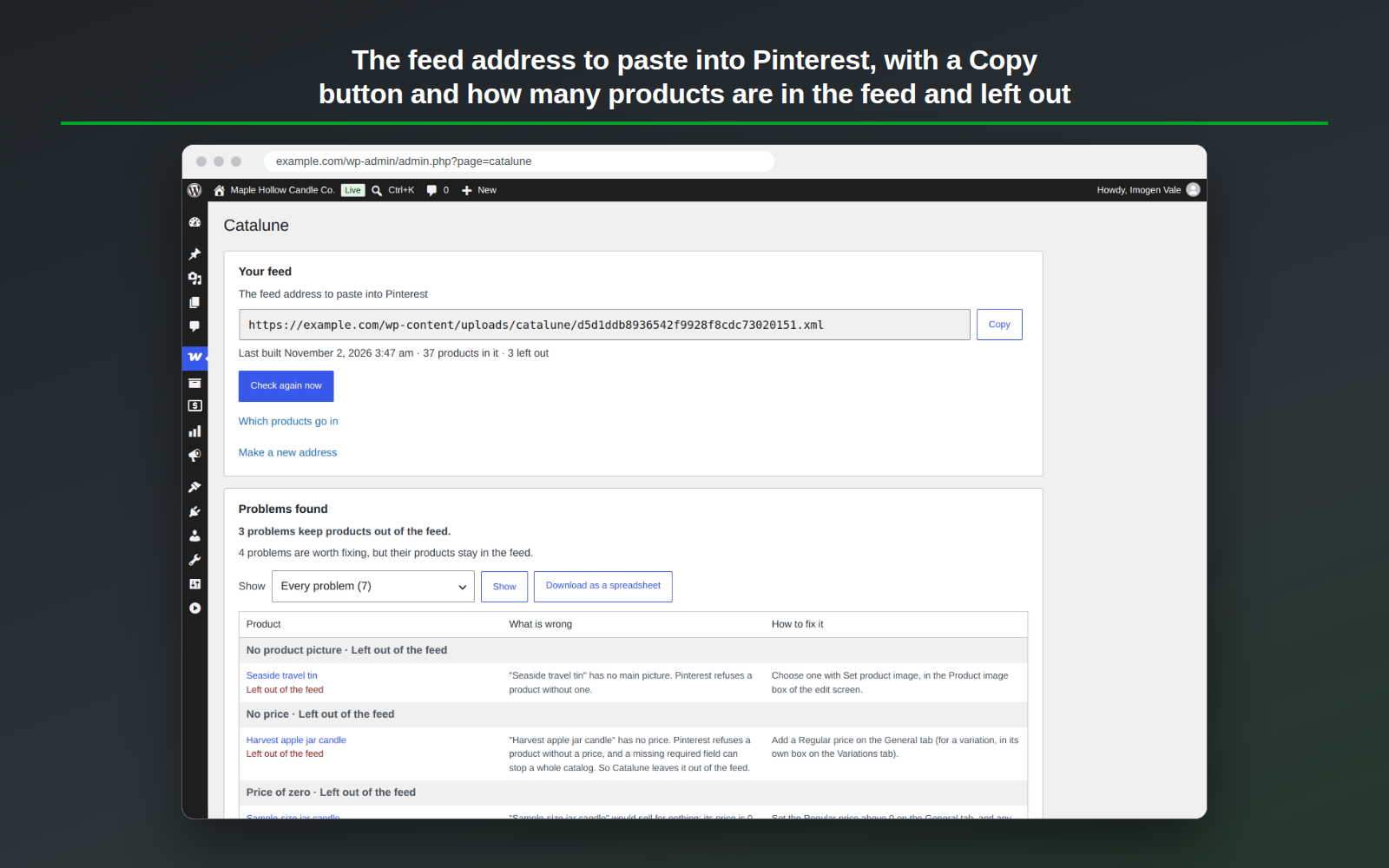
Everything is on one screen under WooCommerce › Catalune, a product catalog feed checker that gives each feed validation result in plain words:
- The feed address to paste into Pinterest, with a Copy button, and how many products are in the feed and how many are left out.
- The feed built in the background in small batches, one job at a time. “Check again now” builds it at once.
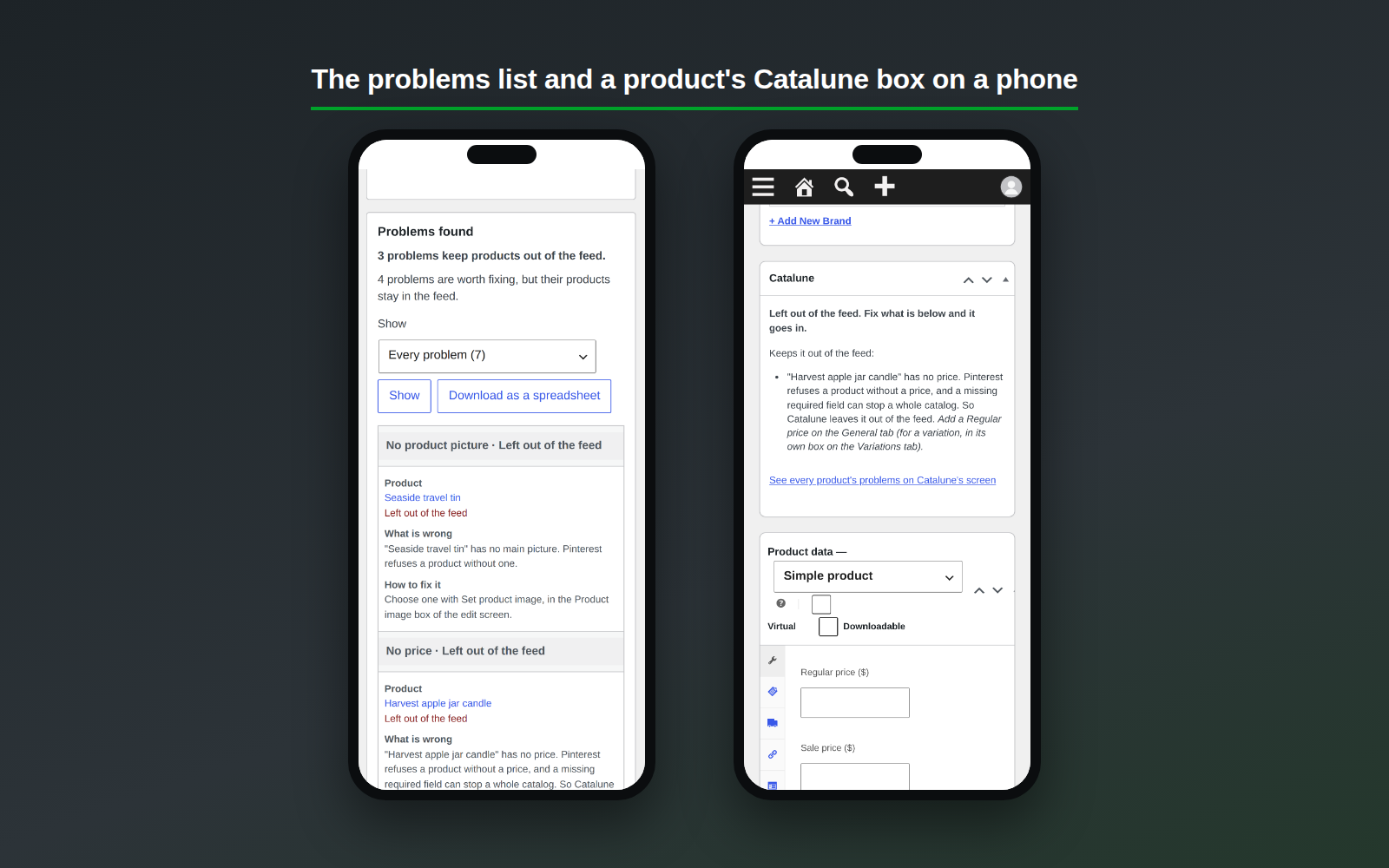
- The problems grouped by cause, errors first, 20 a page, with a filter by cause and a spreadsheet (CSV) download.
- How to add the feed address in Pinterest, step by step, with a link to Pinterest’s own help page.
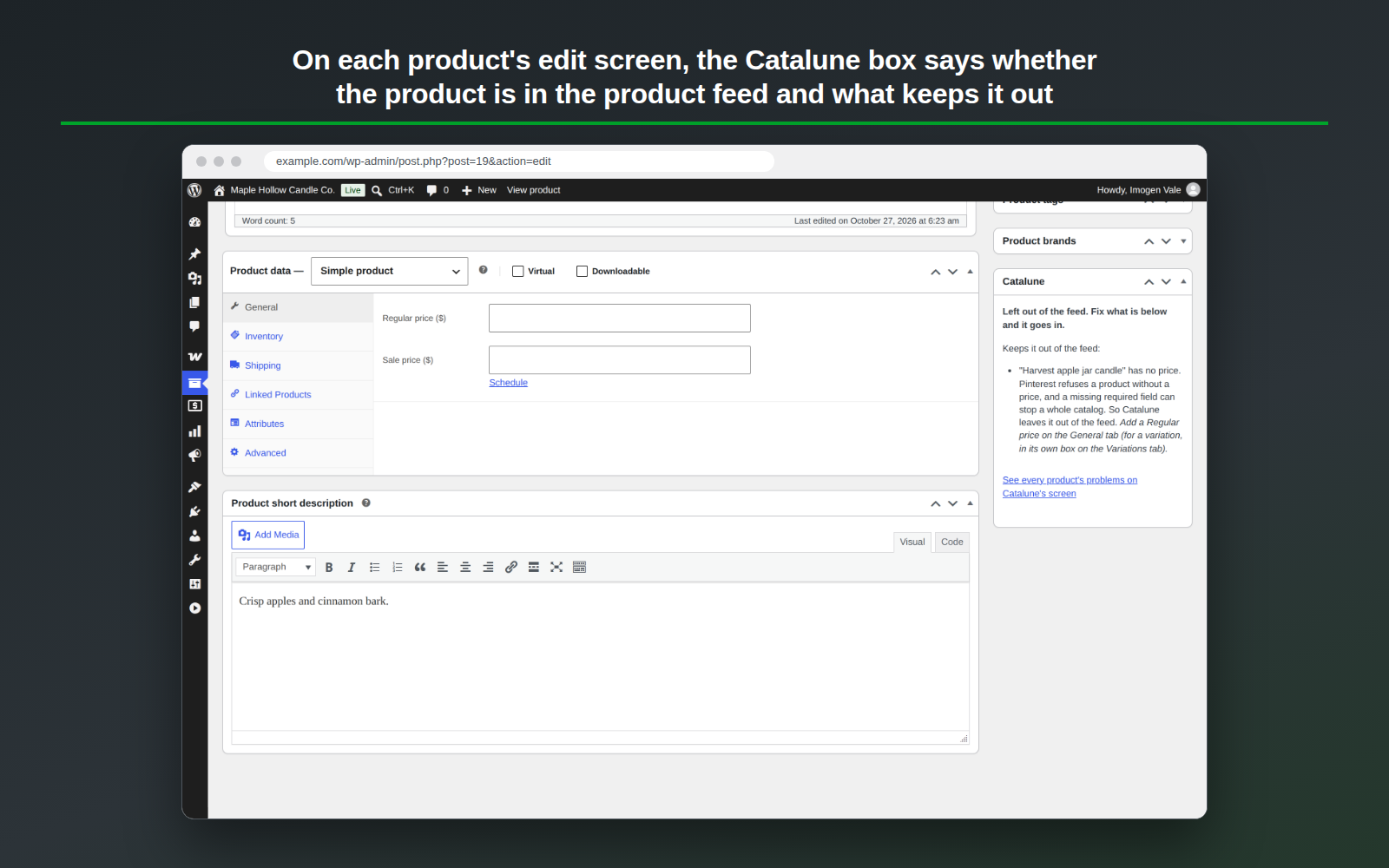
- A Catalune box on each product’s edit screen: whether that product is in the feed, and what to fix, for each of its variations too.
- A first-run guide that says what a product feed is, and lets you put in all your products or only the categories you choose.
- A suggested paragraph for your privacy policy page. Catalune keeps no personal data.
How Catalune is different
- Every product is checked against Pinterest’s requirements first; a product with an error is left out of the feed and listed.
- Each problem is one plain sentence with a link to that product’s edit screen.
- It is made for Pinterest’s catalog alone, and it sends nothing about your products, orders or customers anywhere.
External services
More plugins (only when you open it). The WooCommerce › Catalune › More plugins page, the last tab of Catalune’s screen, lists our other free plugins. Only when you open it, WordPress asks the WordPress.org plugin directory (api.wordpress.org) for the list of free plugins by our author, through its own plugins_api(): the same request WordPress makes on Plugins Add New. WordPress adds your admin language and your WordPress version to it, and sends it with your site’s address and WordPress version in its User-Agent. Nothing else is sent. The answer is kept for twelve hours, or fifteen minutes if WordPress.org could not be reached. The page loads no image from WordPress.org: each plugin is drawn with a local icon. Installing, activating or updating one uses WordPress’s own installer, downloads it from WordPress.org, and happens only when you press its button. More Details opens WordPress’s own plugin details window, which asks WordPress.org for that plugin’s details and shows its banner and screenshots from WordPress.org, only when you click it. Nothing is sent to us. WordPress.org’s privacy policy: https://wordpress.org/about/privacy/
Catalune’s update card (only when you click). When WordPress has found a newer Catalune, Catalune’s screen says so. Its “Update now” is WordPress’s own update link: when you click it, WordPress downloads the new version from WordPress.org (downloads.wordpress.org), as it does from the Plugins screen. Its “What’s new” is a plain link to Catalune’s changelog on WordPress.org, opened in a new tab of your browser: your site sends nothing when you click it. The card reads only what WordPress already knows about updates and asks nothing of its own.
Apart from that page and the update card’s Update now, Catalune contacts nothing outside your site: nothing is sent on activation, when Catalune’s Feed tab or a product’s edit screen opens, when the feed is built or to your visitors’ pages.