

CareCopy for Elementor
v1.0.1caresortsolutions · 2026年10月26日 上架
Copy Elementor sections, containers, widgets, and complete pages between websites — images and responsive styling included.
- 正在使用
- 10 以下
- 评分
- 暂无
- 累计下载
- 188
- 最近更新
- 2026年10月26日
需要 WordPress 6.5+已测试到 7.1.5PHP 7.4+
 caresortsolutions
截图
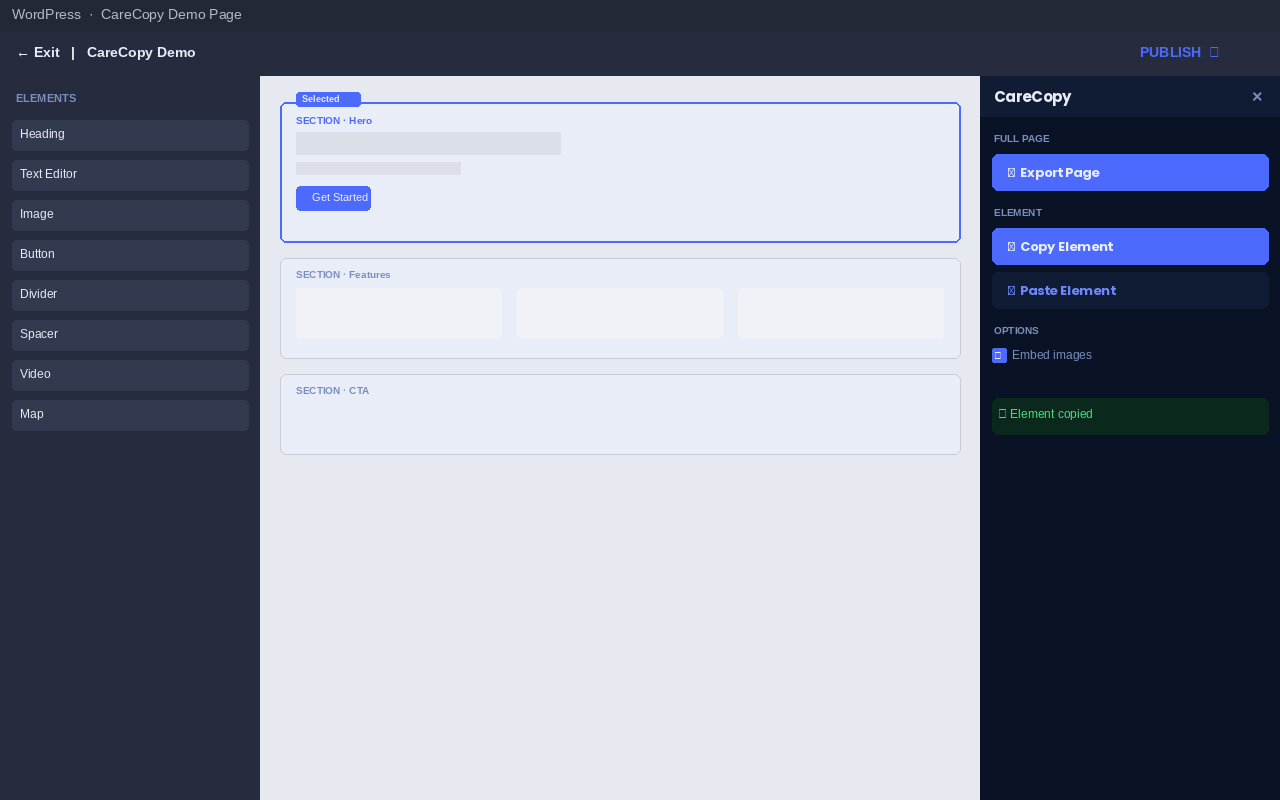
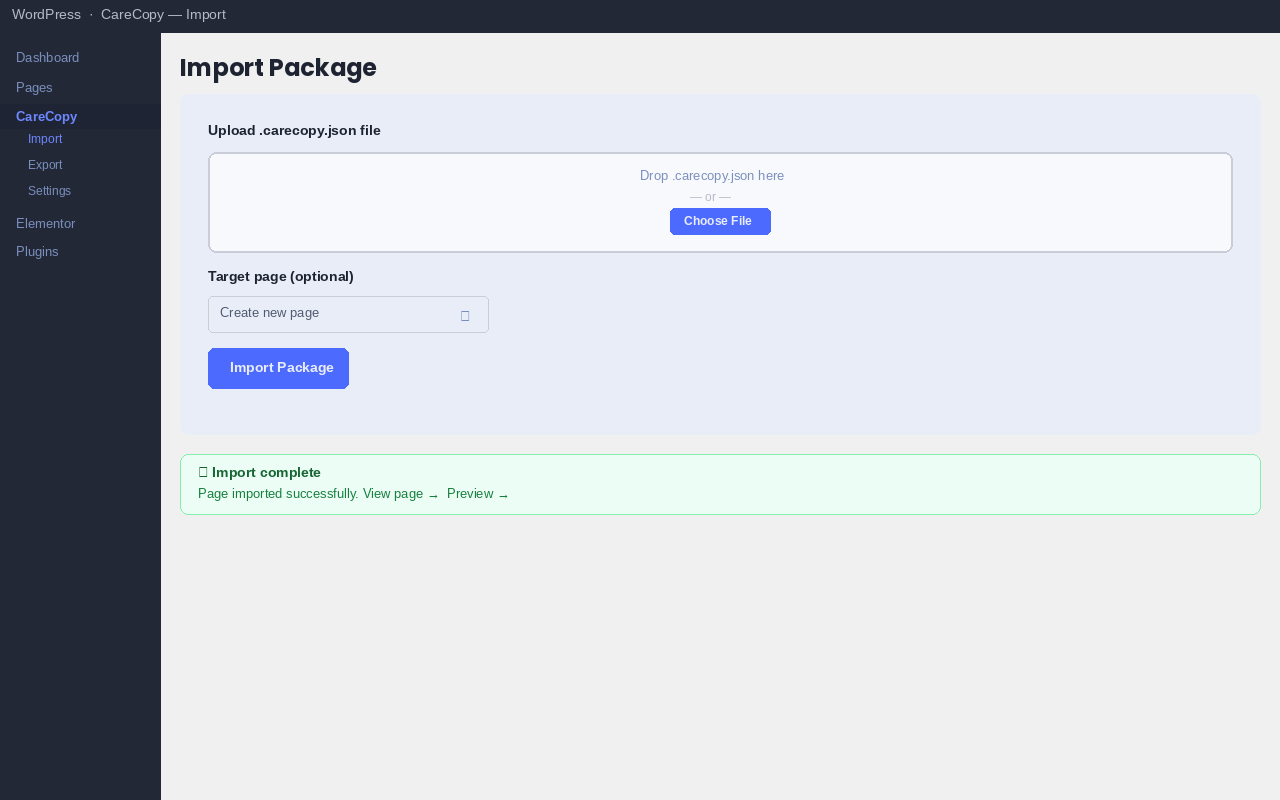
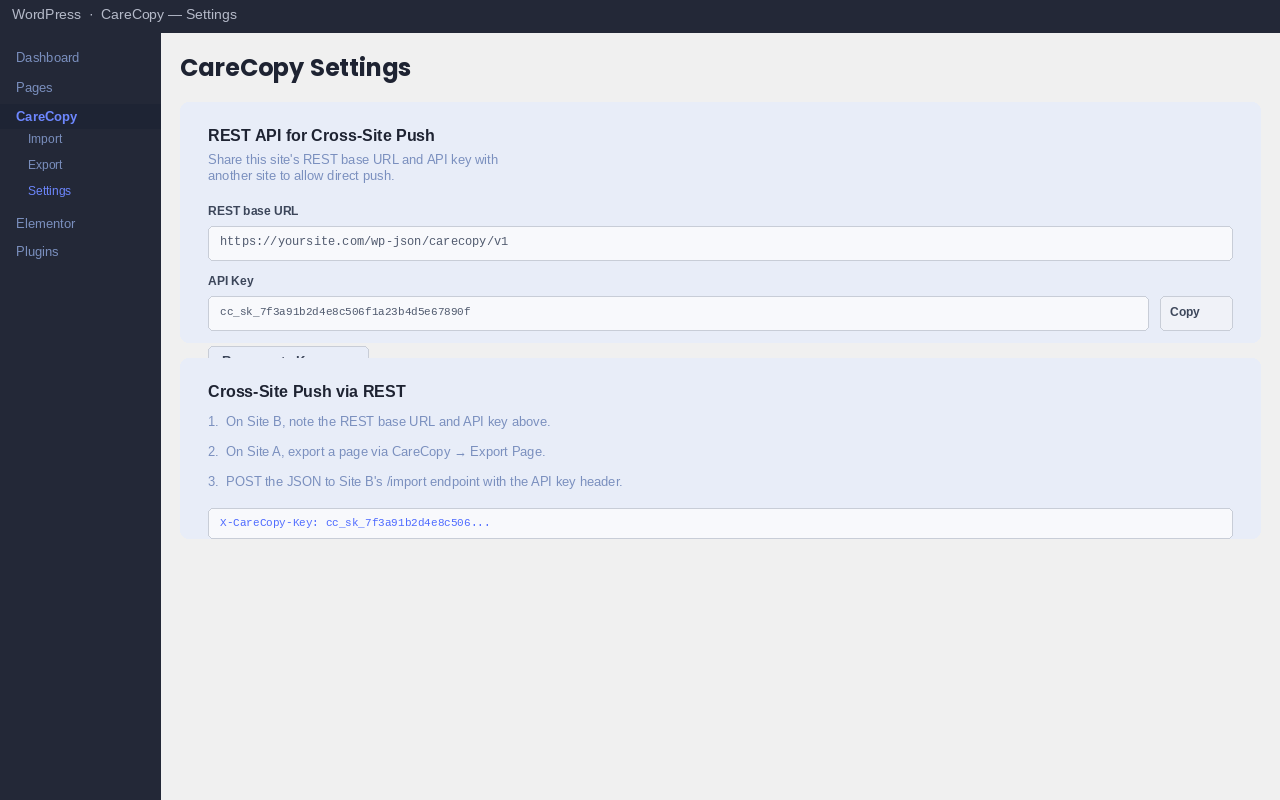
CareCopy for Elementor is a copy, paste and migration tool for Elementor. It lets you duplicate entire pages, or individual sections and widgets, across any two WordPress sites — including all images and responsive breakpoint settings.
Key Features
- Export full pages — Export any Elementor page as a portable
.carecopy.jsonfile. The file includes the complete Elementor layout data for every section, container, column and widget. - Embed images — Optionally include image files as base64 data inside the export package so that it can be imported on a site that cannot reach the source domain.
- Import on any site — Upload the package on any WordPress site running CareCopy. Images are automatically sideloaded into the media library and all attachment IDs are re-mapped so they point to local copies.
- Copy & paste elements — Inside the Elementor editor, select any section, container or widget and click “Copy Element”. Open the editor on a different page (or a different site) and click “Paste Element” to insert the copied element at the bottom of the page.
- REST API for direct push — Each site exposes a
carecopy/v1REST endpoint. Authenticated requests (via the site’s CareCopy API key) can export and import pages without any manual file download. - Zero external dependencies — All functionality runs locally. No third-party services, no CDN calls, no telemetry.
How it Works
- Open any Elementor page in the editor.
- A small CC button appears on the right edge of the editor screen.
- Click it to open the CareCopy panel.
- Choose Export Page to download a
.carecopy.jsonfile, or select an element and choose Copy Element to store it in the browser clipboard. - On the destination site (or a different page on the same site), upload the file via CareCopy Import, or open the editor and click Paste Element.
Who Is It For?
- Agencies building multiple sites from a shared template library.
- Developers moving a site from staging to production (or between clients).
- Anyone who wants to reuse a carefully crafted Elementor section without rebuilding it from scratch.
This plugin requires Elementor to be installed and active.