

Camera Field for Elementor Forms
v2.0.1add-ons.org · 2026年8月1日 上架
Let users capture photos or record videos directly from their device camera.
- 正在使用
- 10 以下
- 评分
- 暂无
- 累计下载
- 459
- 最近更新
- 2026年9月28日
需要 WordPress 5.8+已测试到 7.1.5
贡献者
 add-ons.org
截图
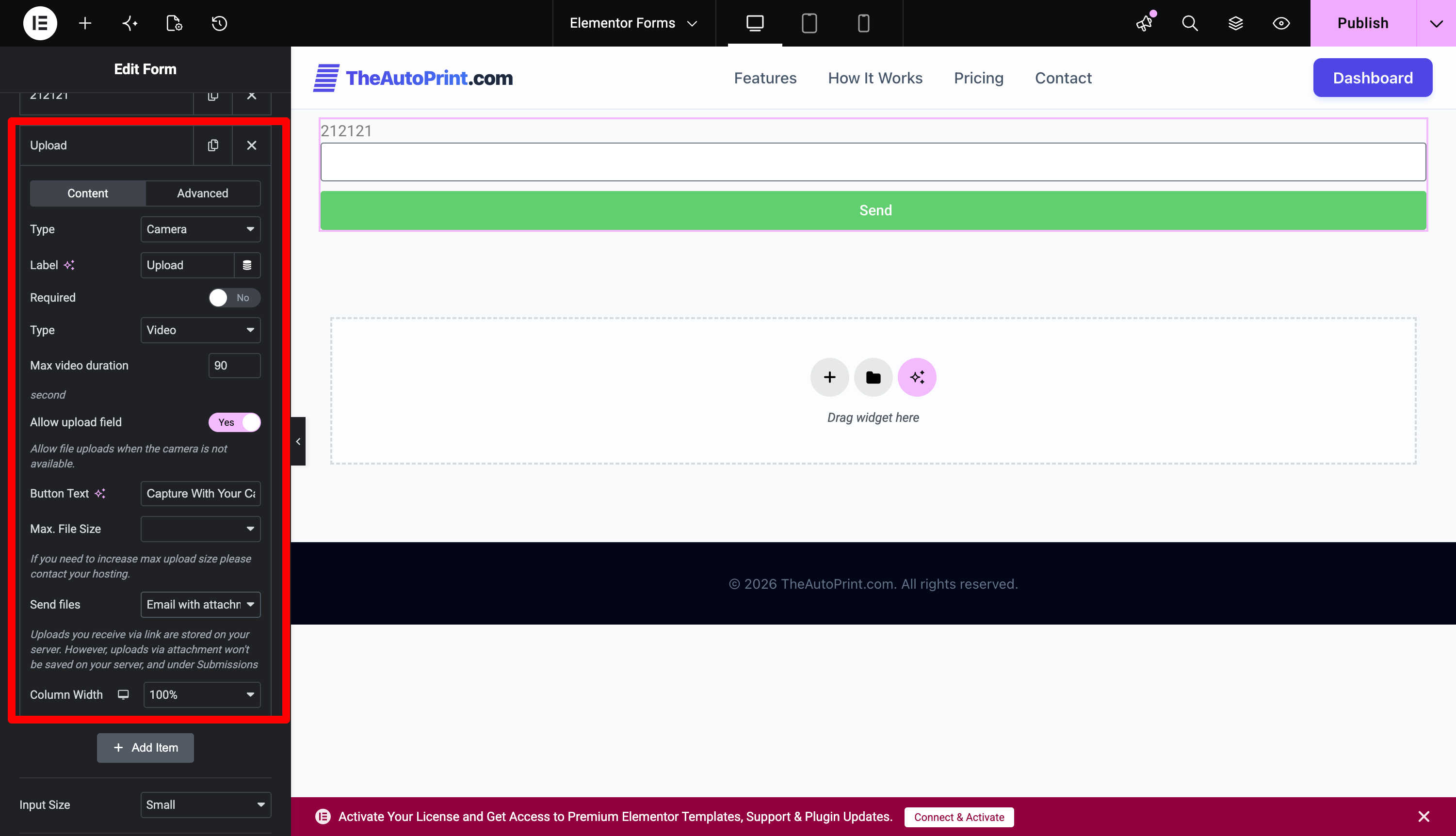
Camera Field for Elementor Forms extends Elementor Pro Forms by adding a new field type that allows users to capture photos or videos directly from their camera, or upload media files from their device.
Perfect for verification forms, KYC, ID uploads, field reports, service requests, or any form that requires visual proof — all handled seamlessly within Elementor Forms.
Demo: https://demo.add-ons.org/demo-camera-field/
Documentation: https://add-ons.org/document-camera-field-for-elementor-forms/
Pro Version: https://add-ons.org/plugin/camera-for-elementor-forms/
Perfect for
- Capture photos or videos directly inside forms.
- Customer verification or KYC uploads.
- Field reporting or on-site inspection.
- Bug or issue reporting with visual evidence.
- Service or warranty requests.
Features
- Photo Capture: Take photos directly from the device’s camera.
- Video Capture: Record videos directly inside the form (configurable max duration).
- Camera Facing Mode: Select default camera mode (Front / Selfie vs Back / Rear).
- Popup Camera Preview: Real-time preview before capturing.
- Countdown Timer: Optional 3-second countdown before capturing or recording.
- Video Limit: Restrict maximum recording time (default: 1 min 30 sec).
- Retake / Record Again: Users can redo captures before submitting.
- Validation: Supports required and file type validation.
- Upload Integration: Automatically attaches captured files to Elementor email and entry.
- Optimized Performance: JS/CSS only load when the camera field exists.
- Full Elementor Integration: Works inside popups, AJAX, and responsive layouts.
Usage
- Edit your form with Elementor Pro.
- Add a new field and set Type Camera.
- Choose capture mode (Photo or Video) and configure:
- Camera Facing Mode (Front vs Back)
- Max video duration
- Save and preview your form.
- Users can now open their camera, capture media, and submit directly.