

CallPaywall Web
v0.3.9callpaywall1 · 2026年7月18日 上架
Screens Contact Form 7 submissions with CallPaywall: customers deliver free, sales pitches pay to reach your inbox, spam is silently dropped.
- 正在使用
- 10 以下
- 评分
- 暂无
- 累计下载
- 359
- 最近更新
- 2026年7月20日
贡献者
 callpaywall1
截图
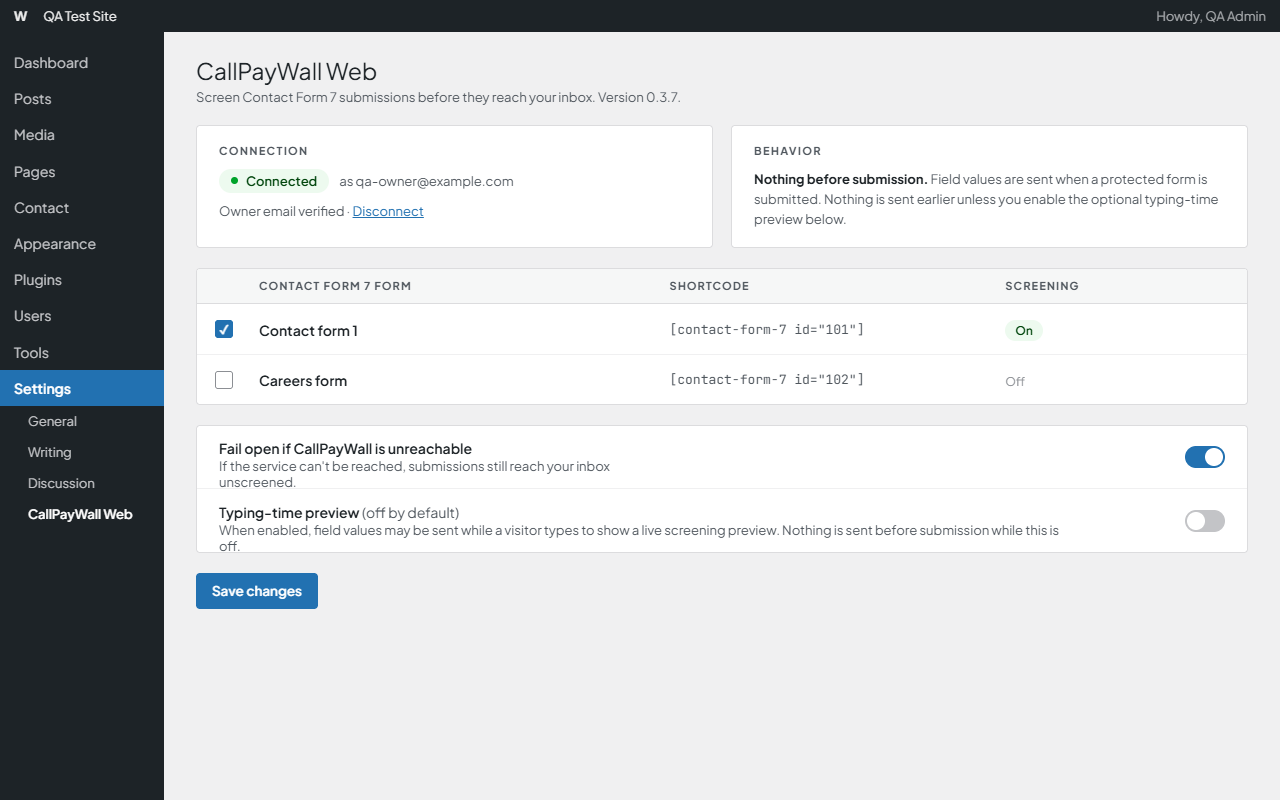
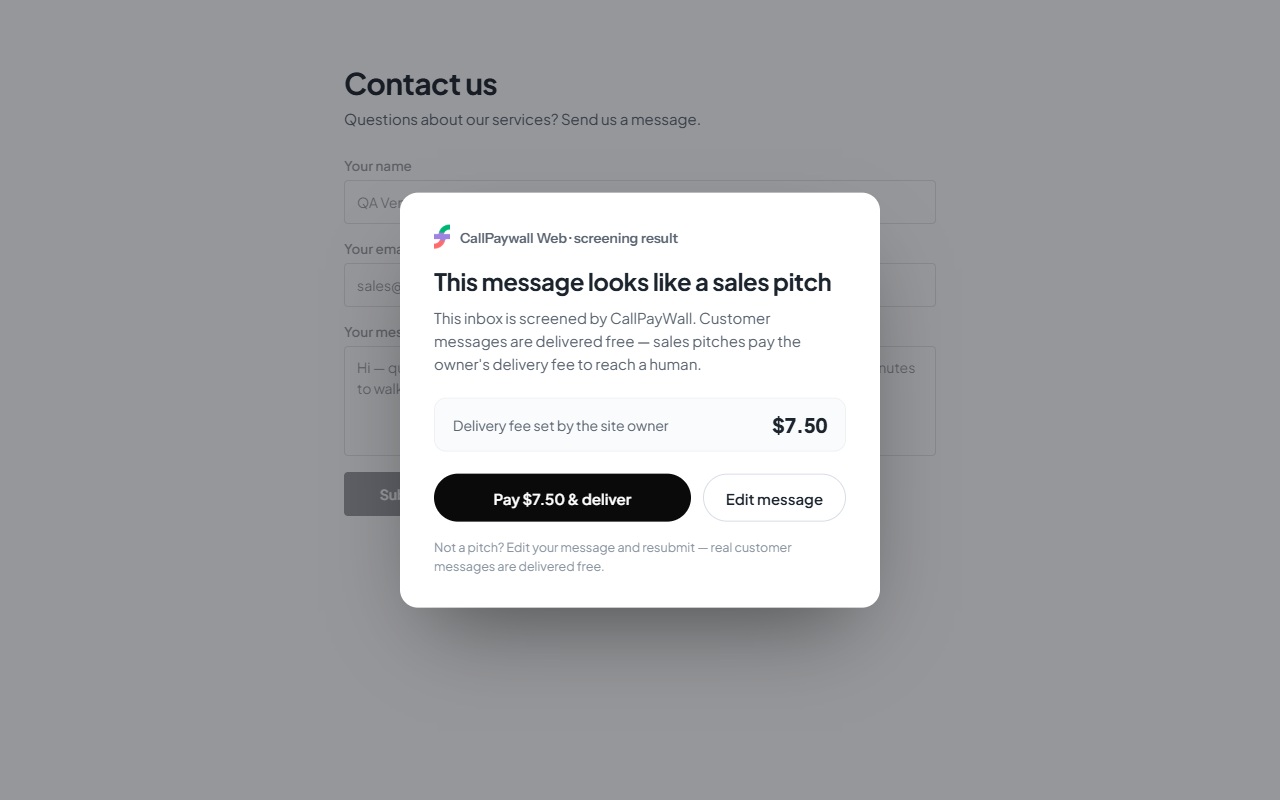
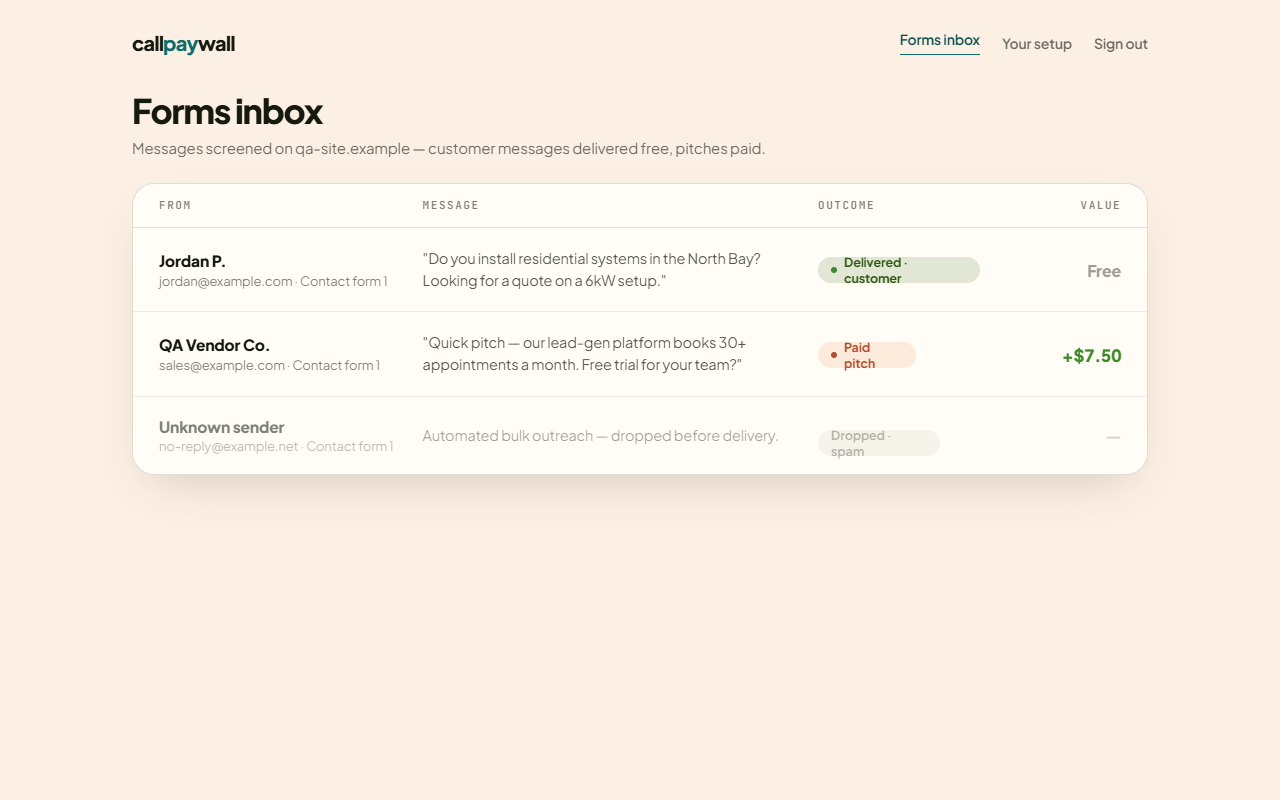
CallPaywall Web keeps your existing Contact Form 7 forms exactly as they are and screens every submission server-side, before the owner email is sent:
- Real customers — delivered normally, free, untouched.
- Sales pitches — the owner email is held and the sender sees a pay-to-send prompt; pitches that pay land in your CallPaywall paid inbox (funds held in escrow until you reply).
- Spam / scams — silently dropped; the sender sees a generic success and learns nothing.
- Fail-open by design — if the CallPaywall service is slow or unreachable, CF7 sends normally. A real customer is never blocked by an outage.
This is a service plugin: it requires a CallPaywall Web account and does nothing until you connect it (API base URL + form ID from your dashboard). Screening decisions are enforced on the CallPaywall server, never in the visitor’s browser.
External services
This plugin connects your Contact Form 7 forms to the CallPaywall Web screening service and cannot function without a CallPaywall account. The submitted form fields (name, email address, message, and the form’s other non-technical fields) are sent to your configured CallPaywall server ONLY when a visitor submits a protected form, to classify the message (customer / sales pitch / scam) and, for sales pitches, to create the pay-to-send record. The optional typing-time preview is OFF by default: unless a site administrator explicitly enables it (Settings CallPaywall Web), nothing a visitor types is sent before they submit. If an administrator turns it on, the message text the visitor is composing is also sent to the same service before submission for a non-binding advisory check that creates no record. When a sender chooses to pay, checkout is initiated with the same service. After connecting, the plugin stores a one-time, administrator-only sign-in link returned by CallPaywall so a site administrator can open their CallPaywall inbox (paid pitches, blocked messages, payout setup); this link is shown only in the WordPress admin, never to visitors. The plugin stores a first-party identifier in the visitor’s browser storage (no cross-site cookies) to recognize repeat pitch attempts. If you enter an optional partner/referral code, it is included in requests so the partner who referred you is credited — attribution is account-level and admin-entered, never visitor tracking. No data is sent anywhere until you configure a CallPaywall form ID; if the service is unreachable, the form sends normally (fail-open) and only an anonymized failure line (a message hash, never content) may be logged when WP_DEBUG is enabled.
To improve screening accuracy, CallPaywall may process the text of a submitted message (with the separate name and email fields removed, and email addresses, phone numbers, and card/account-like numbers inside the text masked) using an AI service provider acting on CallPaywall’s behalf, currently Anthropic. See the CallPaywall Privacy Policy below for details, including retention and model-training terms.
Service operated by CallPaywall — Terms of Service: https://web.callpaywall.com/terms · Privacy Policy: https://web.callpaywall.com/privacy