

Callcenterok Voice Agent
v0.4.3everslab · 2026年11月5日 上架
Let customers get advice through live conversations with an AI-powered voice agent. Set up your own virtual voice consultant!
- 正在使用
- 10 以下
- 评分
- 暂无
- 累计下载
- 401
- 最近更新
- 2026年11月5日
贡献者
 everslab
截图
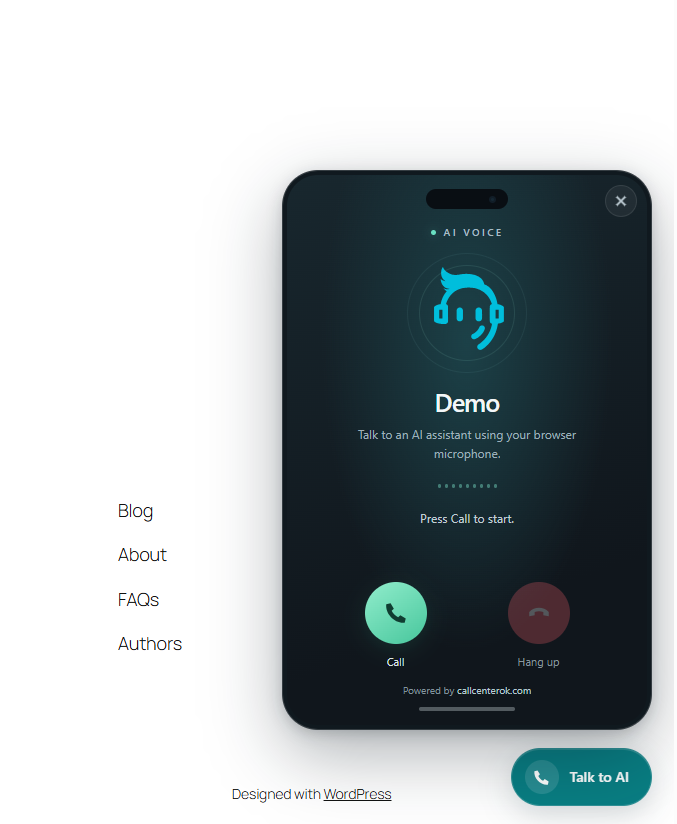
Let your customers get advice through live conversations with an AI-powered
voice agent. Set up your own virtual voice consultant with Callcenterok!
Visitors talk to your agent using their browser microphone.
Administrators can edit the connected agent’s greeting and prompt, customize the
button and test a call. After the administrator explicitly connects the service,
Demo works without a portal account: a 500-character prompt and a fixed greeting
in en/ua/ru/es/fr/de. Activation alone does not contact the service.
The number of calls may be limited in Demo mode.
Full connects your own agent and requires a Callcenterok account and sufficient
service balance. Full retains its existing service settings without Demo quotas.
External service
This plugin connects to Callcenterok (https://callcenterok.com).
After the administrator confirms the service connection in Settings > Callcenterok,
the plugin sends the site’s
origin, greeting language and a generated private installation key to register
an anonymous Demo profile. Demo settings requests send this key, and saving sends
the system prompt and selected greeting language. No portal account is created.
On connection checks, admin page loads and agent saves, the WordPress server sends
the integration key and, on saves, greeting and prompt to the configured Callcenterok
API (default https://my.callcenterok.com).
Opening the widget loads an iframe from Callcenterok; the service receives normal
request metadata such as IP address. Microphone audio is requested only after the
visitor clicks Call. During a call, audio is sent to Callcenterok’s telephony and AI
processing infrastructure. The integration key is never included in visitor pages.
The WordPress admin does not embed the remote call screen. Its Test call link
opens the Callcenterok phone in a new browser tab. Agent configuration in the
admin uses the service API.
Terms: https://callcenterok.com/public-offer.html
Privacy Policy: https://callcenterok.com/privacy.html
Update your site’s privacy notice for this integration.
The public button is disabled by default. Administrators explicitly enable it,
and can disable it, switch modes or deactivate the plugin at any time.
The phone is a remotely hosted part of the voice service, not a remote WordPress
administration interface. The service renders its own call screen and branding
(Powered by callcenterok.com). The plugin contains no payment or AI-processing code.