

Brozzme Product Navigation
v1.4.1Benoti · 2016年6月9日 上架
Add navigation customizable navigation buttons to your woocommerce products pages.
- 正在使用
- 80+
- 评分
- 4.5 / 5
- 累计下载
- 5,247
- 最近更新
- 2021年10月28日
贡献者
 Benoti
截图


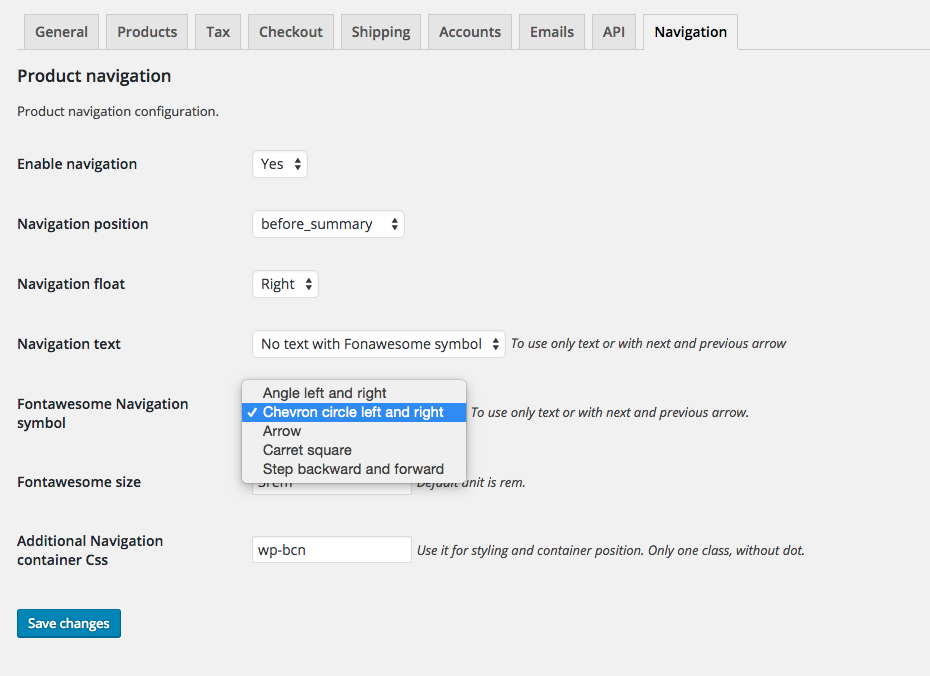


Brozzme Product Navigation, is the best way for your customer to browse your Woocommerce shop.
This plugin adds Next and Previous links in the Woocommerce product template without editing it.
The links are generate with the automatic shortcode. Navigation container can be customize to fit your wishes.
In addition, the main shortcode that is running, is available as a simple shortcode (to place in your content) and a widget (for any widgetized area).
Require Woocommerce
- No coding skill require.
- No need to edit template, the plugin add navigation box with the Woocommerce template hooks.
- Customizable.
- widget to get it in any widgetized area.
- add [wc_bpn_navigation] to place it exactly where you want in your template or content.
- English and french translation
- help for better shortcode.
Options:
- Navigation position (with Woocommerce zone),
- Position float,
- choose display type, only text, only icons or both,
- FontAwesome style and size,
- additional class container for more styling, you can use your class.
- change link text
Since 1.3.0 :
Add settings options for Next and Previous text.
Since 1.2.8 :
Add the availability to change previous and next text link. Waiting for the 1.3 version, this is only available via filter.
In your functions.php or in plugin, add :
- add_filter(‘wc_bpnav_previous_text’, ‘my_custom_previous_text’);
-
add_filter(‘wc_bpnav_next_text’, ‘my_custom_next_text’);
function my_custom_previous_text(){
return __(‘Previous’,’brozzme-product-navigation’);
}function my_custom_next_text(){
return __(‘Next’,’brozzme-product-navigation’);
}
Since 1.2.5 :
Lot of plugin can embed Font-Awesome css and font files.
You can use ‘load_fontawesome’ filter to stop loading fontawesome files if you theme or other plugin load them on each page.
Example for php > 5.4 : add_filter( ‘load_fontawesome’, function(){ return false;} );
More plugins available : search Brozzme on WordPress.org
Link to Brozzme.