

Brozzme Plugins Thumbnails
v1.4.5Benoti · 2018年1月6日 上架
Add thumbnail column to plugins list table in the admin plugins page even they are not in the repository.
- 正在使用
- 60+
- 评分
- 5.0 / 5
- 累计下载
- 1.2 万
- 最近更新
- 2021年10月28日
3 条评价需要 WordPress 4.7+已测试到 5.8.20PHP 5.6+
贡献者
 Benoti
截图
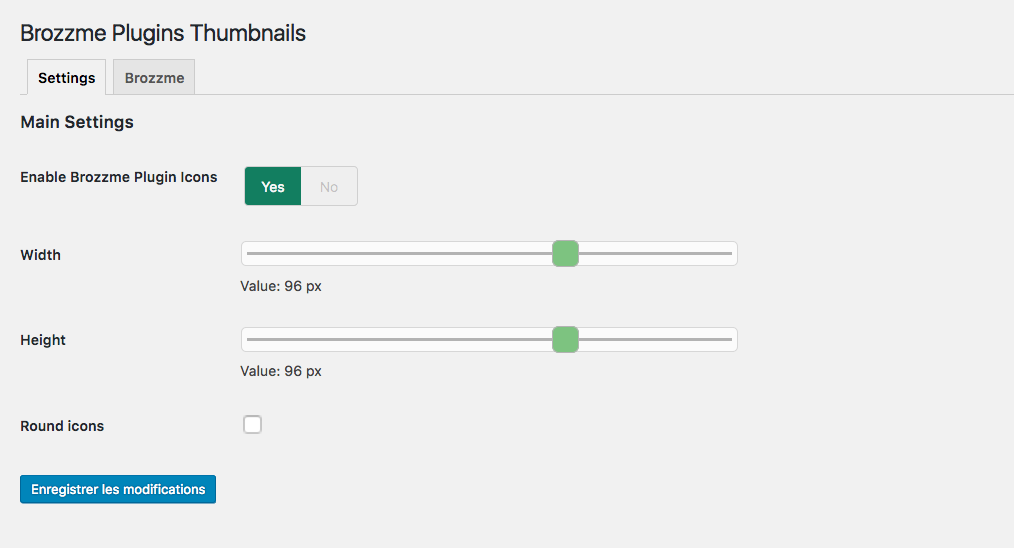


Add thumbnail column to plugins displays thumbnails for WordPress plugins on the plugins list page, on admin (wp-admin/plugins.php).
Brozzme Add Plugins Thumbnails would help to easily identify plugins. Add your own thumbnails for premiums or personal plugins.
Just activate plugin to see thumbnail.
Options
- Icon width and height
- Round icon
- Reset transients
- Transient expiration
- Add your special thumbnails
Behaviour
- thumbnail from wordpress.org repository
- thumbnail fallback with text, random colors or your own thubnails
- specials links to the thumbnails
- transients