
BrightLeaf Digital PHP Compatibility Scanner
v1.1.2BrightLeaf Digital · 2025年11月11日 上架
This plugin scans your installed plugins and themes for potential PHP compatibility issues when upgrading to newer PHP versions.
- 正在使用
- 500+
- 评分
- 暂无
- 累计下载
- 3,945
- 最近更新
- 2026年11月16日
 BrightLeaf Digital
截图

PHP Compatibility Scanner helps you assess whether your site’s code (plugins and themes) is likely to run on newer versions of PHP. It performs static analysis using PHP_CodeSniffer and the PHPCompatibilityWP ruleset to flag code patterns that are incompatible with the selected target PHP version.
From BrightLeaf Digital, makers of the GravityOps add-ons for Gravity Forms.
What the plugin does (at a glance):
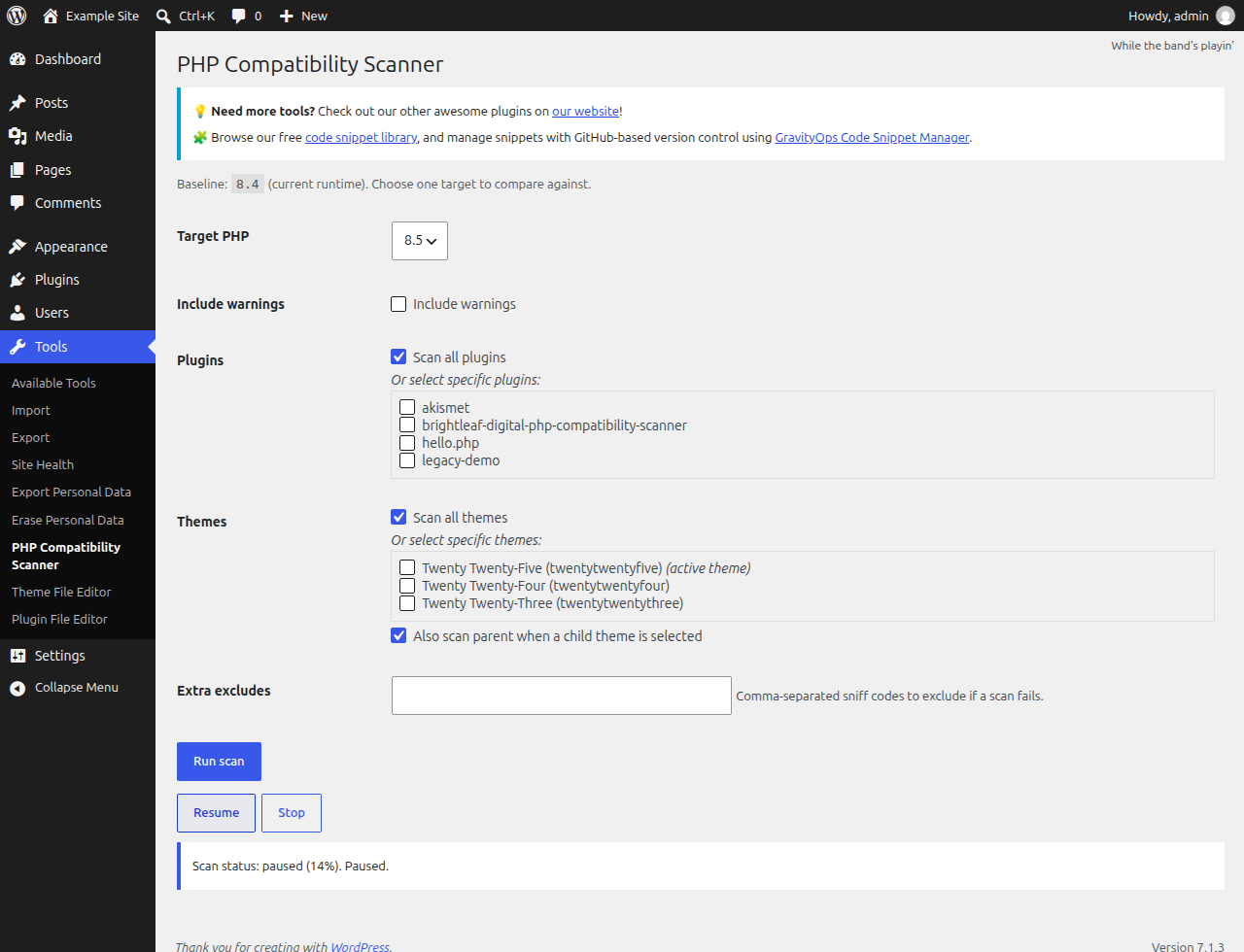
– Compares your current runtime PHP (baseline) to a selected target PHP version (8.0–8.5).
– Scans plugins and themes, then highlights only the new issues that would appear on the target version (the “delta”).
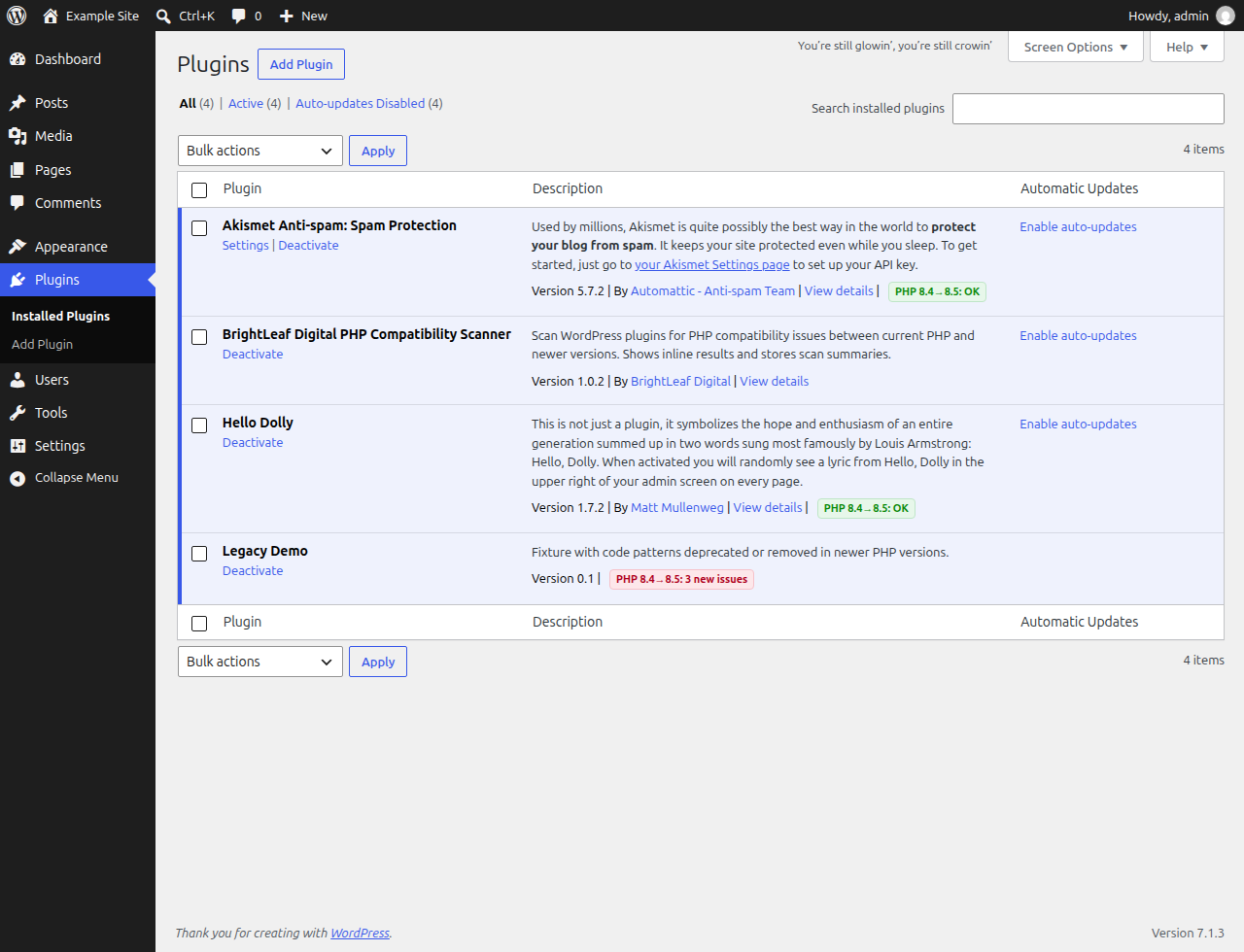
– Shows results in a clear report on the Tools screen and adds small badges on the Plugins list screen.
– Lets you pause, resume, or stop a running scan.
Important limitations of static analysis:
– Static analysis can miss issues in dynamic code paths and can generate false positives. Treat results as guidance, not guarantees. Always test site functionality on a staging environment before upgrading PHP in production.
Features
- Select a target PHP version (8.0, 8.1, 8.2, 8.3, 8.4, 8.5)
- Scan all plugins or select specific ones
- Scan all themes or select specific ones, with an option to also scan a parent if a child theme is selected
- Pause/Resume/Stop controls for long scans
- Clear report of only the new issues between baseline (current runtime) and target
- Plugin list badges showing a quick summary for the last scan
Community Help
For how-to questions and examples of what others have built, visit the GravityOps Help community.
If you opened a support thread on WordPress.org, continue that conversation there. The community is an additional place for help and ideas.
External services
Scanning runs entirely on your server. Your code and scan results are never sent anywhere.
The plugin includes the shared GravityOps library from BrightLeaf Digital, which connects to brightleafdigital.io in these cases:
- GravityOps product catalog. When an administrator uses the WordPress admin (or shortly afterwards, through WP-Cron), the library downloads the GravityOps product catalog (names, versions, icons, links and announcements) from brightleafdigital.io, at most about twice a day. The request sends no personal data or site content; like any web request, it reveals your server’s IP address.
- Newsletter signup. Only if you choose to subscribe to GravityOps Weekly, the email address you enter is sent to brightleafdigital.io.
- Feedback prompts. Only if you choose to answer the short GravityOps survey or open the review prompt, your answers, or the plugin and version being reviewed, are sent to brightleafdigital.io.
- Support access. Only if you grant BrightLeaf Digital support access, TrustedLogin creates a temporary login and notifies BrightLeaf Digital through TrustedLogin and brightleafdigital.io.
BrightLeaf Digital: Privacy Policy. TrustedLogin: Authorized User Terms, Privacy Policy.