
BP xProfile Location
v5.0.2shanebp · 2016年5月17日 上架
This plugin works with both BuddyPress and the BuddyBoss Platform. It creates an xProfile Location field type that will use the Google Places API to p …
- 正在使用
- 400+
- 评分
- 4.4 / 5
- 累计下载
- 3.6 万
- 最近更新
- 2026年5月26日
 shanebp
 BuddyDev
 Brajesh Singh
截图
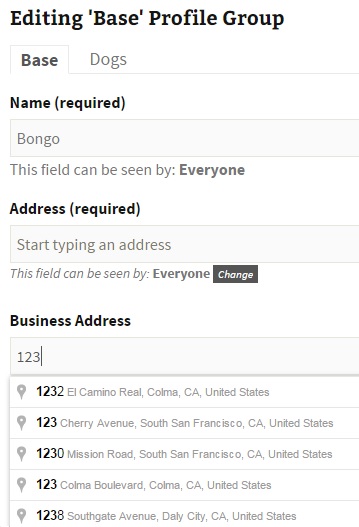
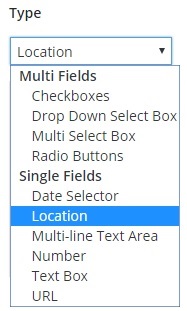
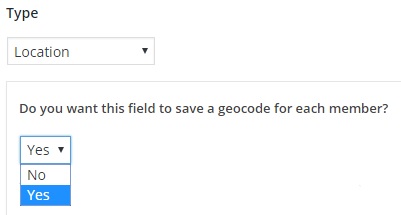
This plugin works with both BuddyPress and the BuddyBoss Platform. It creates an xProfile Location field type that will use the Google Places API to populate and validate address fields on member profiles.
The result will be uniform and searchable addresses with a single input field.
In BuddyPress, you can create multiple Location fields via wp-admin > Users > Profile Fields > Add New Field
In BuddyBoss Platform, you can create multiple Location fields via wp-admin > BuddyBoss > Profiles > Profile Fields > Add New Field
The xprofile field for each member will be populated as a searchable string.
A latitude / longitude ‘geocode’ will be saved as a separate field, if that option was selected when the field was created.
You can then use the geocode in your preferred Member Map solution.
Or you may be interested in this Member Map solution: BP Maps for Members
For Group Maps, please see: BP Maps for Groups
For more information about this plugin, please visit BP xProfile Location
Short Description
This plugin works with both BuddyPress and the BuddyBoss Platform. It creates an xProfile Location field type that will use the Google Places API to populate and validate address fields on member profiles.
The result will be uniform and searchable addresses with a single input field.
In BuddyPress, you can create multiple Location fields via wp-admin > Users > Profile Fields > Add New Field
In BuddyBoss Platform, you can create multiple Location fields via wp-admin > BuddyBoss > Profiles > Profile Fields > Add New Field
The xprofile field for each member will be populated as a searchable string.
A latitude / longitude ‘geocode’ will be saved as a separate field, if that option was selected when the field was created.
You can then use the geocode in your preferred Member Map solution.
Or you may be interested in this Member Map solution: BP Maps for Members
For Group Maps, please see: BP Maps for Groups
For more information about this plugin, please visit BP xProfile Location