Custom Order Status Manager for WooCommerce
v2.1.1brightvesseldev · 2022年2月18日 上架
Custom Order Status Manager for WooCommerce plugin allows you to create, delete and edit order statuses to better control the flow of your orders.
- 正在使用
- 3 万+
- 评分
- 4.7 / 5
- 累计下载
- 29 万
- 最近更新
- 2026年11月19日
 brightvesseldev
 Kleinmann
截图
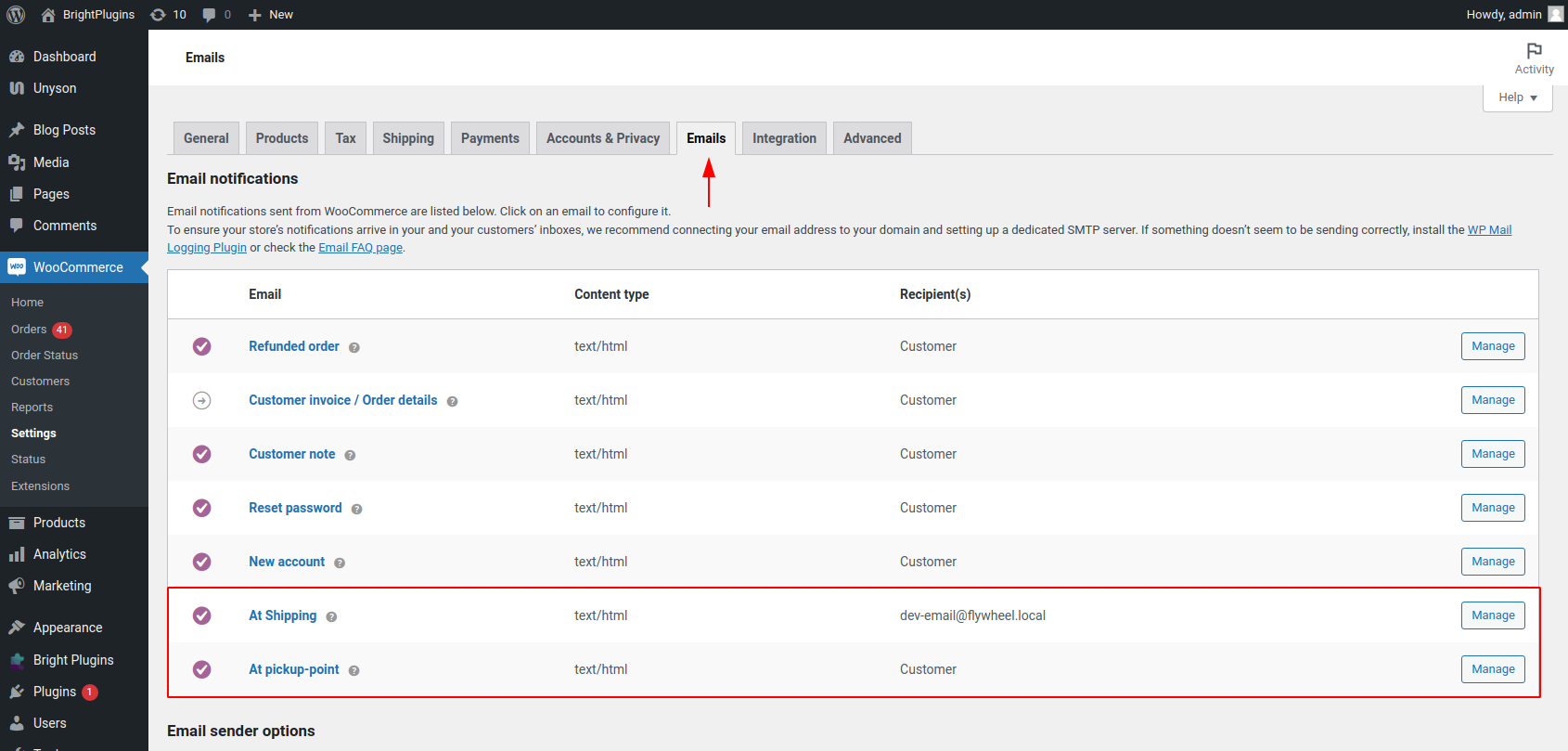
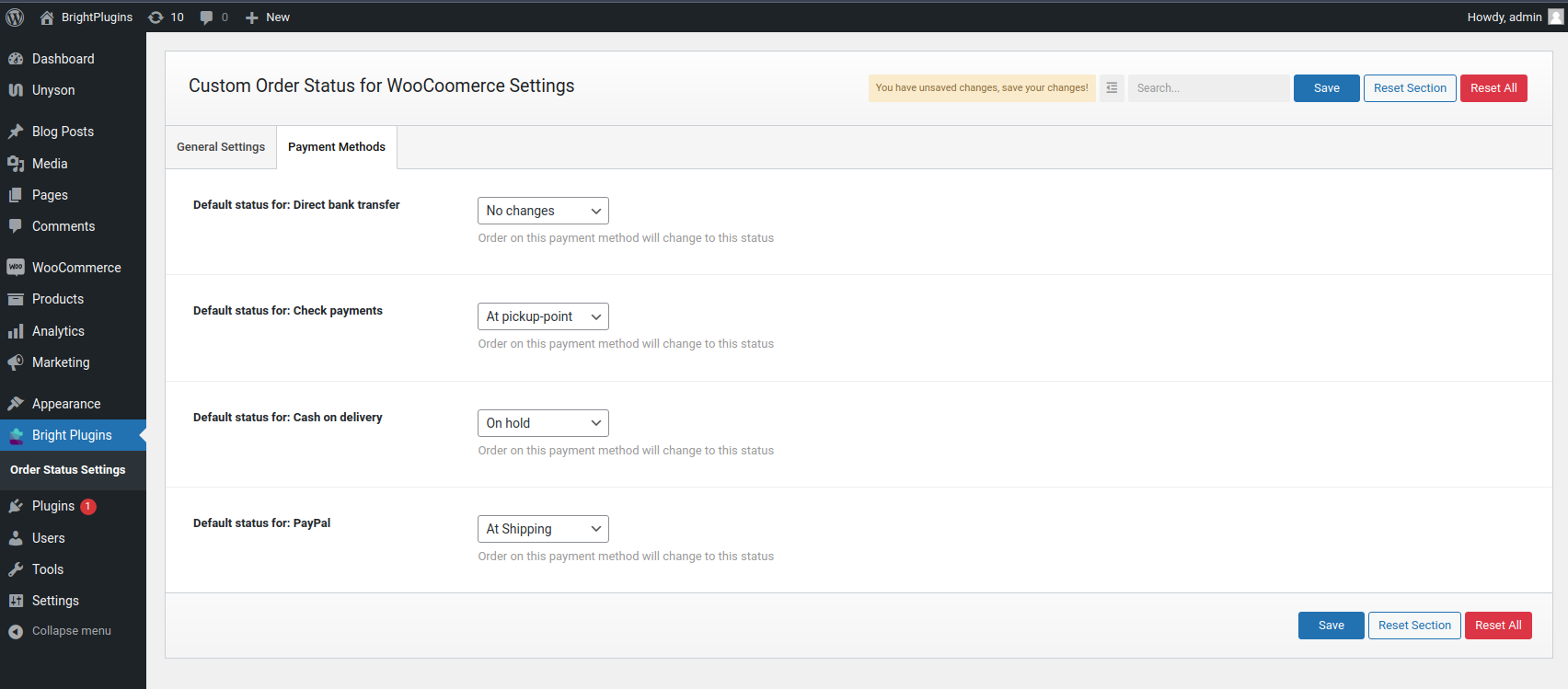
Custom Order Status Manager for WooCommerce plugin allows you to create, delete and edit order statuses to better control the flow of your orders.
What is a Custom Order Statuses for WooCommerce?
Not all order pipelines are created equal. Customer Order Status Manager for WooCommerce allows you to create, delete and edit order statuses to better control the flow of your orders.
Custom Order Status Manager for WooCommerce Features:
- Create unlimited order statuses
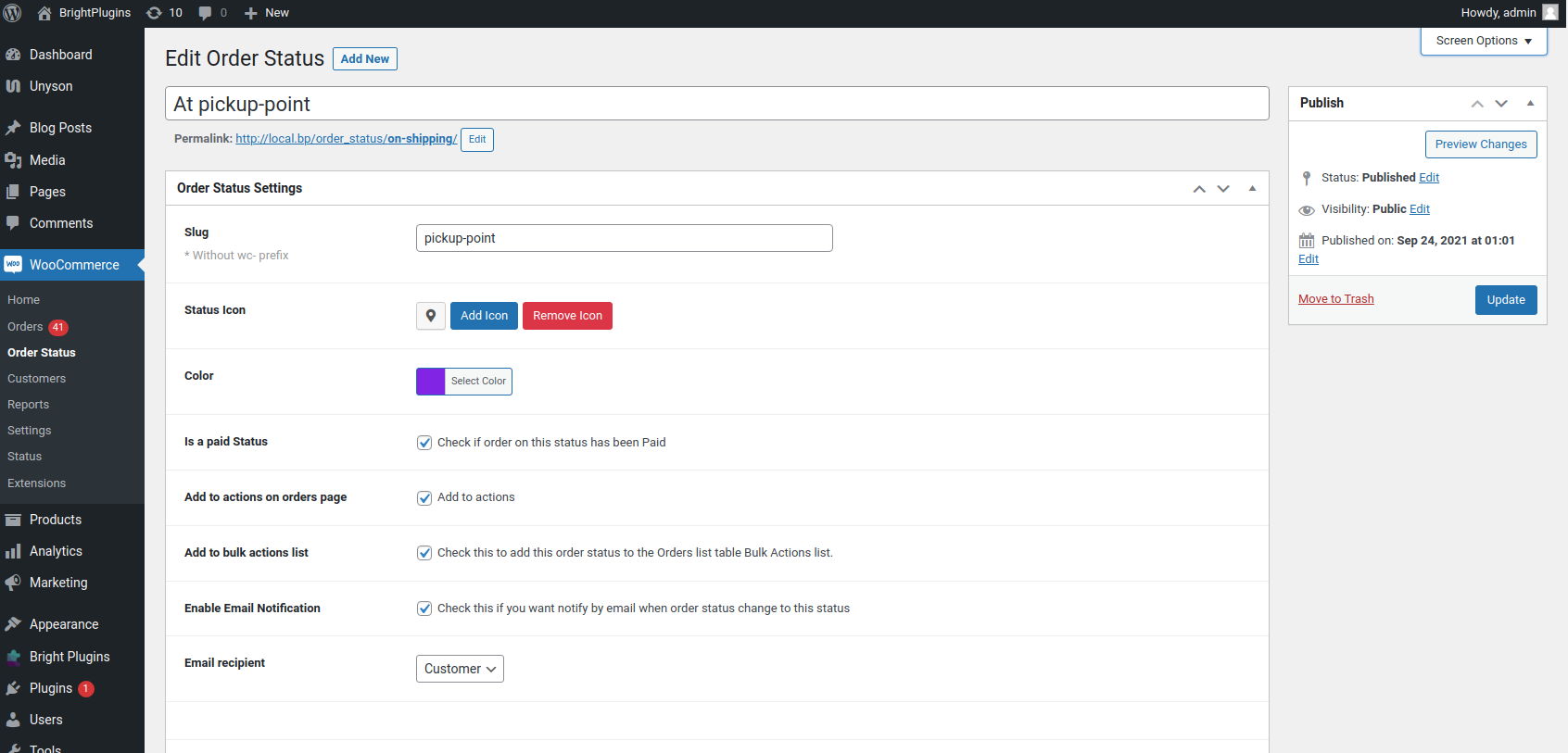
- Customize the status label.
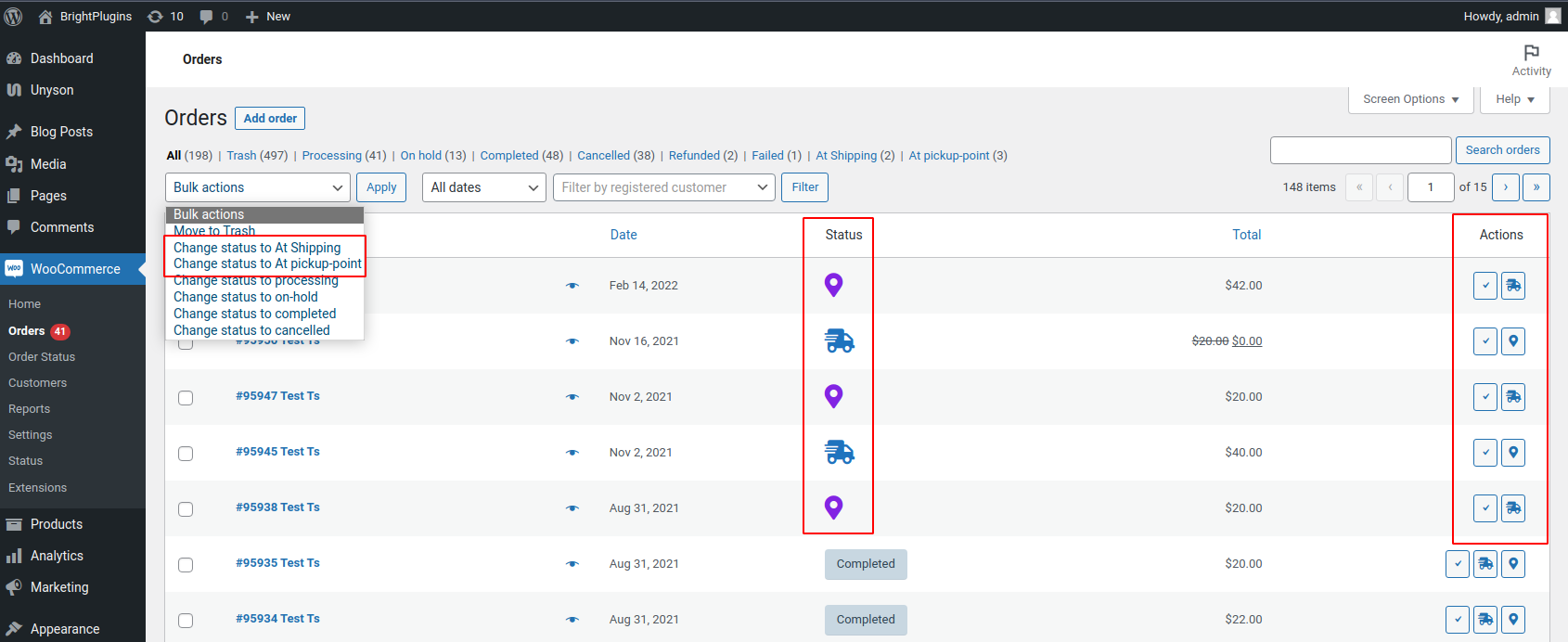
- Customize the status icon or text color.
- Create default statuses for payment methods.
- Enable email notifications for customers or administrators.
- Adds a status column to the order list page.
- Set order status for Default and Third-party Payment methods.
- Automatic custom status transtitions (by time intervals) – PREMIUM
- Display in Woo Reports – PREMIUM
- Increase or decrease the stock level – PREMIUM
✨ BLACK FRIDAY DEAL – ALL PRO PLUGINS & CLUB MEMBERSHIP!
Grab our lowest price of the year with a 50% OFF valid on all plugins and our new Club Membership. You’ll lock in your discounted rate as long as you renew!
👉 Claim Your 50% Discount Now (Use coupon: BRIGHT50 at checkout)
How to create Custom Order Status?
After activating the plugin, follow these steps to create new Custom Order Status:
- Navigate to WooCommerce > Order Status menu
- Now click “Add New” button and add order title name
- Enter a slug (Must need to be unique )
- Press “Publish” button
- All Set!
How to activate the Email template for the created Custom Order Status?
- Navigate to WooCommerce > Settings > Email Tab
- Select the Email Template name of your Custom Order Status
- Click on the “Enable/Disable” checkbox
- Hit the “Save Changes” button and you are done!
See what a few WooCommerce store owners are saying about Custom Order Status Manager for WooCommerce:
“Such a great simple but powerful plugin to extend WC functionality”.
– mdf092“Really useful tool, good support, very pleased with it.”.
– jwfrag“ Custom Order Status Manager works flawlessly for me and is compatible with all my other plugins. Highly recommended.”.
– ozviewer
If you have any issues, please let us know and give us a chance to resolve and fix them. Visit Documentation | Plugin Support | Upgrade with Club
🔥 ALL ACCESS MEMBERSHIP 🔥
Unlock all 19 premium WooCommerce plugins with one club membership. Join the Club
SOME OF OUR PREMIUM PLUGINS
Additional Variation Images for WooCommerce
Min/Max Quantities for WooCommerce
Pre-Orders for WooCommerce PRO
Deposits for WooCommerce PRO
SOME OF OUR FREE PLUGINS
Order Delivery Date Time & Pickup for WooCommerce During the checkout process, customers can effortlessly choose a delivery date and time for their orders.
Pre-Orders for WooCommerce
Show Stock for WooCommerce
Order Status Control for WooCommerce
Disable Email Notifications for WooCommerce