

Bookminto
v1.5.1bookminto · 2026年10月1日 上架
Add appointment booking to WordPress with flexible booking widgets, live availability, optional deposits and WooCommerce checkout.
- 正在使用
- 10 以下
- 评分
- 暂无
- 累计下载
- 651
- 最近更新
- 2026年11月8日
贡献者
 Bookminto
截图
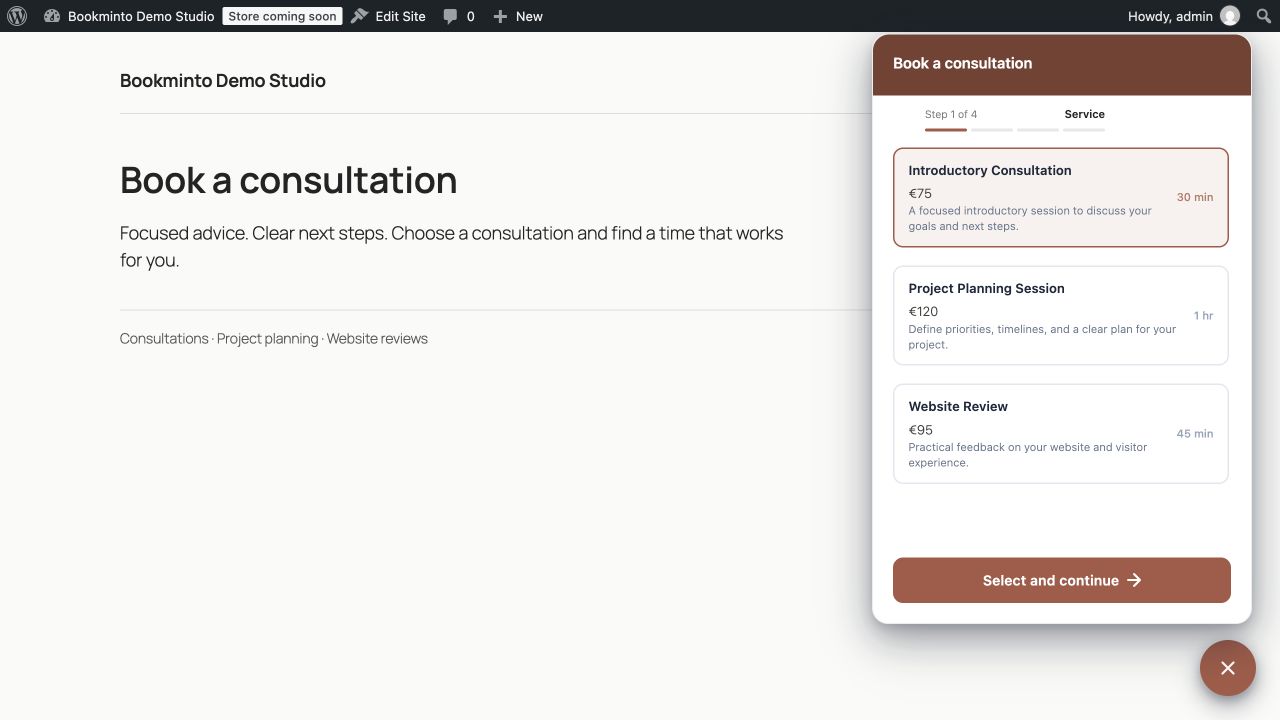
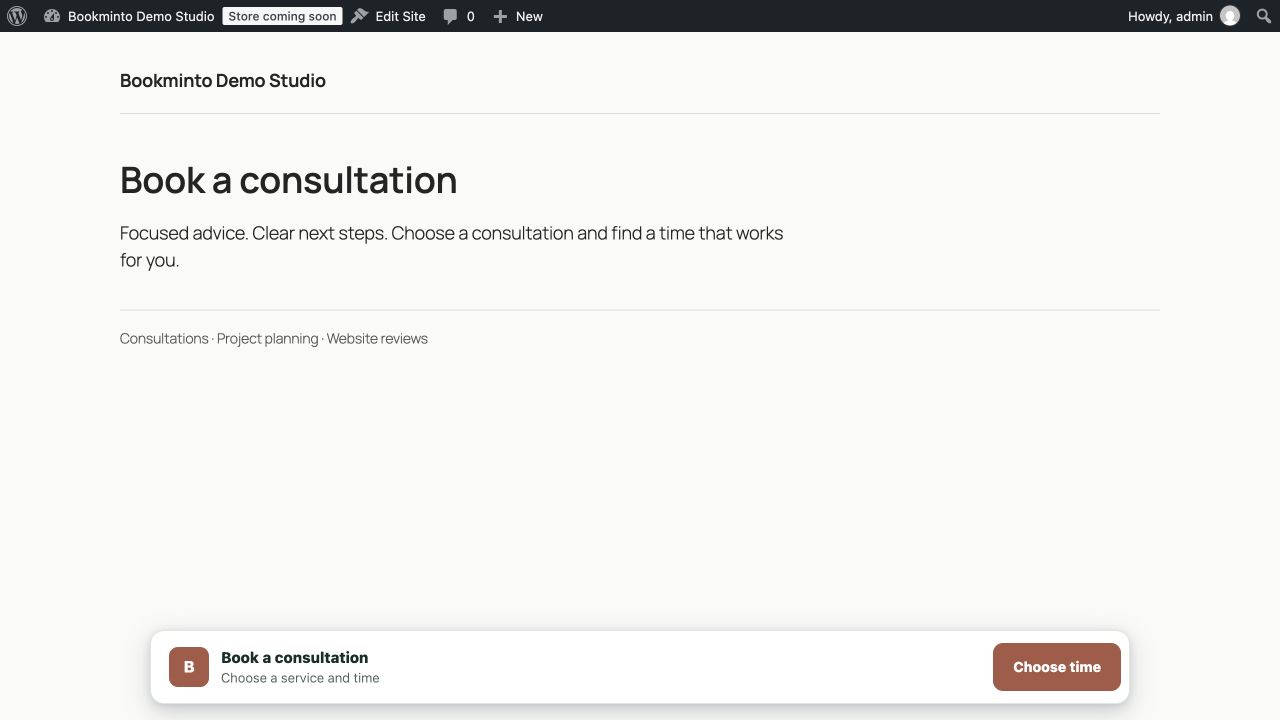
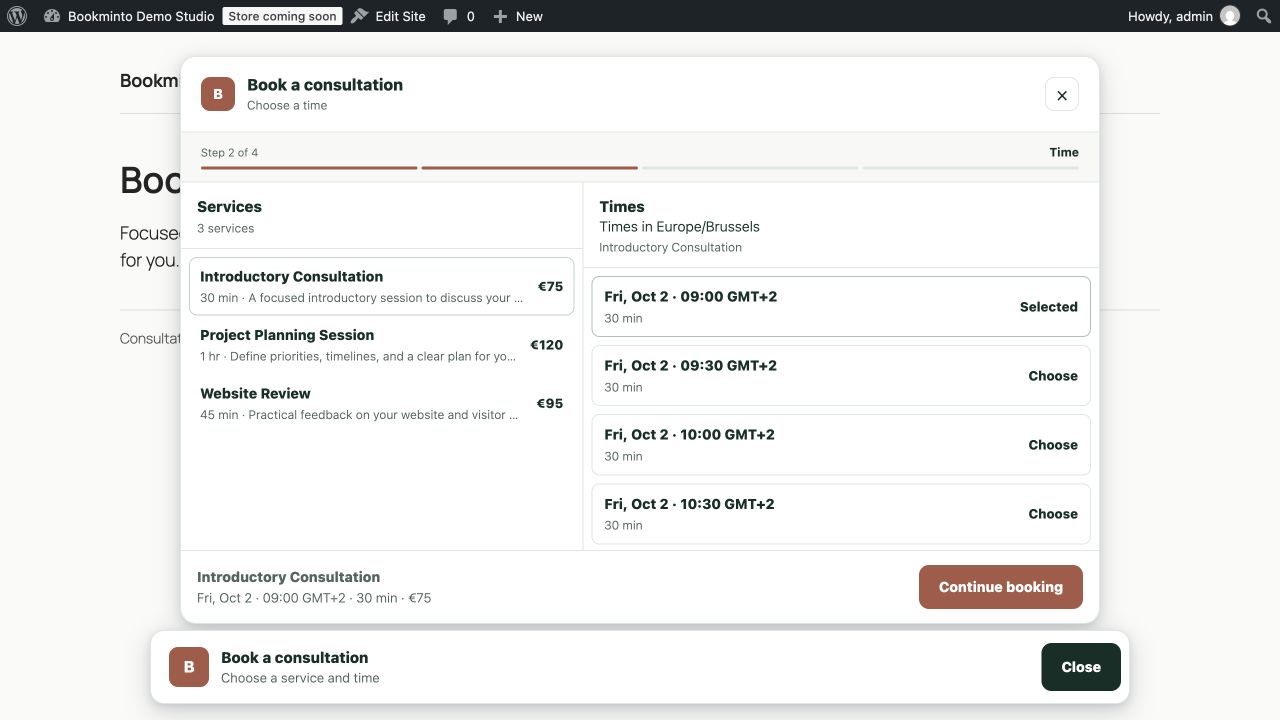
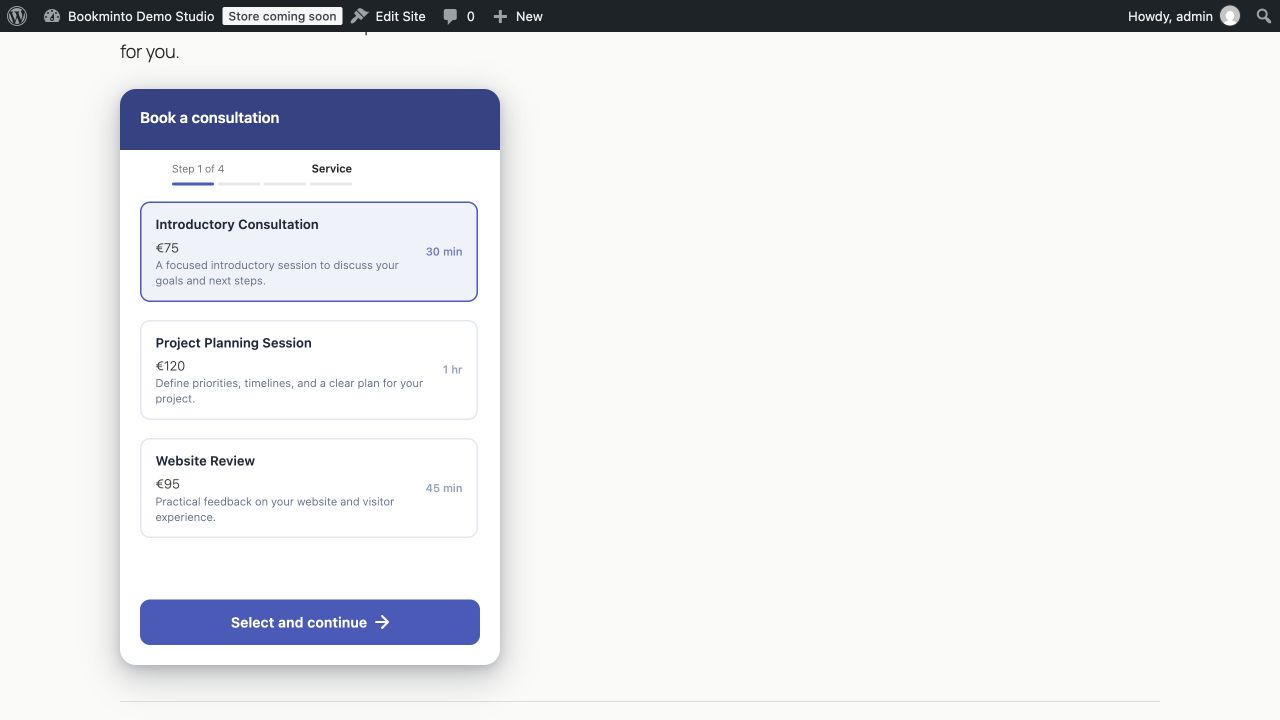
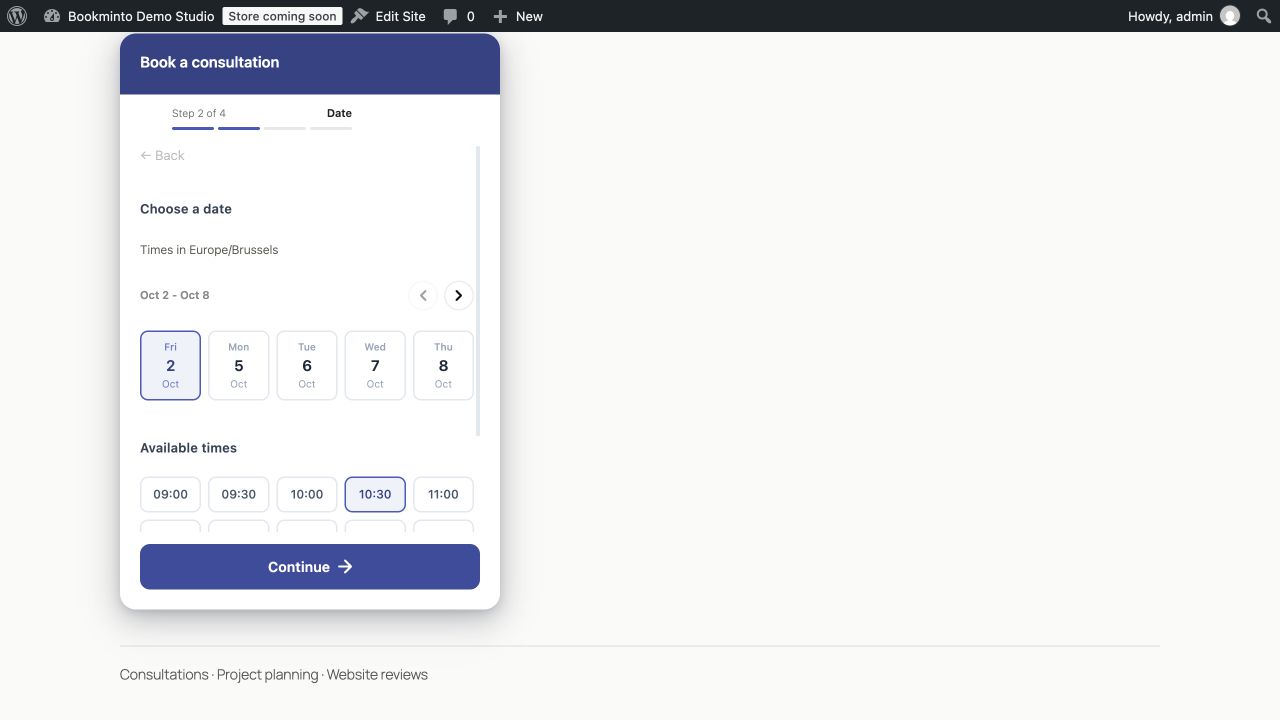
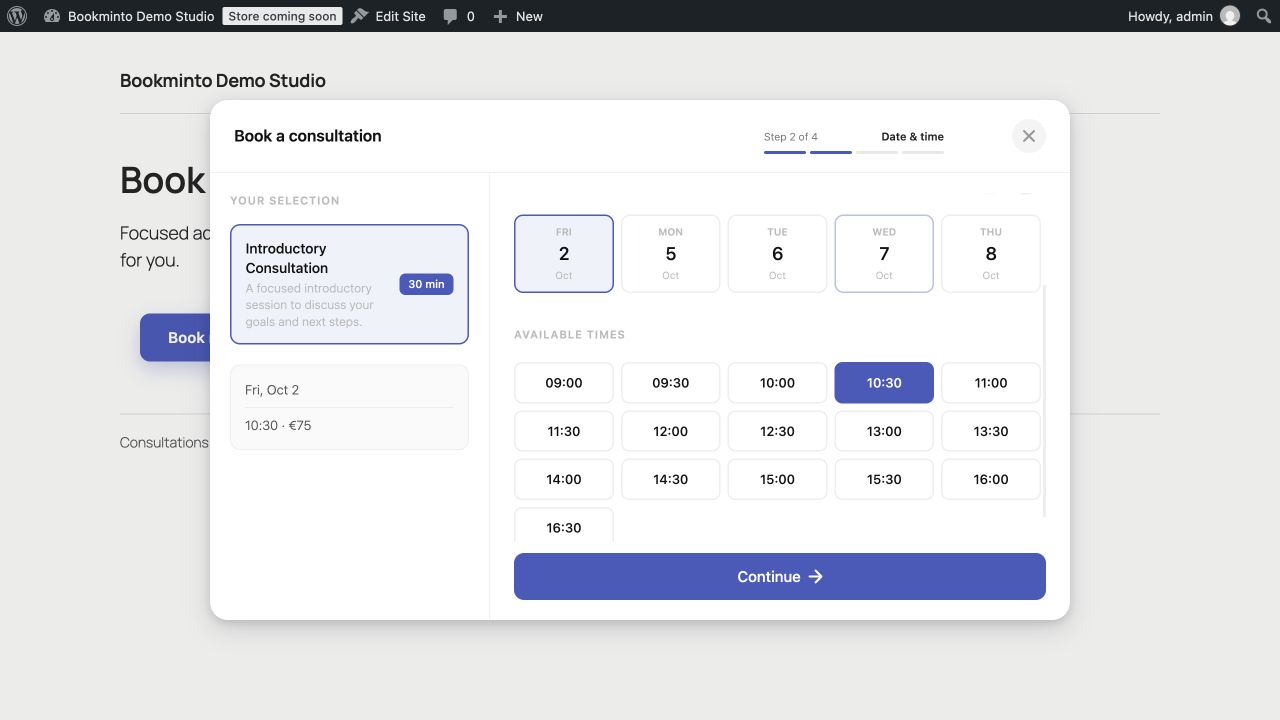
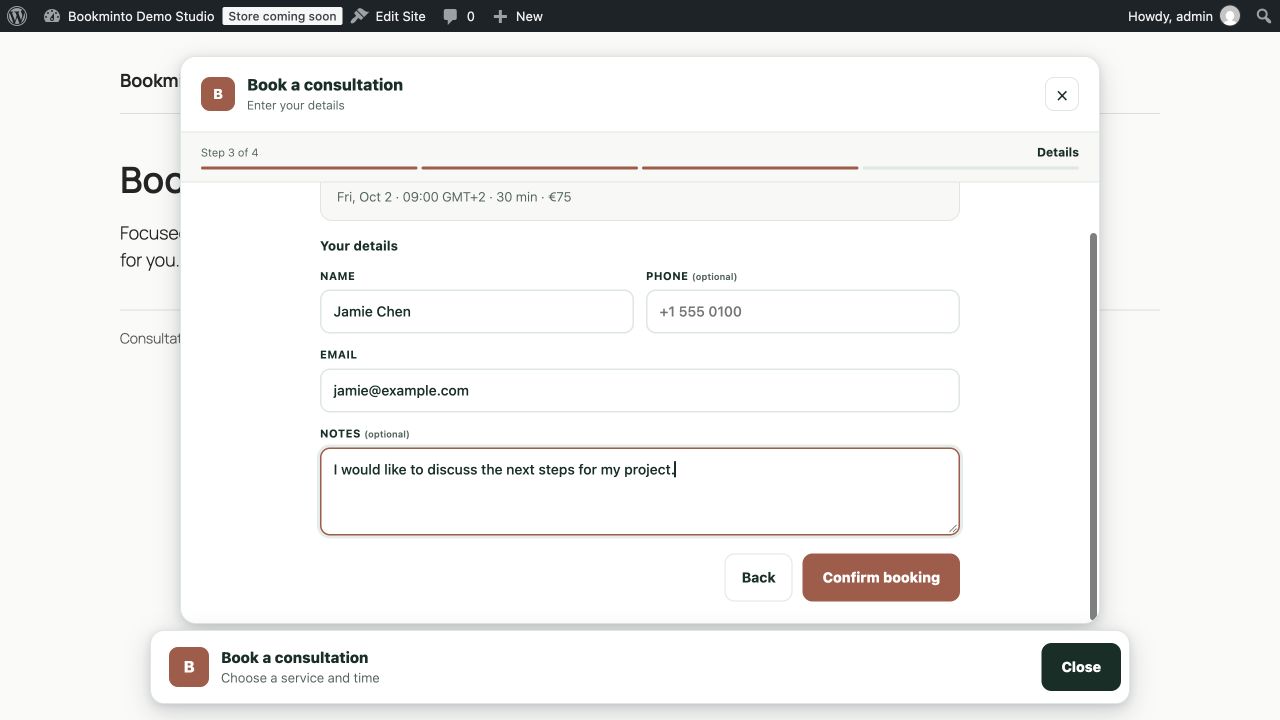
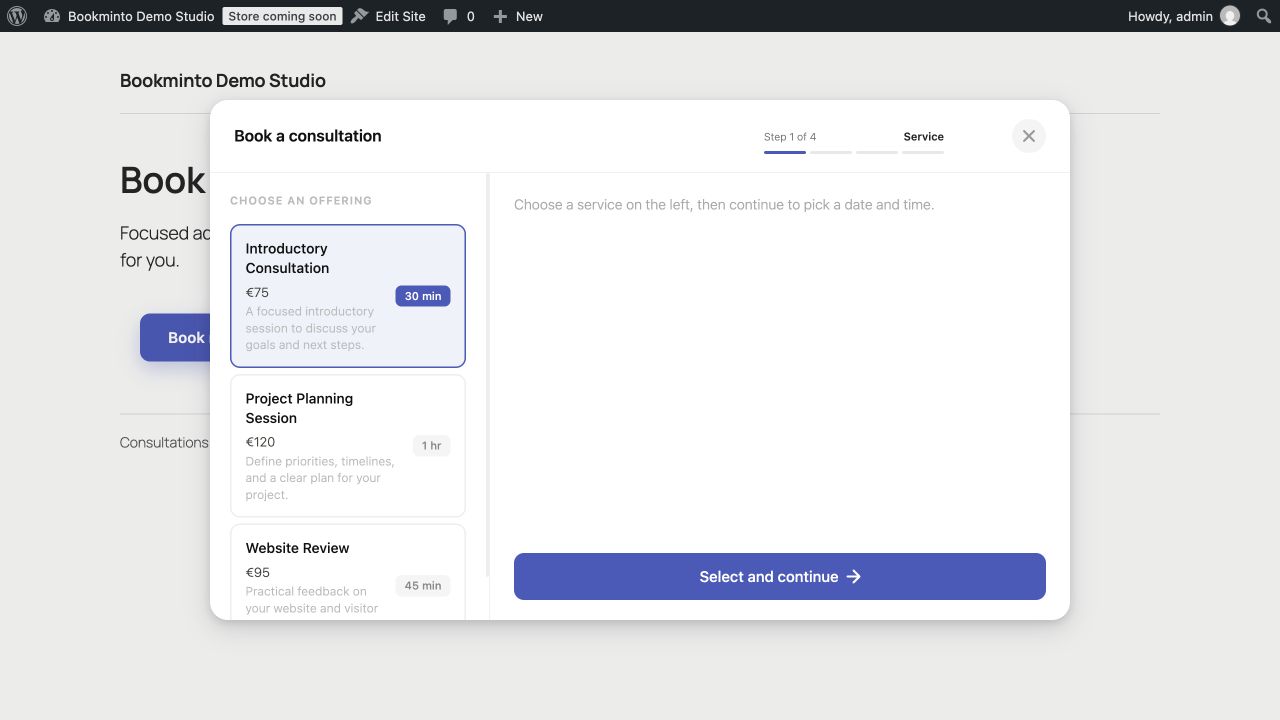
Book appointments directly from your WordPress website
Bookminto adds a modern appointment booking experience to WordPress.
Let visitors choose a service, find an available time and book directly from your website — without sending them through a complicated booking process.
Manage your services, availability and bookings in Bookminto, while the booking experience stays where it belongs: on your website.
Booking that fits your website
Not every website needs the same booking flow.
Bookminto gives you several ways to make appointments available:
- Inline booking — embed the complete booking experience directly in a page.
- Floating booking button — keep booking available while visitors browse your site.
- Booking bar — add a compact booking action without taking over the page.
- Popup booking — open the booking flow when visitors are ready to book.
Customize the appearance to better match your website and brand. You can optionally add a small photo to each service in Bookminto. Services without a photo keep the compact text layout.
Use the Bookminto block in the WordPress editor, or place the booking experience manually with a shortcode.
A clear booking flow for your customers
Customers can:
- Choose a service.
- View available dates and times.
- Enter their contact details.
- Add booking information or notes where available.
- Confirm their appointment directly from your website.
Availability comes from your Bookminto setup, so customers are offered times that are available for the selected service.
Run your bookings from WordPress
Since 1.4 the day-to-day work happens right in your WordPress admin:
- Home — a set-up checklist, anything that needs attention, and your coming appointments.
- Appointments — a week calendar. Drag an appointment to another time, or reschedule and cancel it from its panel, with or without an e-mail to the customer. Cancelling a WooCommerce booking can refund the order line.
- Services — change a name, length or price as a draft and put it live when you are ready. Linked WooCommerce products follow.
- Opening hours — weekly hours with up to four ranges a day, and days off for holidays.
Administrators and WooCommerce shop managers can use these screens.
Booking that matches your theme
Turn on “Match my theme” in the Bookminto block (or use [bookminto native="true"]) and the booking flow takes your theme’s font, colours and button shapes instead of the Bookminto card. WooCommerce product pages use it by default.
Manage bookings in one place
Bookminto gives you a central place to manage the booking side of your business, including:
- Services and pricing.
- Service duration.
- Weekly availability.
- Appointments.
- Customer information.
- Booking appearance and settings.
Bookminto is designed for appointment-based businesses such as salons, wellness professionals, clinics, consultants, coaches and other service providers.
Already using WooCommerce?
Bookminto can connect appointments to WooCommerce products.
Customers select their appointment from the product page and continue through your existing WooCommerce checkout.
This lets you keep the checkout and payment setup you already use while adding appointment selection to the purchasing flow.
Optional booking deposits with Stripe
Bookminto can also collect a deposit during the booking process when deposits are enabled for your account.
Payment details are handled securely by Stripe Elements. Raw card information is not sent to or stored by Bookminto.
Start with the free plan
The WordPress plugin itself is free and open source.
A Bookminto account is required because availability, bookings and related booking services are provided through the Bookminto service.
Bookminto offers a free plan without charge and without requiring a credit card.
An eligible paid Bookminto service plan unlocks unlimited bookings and premium features.
There is no local trial timer or paid-code lock inside the WordPress plugin. Account plans apply to the external Bookminto service.
See the current Bookminto plans for details.
External services
Bookminto is a Software as a Service (SaaS) product. This WordPress plugin connects your website to the Bookminto service in order to provide booking functionality.
The plugin communicates with:
https://api.bookminto.com/v1
Optional service photos load from Bookminto-managed Supabase Storage:
https://zmzskjwuiryxrwlitkqn.supabase.co/storage/v1/object/public/service-images/
Image requests share the visitor’s IP and browser information with storage, without booking details. See Bookminto’s Privacy Policy below.
The Bookminto service is used to:
- Load the booking configuration associated with your installation.
- Retrieve services and availability.
- Create and manage booking holds.
- Create and confirm appointments.
- Synchronize supported WooCommerce product and service information.
- Process signed booking, payment and cancellation updates where applicable.
Depending on the feature being used, information sent to Bookminto can include:
- The Bookminto installation key.
- When you click Connect with Bookminto: this site’s address and name, opened in your browser at app.bookminto.com so you can approve the connection.
- The website or page URL.
- Selected service.
- Selected date and time.
- Customer name.
- Customer email address.
- Booking information supplied by the customer.
- WooCommerce order identifiers when WooCommerce booking is used.
Bookminto service:
Terms of Service:
https://app.bookminto.com/terms
Privacy Policy:
https://app.bookminto.com/privacy
Stripe
When optional booking deposits are enabled, the booking interface loads Stripe.js from:
https://js.stripe.com/v3/
Stripe processes payment details and associated device/network information required to process the payment.
Bookminto receives payment identifiers and payment status information, but does not receive raw card details.
Stripe documentation:
Stripe Terms:
Stripe Privacy Policy:
WooCommerce bookings use the payment method configured by the WordPress website owner in WooCommerce rather than a Bookminto-controlled checkout.