

Blueprint Digital Image Optimizer
v1.7.0BluePrint Digital LLC · 2026年11月2日 上架
WebP on upload and in bulk, every result verified, bulk originals kept 30 days so they can be undone, old image URLs redirected.
- 正在使用
- 10 以下
- 评分
- 暂无
- 累计下载
- 505
- 最近更新
- 2026年11月10日
 BluePrint Digital LLC
截图


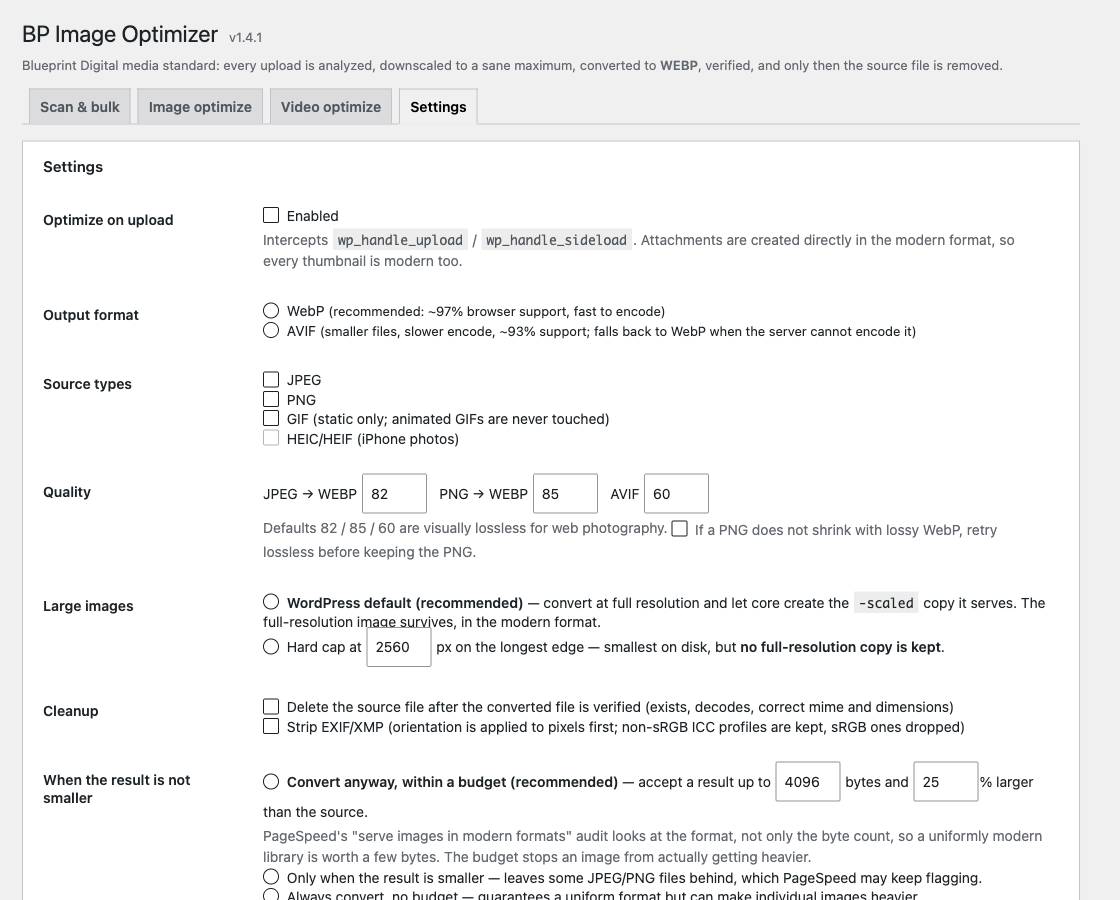

Blueprint Digital Image Optimizer is the media standard Blueprint Digital uses on the WordPress sites it builds. It converts, verifies, and keeps bulk conversions reversible. Three things set it apart from the rest of the category: every result is verified (size and PSNR) before the source is touched, bulk conversions can be undone for 30 days from the Media Library, and old image URLs keep answering with a 301.
On upload. Every JPEG, PNG or HEIC is downscaled to a sane maximum (2560 px by default), converted to WebP (or AVIF where the server supports it), verified, and only then is the source removed. Upload-time conversions are final: the attachment is created already in the modern format, so there is no original to go back to. Keep your own copy if you need the source file.
In bulk. An existing library is converted in small batches from the admin, with a dry run first. Every reference in posts, post meta and options is rewritten to the new file. The original is set aside in a quarantine folder for 30 days (configurable), and the Media Library shows a Revert link on each converted image while it is there. Nothing is deleted the moment it is converted.
Verified, not assumed. A conversion is kept only when the result is smaller and still looks like the source (PSNR check). JPEGs that a previous optimizer already compressed hard are left alone instead of being degraded.
Old URLs keep working. A request for the old .jpg or .png path answers a 301 to the converted file.
Delivery. Hand-written <img> tags that point at an old file are served the converted one, and heavy videos are kept from preloading until someone presses play.
Video. The Video tab lists the heaviest videos and tells which ones lack a faststart index (they download almost entirely before the first frame). Optimize video compresses the file in your browser (WebCodecs: Chrome, Edge, Safari 17 and newer), uploads the result in chunks and swaps it in under the same URL; the old file goes to quarantine, so it reverts like an image. Sound is kept unless you tick Remove audio. Optimize all videos runs the list one after another. Nothing runs on your server and nothing leaves your site. Browsers without WebCodecs get the ffmpeg command and an upload box instead; wp bpio video-replace does the same from the command line.
WP-CLI. wp bpio status, wp bpio optimize, wp bpio revert <id>, wp bpio trash, wp bpio video.
What it needs
- PHP 8.0 or newer with GD or Imagick that can write WebP (
wp bpio statustells you). - Enough free disk space for the quarantine: for 30 days the site holds both the original and the converted file of everything converted in bulk.
Third-party code
- mp4-muxer 5.2.2 (MIT, Vanilagy) writes the MP4 container in the browser. Unminified copy in
assets/vendor/mp4-muxer.js; source at https://github.com/Vanilagy/mp4-muxer.
What it does not do
- It does not call any external service. Conversion happens on your server.
- It does not run any shell command. Video is analysed in PHP and replaced only by a file you compressed yourself.