

Bluearctic HTTPS Fixer
v1.0.0Bluearctic · 2026年8月15日 上架
Send every visitor to HTTPS, clear mixed content warnings, and clean old http:// links out of your database.
- 正在使用
- 10+
- 评分
- 暂无
- 累计下载
- 342
- 最近更新
- 2026年8月19日
贡献者
 Bluearctic
截图
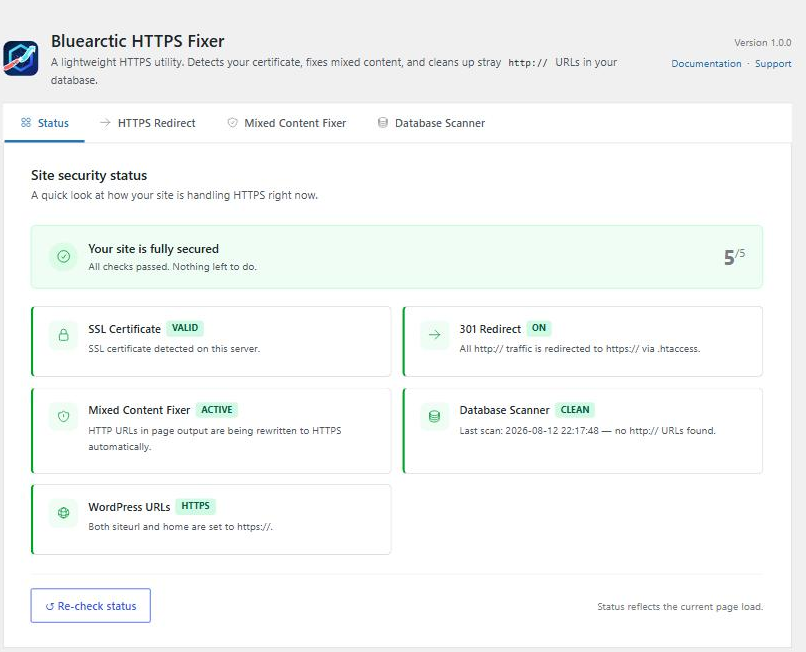
You installed an SSL certificate, but the browser still says “Not secure”. That is almost always two problems left over.
Visitors can still reach the plain http:// version of your pages. And old http:// links are still sitting in your posts, your theme options and your page builder content, so the browser refuses to show the padlock.
This plugin fixes both, and shows you which one you actually have.
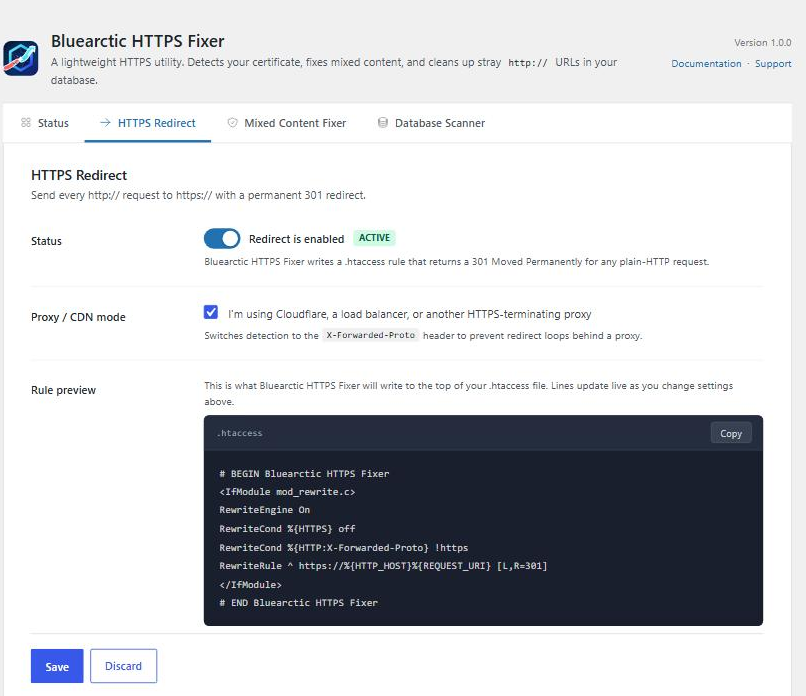
Send everyone to HTTPS
One click writes a 301 redirect so anyone arriving on http:// lands on https:// instead. If your site sits behind Cloudflare or another CDN, tick CDN / Proxy Mode to avoid a redirect loop.
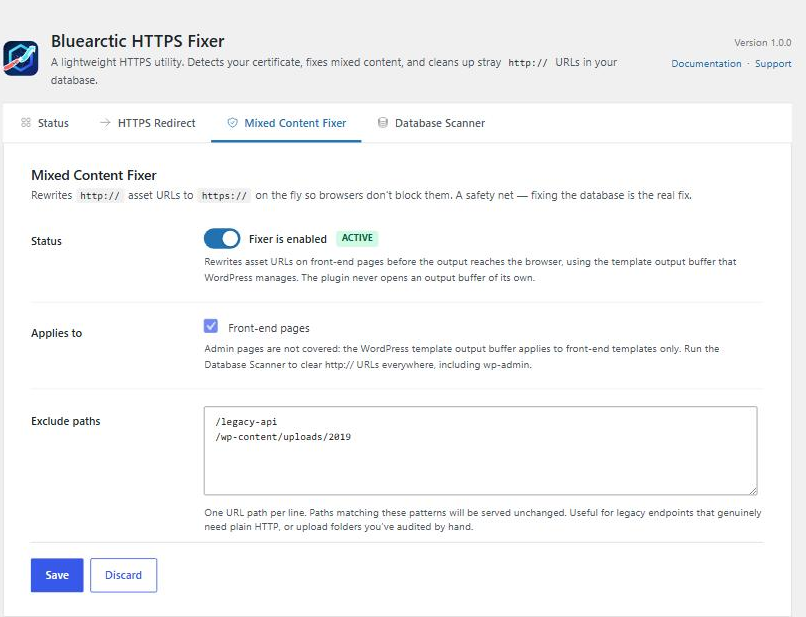
Clear mixed content warnings
Images, scripts and stylesheets still loading over http:// are what break the padlock. The plugin rewrites them as the page is sent to the browser, so the fix applies everywhere at once. Nothing in your database is touched, and on a site that is not on HTTPS yet it stays switched off, so it is safe to install before your certificate is ready.
This part needs WordPress 6.9 or newer. On older versions use the Database Scanner below, which is the better fix anyway.
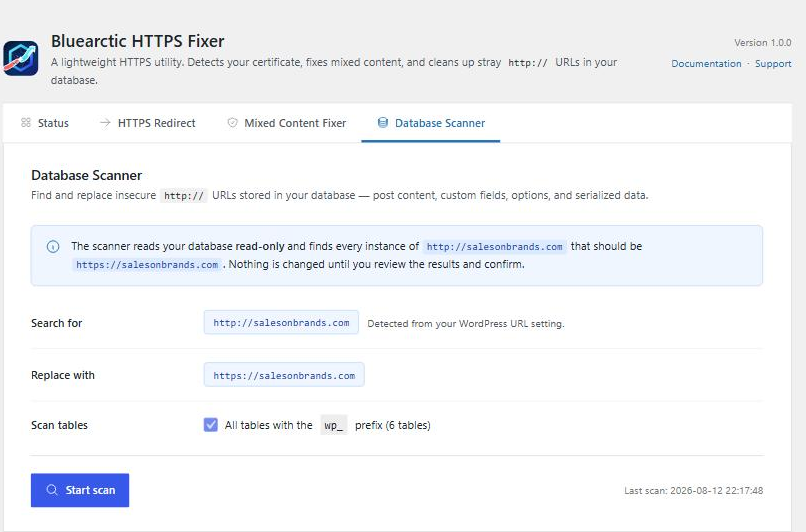
Clean up your database
The permanent fix. Scan every table for old http:// links, see exactly what would change, then apply it. Content from Elementor, Divi and WooCommerce is handled safely, which a plain search-and-replace cannot do.
What this plugin does not do
- No firewall
- No vulnerability scanner
- No login protection or 2FA
- No upsells or upgrade prompts
- No external API calls, no phone-home
- No changes to your database unless you ask for them