

Bloom Desktop Store Locator
v1.0.0bloomdesktop · 2026年11月2日 上架
A powerful and flexible store locator plugin with an interactive map, country and region filters, and store search. Works with any WordPress theme.
- 正在使用
- 70+
- 评分
- 5.0 / 5
- 累计下载
- 1,203
- 最近更新
- 2026年11月3日
贡献者
 bloomdesktop
截图

Bloom Desktop Store Locator is a lightweight, self-contained plugin for displaying store or office locations on an interactive map. It requires no third-party plugins (no ACF needed) and works with any properly coded WordPress theme.
Features:
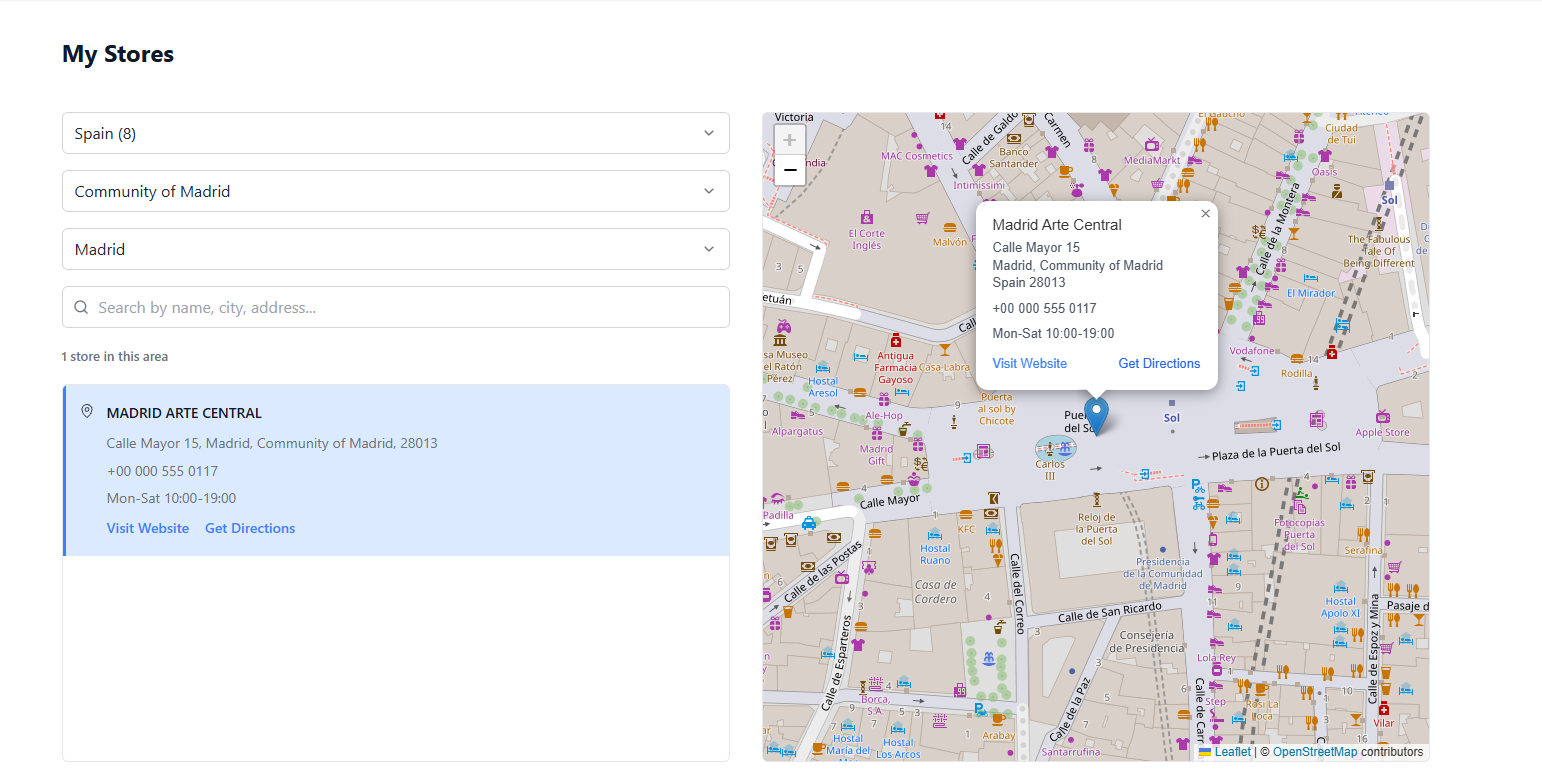
- Interactive map powered by Leaflet (bundled) and OpenStreetMap — completely free, no API key required
- Country filter dropdown with store count per country
- State / region filter — dynamically populated based on selected country
- Optional city filter
- The list follows the map — it shows the stores in the visible area, with a result counter, so large cities stay manageable
- Search bar — filter stores by name, city, address or postcode
- “Use my location” button — sorts stores by distance, and only asks for the location after the visitor clicks
- “Get Directions” link, phone and opening hours for every store
- Marker clustering for maps with many stores
- Infinite scroll for large store lists (loads in batches of 20)
- CSV import (up to 500 rows per upload, updates existing stores instead of duplicating them) and CSV export
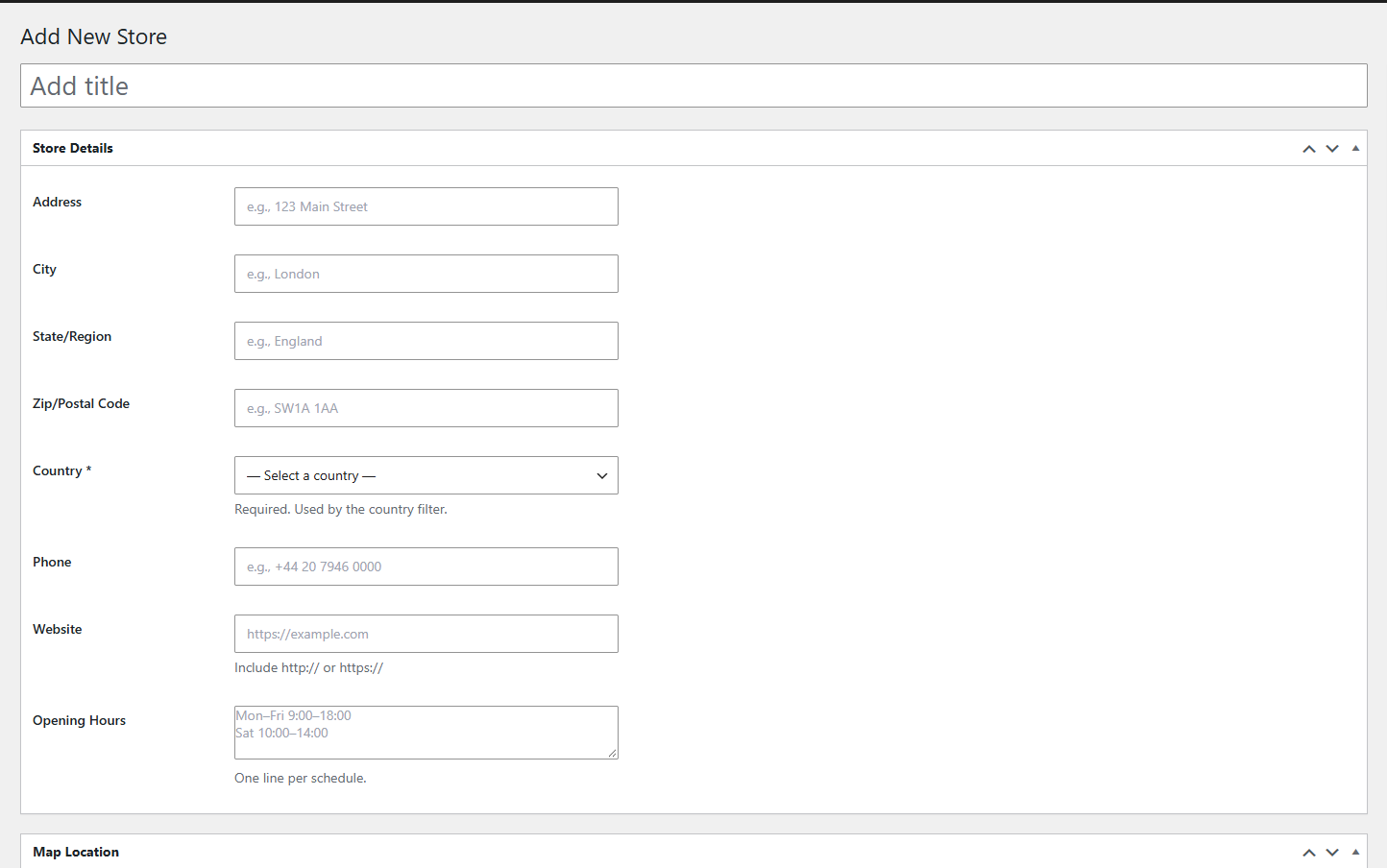
- Coordinates lookup from the store address in the admin
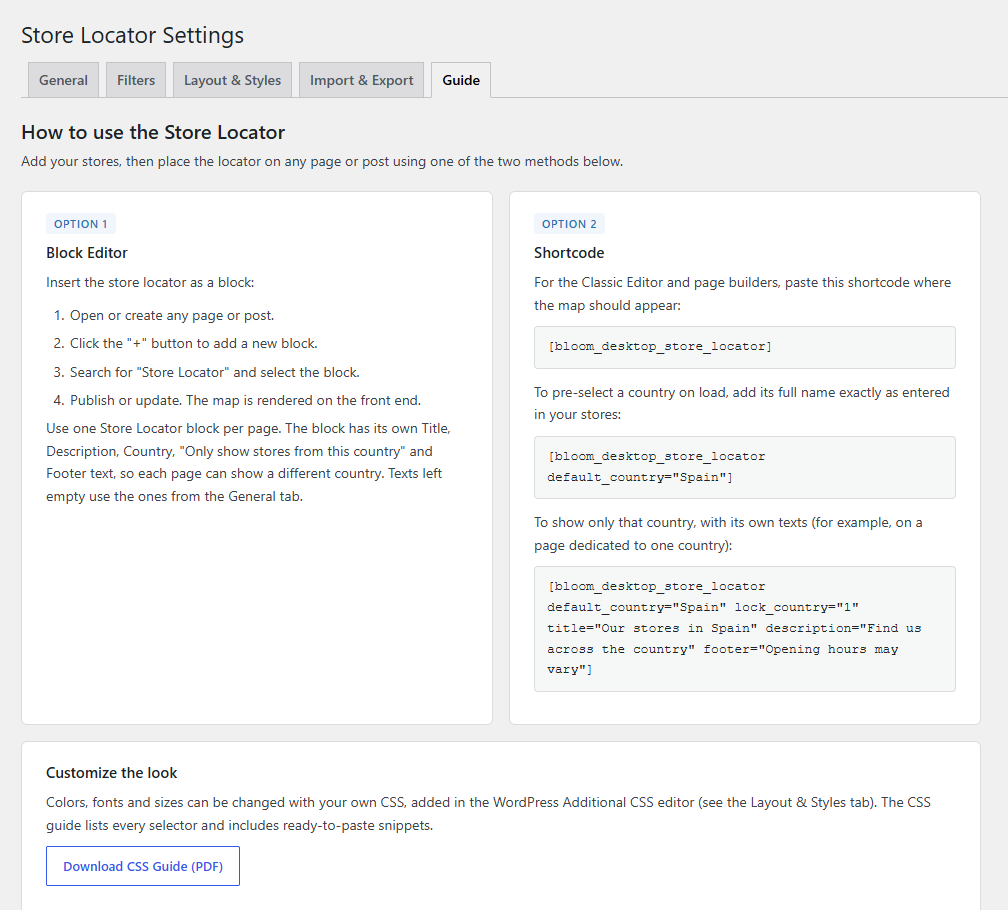
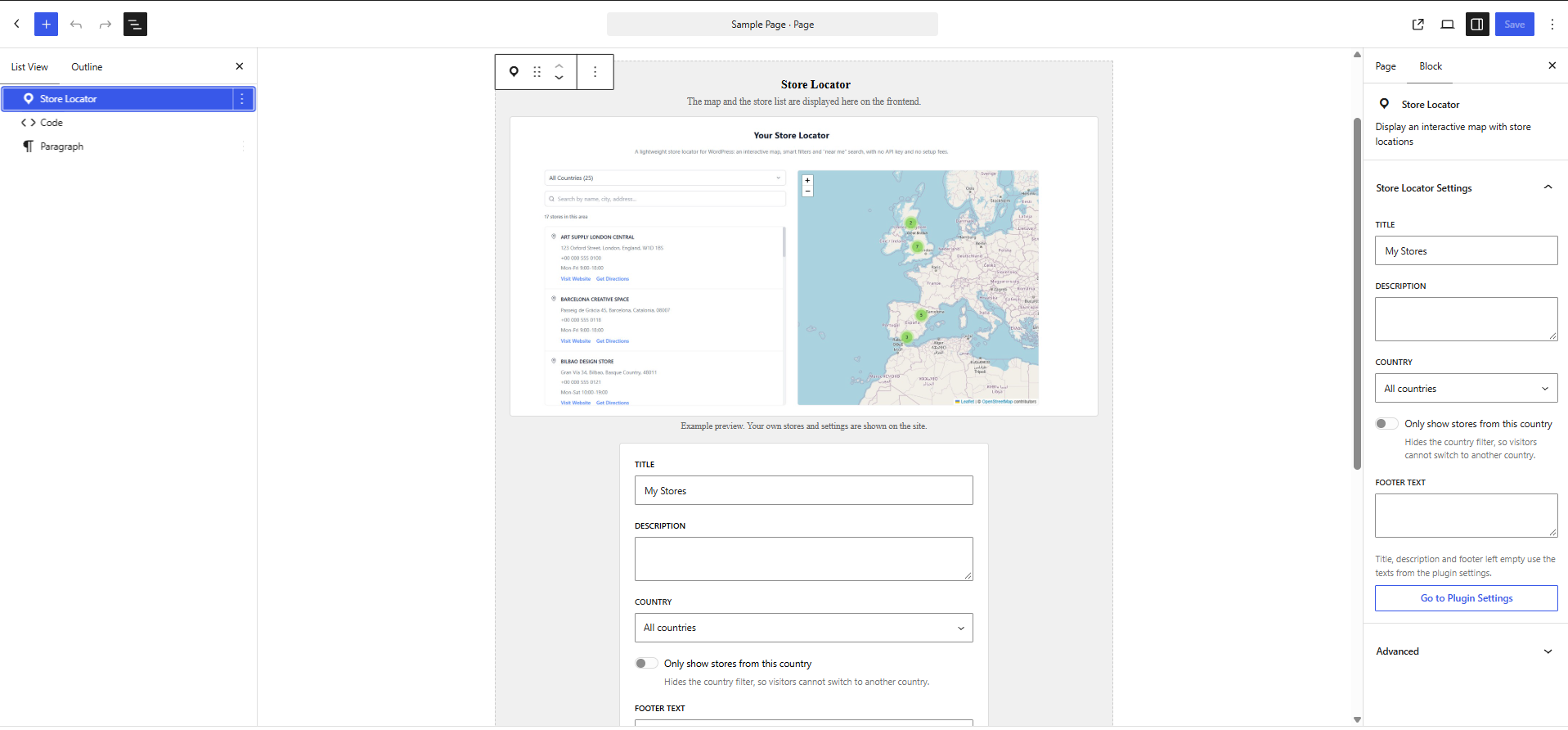
- Two integration methods: shortcode and Gutenberg block
- Fully responsive — works on all screen sizes
- Contained or full-width layout option
Privacy note: Map tiles are loaded from tile.openstreetmap.org. The visitor’s location is only read when they click “Use my location”, and it is sent only to your own site to sort stores by distance. See the External services and Privacy sections for details.
Third-Party Libraries
This plugin bundles the following third-party libraries in minified form:
- Leaflet (v1.9.4) — BSD 2-Clause License
Non-minified source: https://github.com/Leaflet/Leaflet - Leaflet.markercluster (v1.5.3) — MIT License
Non-minified source: https://github.com/Leaflet/Leaflet.markercluster
External services
This plugin relies on the following third-party services. None of them receives any data until the action described happens.
OpenStreetMap tiles
The map images are loaded from OpenStreetMap servers (tile.openstreetmap.org) every time a page containing the store locator is displayed. The visitor’s IP address and the map area being viewed are sent to OpenStreetMap as part of those requests.
Terms of use: https://operations.osmfoundation.org/policies/tiles/
Privacy policy: https://osmfoundation.org/wiki/Privacy_Policy
OpenStreetMap Nominatim
Used only in the WordPress admin. When an editor clicks “Get coordinates from address” while editing a store, the address typed in the form is sent to the Nominatim search service (nominatim.openstreetmap.org) to obtain its latitude and longitude. Site visitors never contact this service.
Terms of use: https://operations.osmfoundation.org/policies/nominatim/
Privacy policy: https://osmfoundation.org/wiki/Privacy_Policy
Google Maps
Each store shows a “Get Directions” link that opens Google Maps (google.com/maps) in a new tab with the coordinates of the store. Nothing is sent to Google unless the visitor clicks the link.
Terms of use: https://www.google.com/intl/en/help/terms_maps/
Privacy policy: https://policies.google.com/privacy
Privacy
The plugin never asks for the visitor’s location on page load. If the visitor clicks “Use my location”, the browser coordinates are sent to your own site’s REST API to sort stores by distance. They are not stored and are not sent to any third party. The button can be disabled in the settings.
If you use this plugin, you should disclose the services listed under “External services” in your site’s privacy policy.