

BlogCutter Activity Log & Security Audit
v6.0.0Blog Cutter AI · 2026年3月10日 上架
Activity log and security audit for WordPress. Track logins, content changes, and admin actions from a clear dashboard.
- 正在使用
- 10+
- 评分
- 暂无
- 累计下载
- 1,064
- 最近更新
- 2026年9月9日
贡献者
 Blog Cutter AI
截图


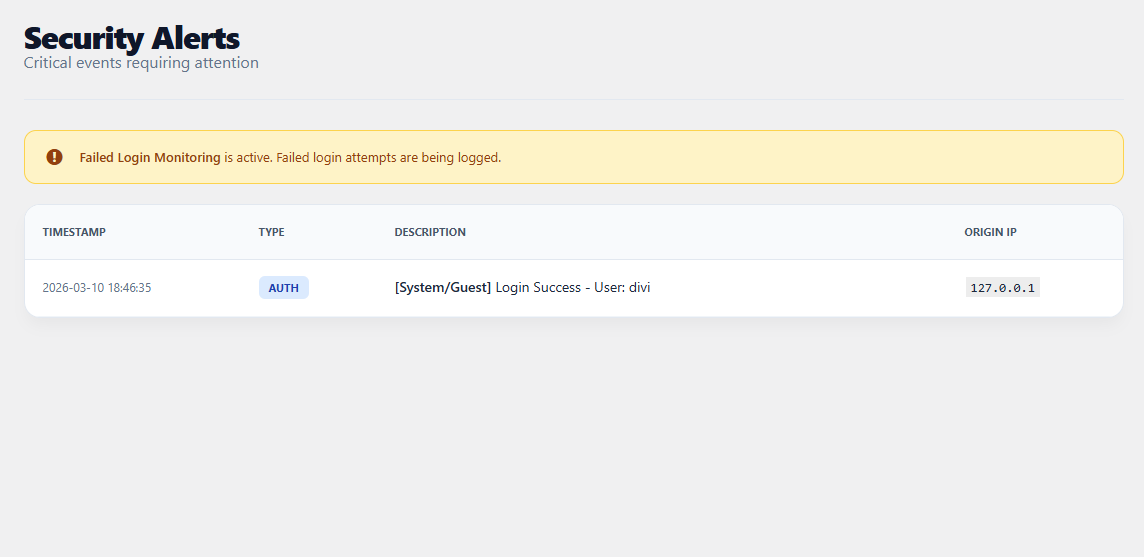


BlogCutter Activity Log & Security Audit records important actions on your WordPress site and shows them in a searchable admin dashboard. Logs stay on your site. They are not sent to BlogCutter or any other remote service.
The plugin is tested with WordPress 7.1. It does not add scripts to the block editor canvas, so the iframed post editor in 7.1 does not affect logging.
What it records
- Successful logins, logouts, and failed sign-in attempts
- Password reset requests and completions
- User account, profile, and role changes
- Application password create and revoke events
- Posts, pages, media, comments, menus, widgets, and taxonomy terms
- Plugin, theme, and WordPress core updates
- Important core setting changes (not every options-table write)
- 404 errors and public search queries
- Optional guest visits (off by default, one log per IP and URL each hour)
- Optional outgoing email and REST write requests
Dashboard
- Filter by time range and event type
- Search by user, IP, or message
- Color-coded event types
- CSV and JSON export of the current filters
- Active sessions list with the option to end another user’s sessions
- Failed-login summary by IP
- Daily cleanup by age and maximum row count
- WordPress privacy exporter and eraser support
- Optional email when one IP fails login too many times in an hour
On WordPress 6.9 and 7.1 the plugin also registers read-only Abilities for an audit summary and recent log rows. Those abilities are not exposed on the REST API.
Privacy
All log data is stored in a database table on your WordPress site. Administrators can export or delete it. Suggested privacy-policy text is added under Settings Privacy. Guest visit logging is optional and off by default.