

BlockMeister – Block Pattern Builder
v3.1.12BlockMeister · 2020年9月1日 上架
Visually create custom block patterns. No coding skills needed! Categorize them easily and use keywords for easy discoverability.
- 正在使用
- 1,000+
- 评分
- 5.0 / 5
- 累计下载
- 3.7 万
- 最近更新
- 2025年1月27日
贡献者
 BlockMeister
 Benny
截图
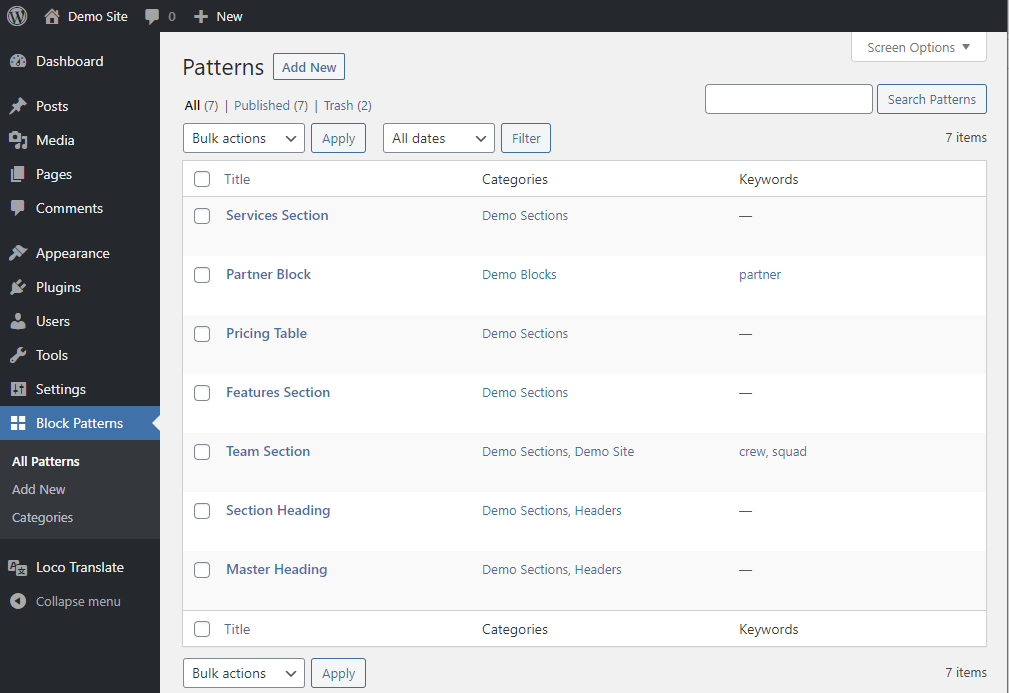

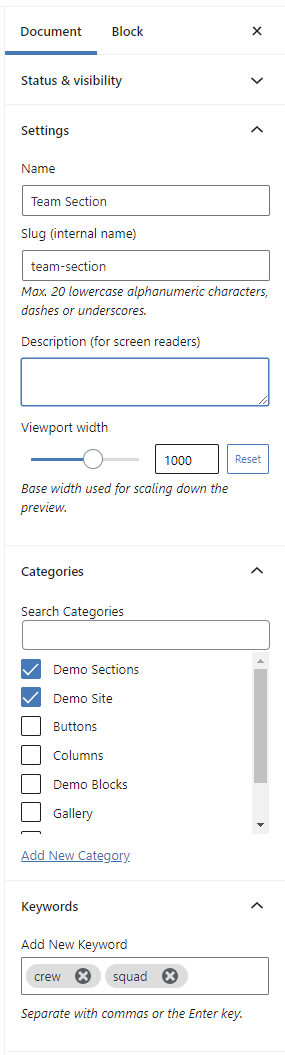
With BlockMeister creating custom block patterns becomes easy. The patterns can be designed just like you design a blog post or a page with the block editor.
You can assign any (custom) category or keywords. By doing so, your patterns are categorized in a way that makes sense to your users and keywords make it easier to find a pattern. Your custom patterns will be available from the block patterns tab in the inserter panel.
Features
- Visual design custom block patterns using the pattern builder
- Or create a custom pattern from one or more selected blocks in the post editor
- Import patterns made/shared by trusted Pro users [new in 3.0]
- Assign your patterns to one or more categories
- Optionally add any keywords (makes them easy to find in the block inserter)
- Create custom pattern categories
- Set a viewport width to optimize the scaled width of the preview in the block inserter
Pro Features
If you would like even more features like: group locking, cloning, activating or deactivating individual patterns, exporting, importing, controlling which core/third party pattern sets are allowed to load, setting block styles and more, please check out our premium versions here:
Professional Version
Getting Started
- Locate and click on the ‘Block Patterns‘ menu item in the sidebar admin menu.
- Click on the ‘Add New‘ button.
- Give your pattern a name.
- Start writing or choose any blocks you want to be part of your pattern.
- Publish the pattern
- Go to a test page and locate your pattern in the Block Inserter under the pattern tab and click on it.
- The block pattern will now be added to your page. All contained blocks are now independent of the original pattern and can be edited as any regular block.