
Biel.ai Assistant – AI Chatbot That Answers From Your Website
v1.0.2TechDocs.Studio · 2026年7月31日 上架
Biel.ai Assistant adds an AI chatbot to WordPress for questions about your website content, with source links.
- 正在使用
- 10 以下
- 评分
- 暂无
- 累计下载
- 482
- 最近更新
- 2026年11月7日
贡献者
 TechDocs.Studio
截图
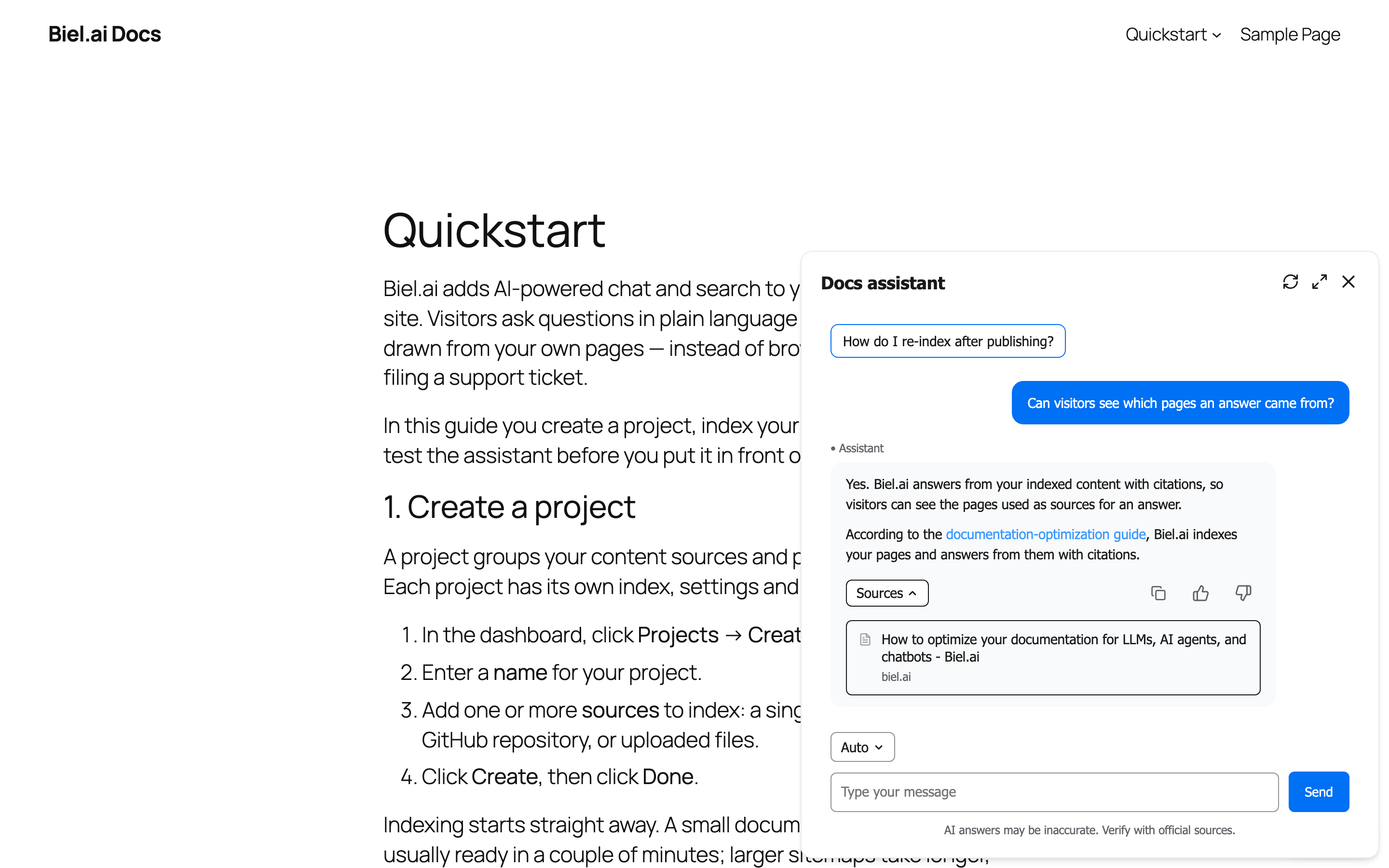
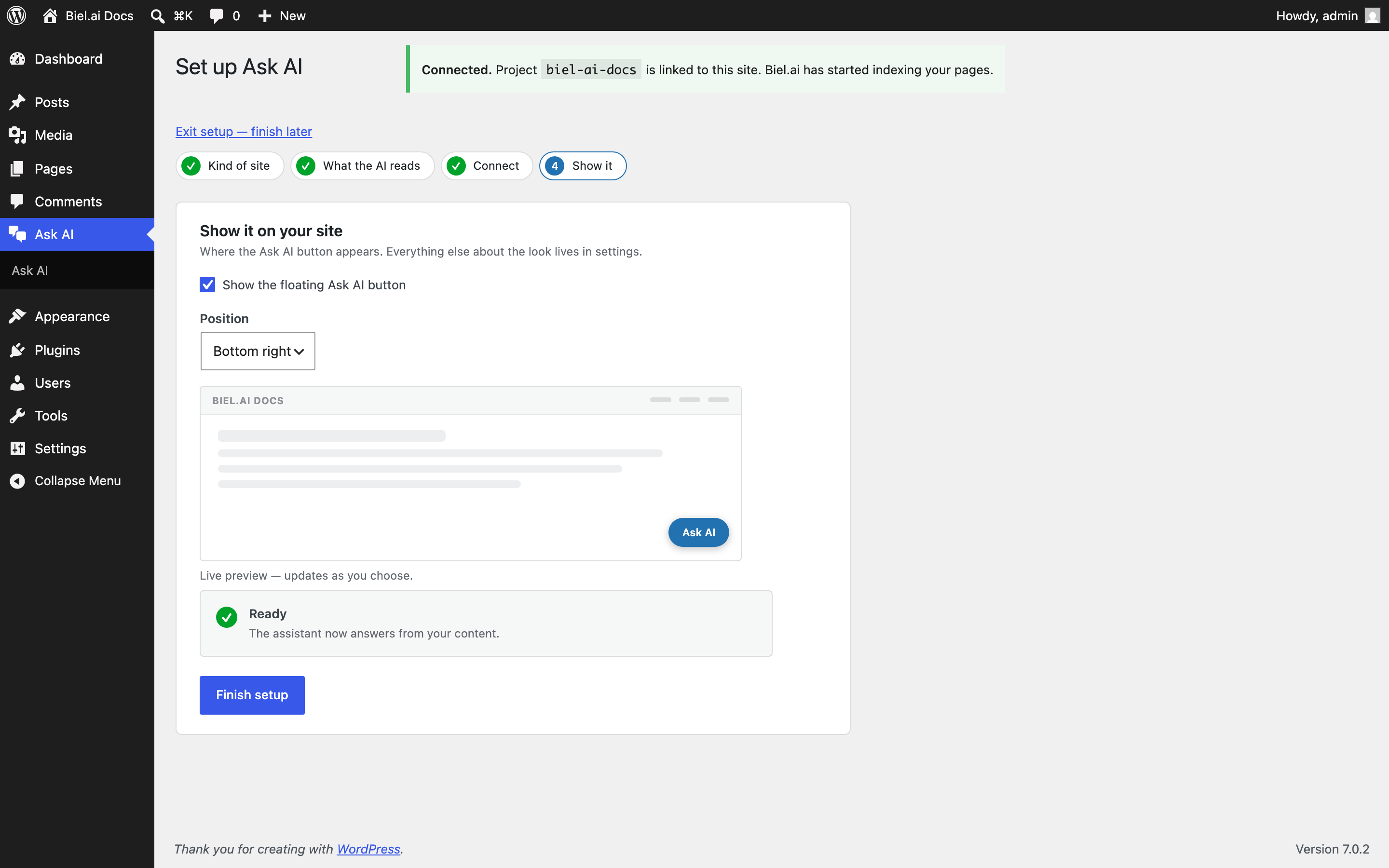
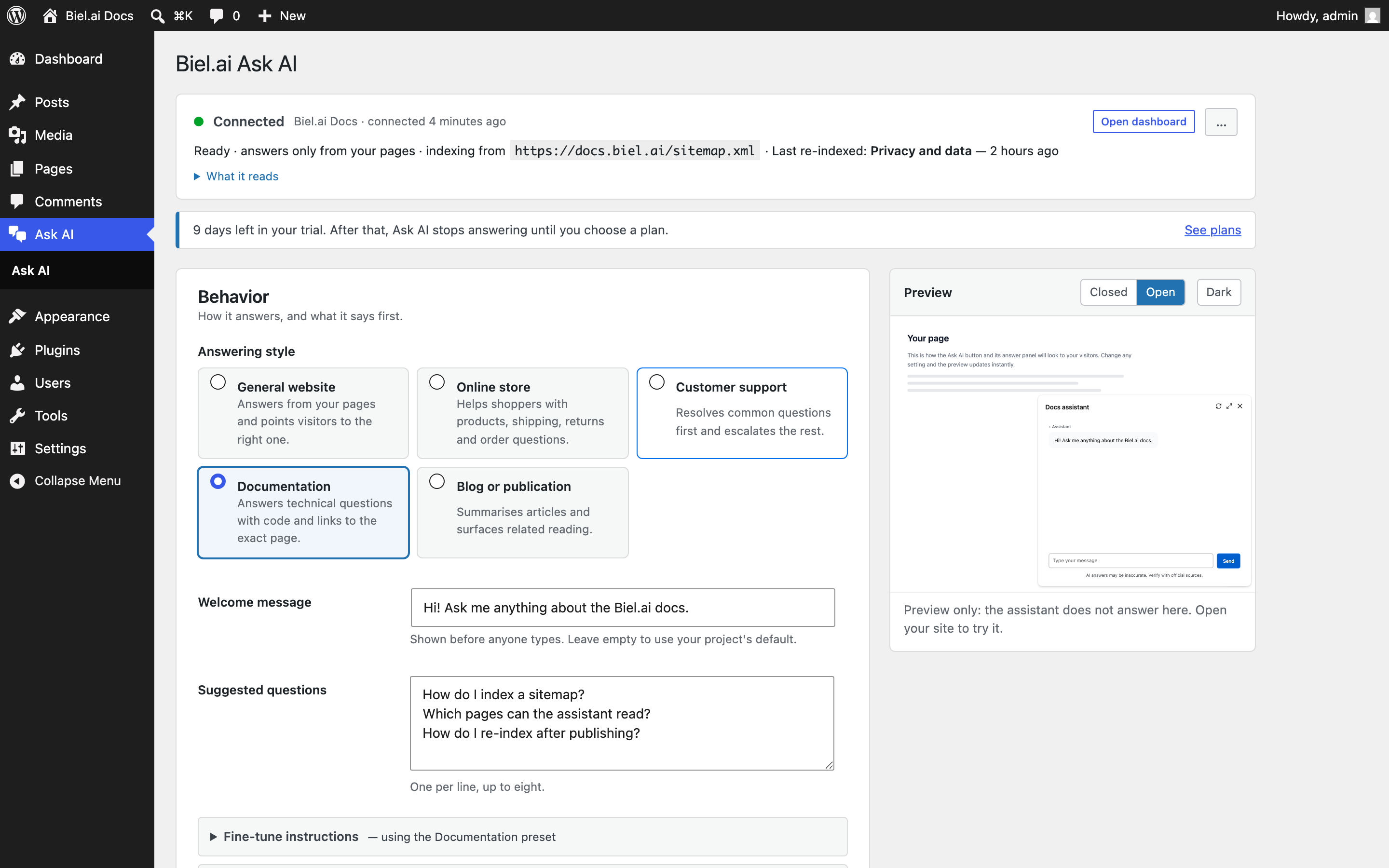
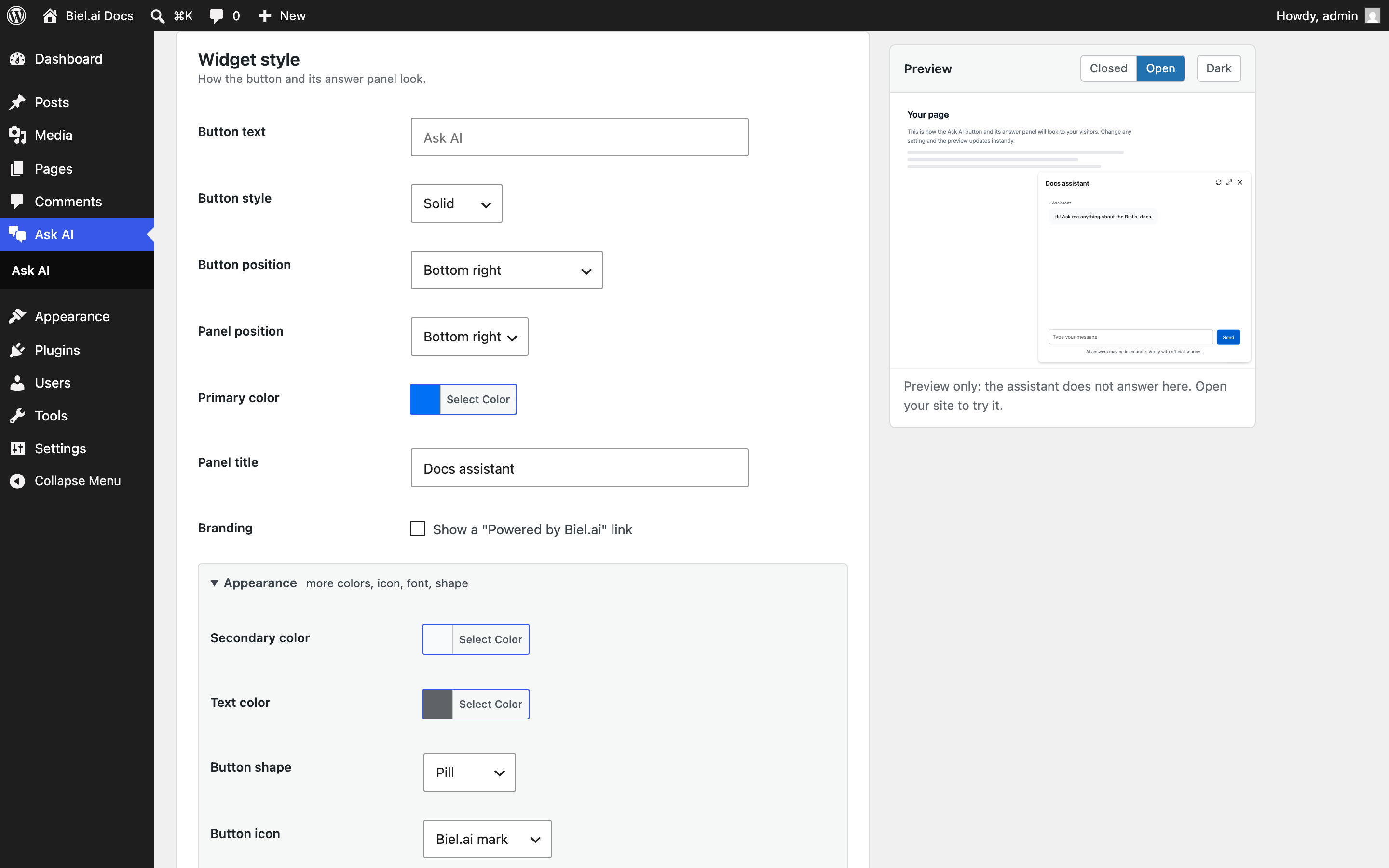
Biel.ai Assistant adds an AI chatbot to your WordPress site that answers visitors’ questions grounded in your indexed pages. Visitors open the chatbot with the Ask AI button. Source links let visitors check answers against the original pages.
Biel.ai indexes the pages you already publish and uses them as context for the chatbot’s answers. A visitor who cannot find something asks for it in plain language instead of guessing at your menu, and can check the response against its sources.
It is a customer support chatbot that uses your indexed website content as its knowledge source. Works with blogs, documentation sites, WooCommerce stores, membership sites and client projects.
What you get
- Ask AI button – a floating button opens your chatbot, where visitors can ask questions in plain language
- Answers grounded in your content – Biel.ai crawls your sitemap and uses those indexed pages to answer questions, with source links so visitors can check the response
- Fewer support tickets – questions your site already answers get answered on your site, in the visitor’s own words, at any hour. What reaches your inbox genuinely needs a person
- Five starting points – presets for a general site, a store, customer support, documentation or a blog, with instructions you can rewrite in your own words
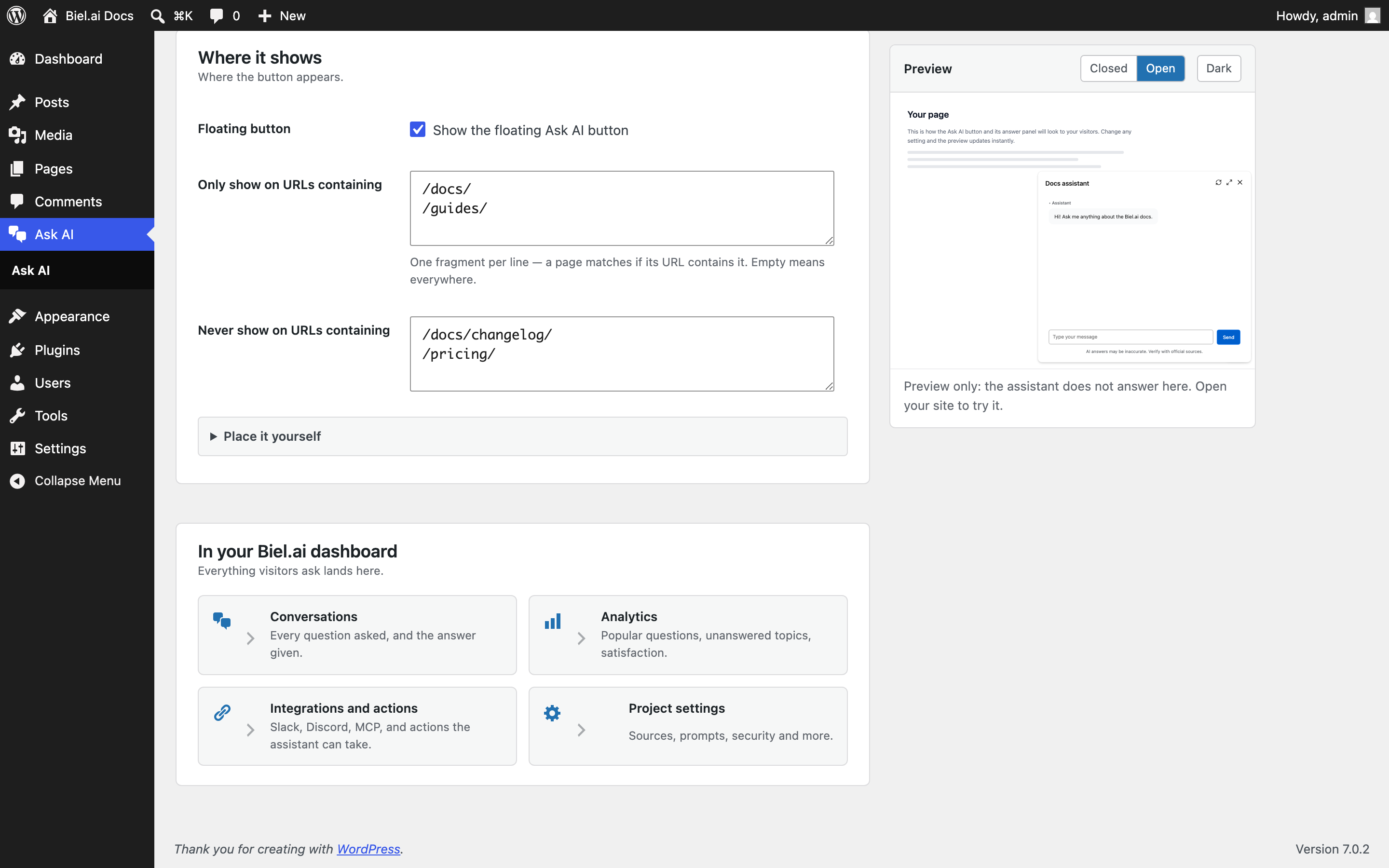
- Customize everything – colors, style and position, the title, the welcome message, suggested questions and every label, with a live preview beside the settings
- Show it only where it helps – include and exclude URL rules, or place the assistant yourself with the
[biel_ask_ai]shortcode - See what people ask – conversations, popular questions and unanswered topics in your Biel.ai dashboard
- Actions and integrations – calendar links, buy buttons and support handoffs alongside answers, with additional channels and API access depending on your Biel.ai plan
- Connect docs to AI tools – enable Show MCP connector under Advanced to show the widget’s Connect menu in the Ask AI panel. It copies Biel.ai’s hosted MCP URL or a Claude Code setup command, or opens Cursor or VS Code/Copilot setup, so readers can use the same indexed docs in AI tools.
Full documentation, from customization to integrations, lives at docs.biel.ai.
Pricing
Every site gets the same plugin. Plans differ in how much Biel.ai indexes and answers for you.
- 14-day free trial – the full product, no credit card
- When the trial ends – the assistant stops answering until you pick a paid plan, and resumes the moment you subscribe
- Paid plans – more indexed pages, more conversations per month, more projects and teammates
See the Biel.ai pricing page for current plans.
External services
This plugin relies on Biel.ai, a third-party service, to index your content and generate answers. A Biel.ai account is required. Visitors’ questions, and the page they are asked from, are sent to Biel.ai to generate each answer. Your server connects to Biel.ai with an API key stored in your WordPress database.
By default the assistant uses your theme’s font and makes no other third-party requests. If you switch Use theme font off, the widget loads the Inter font from Google Fonts in your visitors’ browsers. See the Google privacy policy.
The bundled widget library is the biel-search npm package, MIT licensed. Its readable source ships alongside the minified build, in assets/vendor/biel-search/collection/.