

Feeds for Pinterest – Turn Your Boards into a Beautiful Gallery
v1.1.4bPlugins · 2020年5月12日 上架
Display the latest pins from any Pinterest board as a responsive photo gallery in WordPress. Lightweight Pinterest feed plugin with shortcode.
- 正在使用
- 200+
- 评分
- 4.7 / 5
- 累计下载
- 9,646
- 最近更新
- 2026年9月3日
贡献者
 bPlugins
截图
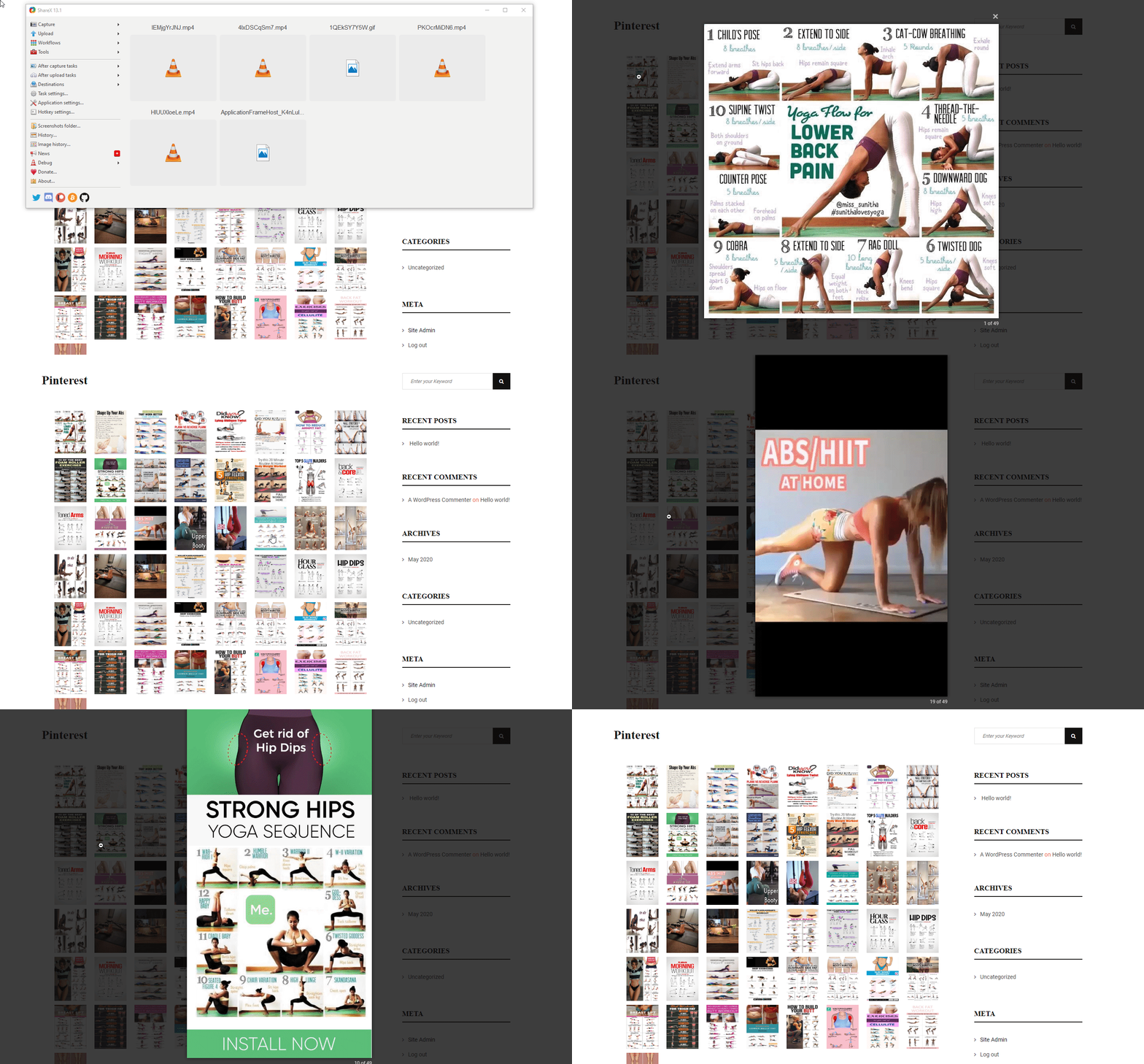


Turn your Pinterest boards into a fresh, responsive photo gallery on your WordPress site – just enter a username and board name.
Live Demo | Buy Premium | Support
Why Feeds for Pinterest?
Your Pinterest boards are full of content your visitors would love – but only if they see it. Feeds for Pinterest retrieves the latest pins from a specified Pinterest board and displays them as a photo gallery on any page or widget, keeping your site visually fresh without any manual work.
The plugin comes with an easy configuration panel and a shortcode generator, so coders and non-coders alike can build unique Pinterest feeds with responsive layouts and customizable styles. Just provide your Pinterest username, board name, and a template – the plugin does the rest.
It is lightweight, minimalist, RTL-ready, compatible with any theme, and outputs Schema.org-compliant JSON-LD markup optimized for speed.
Free Features
- Fully Responsive: Mobile-friendly galleries on every screen size.
- Shortcode Generator: Build feeds through an intuitive admin UI.
- Unlimited Feeds: Add as many Pinterest feeds as you want.
- Easy Styling: Simple options to customize and stylize your galleries.
- User-Friendly Settings: A settings panel built for coders and non-coders alike.
- RTL Ready: Works with right-to-left languages out of the box.
- Theme Compatible: Works with any WordPress theme.
- SEO & Speed Friendly: Schema.org-compliant JSON-LD markup, optimized for performance.
- Browser Support: Works in all modern browsers – Firefox, Chrome, IE, Safari, and more.
Pro Version
Upgrade to Premium for more layouts and design control:
- Show/Hide Pins: Curate exactly which pins appear.
- Four Layouts: Default, Masonry, Slider, and Justified.
- Image Ratio: Change the image ratio to fit your design.
- Popup Options: Show or hide Zoom In, Zoom Out, Toggle 1:1, and more.
- Overlay Styling: Set image overlay, transform, and overlay color.
- Typography Controls: Style the Name, About, Count, and button text.
How to Use – Quick Start
- Install and activate the plugin – a Pinterest menu appears in your admin panel.
- Open the menu and configure a new feed with your Pinterest username, board name, and a template.
- Copy the generated shortcode.
- Paste the shortcode into any page, post, or widget and publish.
Use Cases
- Bloggers & Creators: Showcase your latest pins alongside your posts.
- Shops & Makers: Display product inspiration boards to potential customers.
- Portfolios: Turn a curated board into an always-updated image gallery.
- Community Sites: Keep pages fresh with regularly updated Pinterest content.
This plugin is actively being developed and improved. If there’s a feature you want but we don’t have yet, please let us know.
⭐ Check out the Parent Plugin of this plugin-
🔥 b Blocks – Best gutenberg blocks collections for WordPress.
⭐ Check out our other WordPress Plugins-
🔥 Html5 Audio Player – Best audio player plugin for WordPress.
🔥 Html5 Video Player – Best video player plugin for WordPress.
🔥 PDF Poster – A fully-featured PDF Viewer Plugin for WordPress.
🔥 Document Embedder – Best WordPress Document Embeder Plugin.
🔥 3D Viewer – Display interactive 3D models on the webs.
🔥 Advanced Post Block – Best Post Display Plugin for WordPress.