

AVIF Local Support
v0.8.2David Degner · 2025年8月24日 上架
High-quality AVIF image conversion for WordPress — local, quality-first.
- 正在使用
- 20+
- 评分
- 暂无
- 累计下载
- 3,023
- 最近更新
- 2026年10月22日
贡献者
 David Degner
截图
Built by a Boston photographer for site owners who care about visual quality and full control. This plugin prioritizes image quality over everything else — no subscriptions, no external services.
Features
- Local Processing — All conversion happens on your server. No subscriptions or external API calls. Works great on a shared CPU with 2GB RAM.
- Quality First — Uses LANCZOS resizing, preserves ICC color profiles, and keeps EXIF/XMP/IPTC metadata intact.
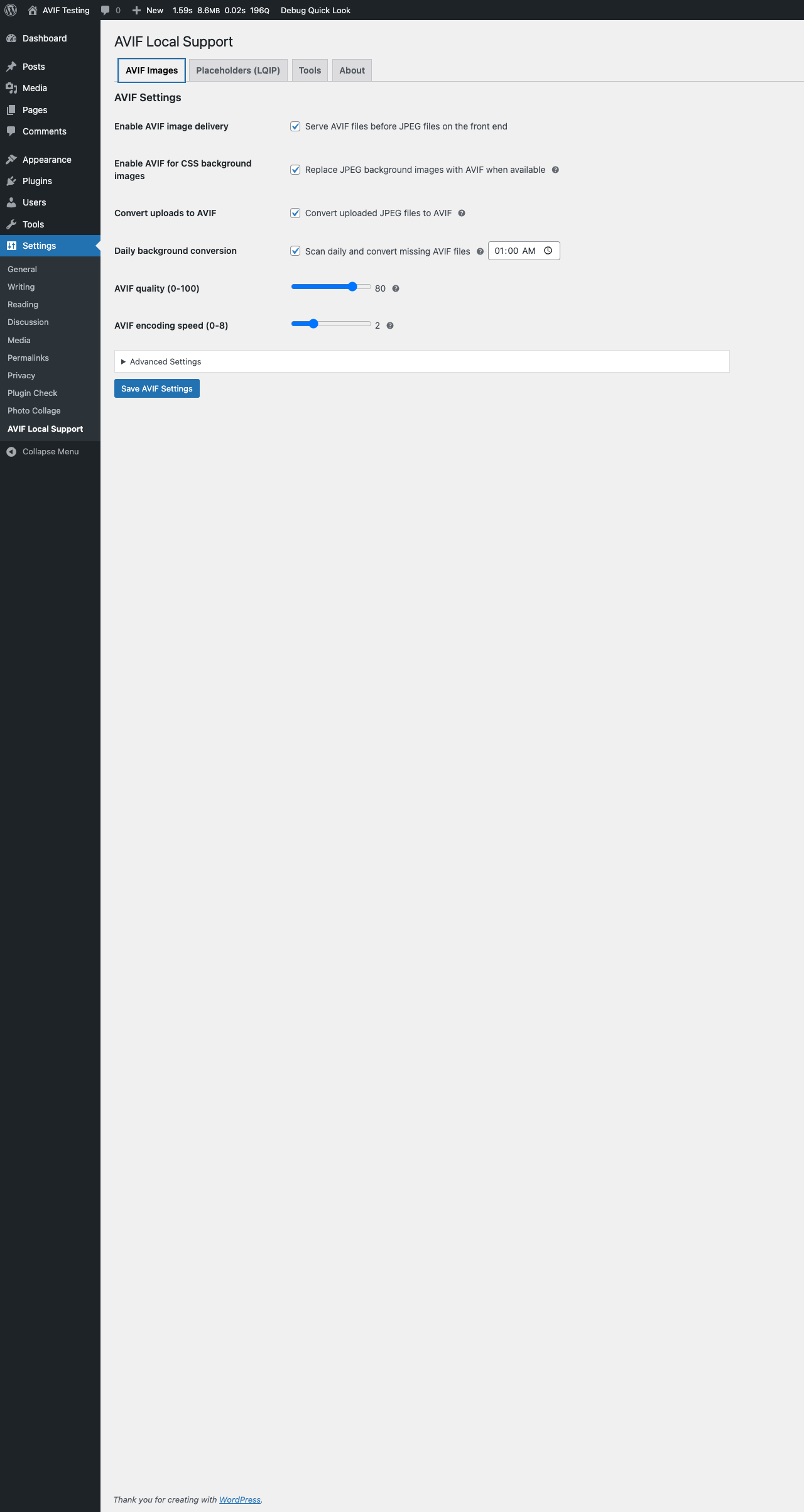
- Fully Tunable — Control quality (0–100), speed (0–8), chroma subsampling (4:2:0, 4:2:2, 4:4:4), and bit depth (8/10/12-bit).
- Smart Fallback — Serves AVIF to supported browsers, JPEG to everyone else via picture elements.
- Automatic Conversion — Convert on upload or via daily scheduled background scans.
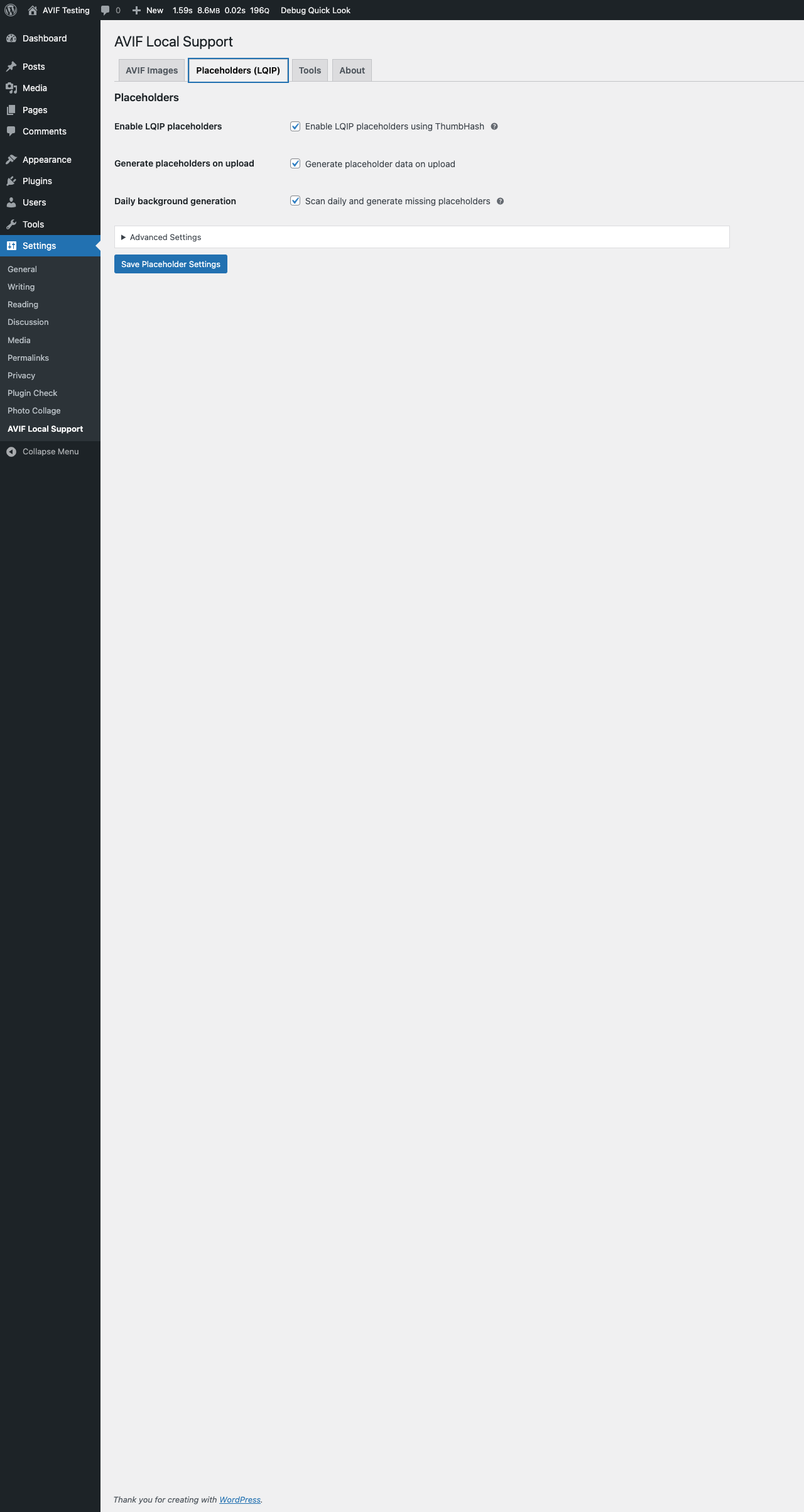
- LQIP Placeholders — Generate ThumbHash-based low-quality image placeholders for smooth loading.
How It Works
Front end: The plugin wraps your img tags in picture elements with an AVIF source. Browsers that support AVIF load the smaller, higher-quality file — others gracefully fall back to JPEG.
Conversion: Uses ImageMagick CLI (fastest), Imagick PHP extension (high quality), or GD Library (fallback) to convert JPEGs to AVIF on upload or via background jobs.
LQIP: Generates compact (~30 byte) ThumbHash placeholders that display instantly while images load.
The existing Fade in full images setting adds a 180ms opacity crossfade from the ThumbHash to the decoded photograph for eligible images initially below the viewport. First-screen images, high-priority images, and images already loaded remain visible normally. The preview stays underneath until the transition finishes, including when the image finishes loading offscreen. Reduced-motion preferences reveal the image immediately when ready. The saved setting is preserved: disabling fading keeps placeholders without adding animations. This setting does not change image quality, dimensions, responsive sources, or loading distance.
Server Setup
The plugin supports three conversion engines, in order of preference:
ImageMagick CLI (Fastest, Recommended)
Uses the ImageMagick command-line binary directly:
- System binary: ImageMagick 7.x built with HEIF/AVIF support (via libheif)
- No PHP extension required
- Benefits: Fastest performance, LANCZOS resizing, full metadata preservation (EXIF, XMP, IPTC, ICC)
- Typical paths:
/usr/bin/magick,/usr/local/bin/magick, or Homebrew on macOS
To verify AVIF support:
magick -list format | grep -i avif
Imagick PHP Extension (High Quality)
Uses the PHP Imagick extension:
- PHP extension: imagick
- System libraries: ImageMagick built with HEIF/AVIF support (via libheif)
- Benefits: LANCZOS resizing, full metadata preservation (EXIF, XMP, IPTC, ICC), color profile handling
To install on Ubuntu/Debian:
apt install php-imagick imagemagick libheif-dev
GD Library (Fallback)
Uses PHP’s built-in GD library:
- PHP extension: gd built with AVIF support (provides imageavif on PHP 8.1+)
- Note: Some distro builds omit AVIF support; limited metadata preservation
MIME Type Configuration
Ensure your web server is configured to serve .avif files as image/avif.
Documentation
Need help with setup?
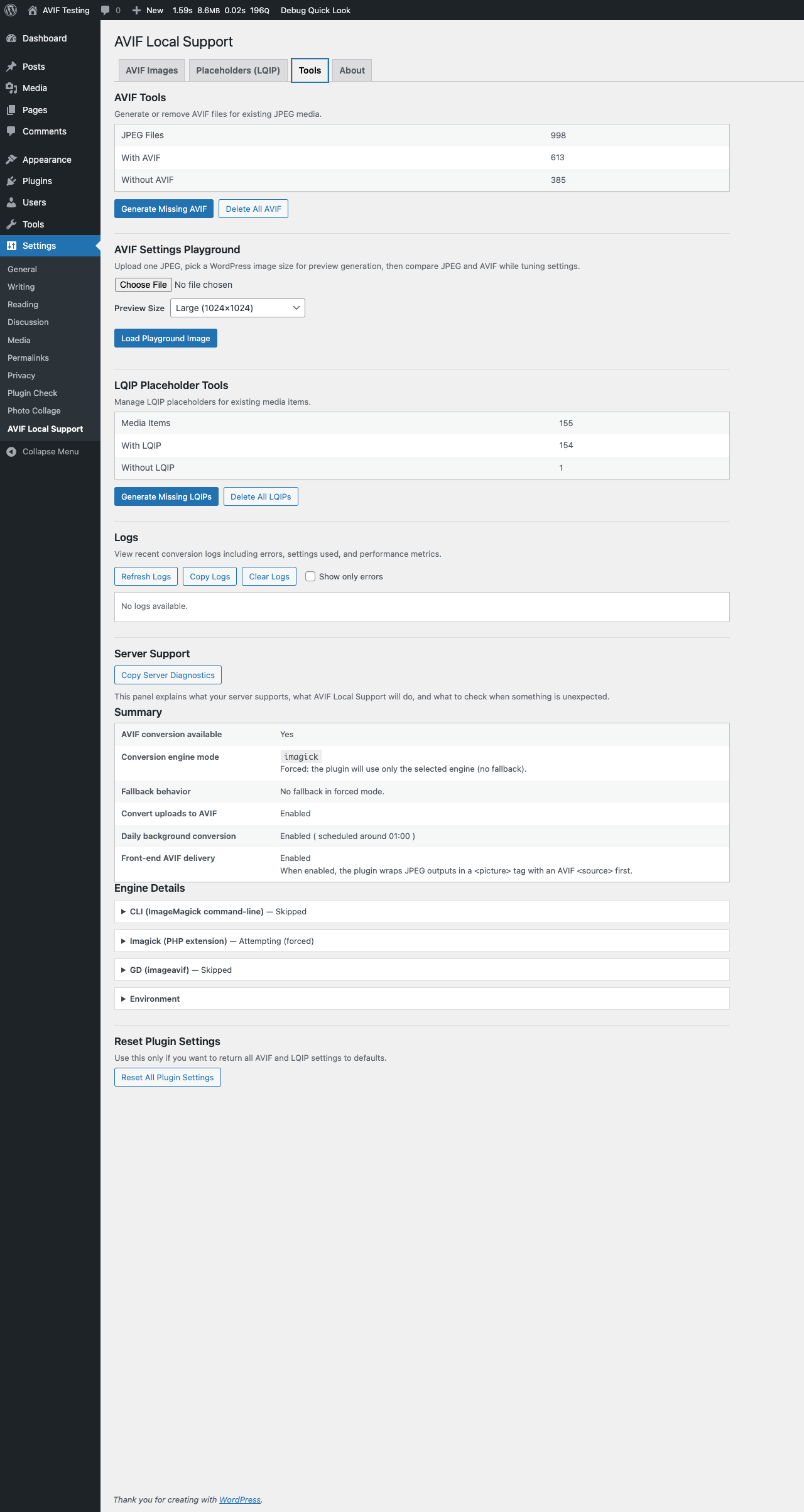
If you’re not sure what to install or upgrade, copy your Server Diagnostics from the plugin status/tools screen (or run wp avif status --format=json) and paste it into an LLM.
Example prompt:
I need AVIF support for WordPress. Based on this diagnostics output, give me step-by-step commands to install or upgrade ImageMagick, libheif, and PHP Imagick on my server.
After applying changes, verify with:
wp avif status
magick -list format | grep -i avif<h3>WP-CLI Commands</h3>
Manage AVIF conversions from the command line.
Status
Show system status and AVIF support diagnostics:
wp avif status
wp avif status --format=json
Convert
Convert JPEG images to AVIF format:
wp avif convert --all
wp avif convert 123
wp avif convert --all --dry-run
Options:
<attachment-id>— Specific attachment ID to convert--all— Convert all attachments missing AVIF versions--dry-run— Show what would be converted without actually converting
Statistics
Show AVIF conversion statistics:
wp avif stats
wp avif stats --format=json
Logs
View or clear conversion logs:
wp avif logs
wp avif logs --limit=50
wp avif logs --clear
Options:
--clear— Clear all logs--limit=<number>— Number of logs to show (default: 20)
Delete
Delete AVIF files for an attachment or all attachments:
wp avif delete 123
wp avif delete --all --yes
Options:
<attachment-id>— Attachment ID to delete AVIF files for--all— Delete all AVIF files in the media library--yes— Skip confirmation prompt when using –all
LQIP Commands
Manage LQIP (ThumbHash) placeholders:
wp lqip stats
wp lqip generate --all --force
wp lqip generate 123
wp lqip delete --all --yes
For more information, visit wp-cli.org.
Contributing
Contributions welcome! Please submit issues and pull requests on GitHub.
License
GPL v2 or later — View License