

WP-AutoInsight
v4.6.0phalkmin · 2023年6月9日 上架
The scheduled AI writer for WordPress: posts on a schedule with your own AI keys, the cost shown before each run, drafts to review by default.
- 正在使用
- 10+
- 评分
- 暂无
- 累计下载
- 7,610
- 最近更新
- 2026年11月23日
贡献者
 phalkmin
截图
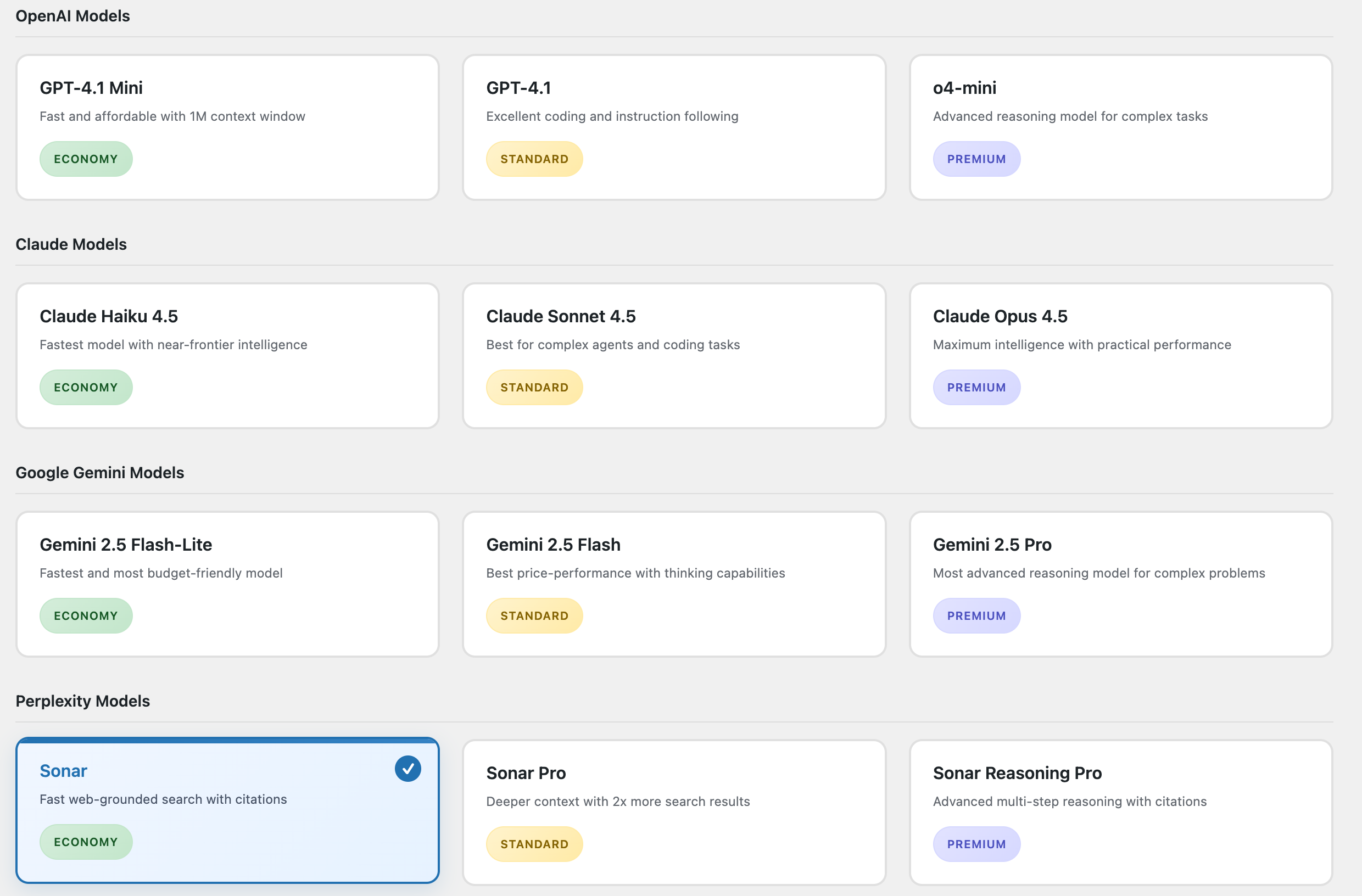
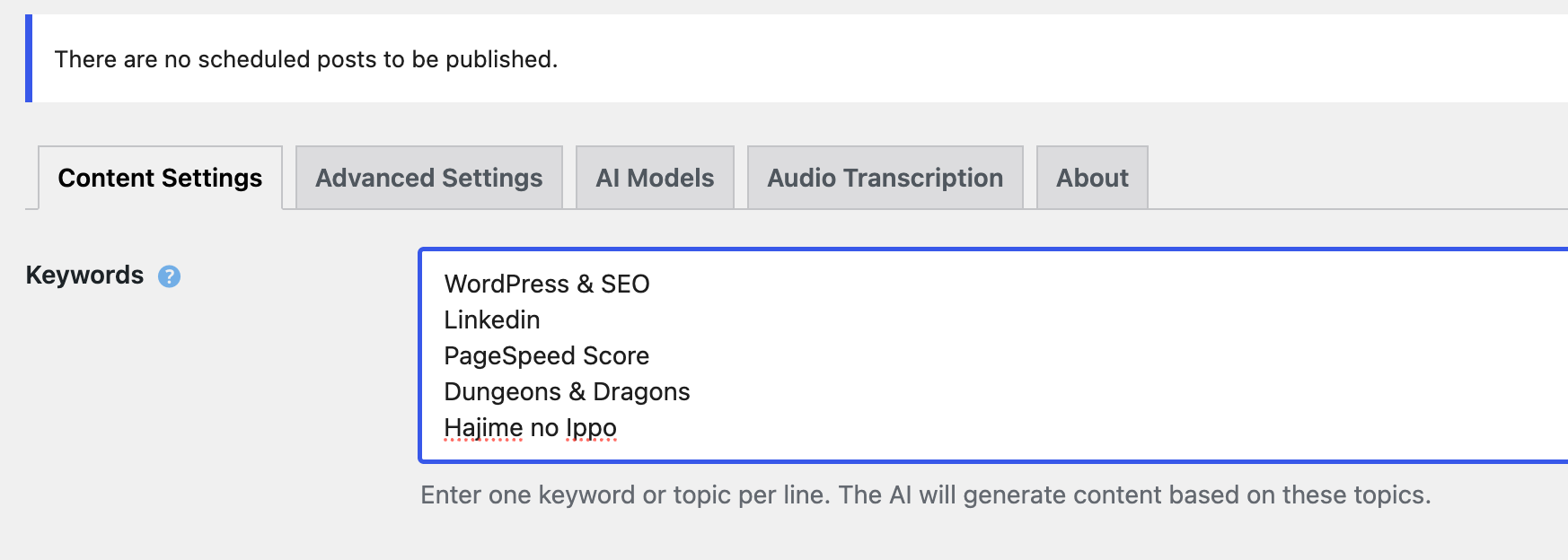
The scheduled AI writer for WordPress. Generate posts on a schedule with your own AI keys, see what each one costs before it runs, and get drafts to review by default.
WP-AutoInsight writes a post, illustrates it, fills in the SEO fields and saves it as a draft for you to review. There is no platform subscription: you connect your own account with OpenAI, Claude, Gemini, Perplexity, or 300+ models through OpenRouter, and you pay that provider for what you use. The plugin shows an estimate of what one post costs at the length and model you picked, before it runs.
Automatic publishing is available and optional. You turn it on yourself, for the whole site or for a single topic.
Key Features
-
Generate content in more ways than you’d expect
- Write full blog posts from a keyword list, automatically or on demand
- Build a Topic Library: reusable topics that generate posts on their own schedule, from hourly to weekly, each with its own prompt and model
- Turn voice notes or meeting recordings into draft posts. Upload audio, get a structured article
- Create infographics from any existing post, saved directly to your Media Library
- Pull research-backed content through Perplexity Sonar, complete with clickable source citations
-
Choose the AI. Pay the AI directly.
- Supports OpenAI, Anthropic Claude, Google Gemini and Perplexity models, plus 300+ models through OpenRouter with one key. Switch models anytime you want
- Advanced: connect one custom OpenAI-compatible endpoint (Ollama, Groq, DeepSeek, Mistral, Together and similar), or add a model ID your provider released before the plugin listed it
- See the estimated cost of one post next to the length slider and next to every model. The estimate says what it includes and the date of the prices it uses, and reads “cost unknown” when no price is known
- Pick a fallback provider: if your primary is rate-limited or down, the post finishes on the second one
- Give any keyword group its own model or length; everything else inherits your defaults
- Your API keys, their actual rates. No markup, no lock-in
-
Posts you can work with
- The model is asked for the length you chose and told to finish inside it, with sections that fit that length and short paragraphs
- It is told not to invent statistics, quotes, prices or firsthand experience. Add “Facts to use” to a topic or a single post and it builds on those and cites only links you supplied
- Each topic knows the titles it already produced and is asked for a different angle
- Optional answer-focused structure for how-to and reference content: question headings answered up front, key takeaways and a short FAQ. It is off unless you turn it on
-
Drafts by default
- Content saves as a draft by default. Automatic publishing is a setting you choose, globally or per topic
- The Generation Log tracks every job: which model wrote it, what it cost, what failed and why
- Bulk SEO refresh rewrites the title, SEO description and focus keyword of posts that are already published, so it changes live posts. It only runs when you start it
- Set tone, audience, keywords, categories and length once. The plugin follows them
-
Works with everything already on your site
- Native Gutenberg block output. Not an HTML blob in a classic editor
- Yoast SEO and RankMath: focus keywords, meta descriptions, and social excerpts generated automatically
- Featured images via OpenAI GPT Image, Stability AI, or Gemini image generation, in the style you choose
-
For developers
- Store API keys in wp-config.php for maximum security, or use WordPress 7.0’s native Connectors API
- Configurable per post type, clean option names, no proprietary lock-in
Configuration
API Keys
You’ll need at least one of the following API keys:
* OpenAI API key (for GPT models and GPT Image)
* Claude API key (for Claude models)
* Gemini API key (for Google’s AI)
* Perplexity API key (for web-grounded content with citations)
* OpenRouter API key (for 300+ models from many vendors with one key)
* Stability AI key (optional, for alternative image generation)
For enhanced security, add your API keys to wp-config.php:
php

define('OPENAI_API', 'your-key-here');

define('CLAUDE_API', 'your-key-here');

define('GEMINI_API', 'your-key-here');

define('PERPLEXITY_API', 'your-key-here');

define('OPENROUTER_API', 'your-key-here');

define('STABILITY_API', 'your-key-here');

define('CUSTOM_API', 'your-key-here'); // custom OpenAI-compatible endpoint
Content Settings
- Pick your model under Connections > API Keys
- Set tone, language and audience under Content > Keywords & Templates
- Add keyword groups and templates on the same screen, or topics under Topics
- Choose Content Length and whether new posts are drafts under Settings > General
- Turn featured images on or off under Media > Images
- Set up email notifications under Connections > Scheduling
External services
This plugin sends data to the AI service you configure, and only when a post, image, transcript, rewrite or connection test is requested. It contacts no service you have not given a key or an address for, with one exception noted under OpenRouter.
- OpenAI (api.openai.com): prompts built from your keywords, topics, templates and site name; audio files for transcription; image prompts. Terms, privacy.
- Anthropic (api.anthropic.com): the same text prompts. Terms, privacy.
- Google Gemini (generativelanguage.googleapis.com): text and image prompts. Terms, privacy.
- Perplexity (api.perplexity.ai): text prompts, with a header naming this plugin. Terms, privacy.
- OpenRouter (openrouter.ai): text prompts, with your site address and the plugin name as attribution headers. Searching the model catalog, and a daily refresh while an OpenRouter key is saved, fetch OpenRouter’s public model list without sending your key. Terms, privacy.
- Stability AI (api.stability.ai): image prompts. Terms, privacy.
- A custom endpoint you enter: text prompts go to that address and nowhere else. Its operator’s terms apply.
Support
For support, feature requests, or to contribute to development:
* Read the Documentation
* Visit the WordPress support forum
* Submit issues on GitHub
* For custom integrations or consulting: phalkmin@protonmail.com
* Support development: