

Autocomplete Google places
v3.4.0Kais Chrouda · 2022年4月1日 上架
Google Places address autocomplete for WooCommerce checkout (classic and block) and any form. Auto-fills street, city, state, postcode and country.
- 正在使用
- 100+
- 评分
- 5.0 / 5
- 累计下载
- 3,413
- 最近更新
- 2026年11月10日
贡献者
 NuxWP
截图

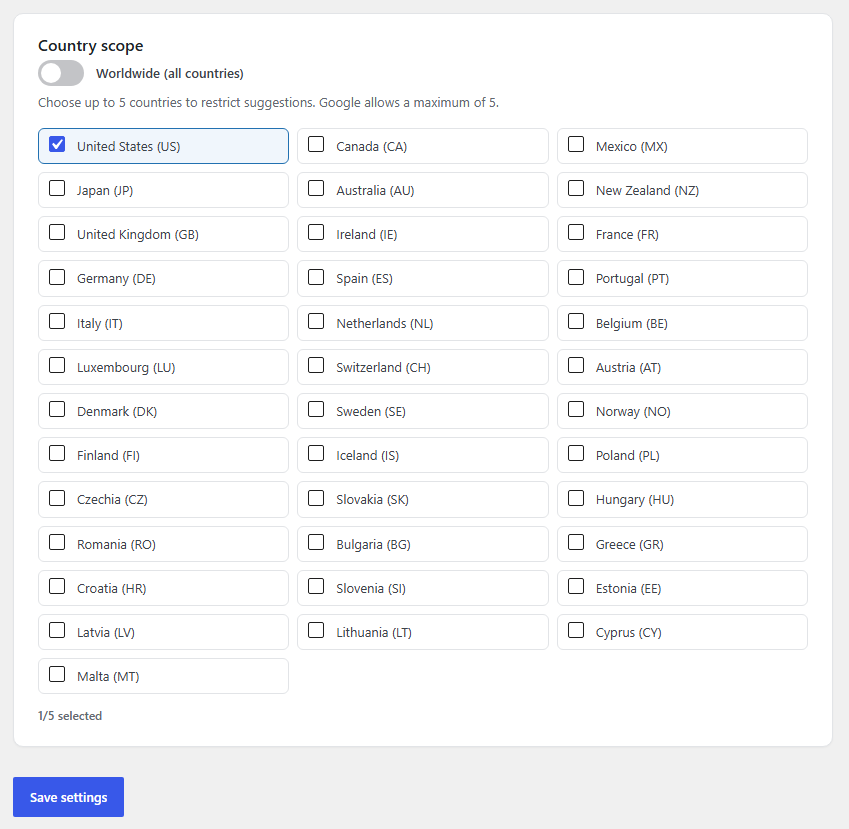
This plugin adds Google Places address autocomplete to your address fields. When a customer starts typing an address and picks a suggestion, the plugin fills the street, city, state, postcode and country fields for them. You only need your own Google API key.
Supported fields:
- WooCommerce classic checkout (billing and shipping addresses).
- WooCommerce block checkout (the default checkout of recent WooCommerce versions).
- WooCommerce My Account addresses.
- Any other form (Contact Form 7, Gravity Forms, Elementor, custom forms) through the “Custom fields” setting, by ID or CSS class.
Highlights:
- Uses Google’s current Places API (New), with an automatic fallback to the legacy Places API for older keys.
- Fast: Google Maps is only loaded when a visitor first clicks an address field. On a WooCommerce store, the plugin’s small script only loads on the checkout and My Account pages.
- Street lines follow each country’s format (“12 Rue de la Paix”, “Hauptstraße 12”).
- Accessible suggestion list (keyboard and screen readers), with the attribution required by Google.
- Country scope (worldwide or up to 5 countries), suggestion type (addresses, cities, regions, businesses) and site language support.
- No jQuery required.
External services
This plugin connects to the Google Maps JavaScript API (Places library) to provide address autocomplete. This is required for the plugin to work.
The Google Maps script is only loaded when a visitor focuses a supported address field. Nothing is sent to Google before that. After that, the text the visitor types in the address field is sent to Google to get address suggestions, and the details of the selected address are returned to fill the form. The request includes the API key you configure on the settings page and your site’s language and region. Like any script loaded from Google, the request also reveals the visitor’s IP address and browser information to Google.
- Service provider: Google Maps Platform
- Terms of Service: https://cloud.google.com/maps-platform/terms
- Privacy Policy: https://policies.google.com/privacy