

Authyo Passwordless Login
v1.0.13Konceptwise Digital Media Pvt Ltd · 2026年1月1日 上架
Login security with passkeys, brute-force protection, IP manager, security logs, XML-RPC and REST API protection, and passwordless OTP login.
- 正在使用
- 10+
- 评分
- 暂无
- 累计下载
- 1,477
- 最近更新
- 2026年11月21日
 Konceptwise Digital Media Pvt Ltd
截图
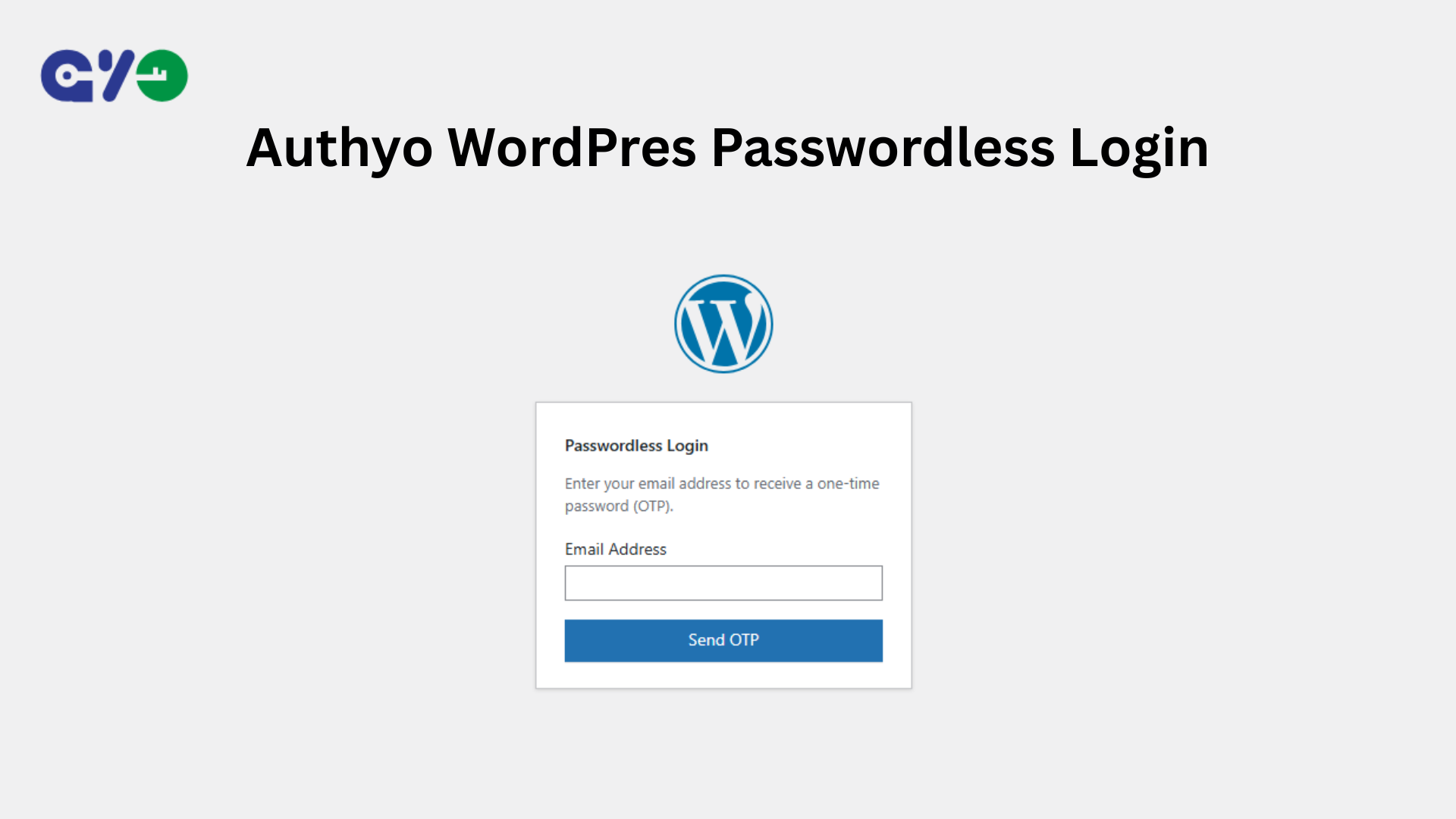
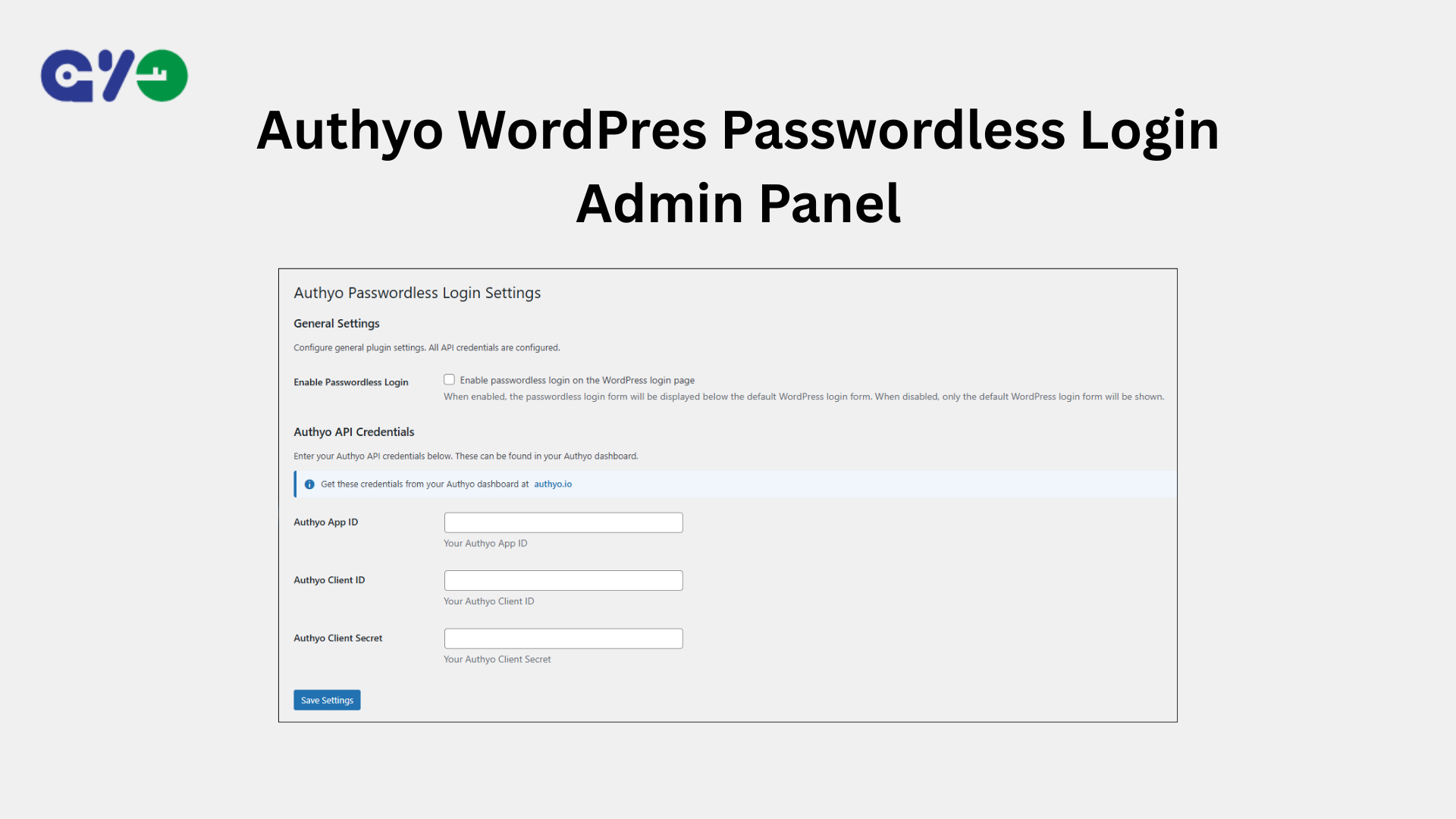
Authyo Passwordless Login is a WordPress login security plugin. It protects your site with passkeys for administrators, brute-force protection, IP blacklisting, security activity logs, XML-RPC blocking, REST API protection, and a custom login URL. The security features and passkeys work immediately after activation — no API keys or account registration needed.
Optionally, add Authyo API credentials to enable passwordless OTP login, where users log in with a one-time password sent to their email instead of a traditional password.
One login method at a time. In Settings > General > Login Method you choose exactly one of:
- Email OTP login — users sign in with a one-time code sent to their email (requires free Authyo API keys).
- Passkey sign-in (administrators) — adds a “Sign in with passkey” button to the login page so administrators can sign in with a fingerprint, face or device PIN. Passwords keep working; this method does not block password logins.
- Passkey first, email OTP as the fallback (administrators) — administrators sign in with a passkey. If they cannot use it, “Sign in with an email code instead” sends a one-time code through Authyo. Passwords keep working for everyone. Needs finished passkey setup and Authyo API keys. The email code is for administrators only in this mode.
- Password + passkey (administrators) — administrators who have registered a passkey must confirm with it after entering their password (or use a backup code). Administrators without a passkey, and all other users, sign in as before.
- Login with Authenticator App, email OTP as the fallback (administrators) — administrators sign in with their username or email and the 6-digit code from Google Authenticator, Microsoft Authenticator, Authy or any other TOTP app. If the app is not available or the code does not work, “Sign in with an email code instead” sends a one-time code through Authyo. Passwords keep working for everyone. Each administrator sets up their app on the Google Auth tab. Needs Authyo API keys. The email code is for administrators only in this mode.
Passkeys (verified on your own server, no API keys needed):
- Setup wizard with a progress bar — a passkey method can only be turned on after the administrator finishes the steps: site check, first passkey, backup codes, and a test sign-in. A second passkey on another device is recommended but optional.
- Backup codes — ten single-use codes, shown once and stored hashed. If every device is lost, a backup code replaces the passkey step of “Password + passkey”. Each use is logged and emailed to the account owner.
- Recovery safeguards — your own last passkey cannot be removed while a passkey method is on; another administrator can reset a lost-device administrator; an emergency switch in wp-config.php turns the passkey methods off.
- Hardened verification — single-use challenges, strict origin and domain checks, required user verification, signature-counter replay detection, and the same attempt limits and IP lockouts as the other login methods.
- Passkeys are bound to your site’s domain and need HTTPS (see the FAQ).
Security features that work without API keys:
- Brute-force protection — Limit login attempts per IP and username with progressive lockout durations. Repeat offenders are automatically blacklisted.
- IP Manager — Whitelist trusted IPs and blacklist attackers. Includes search, filter, pagination, and per-page selector for large lists.
- Security activity logs — Track every login, logout, failed attempt, lockout, and blocked access, including passkey events. Includes request URL tracking, date filters, search, and CSV export.
- Disable XML-RPC — Block xmlrpc.php requests at the server level using .htaccess rules. Removes X-Pingback headers and XML-RPC discovery links. Falls back to PHP blocking on Nginx.
- REST API Protection — Restrict access to WordPress REST API endpoints for unauthenticated users. Prevents data enumeration and unauthorized access while keeping essential endpoints functional.
- Custom login URL — Hide wp-login.php behind a custom URL slug to prevent automated attacks.
- Blocked IP logging — Every access attempt from blacklisted or locked-out IPs is logged with IP address, user agent, and request URL.
Email OTP features (requires free Authyo API keys):
- Email OTP login — Users receive a one-time password via email and log in without a traditional password.
- Google Authenticator fallback — Server-side verified 2FA as a backup method after multiple OTP attempts (available while Email OTP is the selected login method).
- Secure login tokens — Cryptographically generated, single-use, browser-bound tokens that expire after 5 minutes.
- AJAX-powered login — Smooth login experience with no page reloads.
Video Tutorial
Learn how Authyo Passwordless Login works:
How It Works
Security (works immediately after activation):
- Activate the plugin — brute-force protection and security logs start automatically
- Go to Authyo Passwordless > Settings > Security tab
- Enable XML-RPC Protection, REST API Protection, and Custom Login URL as needed
- Visit Authyo Passwordless > Security Logs and IP Manager to monitor activity and manage IPs
Passkeys (no API keys needed):
- Open Authyo Passwordless > Settings > Passkeys and follow the progress bar: register a passkey, save your backup codes, and run the test sign-in (a second passkey on another device is recommended)
- Go to Settings > General, choose “Passkey sign-in” or “Password + passkey” under Login Method, and enable it
- With “Password + passkey”, an administrator who has registered a passkey enters the password and then confirms with the passkey (or a backup code)
Email OTP login (requires API keys):
- User enters their email on the WordPress login page
- A one-time password (OTP) is sent to their email
- User enters the OTP code
- WordPress logs the user in automatically — no password required
External Services
This plugin connects to Authyo’s external API only for email OTP login and Google Authenticator features. All security features (brute-force protection, IP manager, security logs, XML-RPC protection, REST API protection, custom login URL) and passkeys work locally without any external service.
Passkeys:
- Passkeys are created and verified entirely on your own server. Nothing about them is sent to Authyo or to any other service, and the bundled WebAuthn library makes no network requests.
- Your browser or device (for example the operating system, a password manager or a security key) handles the private key. Only the public key and a credential identifier reach your server.
- When a backup code is used to sign in, the plugin sends a notification email to that account’s own email address with the WordPress mailer (wp_mail). It can be turned off with the
authyo_passkey_notify_backup_usefilter.
OTP Authentication:
- User email address is sent to Authyo API when requesting an OTP
- OTP code and Mask ID are sent to Authyo API for verification
Google Authenticator Verification:
- During setup (Google Auth tab), the admin’s email address is sent from your server to the Authyo API to create the authenticator link and return a QR code
- The 6-digit authenticator code and the admin’s or user’s email address are sent from your server to the Authyo API for verification
- No Authyo script is loaded in the browser; all calls are made server-side
Usage Tracking (Opt-In Only):
If the user explicitly opts in, plugin version, WordPress version, and site URL are sent when settings are saved. Deactivation feedback is sent when the plugin is deactivated. No tracking data is sent without user consent.
Authentication Flow:
- After OTP or passkey verification, the plugin generates a secure single-use token using WordPress core functions
- Token is browser-bound using a hashed User-Agent signature and a random cookie to prevent session hijacking
- Token is stored temporarily in WordPress transients (5-minute expiry) and deleted immediately after use
Data Storage:
- OTP session data stored temporarily in WordPress transients (10-minute expiry)
- Login tokens stored temporarily in WordPress transients (5-minute expiry, single-use)
- Passkey challenges and pending password + passkey sign-ins stored temporarily in WordPress transients (5 to 10 minutes, single-use)
- One option remembers the domain the passkeys were set up for (
authyo_passkey_rp_id) - Passkeys are stored in a custom database table: credential ID, public key, name, signature counter, transports, the domain they are bound to, and created / last-used times. No private key is ever stored.
- Backup codes are stored only as password hashes in user meta (one row per unused code); each is deleted when used. A random, non-identifying passkey handle is stored per administrator.
- Security logs stored in a custom database table with configurable retention
- IP whitelist and blacklist stored in a custom database table
- All of this is removed when the plugin is deleted (see uninstall.php)
Service URLs:
Terms of Service: https://authyo.io/terms-service
Privacy Policy: https://authyo.io/privacy-policy
Third-Party Libraries
- lbuchs/WebAuthn 2.2.0 by Lukas Buchs — MIT license (GPL-compatible), included in
includes/modules/passkey/vendor/. Source: https://github.com/lbuchs/WebAuthn. It is used unchanged apart from a few small, documented adjustments (a prefixed namespace, WordPress functions instead of a few PHP ones, a stricter domain check and removal of an unused download function). They are listed inincludes/modules/passkey/vendor/README.txt.