
Asset Queue Manager
v1.0.3NateWr · 2014年10月24日 上架
A tool for experienced frontend performance engineers to take control over the scripts and styles enqueued on their site.
- 正在使用
- 200+
- 评分
- 4.7 / 5
- 累计下载
- 1.7 万
- 最近更新
- 2016年3月10日
贡献者
 NateWr
截图
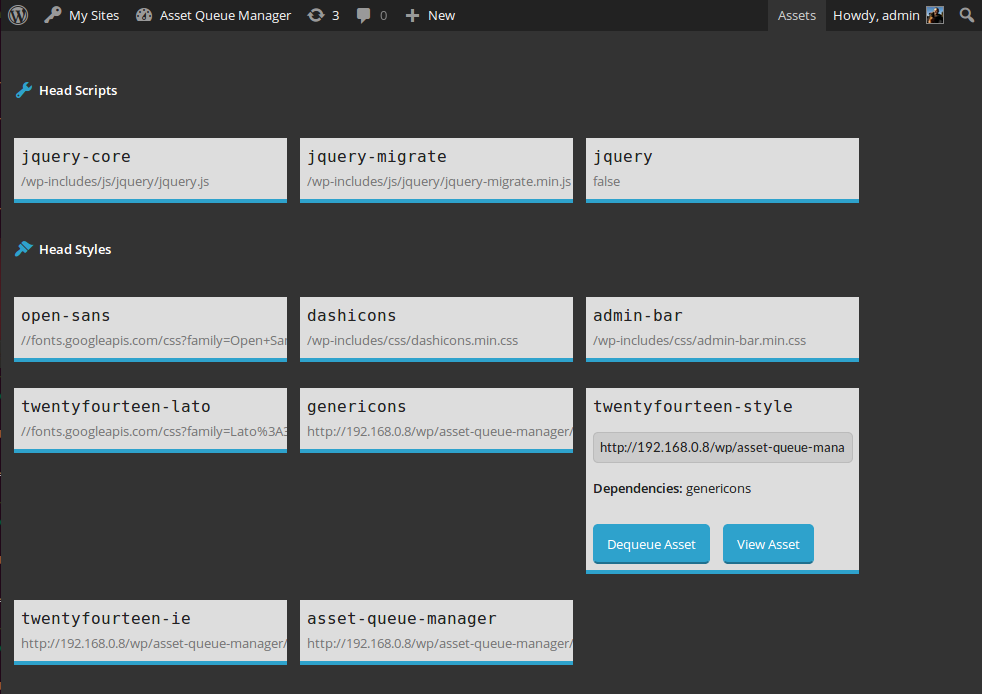

This tool allows you to monitor, dequeue and requeue scripts and styles that are enqueued on your site. It is designed for frontend performance engineers who want to view and manage all assets enqueued on any page and control the minification and concatenation themselves.
For background, please read Chris Coyier’s initial request.
Warning: This plugin makes it easy to break your site. Don’t use this unless you know what you’re doing.
How to use
Once the plugin is activated, browse to any page on the front of your site. An Assets link will appear on the top right of the admin bar. Click that to view and manage all assets.
Developers
Development takes place on GitHub. Patches welcome.