

Arva SEO – Speed Booster & Security Scanner
v2.19.1arvaseo · 2026年10月15日 上架
Page caching, WebP and image compression, a malware and security scanner, Core Web Vitals fixes and a free SEO checklist. No account needed.
- 正在使用
- 10 以下
- 评分
- 暂无
- 累计下载
- 1,603
- 最近更新
- 2026年11月20日
 arvaseo
 Aries Vincent Dajay
截图
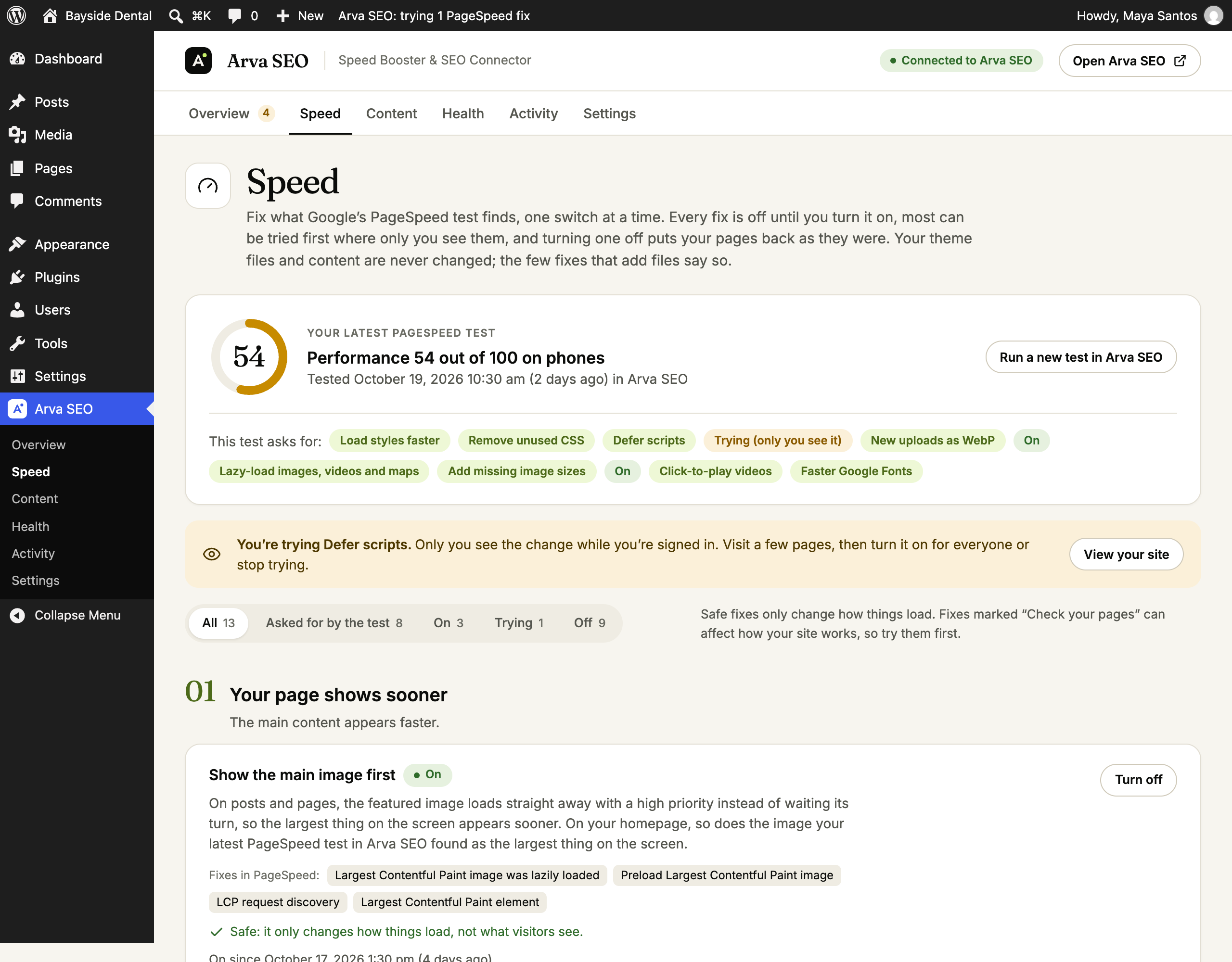
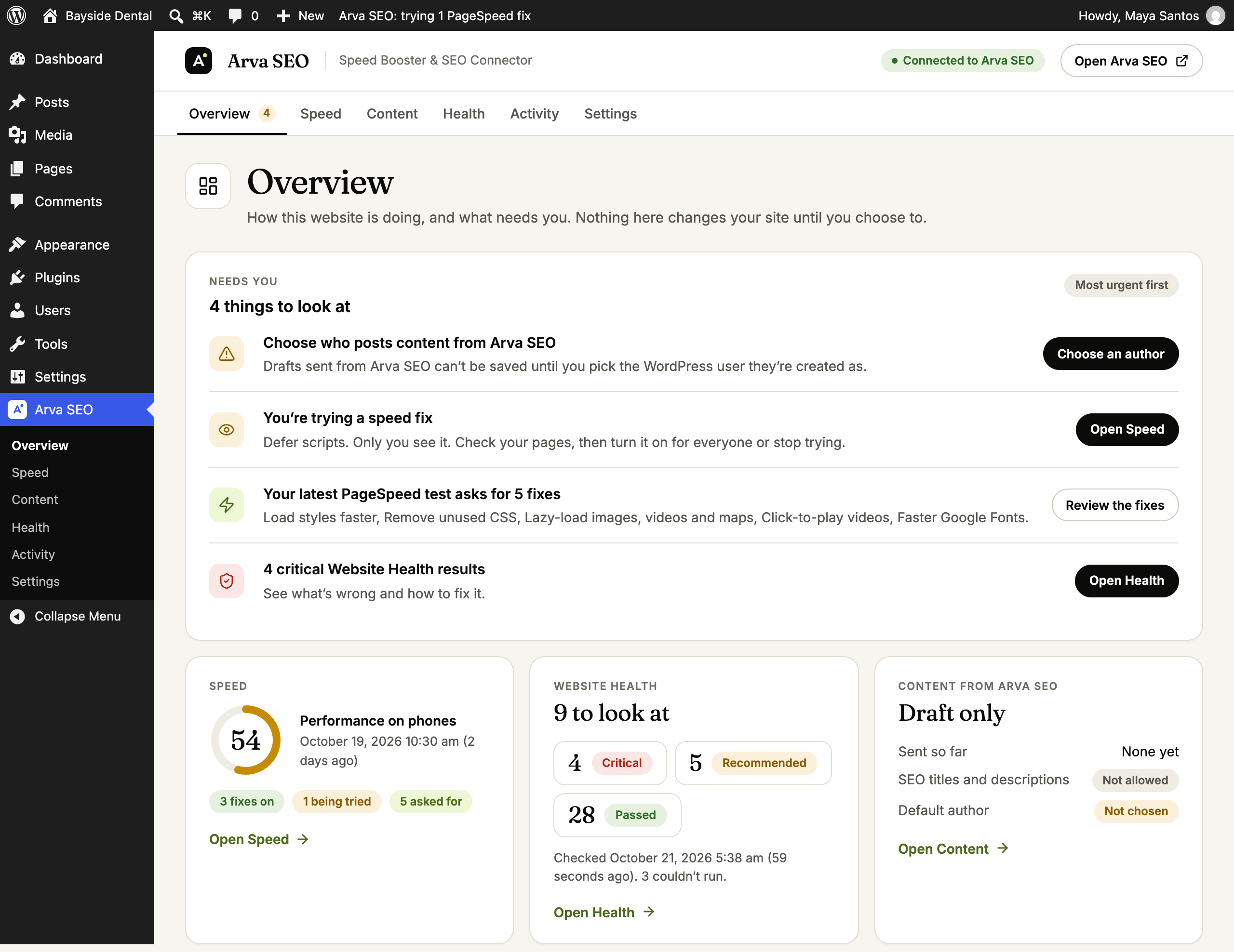

Make your WordPress site faster, safer and easier to find. Arva SEO – Speed Booster & Security Scanner caches your pages, converts images to WebP and compresses them, scans your files for known malware and security problems, and fixes the PageSpeed and Core Web Vitals problems Google reports, one switch at a time. It also checks your basic SEO, shows which missing pages visitors ask for so you can redirect them, and, if you use no SEO plugin, lets you write SEO titles and descriptions.
Page caching, WebP and local image compression, the security scan, the SEO checklist, the broken-address log, redirects and SEO titles all work without an Arva SEO account. Anything that changes what visitors get starts off, and turning it off puts your pages back. A few features (optimized CSS, cloud image compression and deep scans) need a connection to Arva SEO and use the allowances of your plan; connecting is optional.
PageSpeed fixes you control
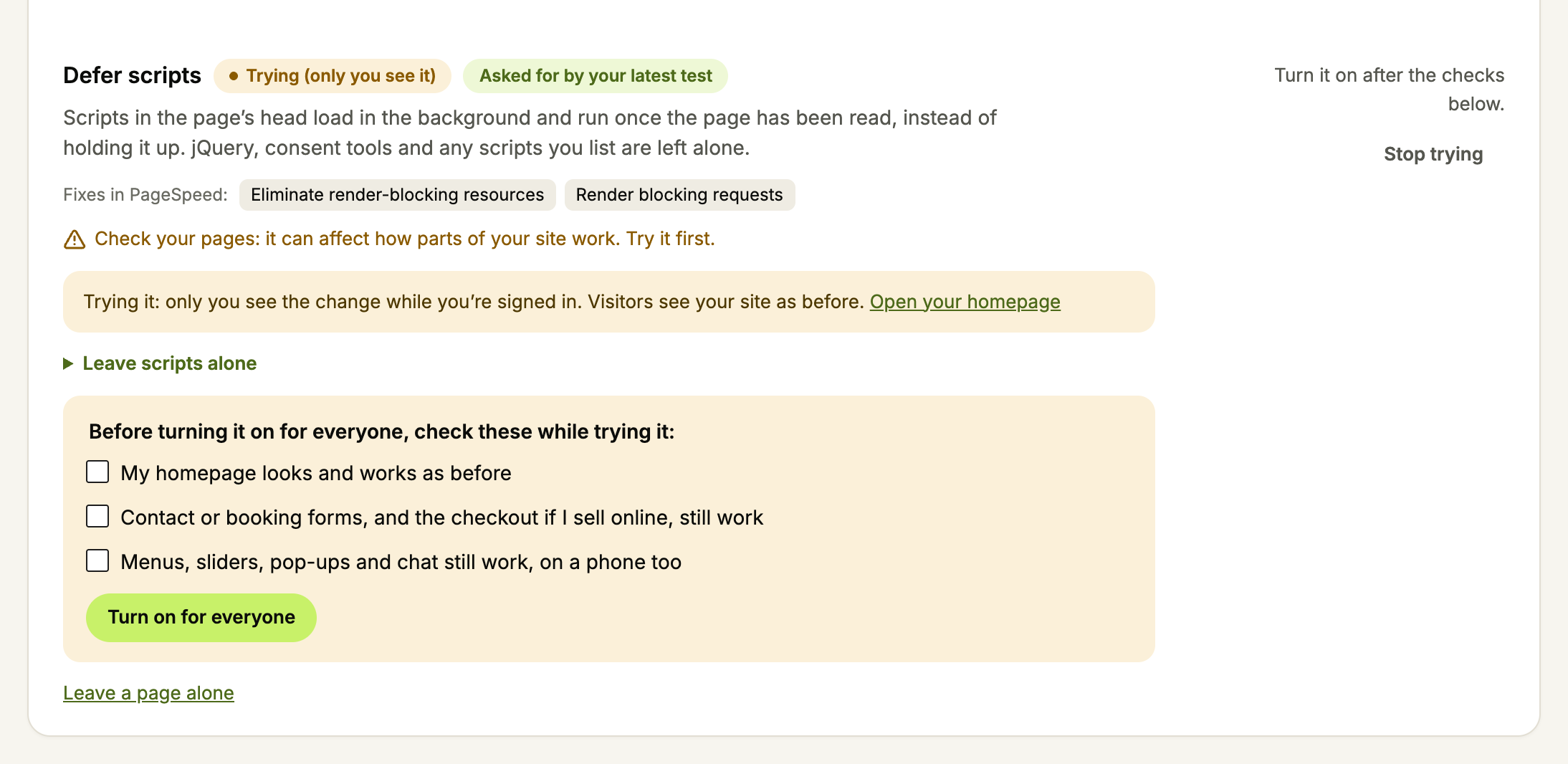
Arva SEO Speed explains each fix and the PageSpeed (Lighthouse) problems it addresses. Every fix starts off. Try mode shows supported changes only to signed-in administrators before you enable them for visitors. Server-level caching and compression instead check the site when enabled.
- Page caching: serve saved HTML without running WordPress, through .htaccess or PHP. Signed-in users, personal pages, carts and checkouts are excluded. Cached pages are cleared when relevant content or settings change.
- Background images: the Speed screen detects Elementor’s native background lazy-loading setting and explains its separate exclusions and JavaScript requirement. Arva SEO does not enable it silently or install a second background loader. Keep hero backgrounds eager and test scrolling and interactive widgets.
- Images and layout: prioritize featured images and the homepage image identified by a connected PageSpeed test; lazy-load images, videos and maps below the first few images; add missing media-library image dimensions and the mobile viewport tag when needed.
- Critical and used CSS: Load styles faster supplies first-screen styles; Remove unused CSS supplies the styles a page uses, with full stylesheets available on interaction. Original stylesheets are measured at phone and computer sizes; matching results are assembled in source order for compatible combined files. With the updated combining behavior approved, unmatched files stay separate so ready neighboring results remain usable. Arva SEO generates these on its servers using your plan’s page optimizations. Choose generation by page type or URL, inline or cached-file used CSS, and an inline or external asynchronous loader. Original styles load until suitable results are ready.
- CSS and JavaScript minification: smaller cached copies of supported local files, plus separate controls for minifying inline style blocks and classic scripts in their existing tags. Unsupported files and code stay unchanged.
- CSS and JavaScript combining: bundle compatible neighboring files in order. Optional inline combining requires approval of an exact public static snippet; a changed snippet stops matching its approval. External combining requires exact approved public HTTPS URLs and background caching. Incompatible scripts, integrity-protected resources and managed critical/used CSS stay separate. Fewer requests do not always improve performance.
- Script loading: defer supported scripts until HTML is parsed, or delay supported independent classic scripts until interaction. Dependencies, consent tools, protected measurement scripts and your exclusions are retained. Changing a public loading mode returns it to preview; enabling it requires checking your important pages.
- Chat and third-party widgets: separately delay supported chat, heatmap and social widgets until interaction. Analytics and consent tools are not selected automatically; you can list additional scripts.
- Fonts: optimize Google Fonts delivery, optionally serve local copies, and apply font-display: swap to supported styles so fallback text can appear while fonts load.
- YouTube facades: show a preview image and load the player when someone presses play.
- Browser caching and compression: checked .htaccess rules for Apache and LiteSpeed, with backups and rollback if the site does not respond normally. Other servers can use the suggested rules.
- WordPress extras: choose whether to remove emoji scripts, embed discovery, visitor Dashicons, jQuery Migrate or unneeded block styles.
- Image optimization: make WebP copies of new or existing uploads while keeping originals. Compress existing Media Library JPEG, PNG and supported WebP images in background batches, or select images with bulk actions. See saved bytes and restore originals when backups were kept. WebP compression is local; optional consented cloud compression sends JPEG/PNG images to Arva SEO and uses your image allowance only when it makes an image smaller.
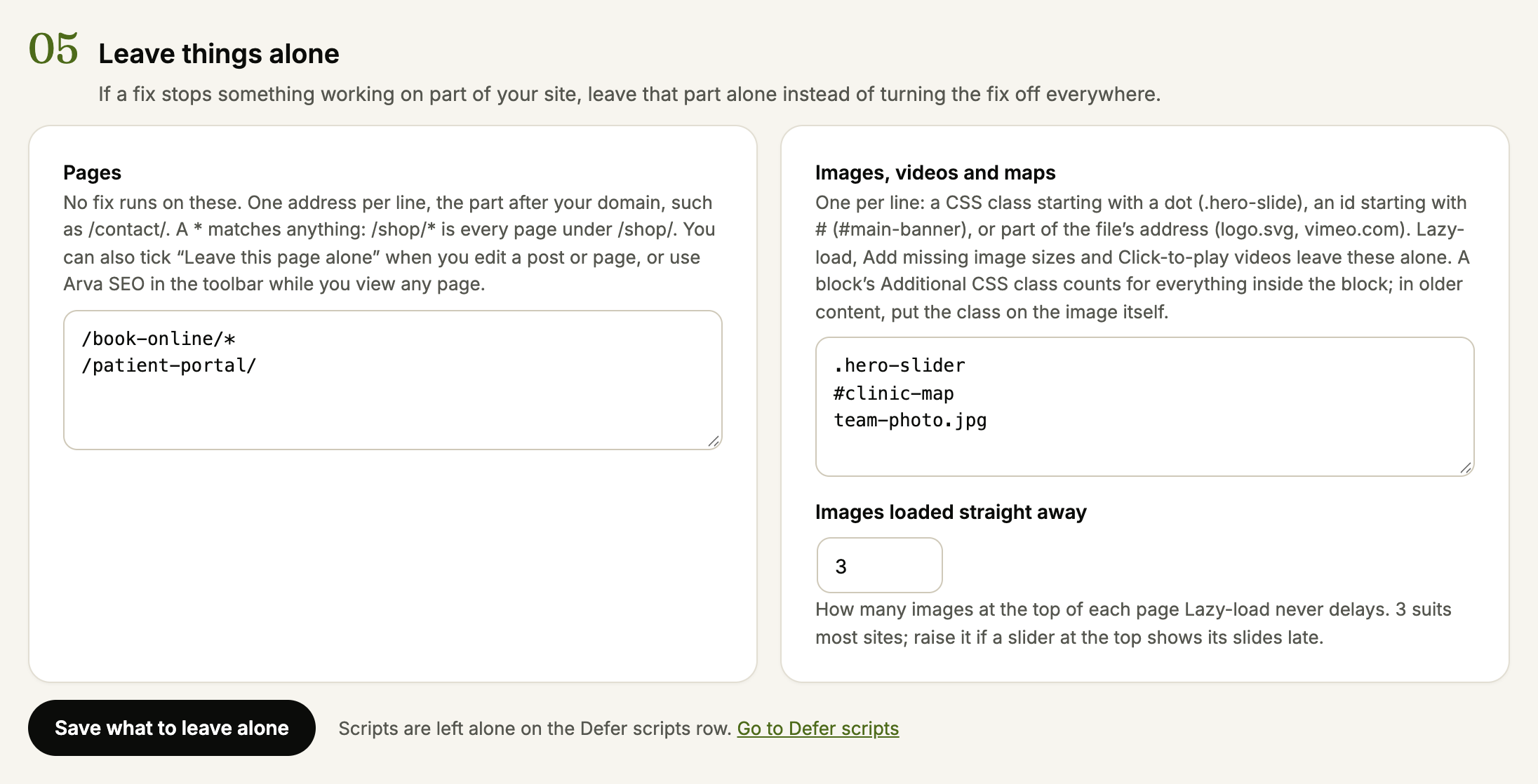
Use page, script, plugin and element exclusions to leave sensitive parts of your site alone. Defer/delay and CSS delivery leave shop pages alone by default. Turning delivery fixes off restores their normal behavior; image changes have their own restore controls. Theme source files and post content are not rewritten by delivery fixes. Keep backups and test menus, forms, booking flows and checkout before enabling changes for everyone.
When another supported speed plugin handles a job, Arva SEO leaves it to that plugin. Deactivation is offered only as an explicit administrator action. An emergency wp-config.php switch can disable all speed fixes; see the FAQ.
Connected PageSpeed results link to the matching controls. Remote switching is off by default and needs administrator approval. Authorized workspace managers can then request supported changes, subject to the same rules; Defer scripts still requires approval in WordPress. Changes are recorded in Activity.
Cloudflare
Optionally connect a Cloudflare API token on the Speed page, without an Arva SEO account. The token is stored encrypted. The plugin clears Cloudflare’s cached pages when relevant content, delivery settings or optimized assets change, and checks for Rocket Loader conflicts. You can disable duplicate post purges if Cloudflare’s own plugin already handles them.
Security scan and chosen repairs
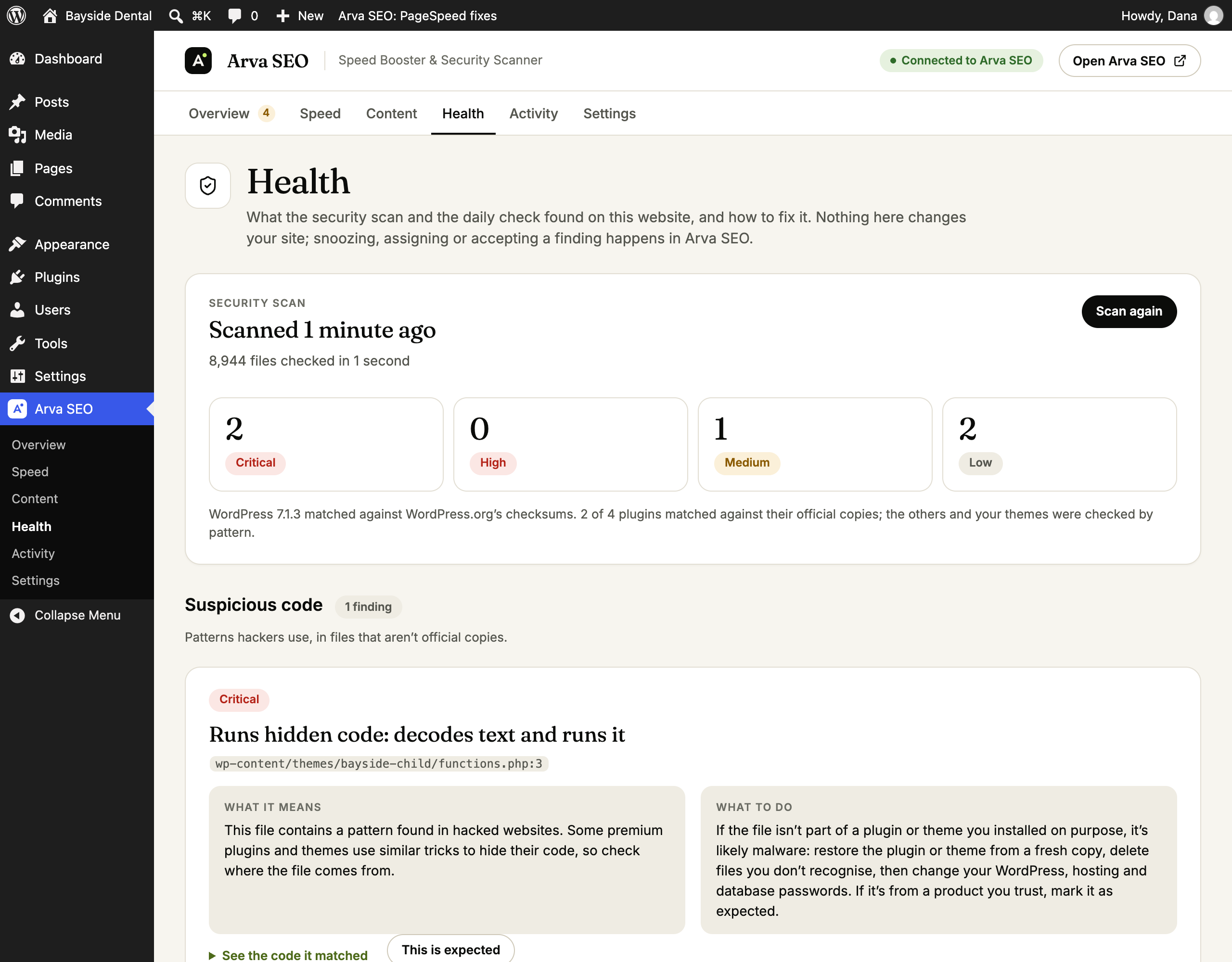
Arva SEO Health Security scans locally in background batches, weekly or when you choose Scan now. No account is required. It checks:
- WordPress core and directory plugins against official WordPress.org checksums, including changed, missing and unexpected files.
- PHP in uploads, disguised code, suspicious patterns in nonofficial files, injected redirects and .htaccess rules.
- Exposed configuration, repository, debug, backup and database files; directory listings; and security-related settings.
- New or changed theme, premium-plugin, must-use-plugin and drop-in files, including selected added-line evidence.
- External scripts loaded by sample pages and where they were added, plus dashboard theme/plugin file edits.
Results explain the finding and suggested action. Nothing is repaired automatically. Choose to restore an official file, quarantine unexpected PHP or disable dashboard file editing; supported repairs can be undone for 30 days. Mark an expected result as trusted until its file changes.
Connected sites can receive updated security patterns, known-malware fingerprints, vulnerability findings from Wordfence Intelligence and optional alerts. Sharing scan evidence requires separate consent. A scan detects known signs of trouble; it cannot prove a site is clean and does not replace a firewall, backups, updates or professional cleanup.
Optional deep scans need separate administrator consent and are started individually. Code files not matched to official copies are sent to Arva SEO for malware checks and deleted when the scan finishes. Configuration secrets, logs, database exports, backups and media are excluded. Deep scans use the service’s applicable allowance.
SEO checklist (no account needed)
Arva SEO SEO checks ten basics and tells you, in plain words, what passed, what needs attention, why it matters and how to fix it in WordPress: HTTPS, “Discourage search engines” off, readable permalinks, a site title, one home page title of a sensible length, a meta description, no accidental noindex on the home page, a sitemap, a robots.txt that doesn’t block everything, and the share of home page images without alt text (a sample). It reads what WordPress knows and makes one request to your own home page from your own server. Nothing is sent anywhere, and the screen changes nothing on your site.
Broken addresses and redirects (off until you turn them on)
Arva SEO Redirects can log the missing pages visitors ask for, with only the path (without anything after a question mark), how many times, and the first and last time. It never keeps IP addresses, browsers, referring pages, cookies or user IDs, and keeps at most 1,000 addresses; image, script and font requests and addresses that look like hackers probing are left out. Choose “Redirect this” to send an address to a path on your site or to a full https:// address you type. A redirect is an exact-path rule (301 or 302), up to 500 of them; the plugin refuses loops, a redirect to itself and chains of more than three, and only administrators can make them. Rules can be exported as CSV. Nothing is written to .htaccess. An emergency wp-config.php switch turns redirects and the log off; see the FAQ.
SEO titles and descriptions when you have no SEO plugin (off until you turn it on)
If none of Yoast SEO, Rank Math, All in One SEO, SEOPress or The SEO Framework is active, Arva SEO SEO can add an “SEO title” and “Meta description” box to posts, pages and products, and two fields for the home page. A page prints a description tag or changes its document title only when you filled one in. If you later install an SEO plugin, this stops at once so a page never gets two. The values are stored on your site only.
Optional Arva SEO connection
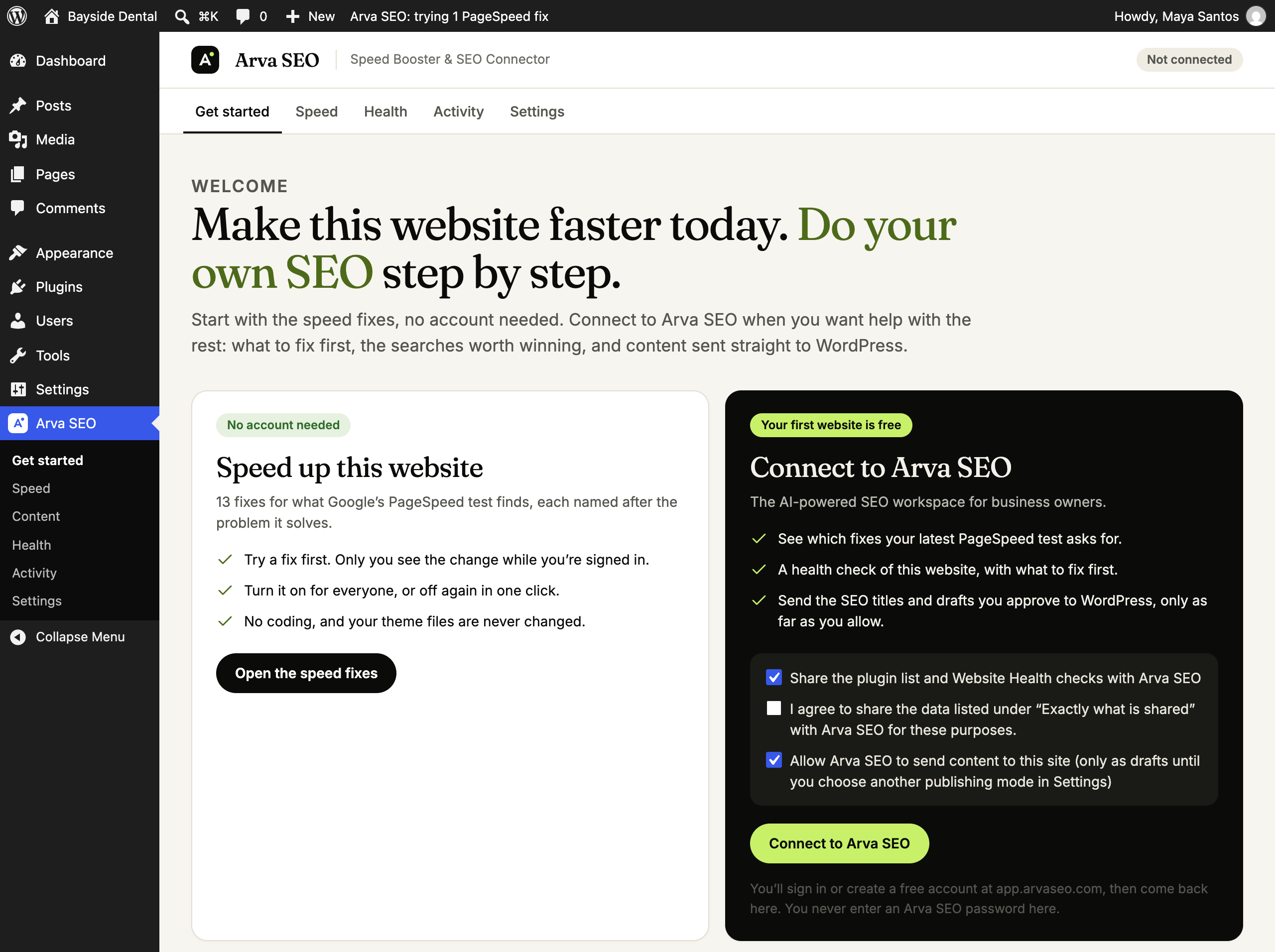
Approve the connection on app.arvaseo.com without entering an Arva SEO password in WordPress. Each site receives revocable encrypted credentials.
- Inventory and Website Health: share installed plugin/theme versions and approved health checks for findings, tasks and reports.
- Content delivery: receive drafts, pending-review, scheduled or published posts within your chosen publishing ceiling; Draft only is the default.
- SEO updates: separately allow approved SEO titles and meta descriptions for published posts, pages, products and the homepage in Yoast SEO or Rank Math. Only those fields change; caches are cleared and updates can be undone.
- IndexNow: serve the key supplied by Arva SEO for its supported search-engine notifications.
Review shared fields in Settings Diagnostics and data sharing. External services, consent requirements and data handling are detailed below and in the FAQ.
External services
Connecting to Arva SEO (https://arvaseo.com) is optional and starts only when an administrator connects the site. Local fixes work without an account. The optional features below contact their listed services only when you enable or use them.
- When connecting: you are sent to app.arvaseo.com to sign in and approve; the plugin then exchanges a one-time code with api.arvaseo.com for this site’s own credentials, and sends the site address, name, WordPress and plugin versions, time zone, environment type, your publishing settings, which of the plugin’s PageSpeed fixes are on, which of the plugin’s update notes applied to this site (their ids and dates) and, for an update to a fix you use, whether it waits for your check, you kept the previous version or visitors get it, which page caches and CDNs the plugin found in front of the site (their names, whether the plugin clears them or you do, how you clear the ones that are yours, when each was last cleared, and how many old generated files are kept because of them), and your data-sharing choice.
- Cache check (once a day, no account needed; the request goes only to your own site): the plugin requests your own homepage from your own server, as a visitor would, without cookies or a login, reads a fixed list of its response headers (for example cf-cache-status, x-litespeed-cache, age and cache-control) and the comments cache plugins leave in the page, and keeps only the names of the caches it found. When the site is connected, those names are sent with the site’s details (see above). Also, when it clears a LiteSpeed server cache from a command line or scheduled task, it asks your site for a page that answers with LiteSpeed’s purge header.
- SEO checklist (no account needed; the request goes only to your own site): when you open Arva SEO SEO or press Check again, the plugin requests your own home page from your own server, as a visitor would, without cookies or a login, and reads its title, meta description, robots rules and images. Results are kept on your site for 15 minutes. Nothing is sent to Arva SEO or anyone else.
- Links you click: “See every fix in Arva SEO” (arvaseo.com, with utm_source=wordpress-plugin and utm_medium=seo-checklist in the address) and “Write a review” (wordpress.org) are ordinary links. Nothing is requested or sent when they are shown; the review request appears only on this plugin’s own screens, after a security scan has finished or a speed fix has been on for a week, and it keeps your answer on your site only.
- Plugin inventory and Website Health (only if you agree when connecting, or later in Settings Diagnostics and data sharing): installed plugins and themes with versions and update state, and the results of about 40 health checks (booleans, counts and versions only), including saved database maintenance counts from 2.12.0. Cleanup is started only in WordPress; the app and AI connector read counts but cannot start it. Sent after connecting, twice a day for the inventory and once or twice a day for health checks, after plugin changes, and when you or Arva SEO ask for a recheck.
- Security scan results (off by default, a separate choice): after each scan, when an administrator agreed to share them, each open problem’s kind, severity, a key, the file’s path inside the site and its SHA-256 fingerprint, and for suspicious code the pattern’s name, line and the start of that line, with how many files were checked. Never the files themselves.
- Security feed (only when connected): once a day the plugin downloads Arva SEO’s security feed from api.arvaseo.com (fingerprints of known malware and of files found safe, PHP’s latest versions, new patterns), sending only the version it has.
- Deep scans (off by default, a separate choice, and each one started by an administrator): the code files the security scan couldn’t match to an official copy (the theme, premium and custom plugins, and anything unexpected), with their paths inside the site, SHA-256 fingerprints and sizes, 2 MB each and 50 MB in all at most, sent to api.arvaseo.com to be checked for known malware and deleted as soon as the scan finishes. Never wp-config.php, .env files, logs, database exports, backups or media. The plugin then fetches what was found.
- Content: every 5 minutes the plugin asks api.arvaseo.com for content you sent from Arva SEO, and reports back the post ID, status and link it created.
- Switching fixes from Arva SEO (off by default): when allowed, the plugin asks api.arvaseo.com every 5 minutes (and when Arva SEO signals it) for fixes switched there, and reports back what it did and each fix’s state.
- Signed requests from Arva SEO: api.arvaseo.com may call this site’s …