
AlertWire
v1.2.2AlertWire · 2014年12月16日 上架
AlertWire plug-in to easily insert script tag for AlertWire client sites.
- 正在使用
- 10 以下
- 评分
- 暂无
- 累计下载
- 2,801
- 最近更新
- 2017年1月6日
需要 WordPress 3.0+已测试到 4.7.40
贡献者
 AlertWire
截图
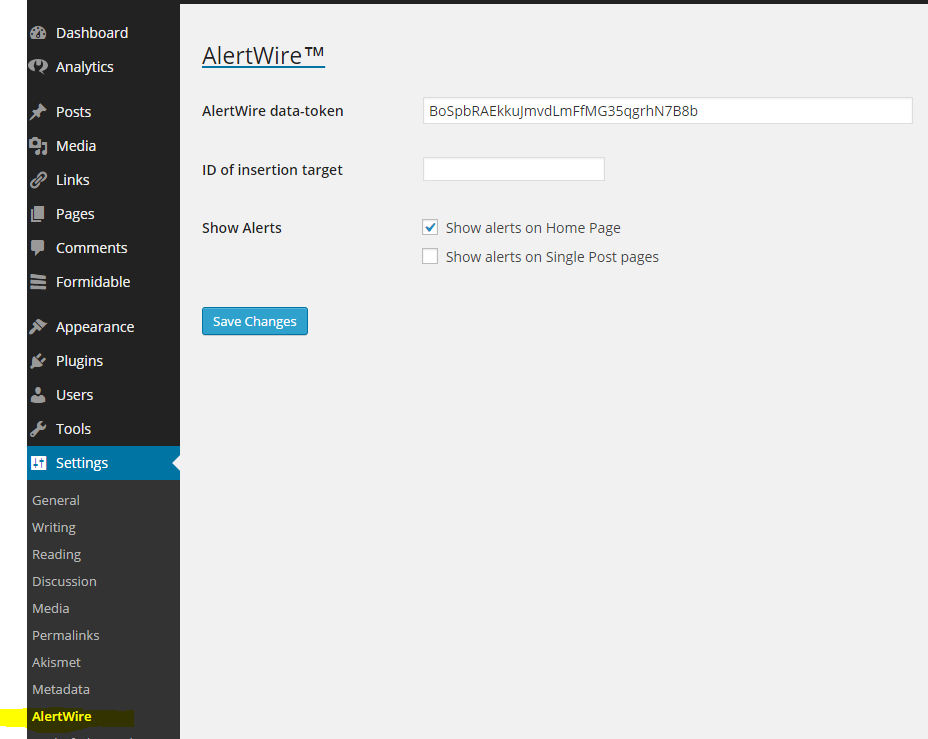

AlertWire is a system for centralized administration of alert/messaging for multiple sites.
Once your site has been configured in the AlertWire system, you can add this plug-in and set the data-token to enabled the checking of alerts. When the
page is rendered, a <script> tag will be inserted into the document being rendered.
How AlertWire Works
- The page is generated with the correct API server and
data-tokenconfigured, typically added to the bottom of the pagebodytag. - An async script tag is executed (late as possible) which loads a small (<4K) javascript plug-in. This plug-in has no dependancies and will
not interfere with any existing frameworks like jQuery - A cross-domain JSON request is made to the AlertWire API service to determine if there are any active alerts for the
data-tokenspecified. - If there are one or more alerts to view, a CSS style-sheet will also be loaded from the API server.
- The alerts are then generated dynamically into the document and styled automatically. There are several formats that are rendered
differently (e.g. page-top, lightbox, etc.). - Tracking pixels are generated to record when a check-in for alerts cccurs and when a view or close or click-through of an alert occurs.
Notes
- The javascript plug-in and CSS style-sheet are publically cached from a CDN and are very small, the impact on load times should be tiny.
- The CSS file is only loaded if there are alerts to be rendered.
- The javascript plug-in only introduces one symbol into the global scope, the AlertWire module. All other functionality is behind that scope.
- The plug-in will set a cookie when a user closes an alert to ensure it isn’t displayed again. Depending on the alert type, this cookie may be a
session cookie or a durable cookie with a 1 year expiration. - A very small font file will be downloaded for the alert icons the first time an alert is displayed to an end user.