
Albumize
v1.2klitscher · 2008年11月9日 上架
This plugin organizes different WordPress 2.5+ galleries into albums for easy display and navigation by using parent/child pages and custom fields.
- 正在使用
- 10+
- 评分
- 暂无
- 累计下载
- 5,951
- 最近更新
- 2008年11月24日
贡献者
 klitscher
截图
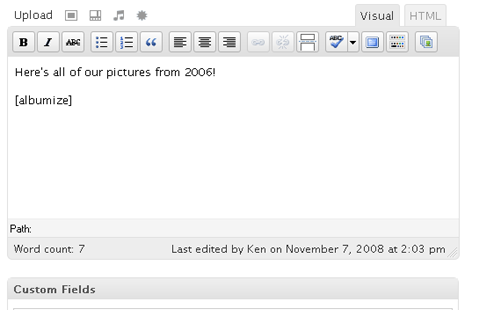


I wanted to take the convenience and ease of use of the built-in WordPress [gallery] shortcode and add a little more functionality to it. By organizing your galleries as multiple child pages of one parent page, you can use this plugin to see a preview thumbnail and description of each gallery.
Styling
Version 1.2 added increasing styling options by wrapping each element in a <div. There are two display options included with the plugin and limitless possibilities exist for any type of custom styling you would like to do. Horizontal styling is the default using only the [albumize] shortcode. However, to use the included vertical styling (thanks Roman!) simply use [albumize style='vert'].
To add your own custom styling, use [albumize style='yourstylename'] (where ‘yourstylename’ is any name you’d like to classify it as) and add the styling to your themes stylesheet. The Albumize elements are classified as the following:
albumize_gallery_yourstylenamealbumize_thumb_yourstylenamealbumize_title_yourstylenamealbumize_desc_yourstylenamealbumize_count_yourstylename
Whatever you use for the style attribute will be used as the last part of the element classification when the album is displayed. Just add your own styling for these elements and you are all set to go. Add as many different styles as you want and call any of them using the style attribute.