
AiutoComputerHelp Live Request Monitor
v1.0.0aiutocomputerhelp · 2026年10月29日 上架
Admin-only live WordPress request diagnostics with filters, behavioral indicators, and temporary capture. No blocking or permanent access log.
- 正在使用
- 10 以下
- 评分
- 暂无
- 累计下载
- 259
- 最近更新
- 2026年10月29日
 aiutocomputerhelp
截图
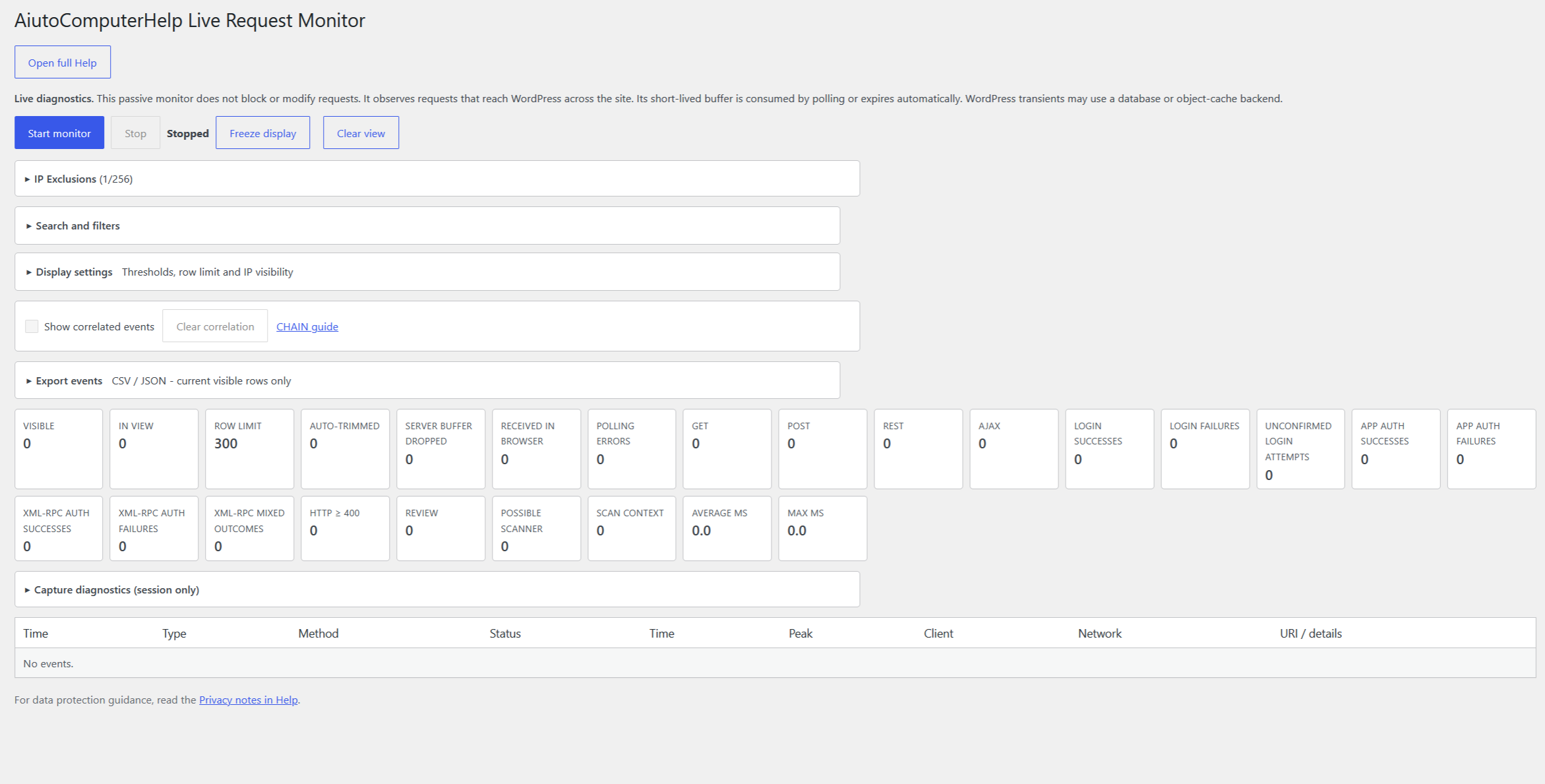
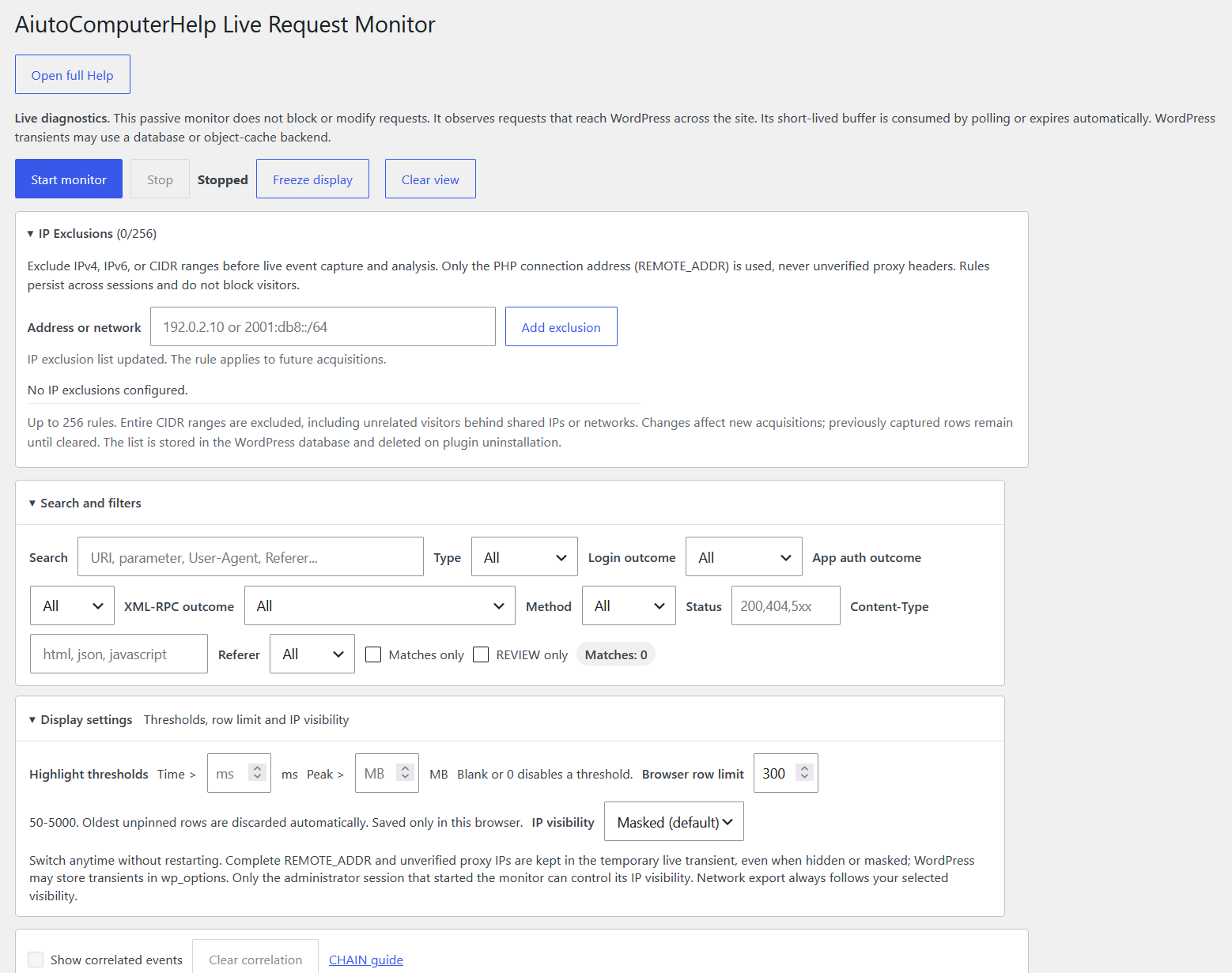
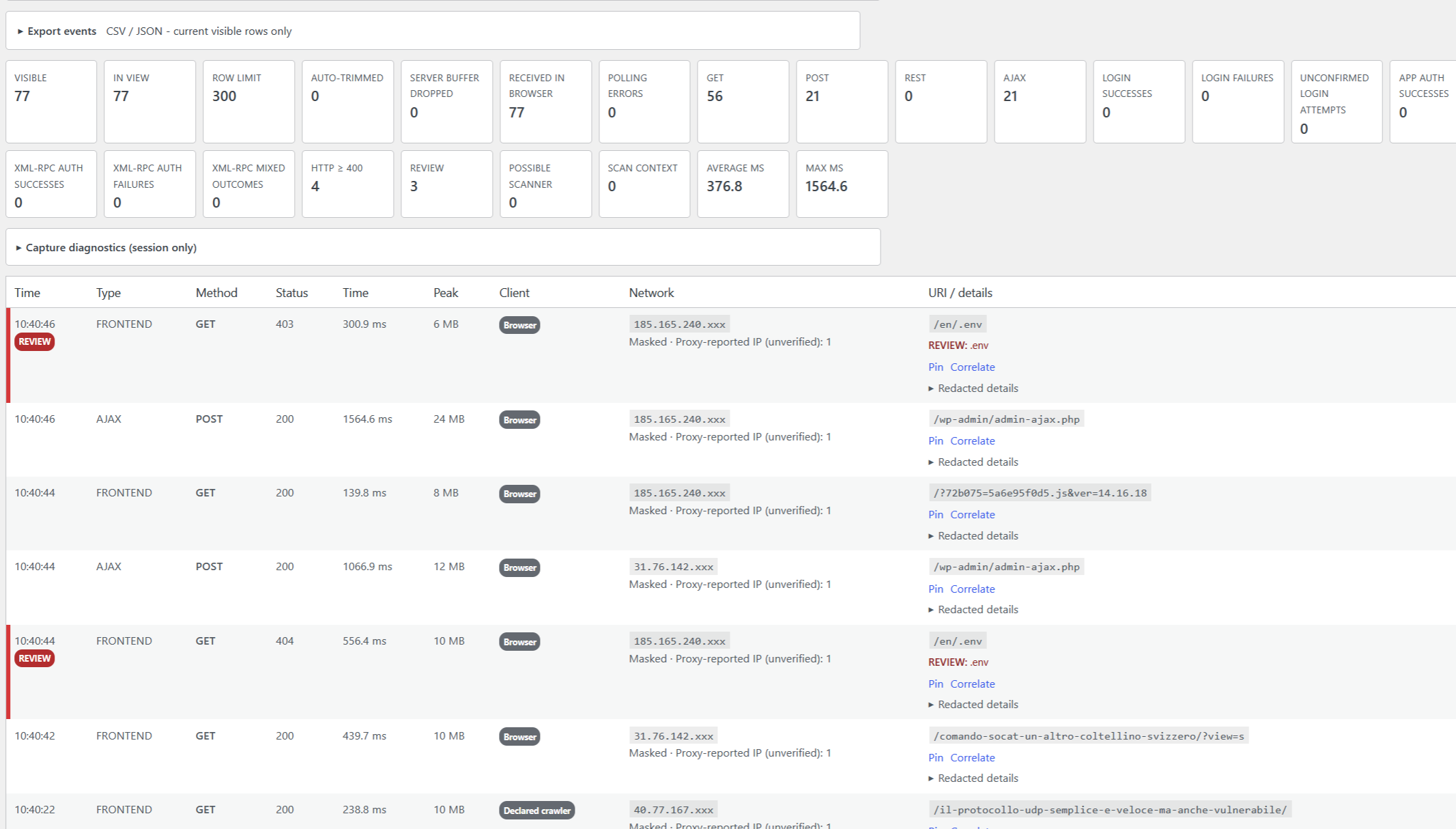
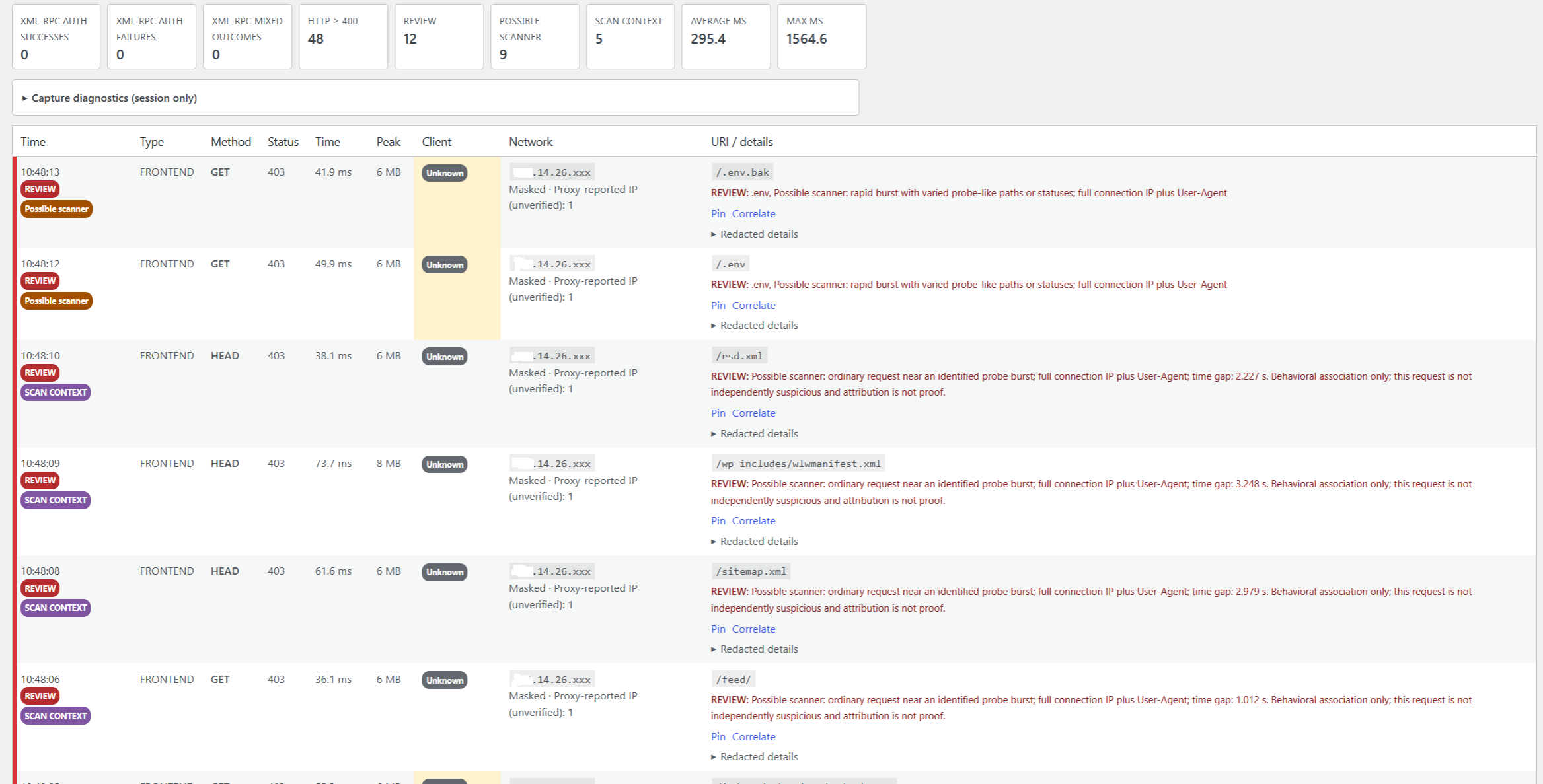
AiutoComputerHelp Live Request Monitor is a live, administrator-only WordPress/PHP request diagnostic tool. It observes request metadata without blocking traffic or creating a permanent access log.
- Inspect request type, method, status, timing, memory, and bounded redacted GET/POST metadata.
- Filter and search events; use Pin and CHAIN; review heuristic Possible scanner, SCAN CONTEXT, and GET SIGNAL indicators.
- Examine duplicated GET names, encoded-payload indicators, and query inspection limits.
- View supported native login, Application Password, and XML-RPC authentication outcomes.
- Choose Hidden, Masked (default), or Full IP display; configure IP/CIDR capture exclusions.
- Export events as CSV/JSON and aggregate Capture Diagnostics separately.
Monitoring starts only when an authorized administrator enables it. Events use short-lived WordPress transients, which may persist in the database until cleanup; IP exclusion rules are persistent. Redaction is best effort and exported metadata may contain personal data. Security indicators are heuristics, not attack verdicts. Consult Tools > Live Request Monitor Help for operating instructions, privacy information, and limitations.
JavaScript source code
The browser-executed file is assets/monitor.js. Its human-readable, non-minified equivalent is included in this same plugin package as assets/monitor.source.js, without requiring a separate repository or download. The readable file contains the complete JavaScript program, including the original identifiers and comments. It is not loaded by WordPress at runtime.
For this review revision, assets/monitor.js was deliberately retained byte-for-byte from the submitted release candidate. The readable file was produced through syntax-aware formatting, and its parsed JavaScript abstract syntax tree was checked for equality with the deployed file. No external JavaScript libraries are bundled and no transpilation or module bundling is required to run the plugin.
For maintenance, edit the readable source, then update the deployed assets/monitor.js using a JavaScript formatter/minifier without obfuscating identifiers, and test both files for syntax and behavioral equivalence before packaging. This release has no mandatory JavaScript build dependencies. Both source and runtime files are distributed under GPLv2 or later.