
AI Translate: Free AI Translation, You Pick the Model
v2.4.4Gerard Kanters · 2025年5月29日 上架
Translate your WordPress site into any language with the AI model of your choice. Free plugin, you only pay for tokens. Fast, SEO-friendly.
- 正在使用
- 70+
- 评分
- 5.0 / 5
- 累计下载
- 9,779
- 最近更新
- 2026年11月14日
贡献者
 Gerard Kanters
截图
AI Translate automatically translates your entire website using advanced artificial intelligence. The plugin translates pages, posts, titles, menus, and more in real time while customers and bots visit your website in their perferred language. Use cache warming to improve performance for first visitors. Choose any model you wish, from frontier models to a locally installed model.
What makes AI Translate unique?
🎯 Smart AI Analysis
The AI has an option to analyze your website to understand what you do and how you communicate. This ensures translations are tailored to your brand, terminology, and tone of voice.
⚡ Intelligent Caching
With intelligent caching, your site runs fast, even with many translations. Translations are automatically updated when you change original content, without extra API costs.
🌍 SEO-Friendly
Automatic hreflang tags, translated URL slugs, and proper indexing ensure search engines can properly index all language versions of your site.
Features
- 🌐 Automatic Translation – Pages, posts, and custom post types are automatically translated
- ✨ Smart AI – Generates a summary of your site for context-aware translations.
- 🌍 35+ Languages – Support for all major world languages and much more.
- ⚡ Fast Caching – Intelligent cache for better performance and lower costs.
- 🔄 Automatic Updates – Cache expires immediately of content when the original page changes .
- 🍪 Remembers Preferences – Saves each visitor’s language preference (via cookies).
- 🎨 Easy to Use – Simple language switcher in the left corner of your website.
- 🔧 Flexible – Choose your own AI model (OpenAI, Deepseek, or other APIs).
- 🔗 SEO-Friendly – Also translates URLs for better search engine optimization.
- 🔥 Cache-Warming – Have all pages pre-translated so they are immediately available to visitors.
Configuration
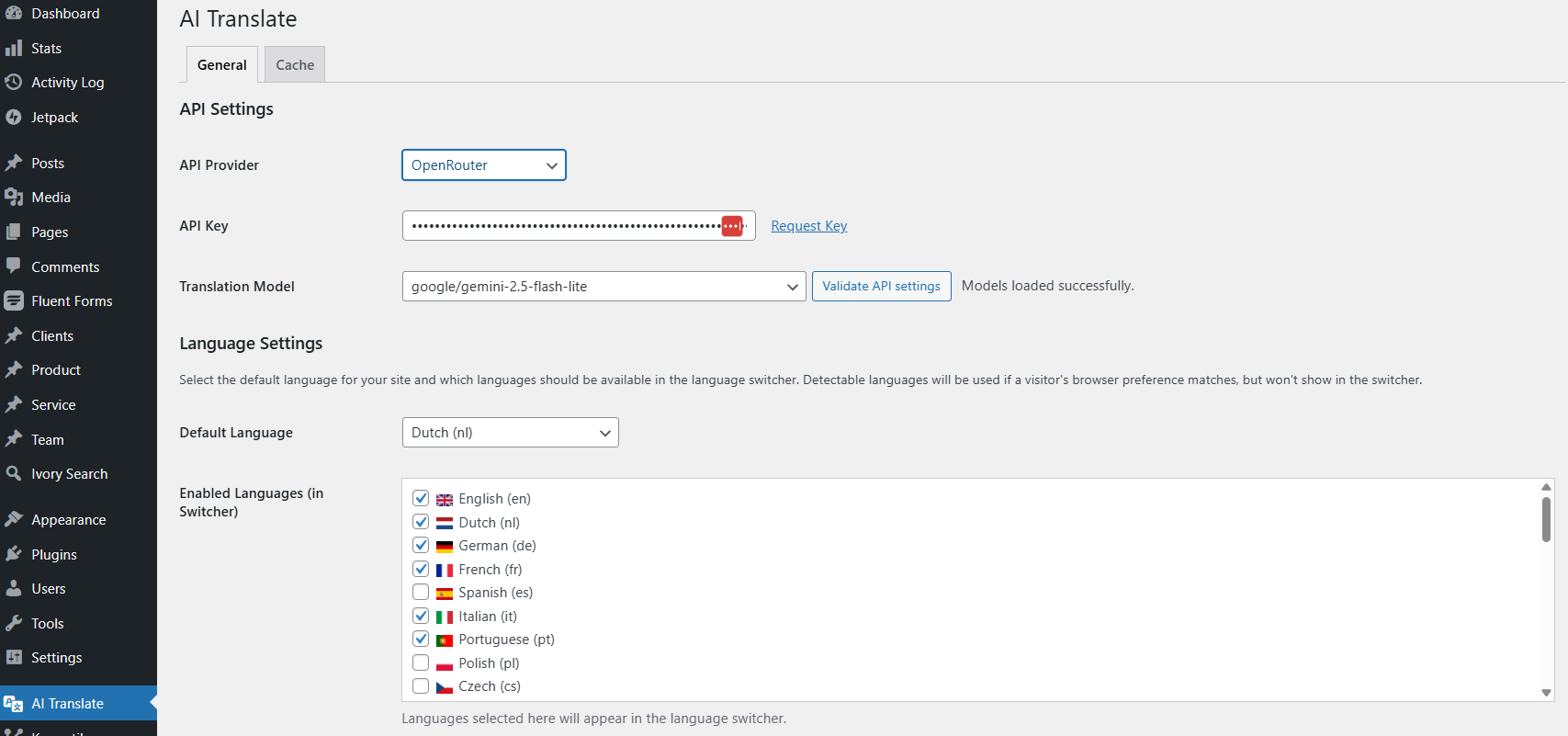
All plugin settings can be found under ‘AI Translate’ in your WordPress admin menu.
API Settings
- 🔑 API Provider – Select a provider of your AI translation API (e.g. OpenAI)
- 🔐 API Key – Your API authentication key
- 🤖 Translation Model – Choose your preferred AI model
Language Settings
- 🌍 Default Language – The main language of your website
- 🎯 Enabled Languages – Languages visible in the language switcher
- 🔍 Detectable Languages – Automatic translation on browser match, but not in switcher
Cache Settings
- ⏱️ Cache Duration (days) – How long translated content stays cached
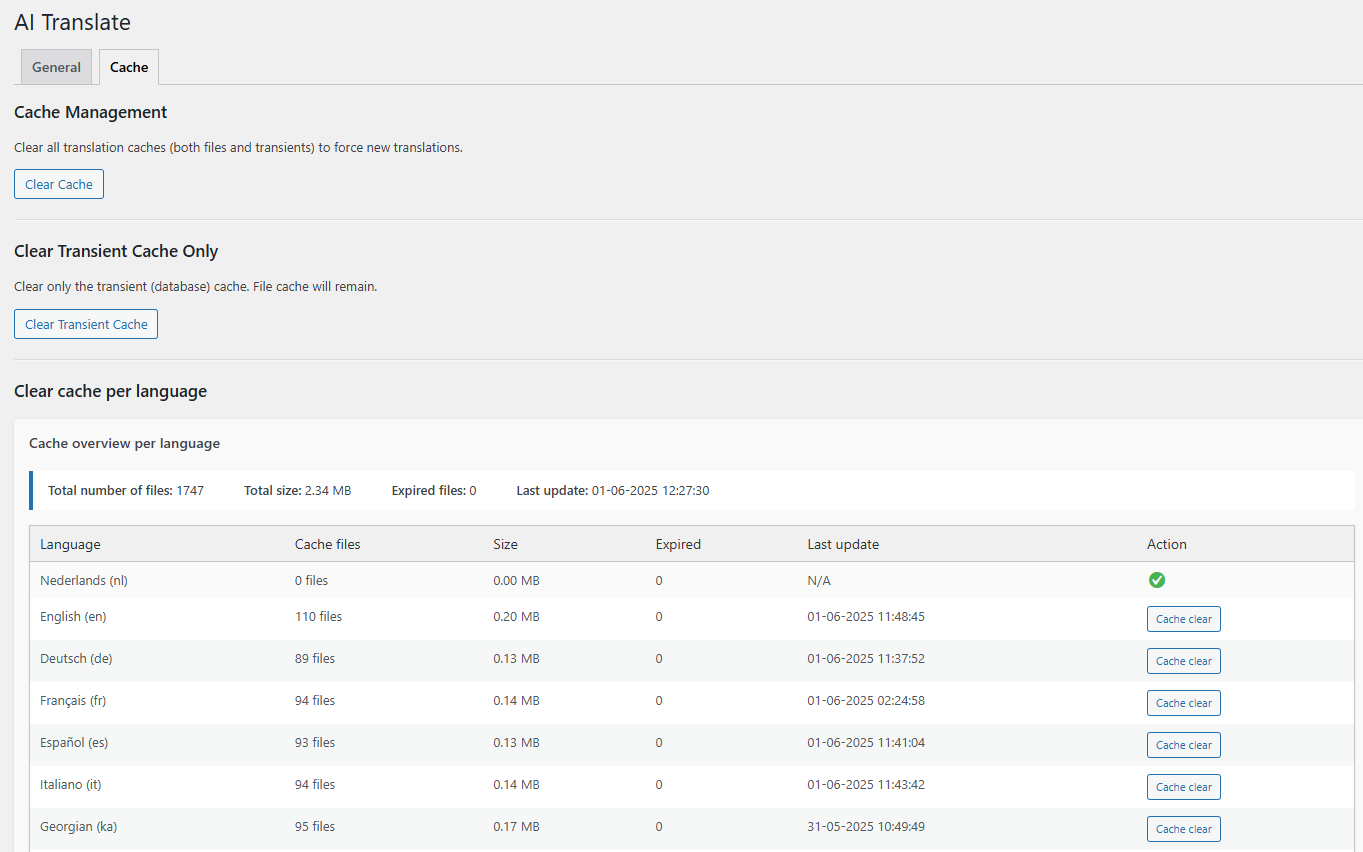
- 🗑️ Cache Management – Clear all cache, only transient cache, or cache per language
- 🔄 Automatic cache invalidation – Cache is only refreshed on content changes
Advanced Settings
- 📄 Homepage Meta Description – Set a custom meta description that will be automatically translated.
- ✨ Auto-generate site context – Let the AI automatically analyze your site for better translations
Usage
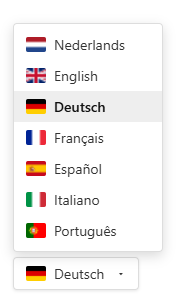
After configuration, AI Translate automatically adds a language switcher to your website (default: bottom left). Visitors can select their preferred language; content is translated instantly or loaded from cache.
Each visitor’s language preference is remembered for future visits.
Cache
- 📁 Location – Translations are cached in
/wp-content/uploads/ai-translate/cache/ - 🧹 Auto-cleanup – Expired cache is automatically cleaned up
- 🔧 Manual clearing – Clear cache manually via plugin settings
Recommended Model Selection
- 💡 OpenAI:
gpt-6-lunaGood in most languages and the cheapest of the good choices. - 💰 DeepSeek:
deepseek-flashCost-effective and good in Chinese, Japanese and Korean. - 🔧 OpenRouter:
google/gemini-3.1-flash-litehas a very good price/performance ratio. - 💡 Groq:
openai/gpt-oss-120bExtremely fast, pretty cheap and very good in translating.
These defaults were chosen by benchmarking translation quality in 25 languages against cost, leaving out models that think before answering. They are kept in includes/default-models.json, and the plugin checks once a week for an updated list (see External Services). Your own model choice is never changed.
Development
- 🔗 Path-based language URLs for SEO
- 🚀 Support for more content types and translation improvements are in development
- ⚡ Caching and API optimization are continuously improved
External Services
AI Translate requires an API key from one of the supported providers:
Data Handling
- 🔒 Only website content for translation is sent—no visitor IP or personal data
- 💾 All translations are cached locally; nothing is shared externally
Preferred model list
Once a week the plugin downloads a small public file with the preferred model per provider from https://raw.githubusercontent.com/gerard-kanters/ai-translate/master/includes/default-models.json (GitHub). The request is a plain download and sends no data about your site or visitors. If it fails, the list bundled with the plugin is used. Use the ai_translate_default_models_url filter to change the address, or return an empty string to turn the download off.
Requirements
- ✅ WordPress 6.2 or higher
- ✅ PHP 8 or higher
- 🔑 API key for OpenAI, Deepseek, or compatible service
Provided by
🌐 NetCare