
AI Chatbot for Support & E-Commerce
v1.0.3Jatinder Singh · 2026年2月5日 上架
AI-powered chatbot for WordPress and WooCommerce using OpenAI or Gemini, trained on your site content.
- 正在使用
- 10 以下
- 评分
- 暂无
- 累计下载
- 605
- 最近更新
- 2026年2月5日
贡献者
 Jatinder Singh
截图



Note: A publicly accessible HTTPS domain is required. Localhost and local development environments are not supported.
AI Chatbot for WordPress & WooCommerce adds an AI-powered chat assistant to your website using Retrieval-Augmented Generation (RAG).
The plugin allows site owners to train a chatbot on their own WordPress data — including FAQs, pages, posts, and WooCommerce products — and provide accurate, contextual answers to visitor questions using Gemini or OpenAI models.
Content is securely sent to an external AI processing service for embedding generation and chat responses.
An API token is required to enable AI functionality.
Key Features
- Frontend chatbot widget with configurable position
- Supports Gemini and OpenAI AI models
- Retrieval-Augmented Generation (RAG) based answers
- Learn from FAQs, pages, posts, and WooCommerce products
- Manual content sync and embedding generation
- Email notification when AI training is completed
- HTTPS-only communication with the external service
How It Works
- Install and activate the plugin
- Configure the chatbot position on the frontend
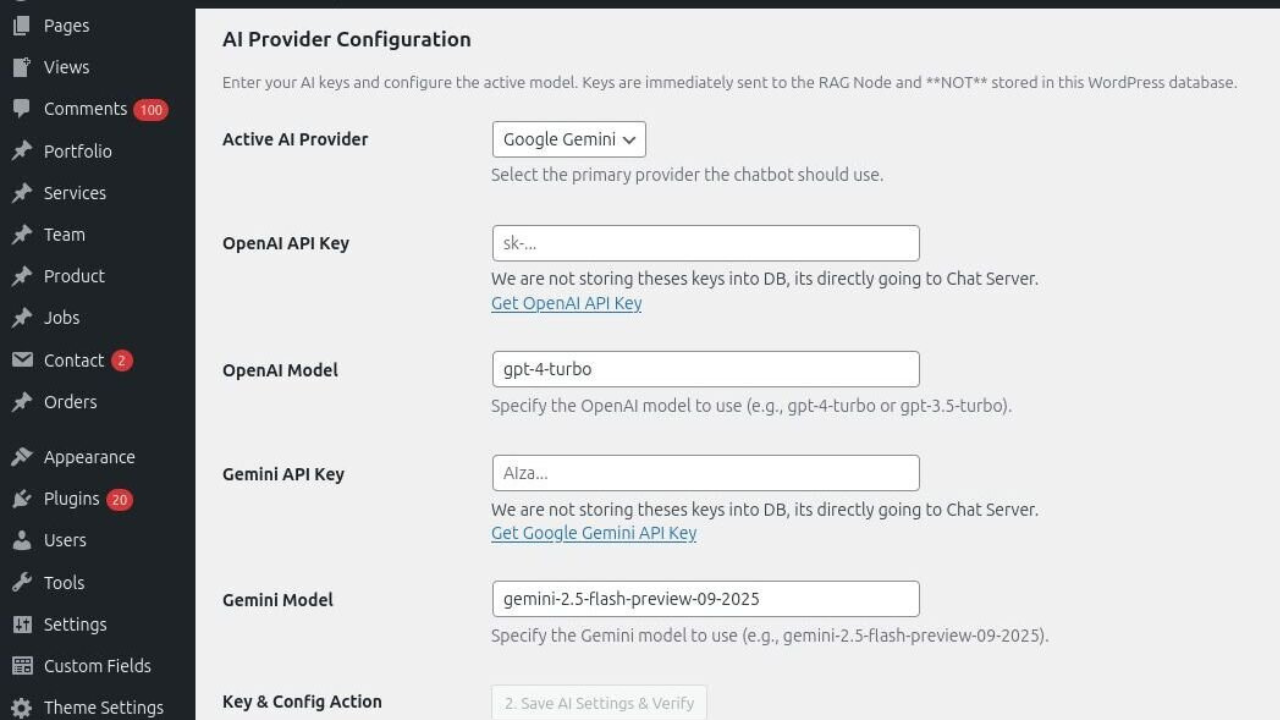
- Enter AI provider details (Gemini or OpenAI API key and model)
- Choose which content types to send for learning
- Submit selected content for processing
- Receive an email once embeddings are ready
- Enable the chatbot on the frontend
Supported Content Types
You can choose which data to send for AI learning:
- FAQs (required)
- Pages
- Posts
- WooCommerce products
Each content item is automatically truncated to a maximum of 1000 words before processing.
Usage Limits
The free service tier includes the following limits:
- Up to 1500 chat requests per day
- Maximum 100 FAQs
- Maximum 100 posts
- Maximum 100 pages
- Maximum 100 WooCommerce products
- Total data size limited to 2 MB
All limits are enforced by the external AI service.
External Services
This plugin connects to an external service to process content, generate embeddings, and provide AI responses.
Service Endpoint
https://ragai.phpsoftsolutions.in
Purpose
* Store selected WordPress content
* Generate embeddings
* Process chat queries using AI models
Data Sent
* FAQ questions and answers
* Selected page, post, and product content
* Site identifier
* Selected AI provider and model
AI provider API keys are used only for request processing and are not exposed publicly.
Service Provider
PHPSOFT SOLUTIONS
https://www.phpsoftsolutions.in/privacy-policy