

Age Verification Screen for WooCommerce
v1.1.1meowcrew · 2021年3月31日 上架
Easily add a customizable age verification screen to your store.
- 正在使用
- 300+
- 评分
- 1.0 / 5
- 累计下载
- 6,647
- 最近更新
- 2024年11月1日
1 条评价需要 WordPress 5.6.1+已测试到 6.7.12PHP 5.6+
贡献者
 Freemius
截图
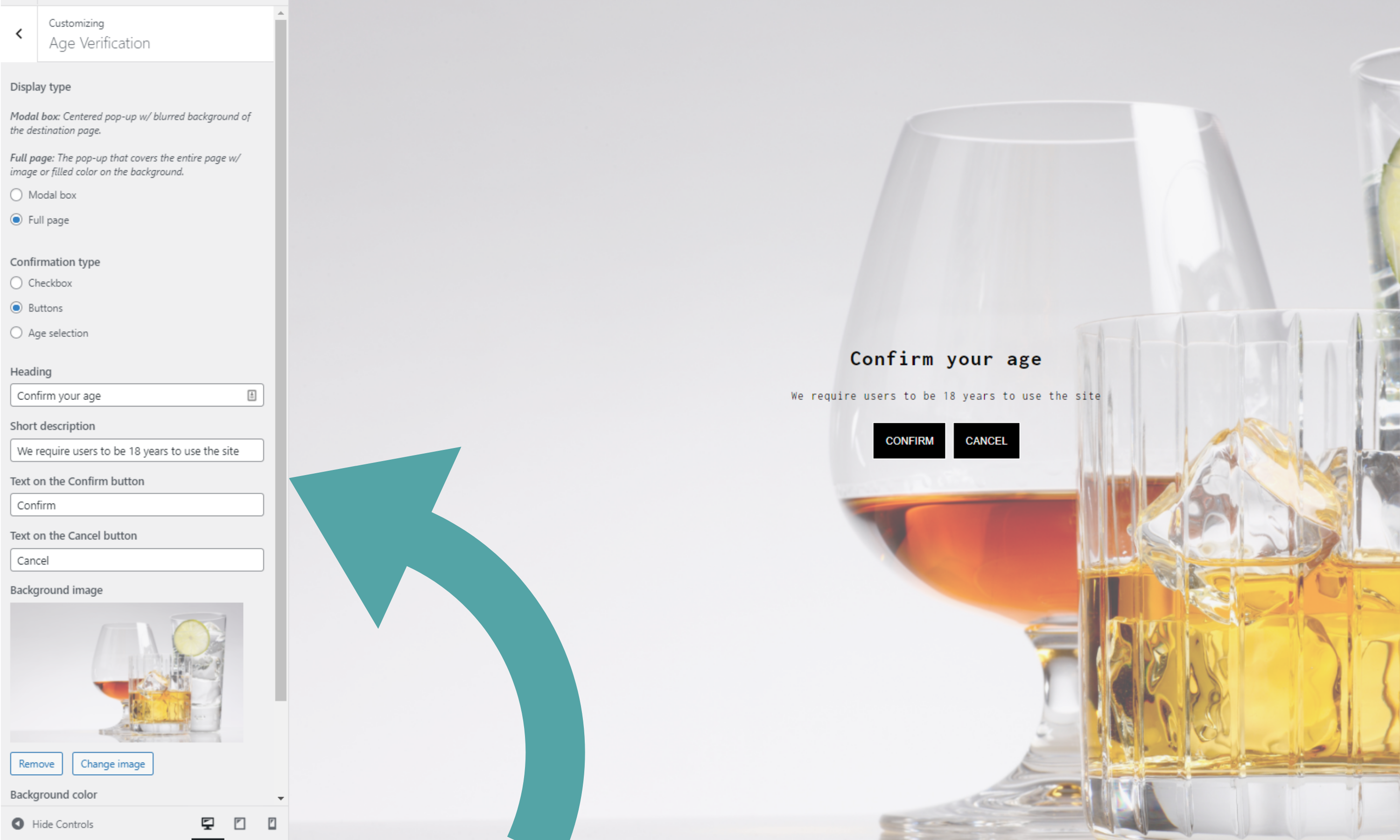
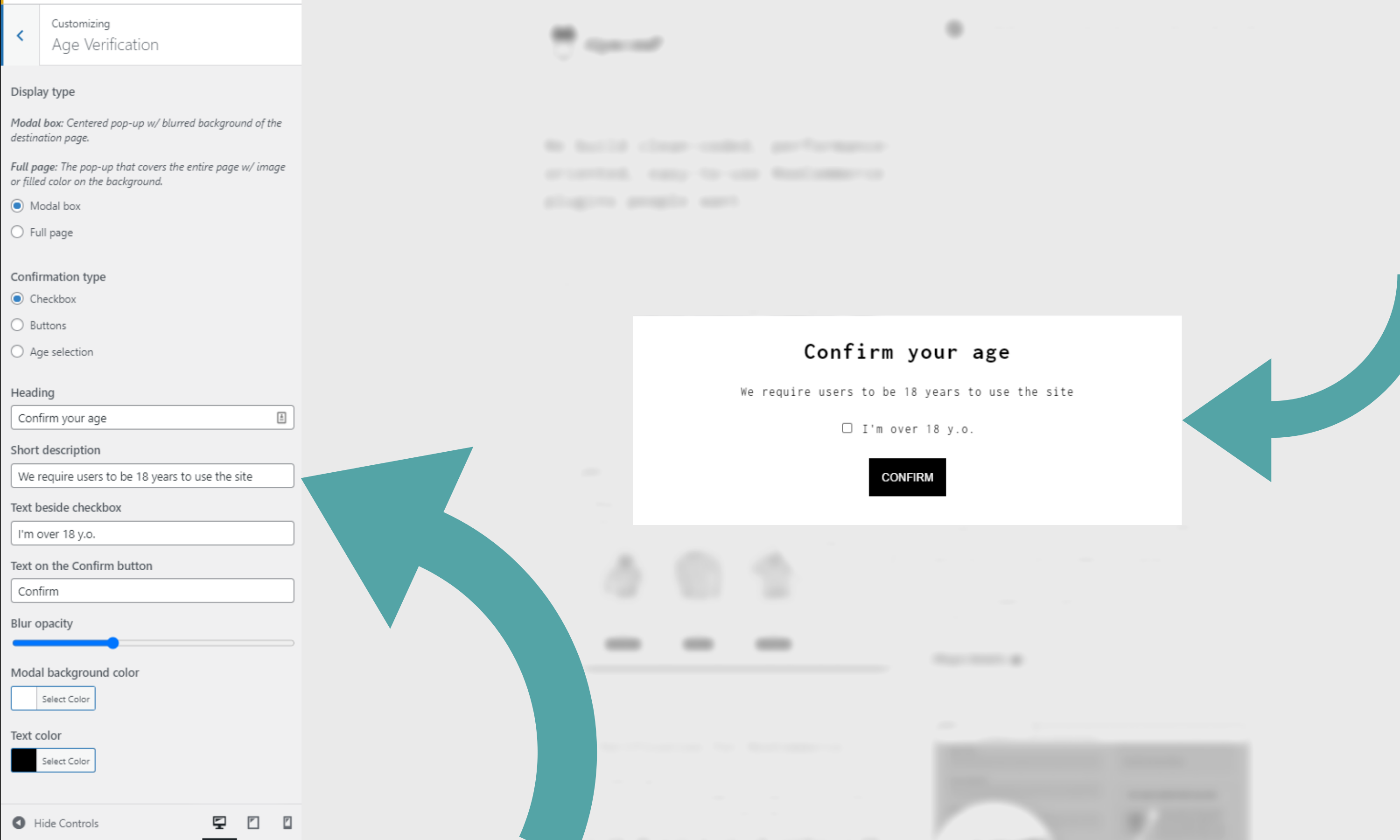
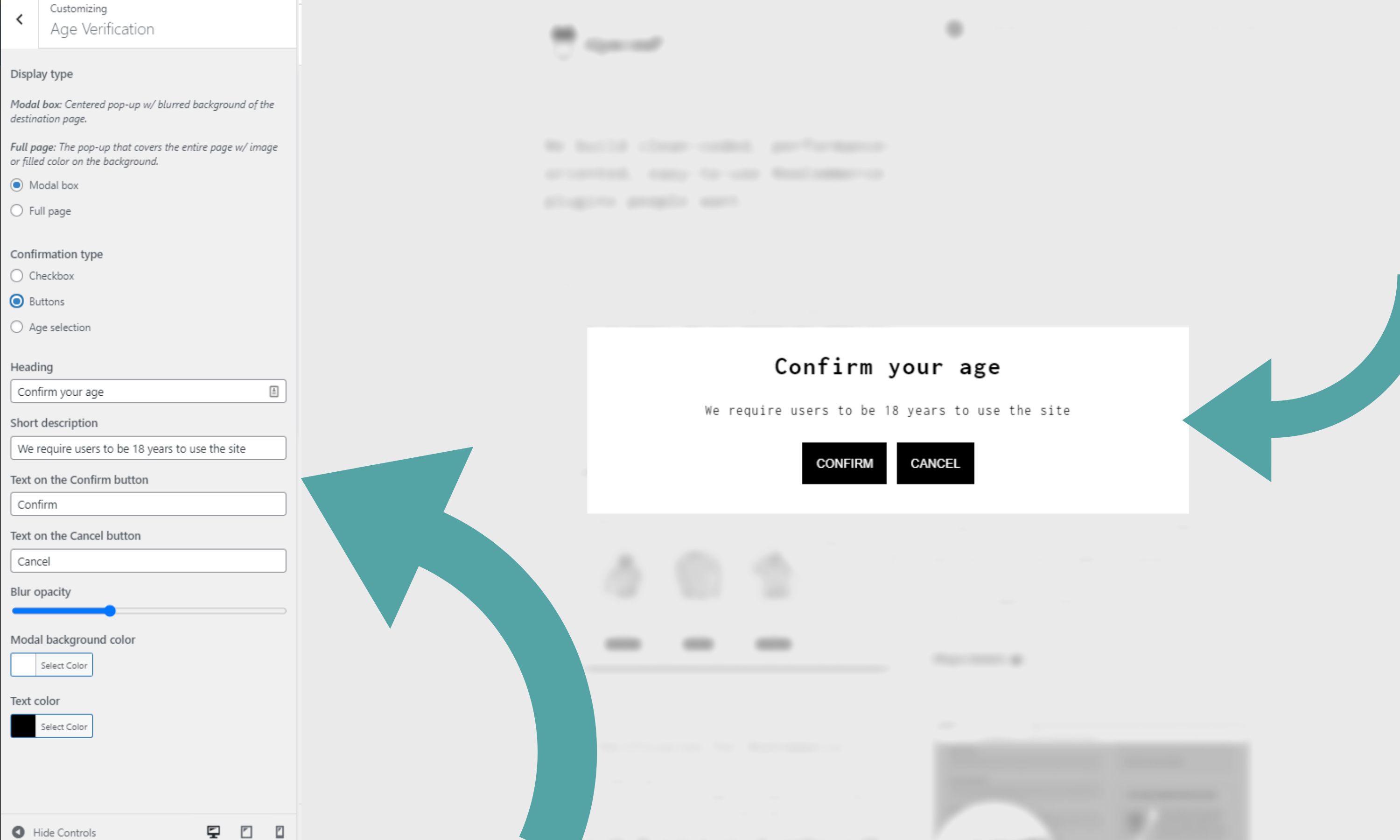
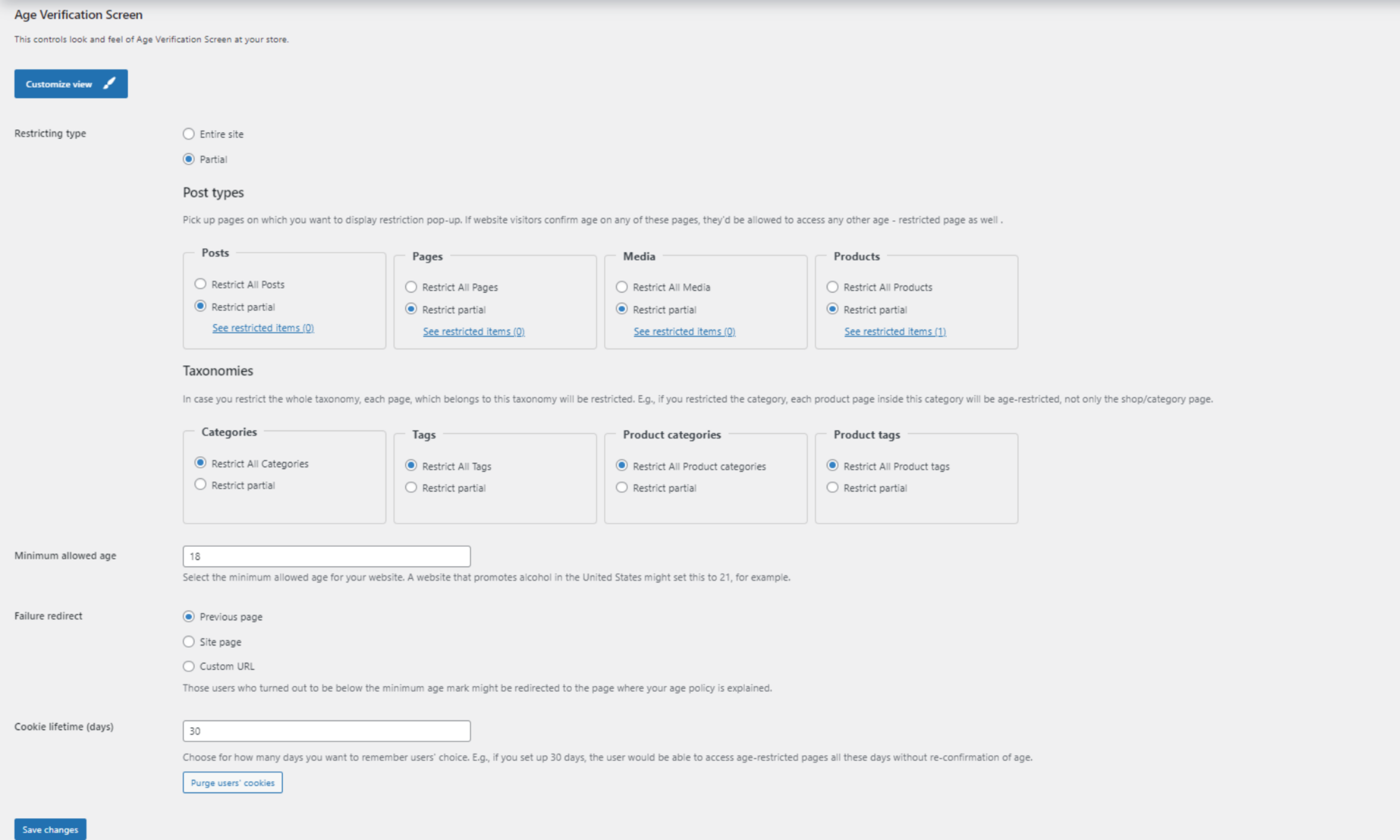
Age Verification Screen for WooCommerce lets you restrict your website or particular pages of it using the age-restriction screen. Easily install and configure pop-up look and texts via customizer tool.
Major plugin features
- Modal window or full-page pop-up to ask your users to verify their age when the page loads.
- Show the age restriction pop-up only on those pages where you need it. You can choose what pages, products, categories, or any other post types or taxonomies would be age-restricted.
- Select the minimum allowed age for your website.
- Multiple ways to check user age. You can choose between two methods of age verification – a simple checkbox or confirm\cancel buttons.
- Set up the look and feel of restriction pop-up via live customizer. Select background color or image, blur opacity, text color, etc.
- All texts are editable through the customizer. You are able to edit the heading, description, texts on buttons, etc.
- Redirect users on failure. Here you can find two default options – get the user to the previous page or any other page of your site (e.g., page w/ your age policy).
- Accepts your theme styling by default. No need to work hard on pop-up styling; it fits your website style perfectly right off the bat.
- Manage cookie lifetime. Age verification pop-up should not appear once more for those who previously passed the confirmation within XX days (established by you).
Additional features
- An additional method to check the age. One more way to prevent users’ age is the date of birth picker.
- Redirect to external URL. If the user doesn’t reach the minimum required age, you can redirect him to the external website instead of your internal page.
- Age-restriction for custom taxonomies and custom post types. In case you need to restrict particular custom taxonomies or post types instead of regular ones (like product categories, products, pages, etc).
- Assistance from plugin developers first hand.