

News Ticker for Elementor
v1.0.4DevofWP · 2025年2月17日 上架
Advanced News Ticker offers 8 customizable layouts to display news, headlines, and breaking news, fully integrated with Elementor.
- 正在使用
- 30+
- 评分
- 暂无
- 累计下载
- 1,358
- 最近更新
- 2025年4月22日
 DevofWP
 Habibur Rahaman
截图
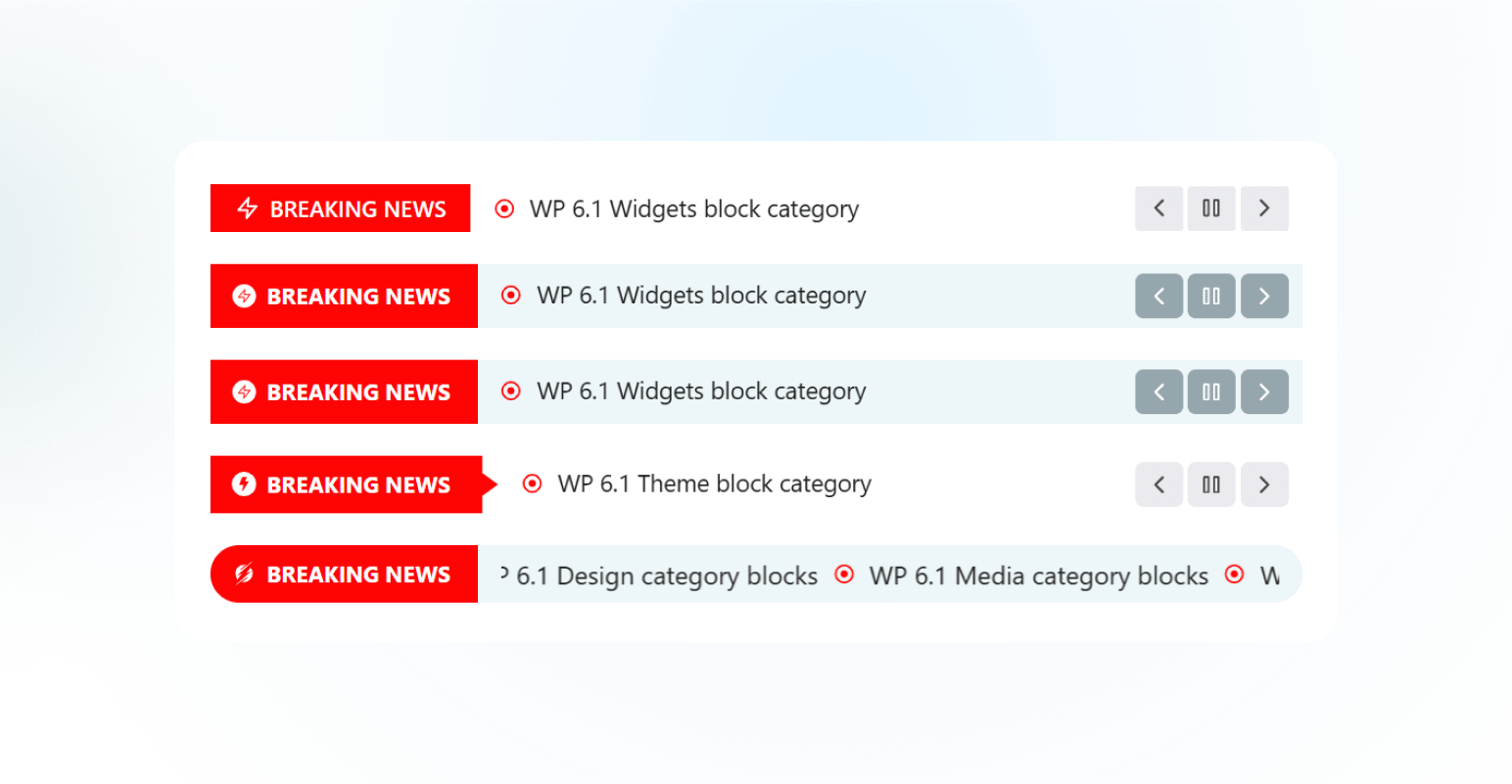

Advanced News Ticker is a powerful and highly customizable plugin designed to enhance your website’s news presentation capabilities. With 8 uniquely crafted layouts, this plugin seamlessly integrates with Elementor, providing a dynamic and visually appealing way to display breaking news, headlines, announcements, and trending updates.
Whether you’re running a news portal, blog, magazine, or any content-driven website, this plugin offers the flexibility and tools needed to keep your audience informed and engaged.
👉 Key Features
- 8 Different Layouts: Choose from eight professionally designed layouts to match your website’s aesthetic and functional needs.
- General Settings: Easily configure basic settings like ticker speed, direction, and display options.
- Query Builder: Advanced query options to fetch posts based on categories, tags, custom post types, and more.
- Ticker Style: Customize the ticker appearance with options for fonts, colors, backgrounds, spacing, and more.
- Breaking Title Settings: Highlight breaking news with distinct title styles, colors, and animations.
- Post Title Settings: Control post title typography, hover effects, and truncation for concise displays.
- Controls Settings: Enable/disable navigation controls like arrows, pause on hover, autoplay, and looping features.
👉 Installation:
Using The WordPress Dashboard
- Navigate to the ‘Add New’ in the plugins dashboard
- Search for ‘Advanced News Ticker’
- Click ‘Install Now’
- Activate the plugin on the Plugin dashboard
👉 Uploading in WordPress Dashboard
- Firs, download the zip file from – https://wordpress.org/plugins/advanced-news-ticker/
- Navigate to the ‘Add New’ in the plugins dashboard
- Navigate to the ‘Upload’ area
- Select
user-grid.zipfrom your computer - Click ‘Install Now’
- Activate the plugin in the Plugin dashboard
👉 Using FTP:
- Download
advanced-news-ticker.zip - Extract the
user-griddirectory to your computer - Upload the
user-griddirectory to the/wp-content/plugins/directory - Activate the plugin in the Plugin dashboard
Source Code
The original, unminified source code for JavaScript and CSS is available in the /src/ folder.
External Libraries
- Swiper js: Comes from the Elementor
Credits
Special thanks to the Elementor team for their amazing page builder.