

Ads for Genesis
v2.0.2monetizemore · 2016年5月4日 上架
Ads for Genesis allows you to display any kind of ads without coding in your Genesis theme.
- 正在使用
- 200+
- 评分
- 5.0 / 5
- 累计下载
- 3 万
- 最近更新
- 2026年10月14日
贡献者
 Advanced Ads
截图
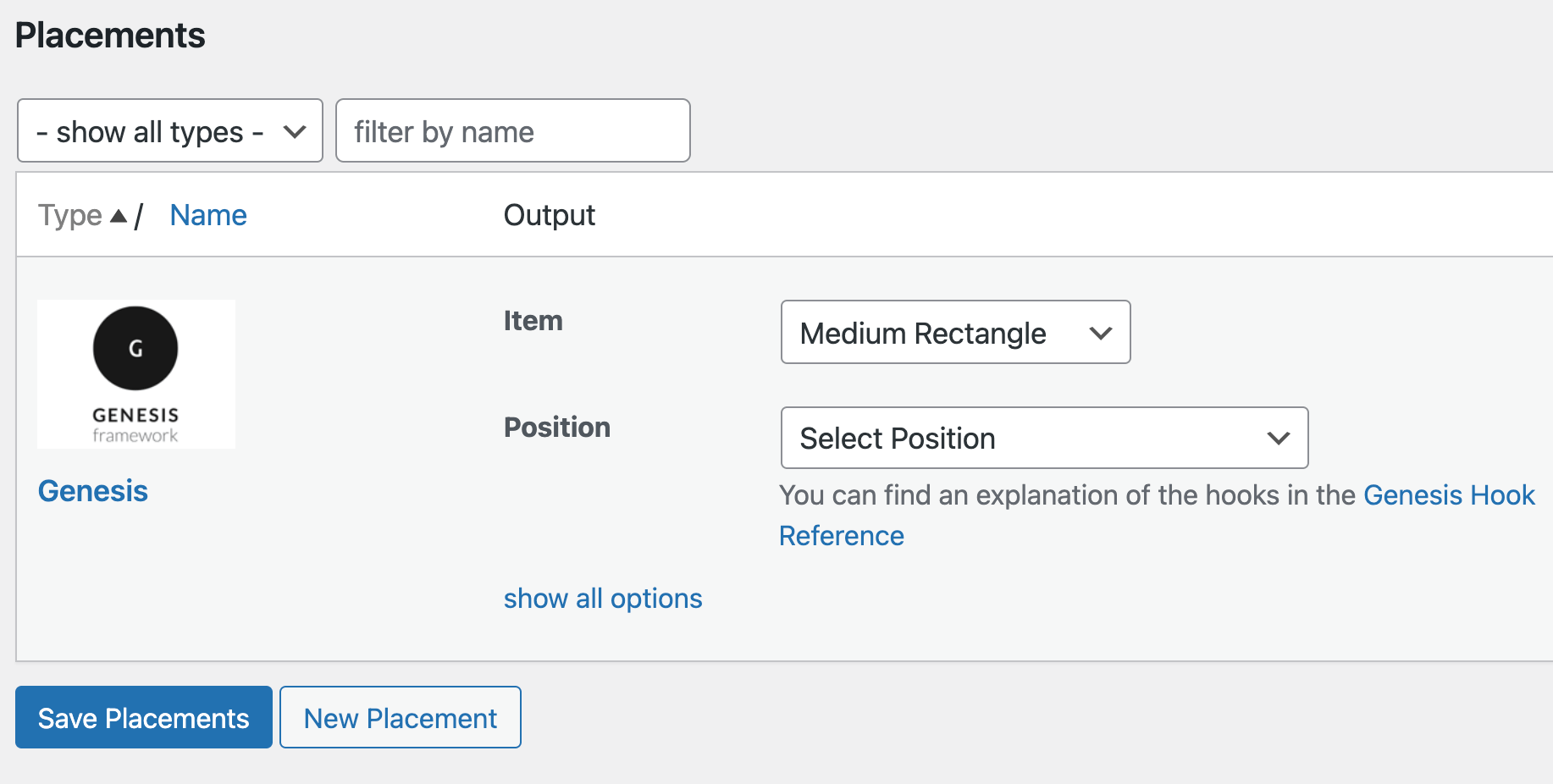

Genesis Ads enables you to easily display any kind of advertisement – including Google AdSense and Amazon – in various positions in your Genesis based theme.
In order to use Ads for Genesis, you also need
- a theme based on the Genesis Framework built by StudioPress,
- the free ad management plugin Advanced Ads.
This combination with Advanced Ads allows you to inject adverts like Google AdSense, Amazon, images banners, etc. managed by Advanced Ads into the predefined positions (called “action hooks“ many Genesis based themes have included in the frontend) and to make use from features like ad rotation.
Please be aware that your theme author might have left some of them out. Also, the styling of the content added by these hooks depends on your theme. Please contact your theme developer about styling issues.
Positions for ads
There are currently 51 positions you can target with Genesis Ads. Among them are:
- a couple of positions around and within the header – the part where the site’s title and description and maybe also a navigation and a search form are located
- around the main content and sidebar wrappers
- before, within and after the main and the alternative sidebar
- around the loop – the part where the posts and pages gets loaded, but not within the actual content itself
- plenty of positions around the content. You can even specify positions around the content title here
- around the comments, pings (websites that link to your post) and the comment form
- before, within and after your site’s footer
Keep in mind that content positions might be repeated on overview pages like home or category pages and the ad might be injected multiple times per page.
Usage
Make sure that you have your Genesis-based theme and the basic version of Advanced Ads activated.
Go to your dashboard and navigate to Advanced Ads > Placements.
When creating a new placement, select the one with the G in the symbol.
After saving the new placement you find it with additional options in the placement list. Here you can specify or change the ad and select the position (see below) from the list.
There are currently 51 placements in 7 logical groups. You can find extended information on them in the Genesis Hook Reference (Genesis login needed).
The positions are mostly self-explanatory. When you check the reference against the positions in the Genesis placement then you should keep in mind that I removed the genesis_ prefix.