Advanced Menu Manager Pro – Built for Content-heavy WordPress Sites to Add, Filter, Lock, and Edit Menus Easily
v3.2.0Dotstore · 2016年4月15日 上架
Create and manage menus of any size of your content-heavy wordpress blogs and websites. Simplified search and new comprehensive layout.
- 正在使用
- 400+
- 评分
- 3.7 / 5
- 累计下载
- 5 万
- 最近更新
- 2026年7月16日
 Dotstore
 Mithun Raval
 Mayur Keshwani
截图
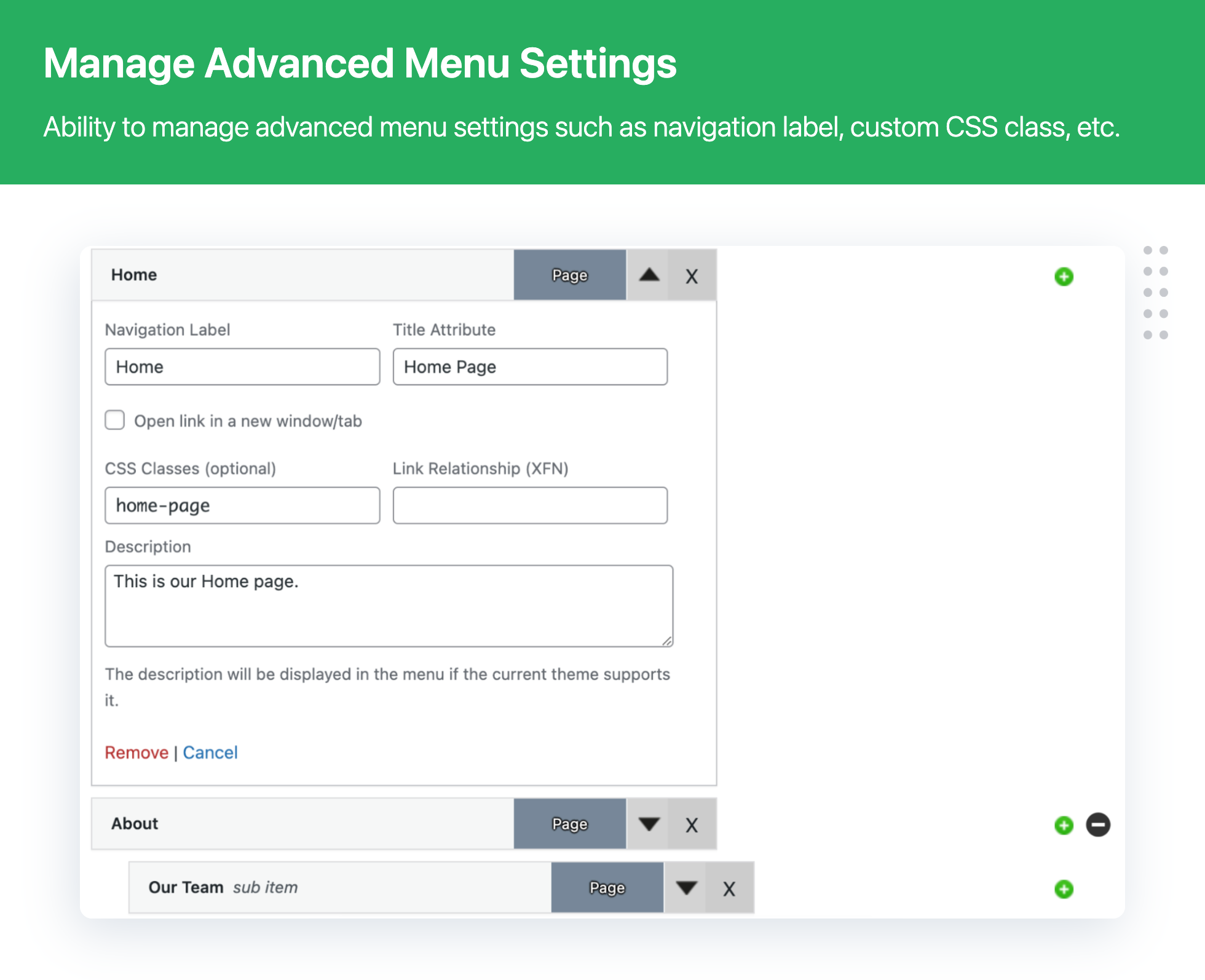
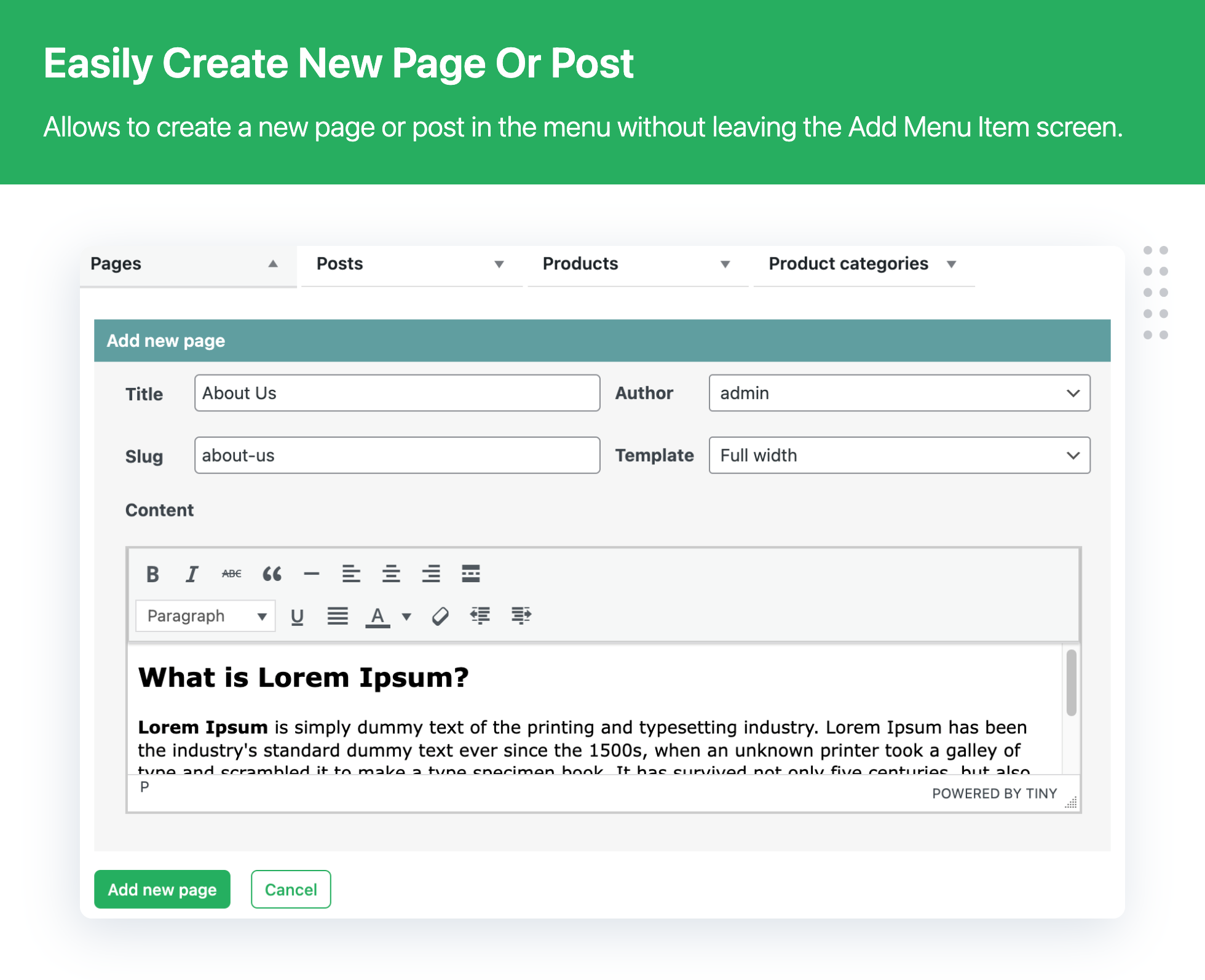

Are you looking for an easier way to manage the complex menu navigation of your wordpress website?
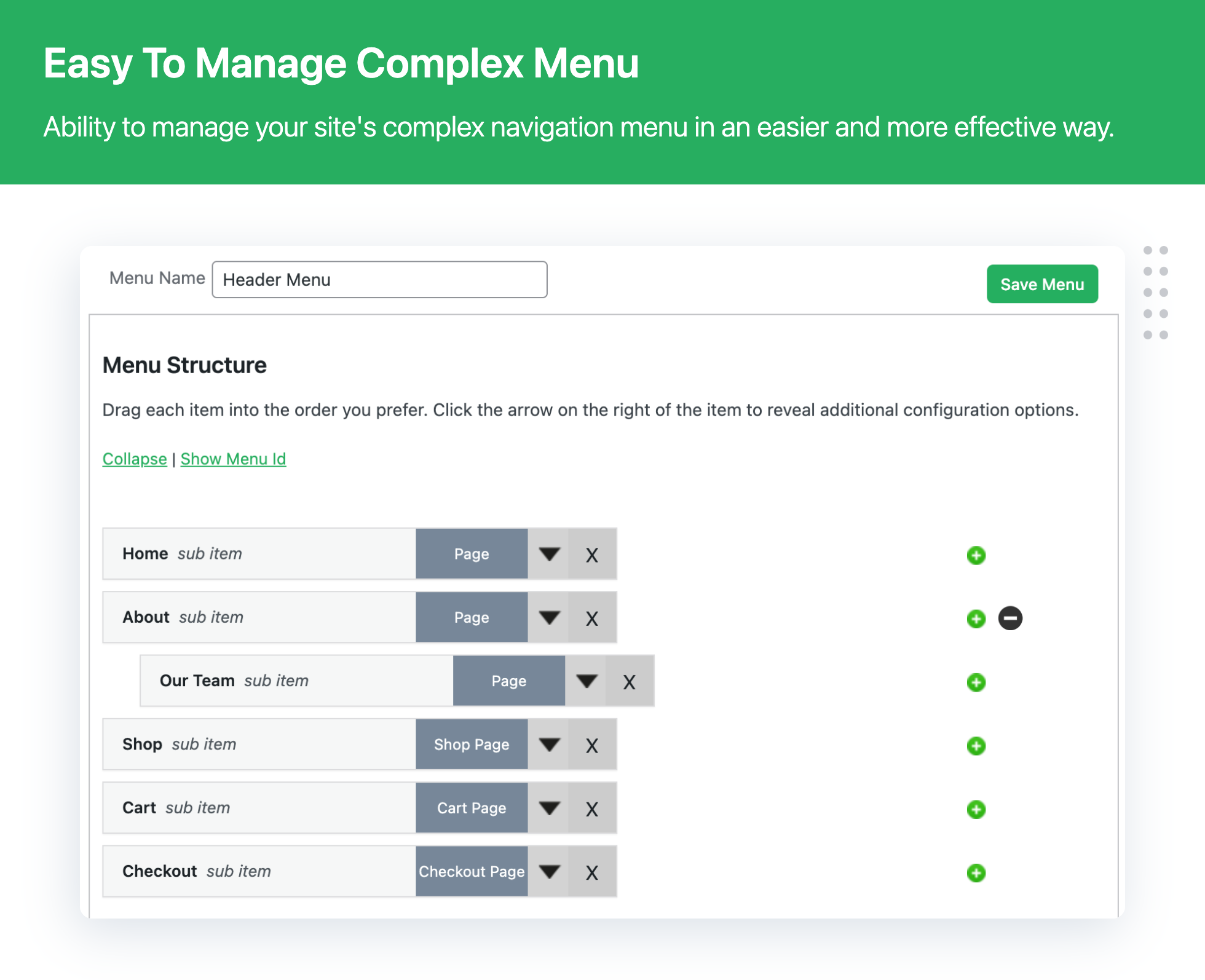
Advance Menu Manager for WordPress makes it simpler for website admins to effectively create and manage menu for content-heavy wordpress blogs and websites.
When the site has hundreds of menu items, it becomes complex task to add new item, drag to top etc. This plugin helps you to improve productivity while effectively managing the menus.
Pro Plugin Demo : View Demo
Features:
- You can view, add, edit and manage your pages and posts to make your job easier.
- Easy search option of page/posts specially when you have hundreds of pages/posts.
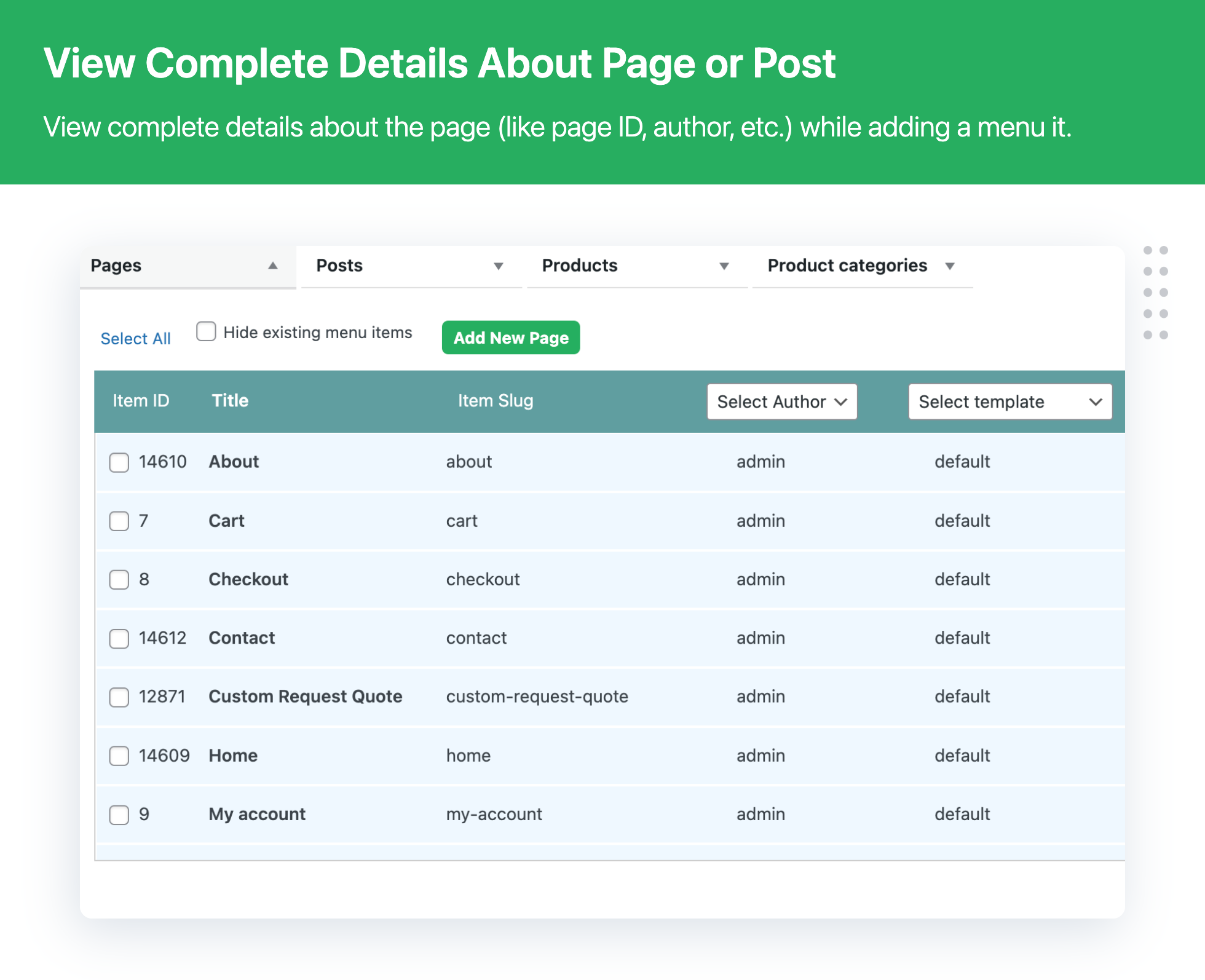
- Detailed view of pages/posts including page id, slug, author name, template names etc.
- Filter pages/posts which are already there in your menu.
Advance Menu Manager Pro version:
Need even more features? upgrade to Advance Menu Manager Pro and get all the features available in Advance Menu Manager’s premium version.
- Track, compare, restore all your changes with Menu Revisions
- The Advance Menu Manager plugin keeps a revision for each change you have made in your menu. Also, it allows you to compare your current menu with a revision in the past. So, in case you made a mistake while editing the menu, you do not need to worry. You can always restore your entire menu back from previously stored revisions
- Put the menu anywhere on your site/blog with short-code
- Use this feature to copy your menu structure. Just copy and paste the code in the page/post where you require. The same menu shall appear in that page/post.
- Menu Lock Functionality
- Using this feature you can lock particular Menu for other users. This feature can be handy when you want to restrict other admin users from editing the main navigation of your site. If you have many admin users on your WordPress site, and you want sure that not everyone can edit the main menu. Only selected users can change the main menu. In that case, you can utilize the Menu Lock Functionality.
- Create new pages within the menu without leaving your add menu item screen.
- You can edit whole page/post from the menu.
- You can see view page / post attributes
EXPLORE OUR OTHER PLUGINS TO SUPERCHARGE YOUR WEBSITE:
👉 Premium WooCommerce Plugins list
- Flat-rate shipping plugins for WooCommerce
- WooCommerce Extra Fees Plugin
- Hide Shipping Method For WooCommerce
- Product Attachment For WooCommerce
- Blocker – Prevent Fake Orders And Blacklist Fraud Customers
- Category Banner Management for Woocommerce
- Product Finder For WooCommerce
- Mass Pages Posts Creator For WordPress
- Conditional Discount Rules For WooCommerce Checkout
- WooCommerce Checkout For Digital Goods