
Essential Pro Pack for Elementor
v1.0.6admoremedia · 2026年7月7日 上架
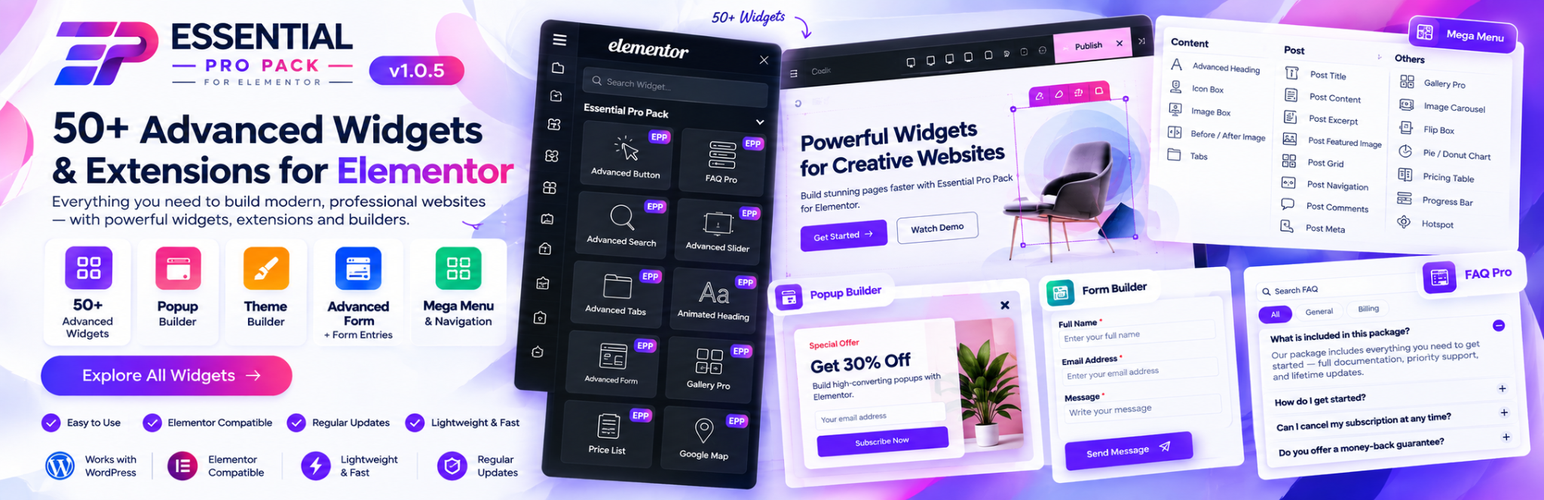
51 powerful, production-ready Elementor widgets for modern WordPress sites — by Admore Media. (Essential Pro Pack = EPP)
- 正在使用
- 10 以下
- 评分
- 5.0 / 5
- 累计下载
- 636
- 最近更新
- 2026年11月10日
贡献者
 admoremedia
Essential Pro Pack adds 51 performance-optimised widgets to Elementor, plus a Popup Builder, a Theme Builder, a Template Library and lead forms with marketing integrations. Not affiliated with or endorsed by Elementor Ltd.
Widgets
- Content: Advanced Button, Fancy & Animated Heading, Icon Box, Image Box, Flip Box, Advanced Tabs, FAQ Pro, Timeline, Team Member, Testimonial, Price List, Pricing Table, Progress Bar, Pie Chart, Stats Counter, Countdown Timer.
- Media: Advanced Slider, Image Carousel, Gallery Pro, Logo Grid, Before/After, Hotspot, Video, Lottie, Google Map.
- Navigation & site: Mega Menu, Off-Canvas Panel, Advanced Search, Breadcrumbs, Social Icons, Post Grid, Related Posts, Author Box, Post Comments.
- WooCommerce: Products, Mini Cart, Add to Cart.
- Theme Builder: Site Logo, Nav Menu, Site Title & Tagline, Post Title, Content, Featured Image, Excerpt, Meta, Navigation, Archive Title & Description.
See the FAQ for what each widget does.
Advanced Form
Multi-step forms with conditional logic, file uploads, CAPTCHA and saved entries. Field types include phone, URL, date, time, consent checkbox and hidden fields that capture UTM parameters. Send submissions by e-mail or webhook, or to Mailchimp, Brevo, Google Sheets and Slack / Discord, and redirect to a thank-you page.
Popup Builder & Analytics
Design popups in Elementor with eight positions, animations and triggers (page load, scroll, click, exit intent, inactivity, form submit, add to cart) and target them by page, device, user or schedule. Popup Analytics shows views, conversions and conversion rate per popup.
Template Library
29 ready-made designs — inquiry, catalog-download, call-back and newsletter popups; hero, product categories, why choose us, process, pricing, FAQ, quote-form and contact sections; landing, about, contact and product pages; header and footer — bundled with the plugin and imported in one click.
Fast & secure
- Each widget loads its CSS / JS only on pages that use it.
- One Brand Color setting restyles every widget.
- Server-side validation, nonces, capability checks and rate-limited forms; API keys never leave the server.
External Services
Google Maps (Google Map widget)
This plugin embeds Google Maps iframes via the Google Maps Embed API when the Google Map widget is used on a page. The user’s browser makes a request to https://www.google.com/maps/embed/v1/ to display the map. No data is sent from the server; the iframe is loaded client-side by the visitor’s browser.
– Service: Google Maps Embed API
– When: Only when the Google Map widget is present on a page and viewed in a browser.
– Data sent: The address or coordinates configured in the widget (embedded in the iframe URL).
– Terms of Service: https://developers.google.com/maps/terms
– Privacy Policy: https://policies.google.com/privacy
Google reCAPTCHA (Advanced Form widget — optional)
When a site owner configures Google reCAPTCHA v2 or v3 in the plugin settings, the reCAPTCHA script is loaded from Google’s servers and the visitor’s CAPTCHA token is verified server-side.
– Service: Google reCAPTCHA API
– When: Only when reCAPTCHA is enabled in plugin settings and the Advanced Form widget is on the page.
– Data sent: The visitor’s CAPTCHA response token and IP address are sent to https://www.google.com/recaptcha/api/siteverify for verification.
– Terms of Service: https://policies.google.com/terms
– Privacy Policy: https://policies.google.com/privacy
hCaptcha (Advanced Form widget — optional)
When a site owner configures hCaptcha in the plugin settings, CAPTCHA tokens are verified via the hCaptcha API.
– Service: hCaptcha
– When: Only when hCaptcha is enabled in plugin settings and the Advanced Form widget is on the page.
– Data sent: The visitor’s CAPTCHA response token and IP address are sent to https://hcaptcha.com/siteverify for verification.
– Terms of Service: https://www.hcaptcha.com/terms
– Privacy Policy: https://www.hcaptcha.com/privacy
Gravatar (Author Box, Post Comments, Post Grid widgets and the Author Avatar dynamic tag)
This plugin connects to Gravatar to display author and commenter avatars. It uses WordPress core’s get_avatar() / get_avatar_url() functions, which build an image URL on the Gravatar service from a hash of the user’s email address. The visitor’s browser then loads the avatar image directly from Gravatar.
– Service: Gravatar (operated by Automattic)
– When: Every time a page is loaded that shows an avatar — i.e. the Author Box, Post Comments or Post Grid (author meta) widgets, or the Author Avatar dynamic tag — and no custom/local avatar is set.
– Data sent: A hash of the user’s email address (embedded in the avatar image URL) and the visitor’s IP address (sent by the browser when it requests the image from https://secure.gravatar.com/).
– Terms of Service: https://wordpress.com/tos/
– Privacy Policy: https://automattic.com/privacy/
YouTube (Video widget — when source is set to YouTube)
This plugin connects to YouTube to embed and play videos. When the Video widget is configured with a YouTube source, an iframe is loaded from YouTube (or its privacy-enhanced youtube-nocookie.com domain when Privacy Mode is enabled). A poster thumbnail may also be fetched from https://img.youtube.com/.
– Service: YouTube (operated by Google)
– When: Only when a page contains a Video widget whose source is set to YouTube, and the visitor views or plays it.
– Data sent: The visitor’s IP address, browser/device information, and (unless Privacy Mode is enabled) cookies are sent to YouTube/Google by the visitor’s browser when the embed iframe and thumbnail load.
– Terms of Service: https://www.youtube.com/t/terms
– Privacy Policy: https://policies.google.com/privacy
Vimeo (Video widget — when source is set to Vimeo)
This plugin connects to Vimeo to embed and play videos. When the Video widget is configured with a Vimeo source, an iframe is loaded from https://player.vimeo.com/.
– Service: Vimeo
– When: Only when a page contains a Video widget whose source is set to Vimeo, and the visitor views or plays it.
– Data sent: The visitor’s IP address, browser/device information, and cookies are sent to Vimeo by the visitor’s browser when the embed iframe loads.
– Terms of Service: https://vimeo.com/terms
– Privacy Policy: https://vimeo.com/privacy
User-configured form webhook (Advanced Form widget — optional)
The Advanced Form widget includes an optional “Webhook URL” field. This plugin does not connect to any fixed third-party service for this feature; instead, when (and only when) the site owner enters a URL in that field, each matching form submission is sent by POST to that owner-chosen endpoint. No request is made if the field is left empty.
– Service: None by default. The destination is entirely chosen by the site owner (for example a Zapier, Make, or self-hosted endpoint). Site owners are responsible for the terms and privacy policy of whichever endpoint they configure.
– When: Only when a Webhook URL is configured on a form, and that form is successfully submitted.
– Data sent: The submitted form field values, sent as a JSON payload to the configured URL.
Mailchimp (Advanced Form widget Integrations — optional)
When the site owner saves a Mailchimp API key in Essential Pro Pack Integrations and switches Mailchimp on in a form, each valid submission of that form adds or updates the contact in the chosen Mailchimp audience.
– Service: Mailchimp Marketing API (https://<dc>.api.mailchimp.com/3.0/), operated by Intuit Mailchimp
– When: Only when a form with Mailchimp switched on is successfully submitted.
– Data sent: The e-mail address and, when mapped, first name, last name and phone number from the submission, plus the tags set on the form.
– Terms of Service: https://mailchimp.com/legal/terms/
– Privacy Policy: https://www.intuit.com/privacy/statement/
Brevo (Advanced Form widget Integrations — optional)
When the site owner saves a Brevo API key in Essential Pro Pack Integrations and switches Brevo on in a form, each valid submission of that form creates or updates the contact in Brevo.
– Service: Brevo API (https://api.brevo.com/v3/contacts)
– When: Only when a form with Brevo switched on is successfully submitted.
– Data sent: The e-mail address and, when mapped, first name, last name and phone number (international format only) from the submission, and the chosen list ID.
– Terms of Service: https://www.brevo.com/legal/termsofuse/
– Privacy Policy: https://www.brevo.com/legal/privacypolicy/
Google Sheets via Google Apps Script (Advanced Form widget Integrations — optional)
When the site owner pastes the URL of their own Google Apps Script web app into a form and switches Google Sheets on, each valid submission is appended as a row to the owner’s spreadsheet.
– Service: Google Apps Script (https://script.google.com/)
– When: Only when a form with Google Sheets switched on is successfully submitted.
– Data sent: The date, form name, page URL and all submitted field values.
– Terms of Service: https://policies.google.com/terms
– Privacy Policy: https://policies.google.com/privacy
Slack / Discord notifications (Advanced Form widget Integrations — optional)
When the site owner pastes a Slack incoming-webhook or Discord webhook URL into a form and switches notifications on, each valid submission is posted as a message to that channel.
– Service: Slack (https://hooks.slack.com/) or Discord (https://discord.com/api/webhooks/)
– When: Only when a form with notifications switched on is successfully submitted.
– Data sent: The form name, site name, page URL and the submitted field values as message text.
– Slack Terms / Privacy: https://slack.com/terms-of-service · https://slack.com/trust/privacy/privacy-policy
– Discord Terms / Privacy: https://discord.com/terms · https://discord.com/privacy
Third Party
This plugin bundles the following third-party libraries. Each is used to power
specific widgets and is loaded locally — no external CDN calls are made.
Swiper (v11.1.14)
Used by: Advanced Slider, Image Carousel, Logo Grid widgets.
Source: https://swiperjs.com/
License: MIT License — https://opensource.org/licenses/MIT
Files: assets/vendor/swiper/swiper-bundle.min.js
assets/vendor/swiper/swiper-bundle.min.css
lottie-web (v5.12.2)
Used by: Lottie Animation widget.
Source: https://github.com/airbnb/lottie-web
License: MIT License — https://opensource.org/licenses/MIT
File: assets/vendor/lottie/lottie.min.js