
Admin Toolbar Menus
v1.0.4Benbodhi · 2013年12月26日 上架
Seamlessly adds 3 new menu locations to the admin toolbar.
- 正在使用
- 900+
- 评分
- 5.0 / 5
- 累计下载
- 2.1 万
- 最近更新
- 2024年6月2日
贡献者
 Benbodhi
截图


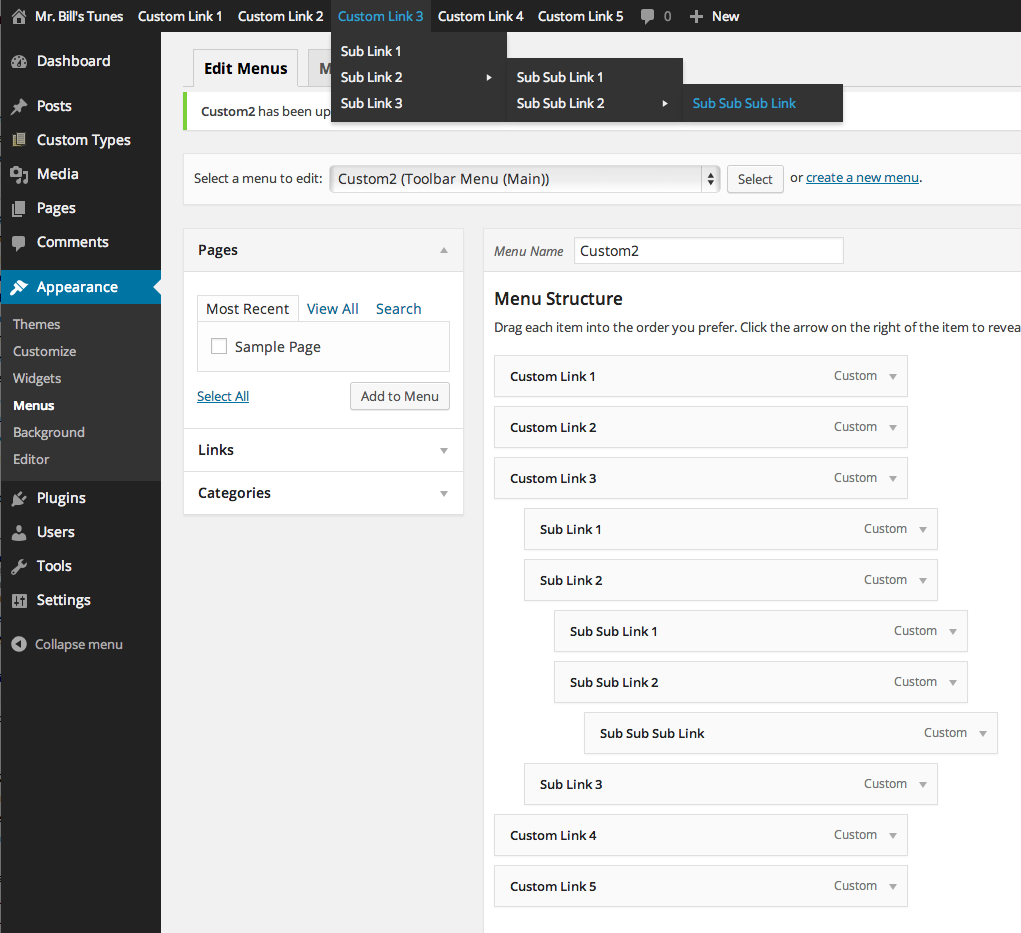


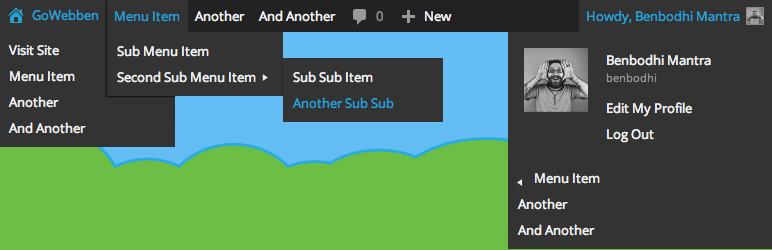
Add 3 new menu locations to the WordPress toolbar so you can quickly and easily create your own custom toolbar menus using the built in WordPress menus page.
Supports multi level and works seamlessly with the existing toolbar menus.
Locations
- First menu location is under the ‘Site Name’ menu dropdown on the left side.
- Second menu location is along the main toolbar.
- Third menu location is under the ‘Howdy / My Account’ dropdown.
Super simple to use, just like building any other menu in WordPress using the menus page.
No settings, just ‘plug and play’.
Features
- Simple toolbar menu customization using WordPress menus
- Seamless integration with the existing WordPress menus
- No Settings, just ‘plug and play’
Feedback
- I am open to your suggestions and feedback – Thanks for checking out this plugin!
- Hit me up via the support forums or my website
- Follow @benbodhi on Twitter
Translations
- English – default, always included
- Your translation? – Just send it in
Note: This plugin is localized/translateable by default. This is very important for all users worldwide. So please contribute your language to the plugin to make it even more useful. For translating I recommend the awesome “Codestyling Localization” plugin and for validating the “Poedit Editor”.
Additional Info
Idea Behind / Philosophy: This is something that I have found super useful when it comes to customizing WordPress. I have been writing custom menus for quite a while and realised there is not much out there like this. No more code snippets, copy pasting or including files, simply install the plugin and away you go using the built in WordPress menus. A simple but powerful plugin to give you more customization powers over the admin toolbar.
Future Features
- More power over menu locations with options to pick which locations you want to use and the menu order in relation to existing WordPress menus.
- Options page to remove other standard toolbar menu items.
(you can uncomment these in the code now if you’re keen 😉 - Ability to change the WordPress “Howdy” welcome message