

AddQuicktag
v2.6.2Frank Bueltge · 2007年5月4日 上架
This plugin makes it easy to add Quicktags to the html - and visual-editor.
- 正在使用
- 10 万+
- 评分
- 4.7 / 5
- 累计下载
- 145 万
- 最近更新
- 2026年10月1日
贡献者
 Frank Bueltge
截图
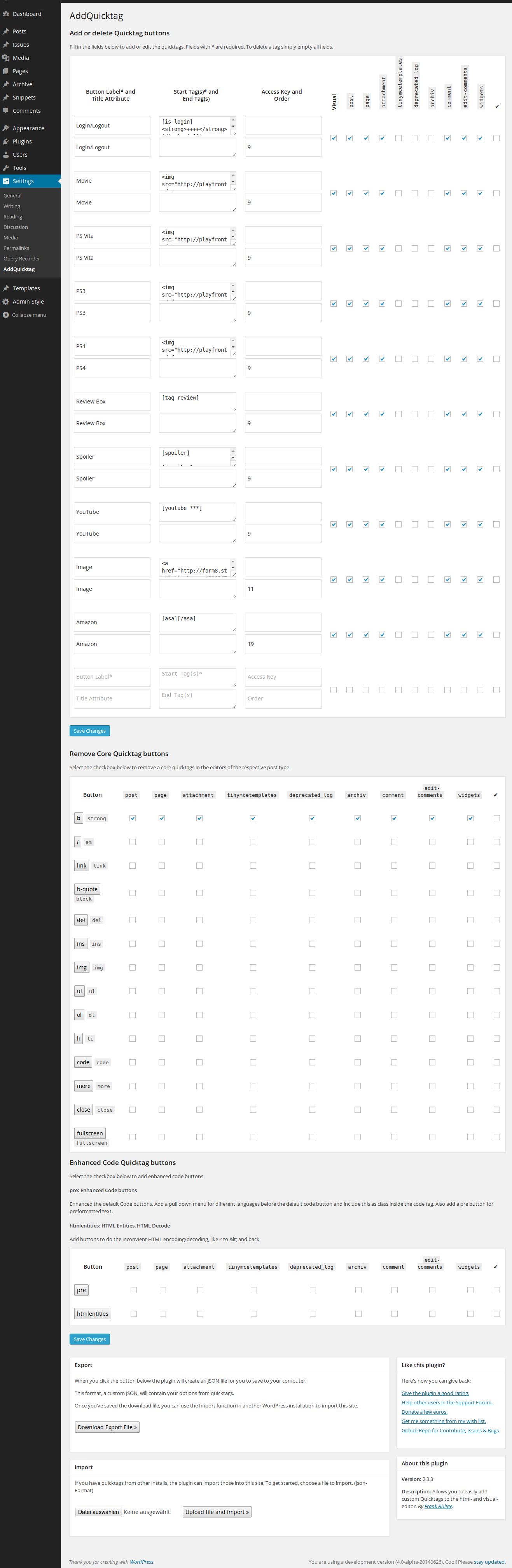
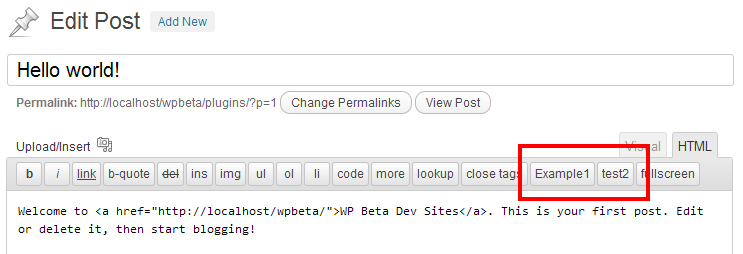
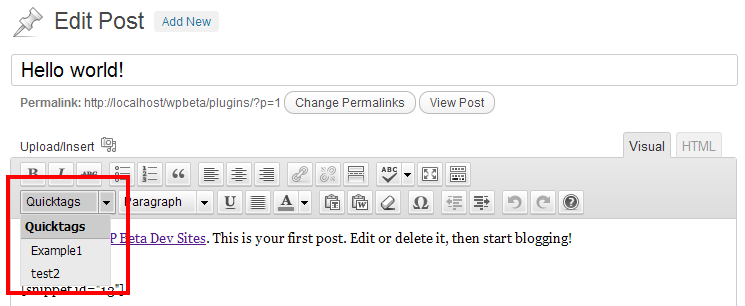
This plugin makes it easy to add Quicktags to the html – and visual-editor. It is possible to export your Quicktags as a JSON – file that can be imported in other installations of the plugin.
WP-AddQuicktag for WordPress is originally created by Roel Meurders. The versions in the Repo of AddQuicktag are newer versions, this is a complete rewrite of version 2.0.0 with more functionality.
The plugin can add configurable custom quicktags to the editor of every post type, including custom post types from other sources. You may choose a post type for which a quicktag shall show up in the editor.
If this should not work perfectly well for you, you may also use the hooks inside the plugin. See the examples and hint inside the tab “Other Notes“.
Bugs, technical hints or contribute
Please give me feedback, contribute and file technical bugs on GitHub Repo. The Wiki on this page has also several hints for the plugin.
Hook for custom post types
The plugin adds the quicktag by default to post types/ID post, page and comment. To use the plugin for other post types also you may use a filter; see the following example or an example plugin in the Gist 1595155.
// add custom function to filter hook 'addquicktag_post_types'
add_filter( 'addquicktag_post_types', 'my_addquicktag_post_types' );
/**
 * Return array $post_types with custom post types
 *
 * @param   $post_type Array
 * @return  $post_type Array
 */
function my_addquicktag_post_types( $post_types ) {

    $post_types[] = 'edit-comments';
    return $post_types;
}
Hook for custom pages
It is possible also to filter the pages inside the backend. By default the scripts include the pages post.php, comment.php. The following example changes this for an another page.
add_filter( 'addquicktag_pages', 'my_addquicktag_pages' );
/**
 * Return array $page with custom page strings
 *
 * @param   $page Array
 * @return  $page Array
 */
function my_addquicktag_pages( $page ) {

    $page[] = 'edit-comments.php';
    return $page;
}
See this Gist as an example for how to add the Quicktags to the editor of comments: Gist: 3076698.
If you want the Quicktags of this plugin to work on the Quickedit of comments as well, remove the .example-part of addquicktag_quickedit_comment.php.example filename. The file is a stand alone helper plugin for Add Quicktag. You’ll need to activate this file (plugin) separately in ‘Manage Plugins’.
Hook for custom buttons
It is possible to add custom buttons to the editor, if the plugin is active.
The following example adds buttons. The params inside the array are the same as in the settings of the plugin.
if ( class_exists( 'Add_Quicktag' ) ) :
add_filter( 'addquicktag_buttons', 'my_addquicktag_buttons' );

function my_addquicktag_buttons( $buttons ) {

    $buttons[] = array(
        'text'          => 'Permalink',
        'title'         => '',
        'start'         => '[permalink]',
        'end'           => '[/permalink]',
        'access'        => '',
        'order'         => 1,
        'visual'        => 1,
        'post'          => 0,
        'page'          => 1,
        'comment'       => 0,
        'edit-comments' => 0
    );
    $buttons[] = array(
        'text'          => 'Button',
        'title'         => '',
        'start'         => '<span class="border blue">',
        'end'           => '</span>',
        'access'        => '',
        'order'         => 2,
        'visual'        => 1,
        'post'          => 0,
        'page'          => 1,
        'comment'       => 0,
        'edit-comments' => 0
    );
    return $buttons;
}
endif;
License
Good news, this plugin is free for everyone! Since it’s released under the GPL, you can use it free of charge on your personal or commercial blog. But if you enjoy this plugin, you may consider to thank me and leave a positive review for the time I’ve spent writing and supporting this plugin. And I really don’t want to know how many hours of my life this plugin has already eaten 😉