

Custom WooCommerce Checkout Fields Editor
v1.7.0themelocation · 2017年3月27日 上架
Add, edit, remove, reorder, and style custom WooCommerce checkout fields for Classic and Block checkout.
- 正在使用
- 2,000+
- 评分
- 3.4 / 5
- 累计下载
- 8.1 万
- 最近更新
- 2026年11月5日
贡献者
 themelocation
截图

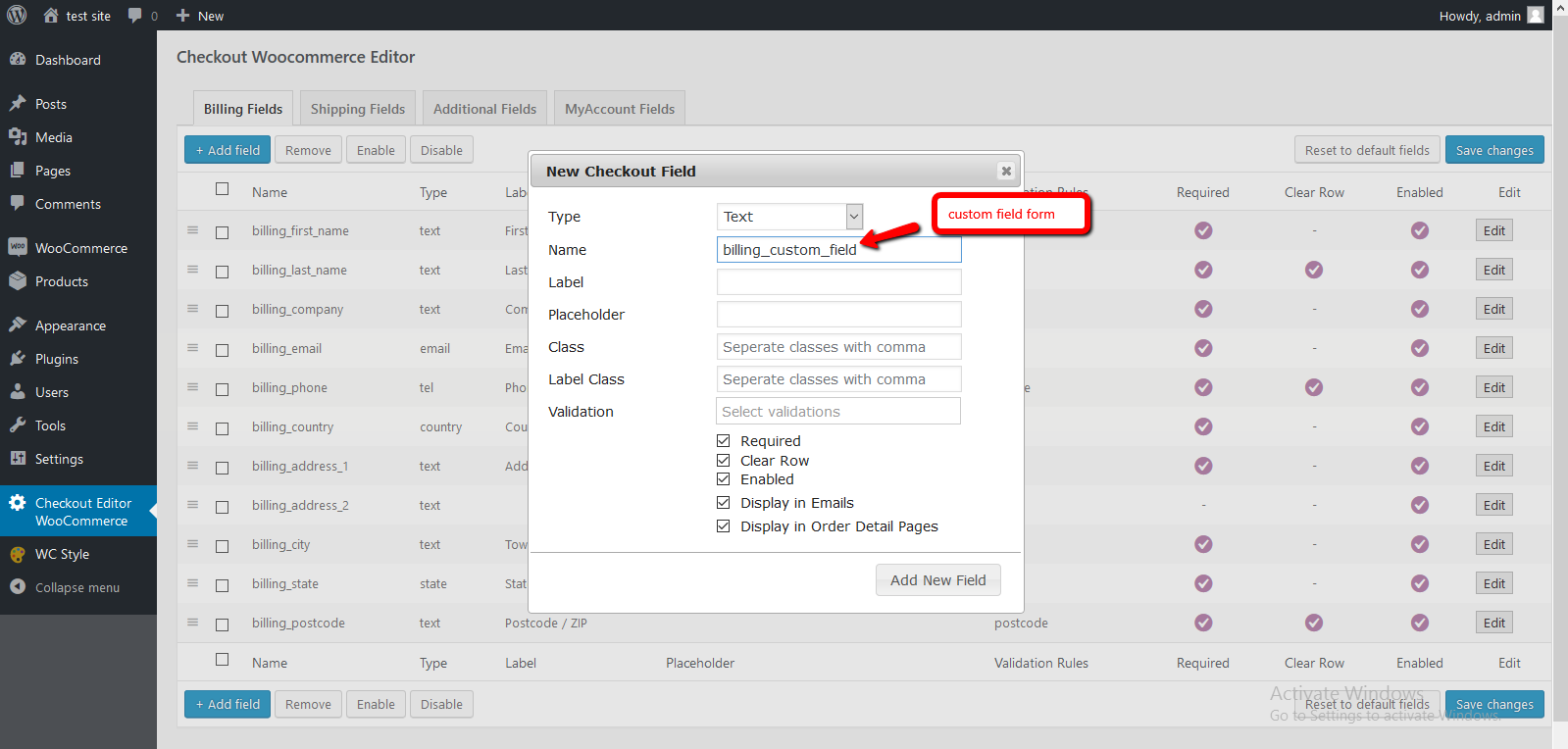

Custom WooCommerce Checkout Fields Editor helps you customize the WooCommerce checkout experience without code. Manage billing, shipping, and additional checkout fields from a simple admin interface.
The plugin supports Classic checkout and WooCommerce Block checkout (WooCommerce 8.8+), with drag-and-drop ordering, field validation, backup/import, and locale override settings.
Free features
- Add, edit, remove, enable, disable, duplicate, and reorder checkout fields
- Classic checkout sections: Billing, Shipping, Additional
- Block checkout sections: Contact, Address, Additional Information
- 17 field types on classic and block checkout
- Field label, placeholder, required, validation, and width controls
- Custom CSS classes per field
- Display fields in order emails and order detail pages
- Locale override settings for address fields
- Backup and import for classic, block, and settings data
- HPOS and cart/checkout blocks compatibility
- Multilingual ready: WPML, Polylang, and Loco Translate support
Field types (free)
- Text
- Number
- Hidden
- Password
- Phone
- Textarea
- Select
- Multi Select
- Checkbox
- Checkbox Group
- Radio
- Heading
- Paragraph
- Date
- Time Picker
- URL
Multilingual compatibility
Checkout field labels, placeholders, and option text can be translated with:
- WPML — field strings are registered automatically (String Translation) when fields are saved or on page load
- Polylang — field strings are registered with Polylang String Translations
- Loco Translate / Gettext — translate static plugin UI strings from the
wcfetext domain (/languages)
Dynamic field text entered in the admin is translated via WPML or Polylang after you translate the registered strings. Classic and Block checkout, order details, and order emails use the translated labels.
Block checkout
Block checkout editing requires WooCommerce 8.8 or later and a store checkout page that uses the Checkout block.
Supported block sections:
- Contact Information
- Address
- Additional Information
Order notes remain managed by the native WooCommerce checkout block.
Premium features
- My Account field editor
- Conditional field display
- Conditional custom checkout sections
- Price fields and checkout fees
- File upload fields
- Advanced address display formatting
Notes
- Classic checkout uses the WooCommerce checkout shortcode.
- Only use one checkout field editor plugin at a time to avoid conflicts.
- Need help? Contact ThemeLocation