

Acwpblocks
v0.1.0Anas Choudhary · 2025年3月20日 上架
A custom Gutenberg block to create popups with dynamic triggers.
- 正在使用
- 10 以下
- 评分
- 暂无
- 累计下载
- 1,074
- 最近更新
- 2025年3月29日
需要 WordPress 6.7+已测试到 6.7.12PHP 7.4+
贡献者
 Anas Choudhary
截图
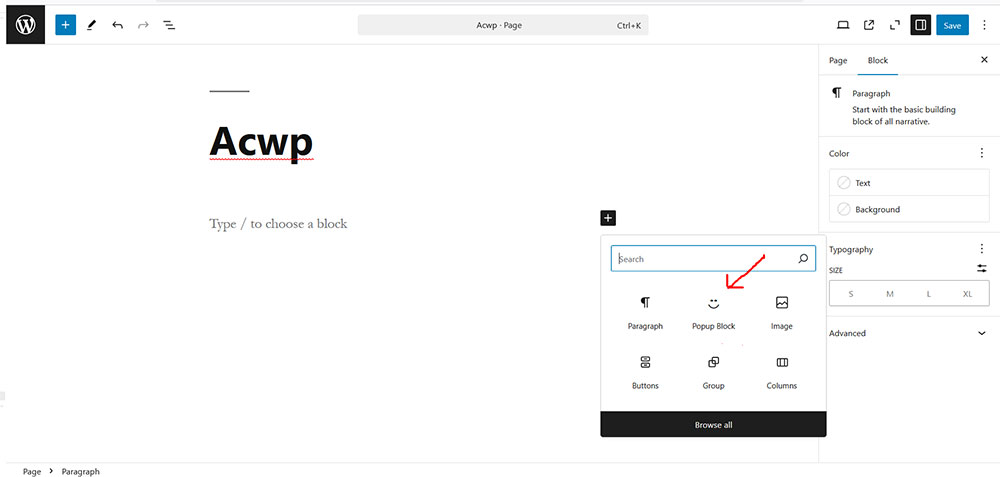
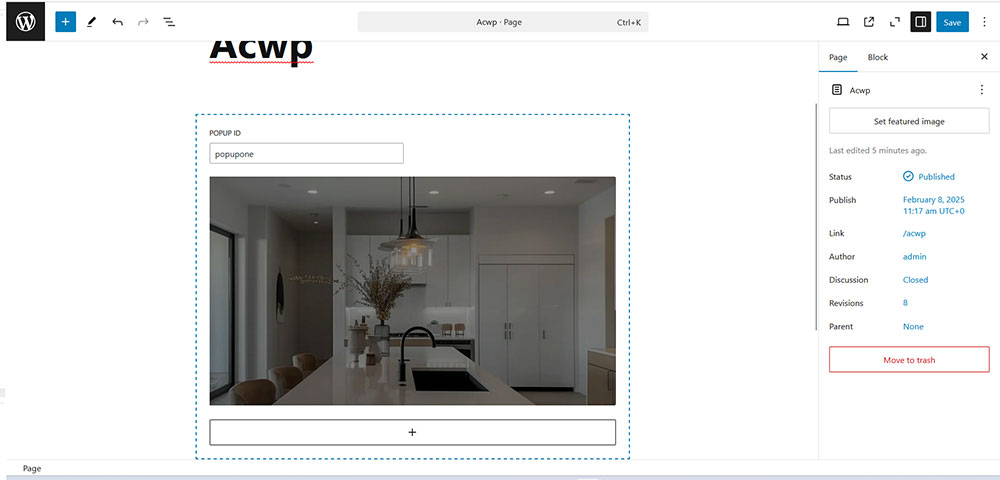
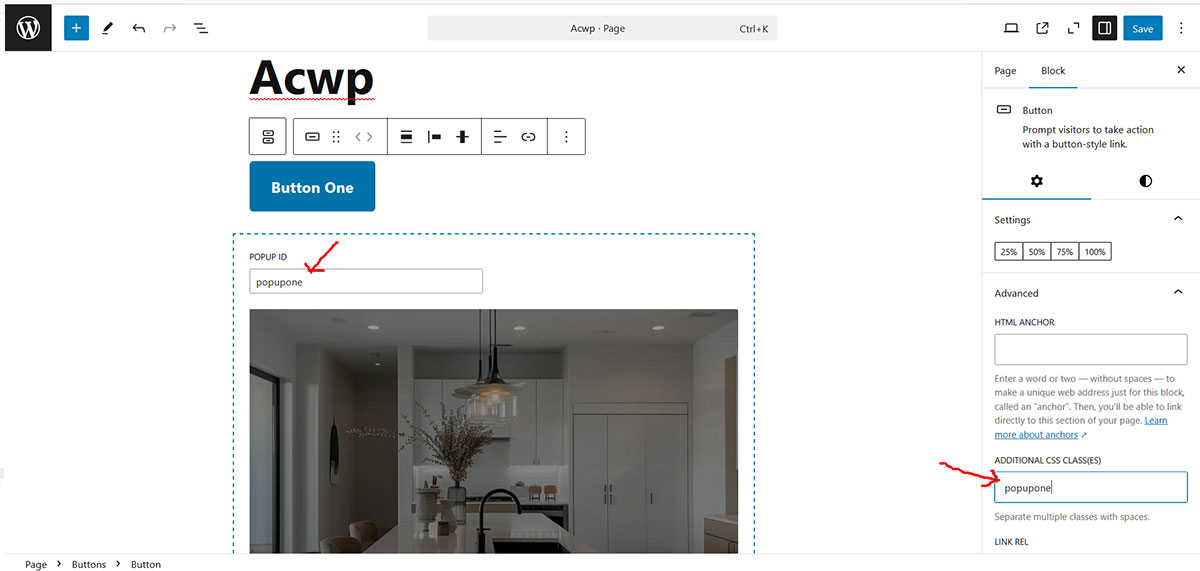
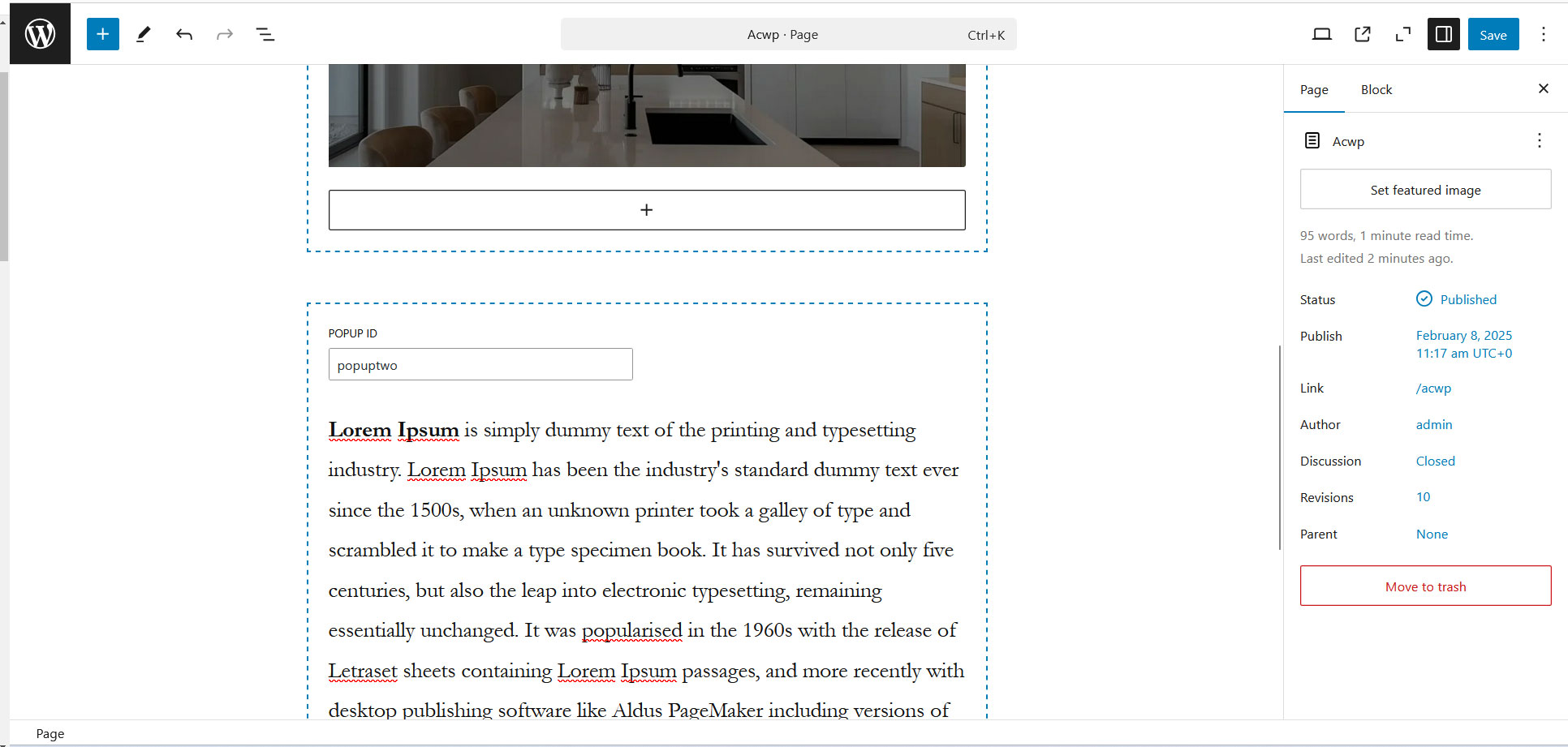
Acwpblocks – popup block is a Gutenberg block that allows you to create popups that can be triggered by any button or link with the same class as the popup ID.
Features:
– Add a popup block in the editor.
– Set a unique popup ID.
– Use any Gutenberg button or element with the same class to trigger the popup.
– Includes animations and smooth transitions.
– Custom close button and background click-to-close functionality.
Usage
- Insert the Popup Block into your post or page.
- Add any type of inner element inside the Popup Block.
- Enter a unique Popup ID in the block settings.
- Use any button or link and assign the same Popup ID as a class.
- You can use multiple popups on a single page or post.
- Check the front-end for the first popup containing an image.
- Also, check the front-end for the second popup, which contains a paragraph.
Source Code
The source code for this plugin can be found at:
Source Code: GitHub Repository
License
This plugin is licensed under the GPL-2.0-or-later.