跳到内容

ACF Flexible Content Layout Previews

v1.0.0

Rob W · 2019年7月1日 上架

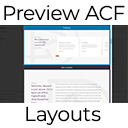
See an example of the ACF Flexible Content Layout before you select it!

正在使用
40+
评分
暂无
累计下载
2,233
最近更新
2019年7月2日
需要 WordPress 4.0+已测试到 5.2.31

贡献者

截图

When adding a new layout to your page, you are prompted with visual examples of each content row
You must name screenshots after the "Name" of the layout, in jpg format
Once you have screenshots ready to use, you must upload them to your [uploads]/acf-fc-layouts folder. This method may change in a major release in the future.

This plugin allows you to upload image examples to your uploads directory so that your clients (or users) can see
an example of what the ACF Flexible Content Layout looks like in the page editor before they select it. This modifies
the existing tooltip to display an image.

Be sure to review the INSTALLATION guide!

Plums

按场景查找 WordPress 插件。安装量、评分和兼容版本来自官方目录。

导航

说明

WordPress 是 WordPress Foundation 的商标。本站与 WordPress Foundation、Automattic 没有隶属关系。这里不托管插件文件,下载和安装以 WordPress.org 上的页面为准。

© 2026 Plums