
ACE Editor for WP
v0.7.1daxitude · 2012年10月7日 上架
Adds ACE Editor to the post content editor for syntax-highlighting and more
- 正在使用
- 20+
- 评分
- 4.5 / 5
- 累计下载
- 5,636
- 最近更新
- 2012年12月15日
贡献者
 daxitude
截图
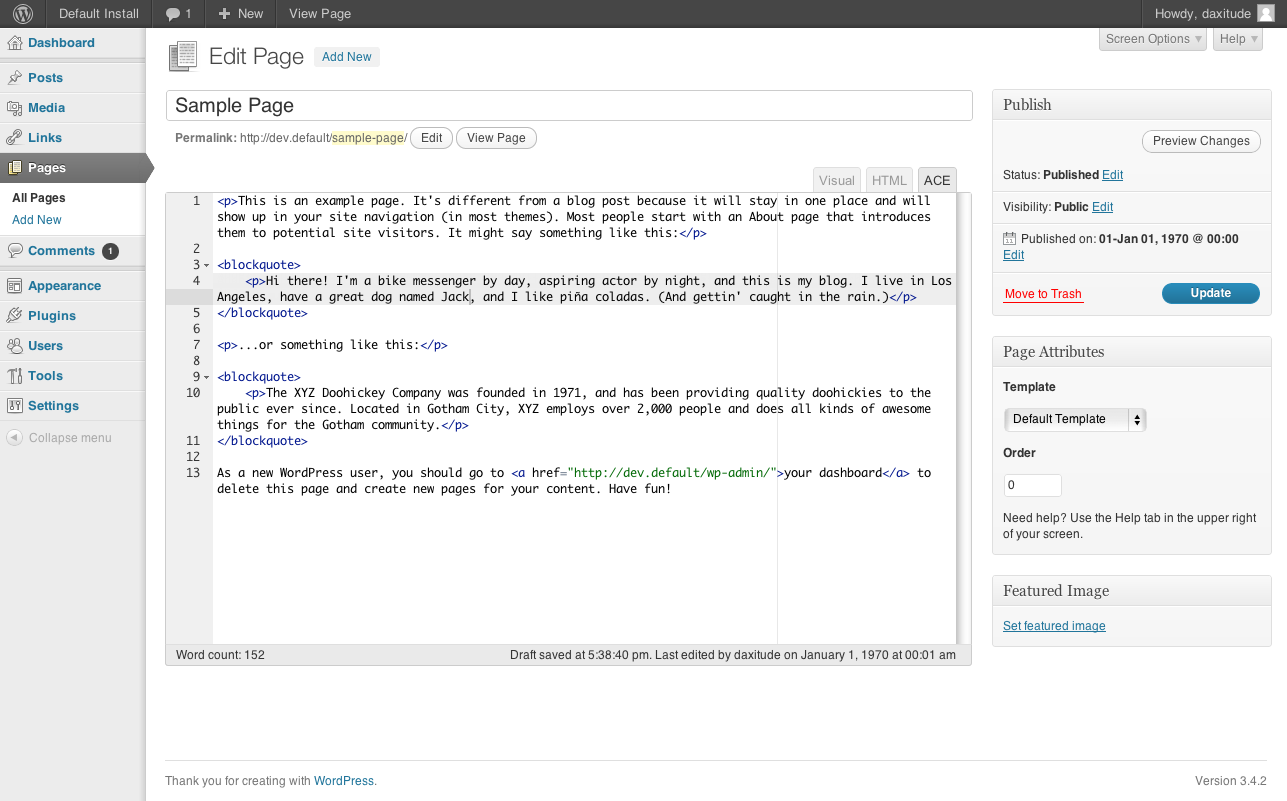
This plugin adds an advanced code editor to the post content box on post.php and post-new.php. A third tab is added alongside Visual and HTML modes and you can toggle between the three.
NOTE: Visual Mode tends to eat up most/all of any special formatting. If you want to use ACE I’d suggest disabling Visual mode completely. You can do this easily yourself under Users -> Your Profile -> ‘Disable the visual editor when writing’. You can also do it for all users and for specific post types only. See the accompanying file no-visual.php for an example.
Not all features work in Internet Explorer v8 and earlier.
This does not work in full screen mode. Yet.
Features
- Syntax highlighting
- Tabbing
- Line numbers
- Auto closing of tags and quotes
- Line highlighting
- Default theme is TextMate
- Fixed-width, soft wrap, adjustable height
- Remembers your last used mode and loads it up on initial page view
ACE Editor can do quite a bit more. If you have integration ideas, let me hear about it
Todo
- make height of editor consistent when toggling between modes
- deal with auto_p? (might help preserve formatting from Visual mode)
- make it work in full screen mode
- allow users to set their ACE preferences on their profile screen