
AccessNow LMS
v1.2.0accessnow · 2026年10月26日 上架
A lightweight LMS for running online courses on your own site: units, lessons, quizzes, enrolments, progress tracking and certificates.
- 正在使用
- 10 以下
- 评分
- 暂无
- 累计下载
- 298
- 最近更新
- 2026年11月20日
贡献者
 accessnow
截图
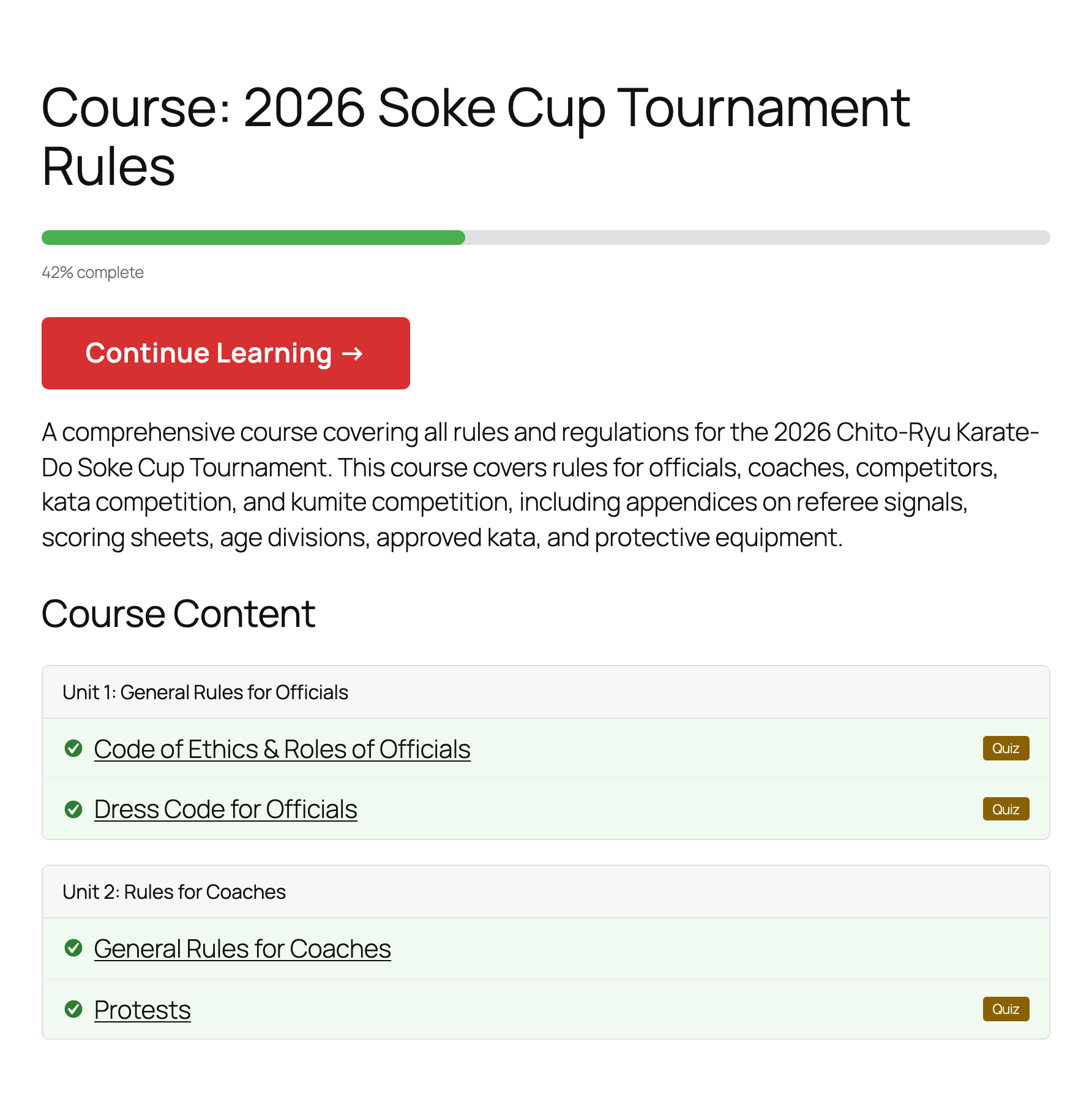
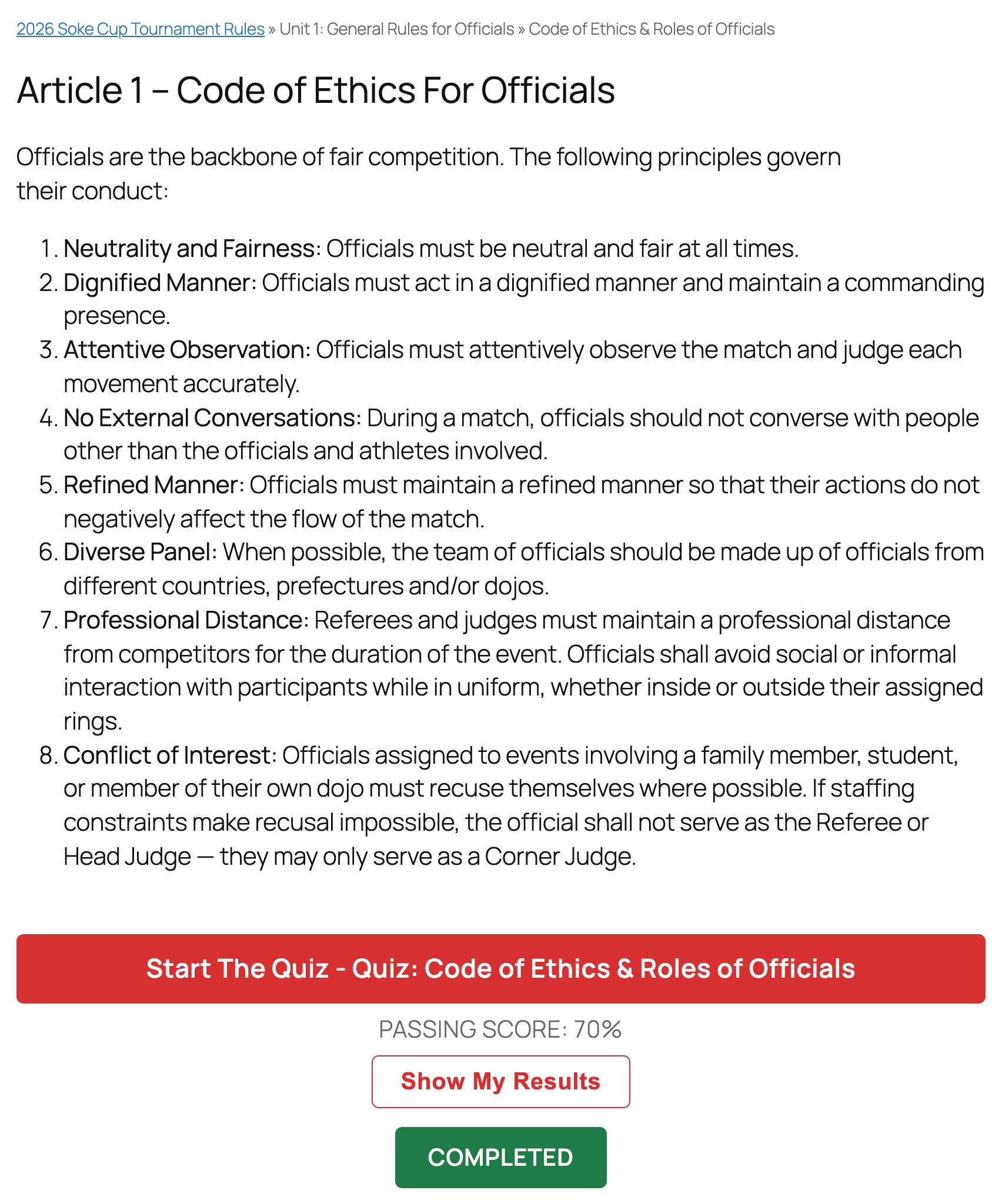
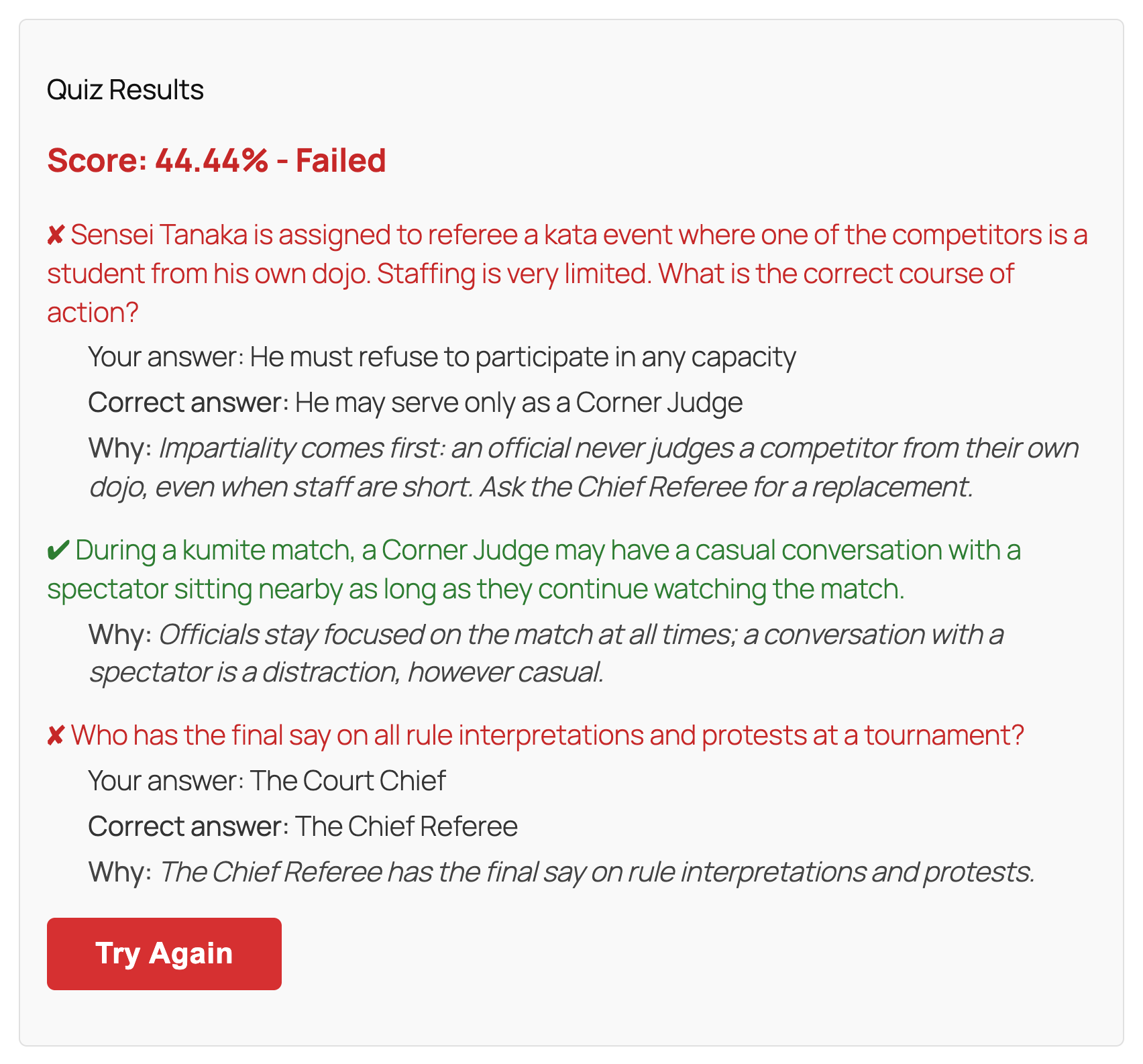
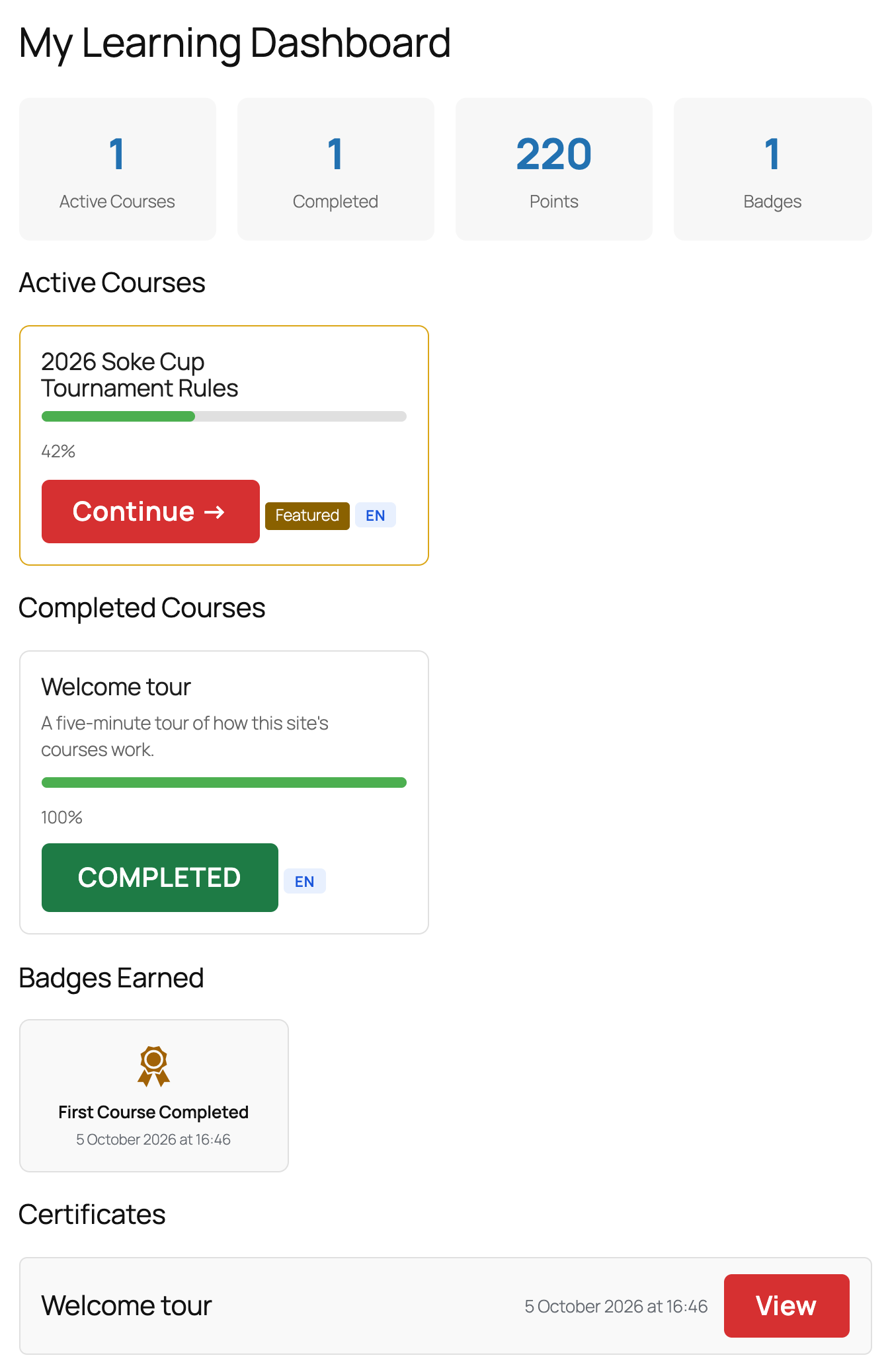
AccessNow LMS turns WordPress into a small, practical learning platform. You build a course from units and lessons, add a quiz to any lesson, and students work through it at their own pace while the plugin keeps track of where they are up to.
It is designed to stay simple to run: no page builder, no extra services, and everything is stored in your own WordPress database. Course pages, lessons and quizzes use tidy addresses such as /courses/your-course/unit-1/first-lesson/.
Features
- Courses made of units, lessons and quizzes, with drag-and-drop unit ordering.
- Text or video lessons (YouTube, Vimeo or a video file from your media library), ready-made lesson layouts, downloadable attachments, and private notes for each student.
- Interactive lessons with H5P: require an H5P activity, with a minimum score if you like, before a lesson can be marked complete.
- Quizzes with multiple choice, true/false and fill-in-the-blank questions, a pass mark, retry limits, an optional time limit, randomised order, and explanations with the correct answers when you choose.
- Header images for courses, units and lessons, shown as a banner, a compact strip or not at all. Lessons use their unit’s or course’s unless they have their own.
- Sequential or free progression, a progress bar, and optional re-completion when a lesson or quiz changes.
- Self-enrolment, admin-assigned enrolment or both, with log-in and registration right on the course page.
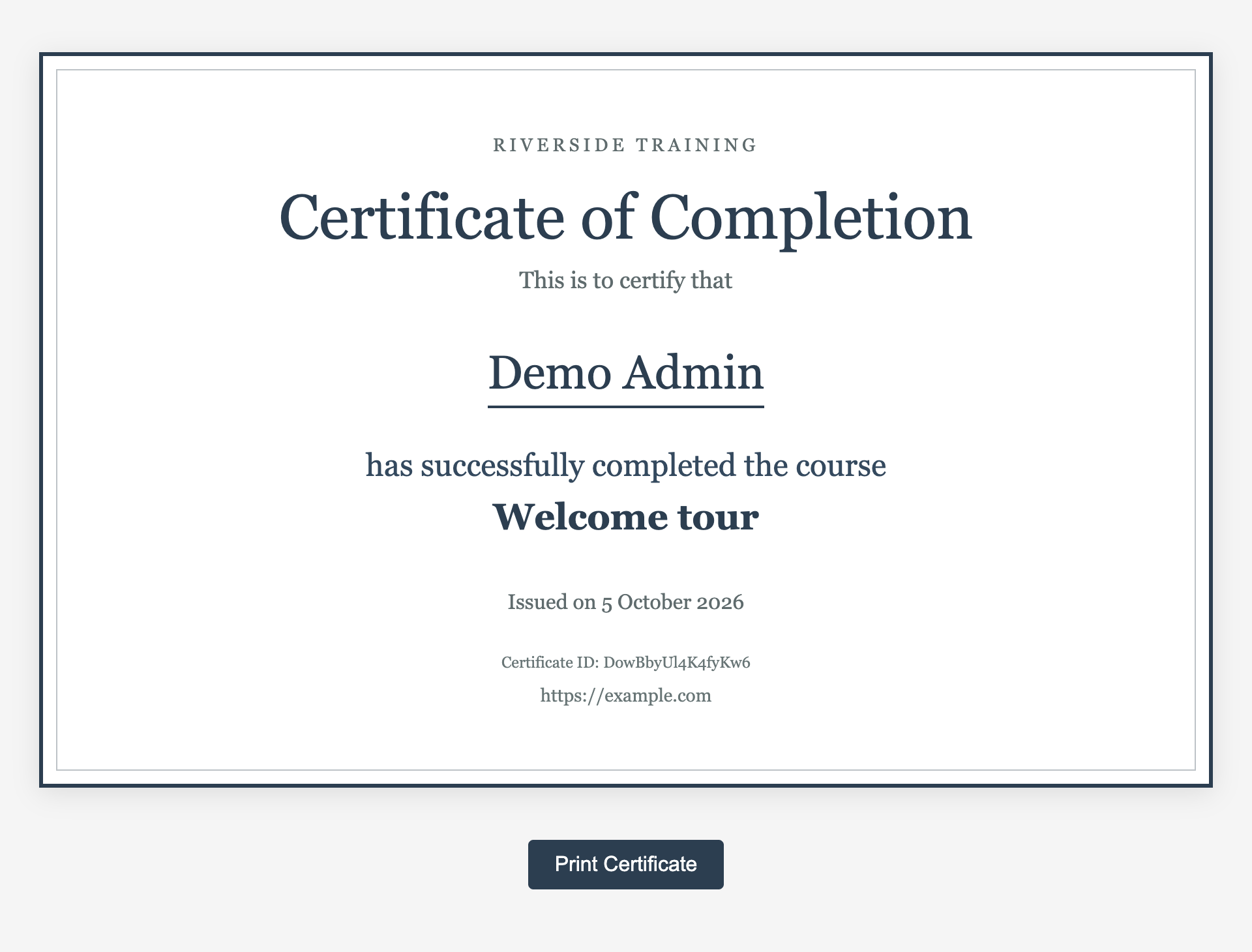
- Certificates with a shareable link, points and badges, and a student dashboard.
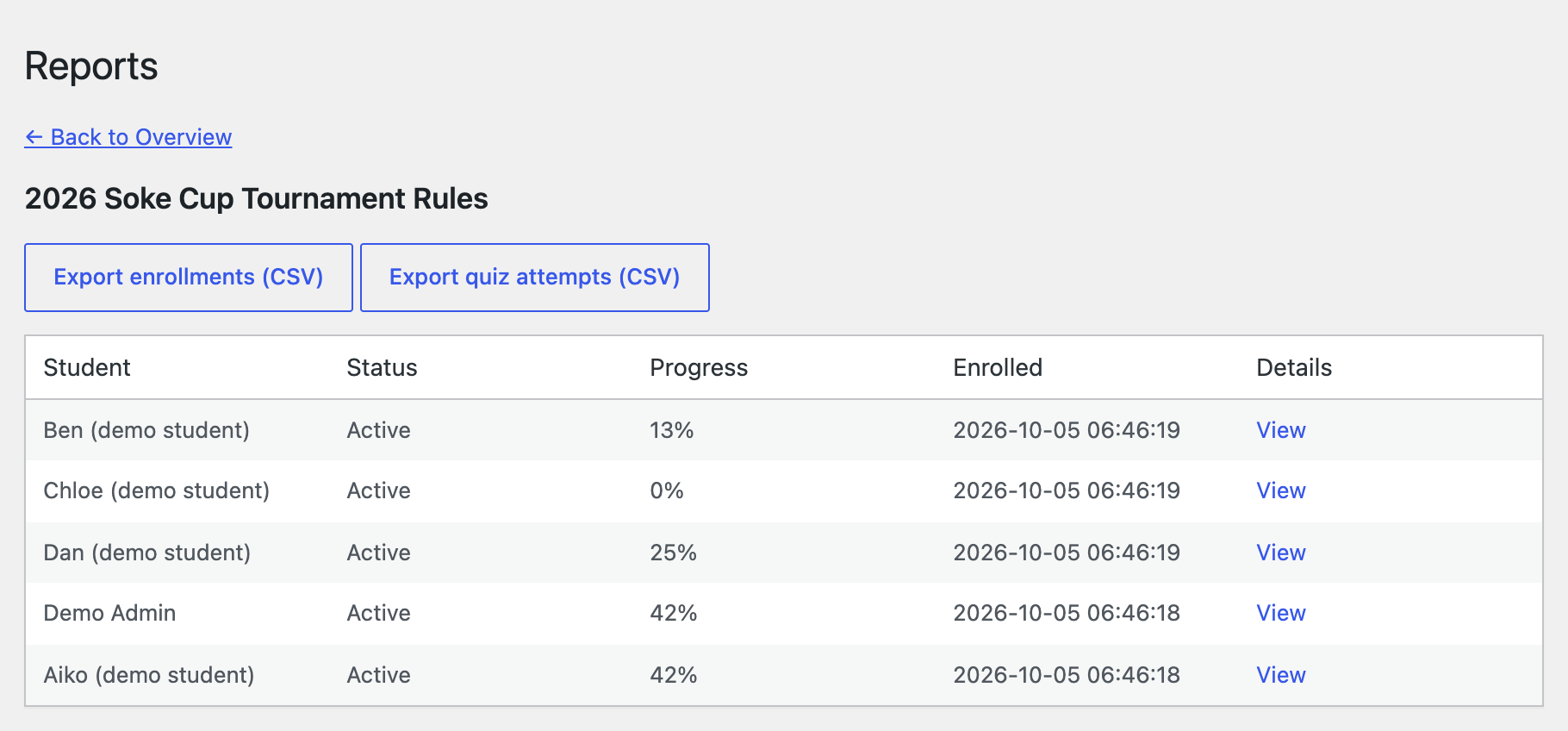
- Enrolment management with a student search, course and student reports with CSV export, email notifications, course export/import (.zip) and one-click course cloning.
Blocks and shortcodes
Add the Course Catalogue, My Courses and Student Dashboard blocks in the block editor (search for “LMS”), or use the shortcodes:
[accessnow_slms_course_catalog]: the course catalogue. Optionalper_page="12"andlang="ja".[accessnow_slms_my_courses]: the logged-in student’s courses with progress.[accessnow_slms_student_dashboard]: courses, certificates, points, badges and recent quiz results.
The older [slms_course_catalog], [slms_my_courses] and [slms_student_dashboard] shortcodes still work.
Languages
Each course can be marked English or Japanese. Course pages then show the plugin’s own text in that language, using the plugin’s Japanese language pack from translate.wordpress.org when the site has it installed, and the catalogue can be filtered by language.
Developers
AccessNow LMS has actions and filters for payments, drip content, prerequisites, CRM sync and custom emails. Put your code in a small plugin or your theme’s functions.php. All IDs are integers.
Actions
accessnow_slms_enrolled( $user_id, $course_id, $enrollment_id, $enrolled_by ): a new enrolment.$enrolled_byis 0 for self-enrolment, or the administrator’s user ID.accessnow_slms_unenrolled( $user_id, $course_id, $enrollment_id, $dropped_by, $old_status ): an enrolment was dropped.accessnow_slms_lesson_completed( $user_id, $lesson_id, $course_id, $enrollment_id ): a lesson became complete, including a lesson redone after a content change.accessnow_slms_quiz_submitted( $user_id, $quiz_id, $result, $attempt_number, $enrollment_id, $course_id ): a quiz attempt was stored.$resulthasscore,total,percentage,passed,resultsandtimed_out.accessnow_slms_course_completed( $user_id, $course_id, $enrollment_id, $first_completion, $certificate ): a course was completed.$first_completionis false when an enrolment reopened by a course change is completed again.accessnow_slms_certificate_issued( $certificate, $user_id, $course_id, $enrollment_id ): a certificate was issued.accessnow_slms_enrollment_reopened( $user_id, $course_id, $enrollment_id ): a completed enrolment went back to active because a lesson was added or changed.
Filters
accessnow_slms_can_enroll( $allowed, $user_id, $course_id ): returnfalseor aWP_Error(its message is shown to the student) to stop self-enrolment, for example until the course is paid for. Administrator enrolments are not filtered.accessnow_slms_can_access_lesson( $can_access, $user_id, $lesson_id, $course_id, $enrollment_id ): lock or unlock a lesson, for example for drip content.accessnow_slms_grade_result( $result, $quiz_id, $answers ): change a quiz result before it is stored.accessnow_slms_show_answers( $show, $quiz_id, $passed, $can_retry ): whether a quiz result shows the correct answers and explanations.accessnow_slms_page_header( $header, $post_id ): the header at the top of a course, lesson or quiz page.$headerhasimage_id(0 for none) andstyle(banner,compactornone).accessnow_slms_catalogue_languages( $codes ): the languages the catalogue’s filter offers; the filter shows when there are two or more. Defaults to the languages of published courses.accessnow_slms_points( $points, $action, $user_id, $reference_id, $enrollment_id ): change the points forlesson_complete,quiz_passorcourse_complete. Return 0 to award none.accessnow_slms_email_{type}( $email, $context ): change or cancel an email. Types:enrollment,completion,quiz_result,admin_enrollment.$emailhasto,subject,messageandheaders. Returnfalseto not send it.
Styling
The plugin’s colours are CSS custom properties, so a theme can match them without overriding rules. Set any of these (each falls back to the plugin’s own colour): --slms-accent, --slms-accent-hover, --slms-on-accent (buttons and active tabs), --slms-link, --slms-success, --slms-progress, --slms-track, --slms-surface, --slms-surface-alt, --slms-border, --slms-text, --slms-text-muted, --slms-option-hover, --slms-option-selected. For example: body { --slms-accent: var(--wp--preset--color--accent); }.
Example: only let customers enrol.
add_filter( 'accessnow_slms_can_enroll', function ( $allowed, $user_id, $course_id ) {
    if ( true === $allowed && ! my_has_paid( $user_id, $course_id ) ) {
        return new WP_Error( 'unpaid', 'Please buy this course to enrol.' );
    }
    return $allowed;
}, 10, 3 );<h3>External services</h3>
This plugin does not send data anywhere by itself. If you add a YouTube or Vimeo address to a lesson or quiz question, WordPress uses its built-in oEmbed feature to show the video: your site asks YouTube or Vimeo for the embed code, and the visitor’s browser then loads the video player from that service. This only happens on lessons and questions that have such an address. A video file from your own media library plays from your site and contacts nobody.
YouTube is provided by Google: Terms of Service, Privacy Policy.
Vimeo is provided by Vimeo.com, Inc.: Terms of Service, Privacy Policy.
H5P activities are shown by the separate H5P plugin, if you install it; this plugin only reads the results H5P saves on your own site.