
Call Now Accessibility Button
v1.1stpetedesign · 2019年2月8日 上架
Add an - INVISIBLE Call Now Button - that allows only screen readers to know it's there. This allows a disabled user having issues accessing a pa …
- 正在使用
- 10+
- 评分
- 暂无
- 累计下载
- 2,795
- 最近更新
- 2023年6月1日
 stpetedesign
 Joe Lopreste
 Steve Curtis
截图


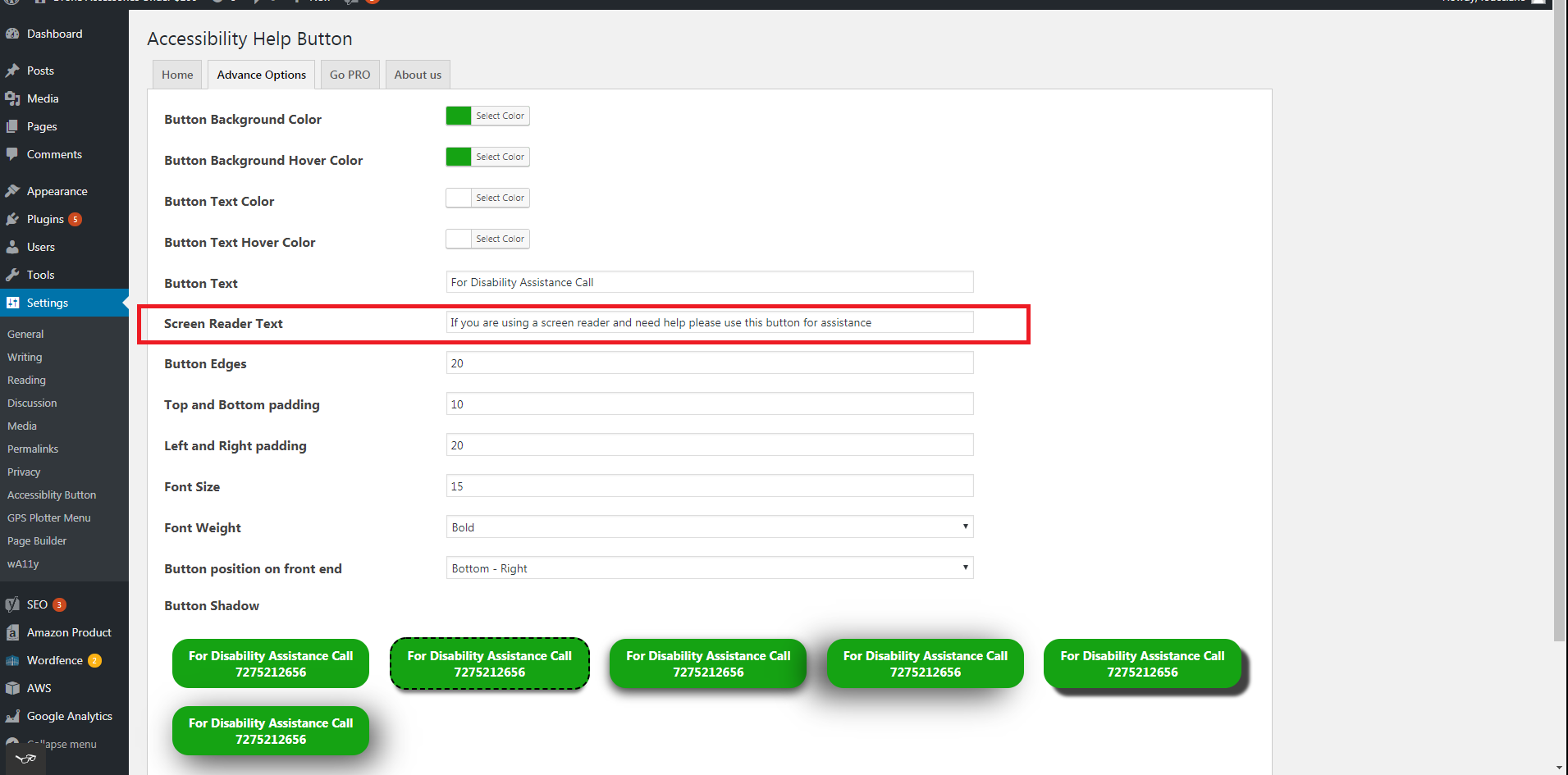


This plugin allows you to easily add an “INVISIBLE” Call Now button to the front of your website, that only disabled individuals using a screen reader can use.
This way, you can offer your assistance to people who need help using your website and not be flooded by fake calls.
We allow you to very easily add, delete or change the text that only a screen reader will see.
We also make it possible for you to make the button invisible to everything accept assistive technology.
This way, you are able to help your clients web accessibility without flooding your clients office with phone calls.
This plugin allows the inclusion of people who generally would not be able to use you website in its entirety.
If a low-vision user is not able to access certain areas or functions on your website it will go against certain ADA Section 508 laws.
If used properly, this button helps you avoid discriminating on the basis of disability in the activities of places of public accommodations like the internet.
By helping them access your website, you are giving the disabled user the same access to your website as anybody else would have which is the key to enclusion.
We make it very easy for anyone to use this plugin.
- Enter your phone number
- Click “Quick Start” and that’s it!
Main Features:
This plugin allows only a disabled user who is having issues accessing a certain area of your website or a certain function of your website get help.
We created this plugin to be very easy to use. Just add your phone number and click “Quick Start”.
You can change the text that the screen reader will read to the user. This is useful because now, you have the ability to allow only a person using a screen reader to know what that button is used for.
It helps open up the internet to people who might of not been able to access your website before.
This plugin by itself does not make you 100% ADA Section 508(WCAG 2.1) compliant.