
AboveWP Bulgarian Eurozone
v2.3.1AboveWP · 2025年4月22日 上架
Display WooCommerce prices in both Bulgarian Lev (BGN) and Euro (EUR) bidirectionally as Bulgaria prepares to join the Eurozone.
- 正在使用
- 1,000+
- 评分
- 5.0 / 5
- 累计下载
- 2.5 万
- 最近更新
- 2026年9月4日
14 条评价需要 WordPress 5.0+已测试到 7.1.5PHP 7.4+
贡献者
 AboveWP
 Petar Petrov
截图
A WordPress plugin that adds bidirectional dual currency display (BGN ⇄ EUR) for WooCommerce as Bulgaria prepares to join the Eurozone. The plugin automatically displays prices in both Bulgarian Lev (BGN) and Euro (EUR) throughout your WooCommerce store, working in both directions.
Features
- Bidirectional support: Works when store currency is BGN (shows EUR) OR when store currency is EUR (shows BGN)
- Currency Migration Tool: One-click conversion of all product prices from BGN to EUR with automatic store currency update
- Display prices in both BGN and EUR throughout your WooCommerce store
- Fixed conversion rate at the official rate (1.95583 BGN = 1 EUR)
- Standard currency symbols (€ for EUR, лв. for BGN)
- Configurable secondary currency positioning (left or right of primary prices)
- Batch processing for stores with thousands of products
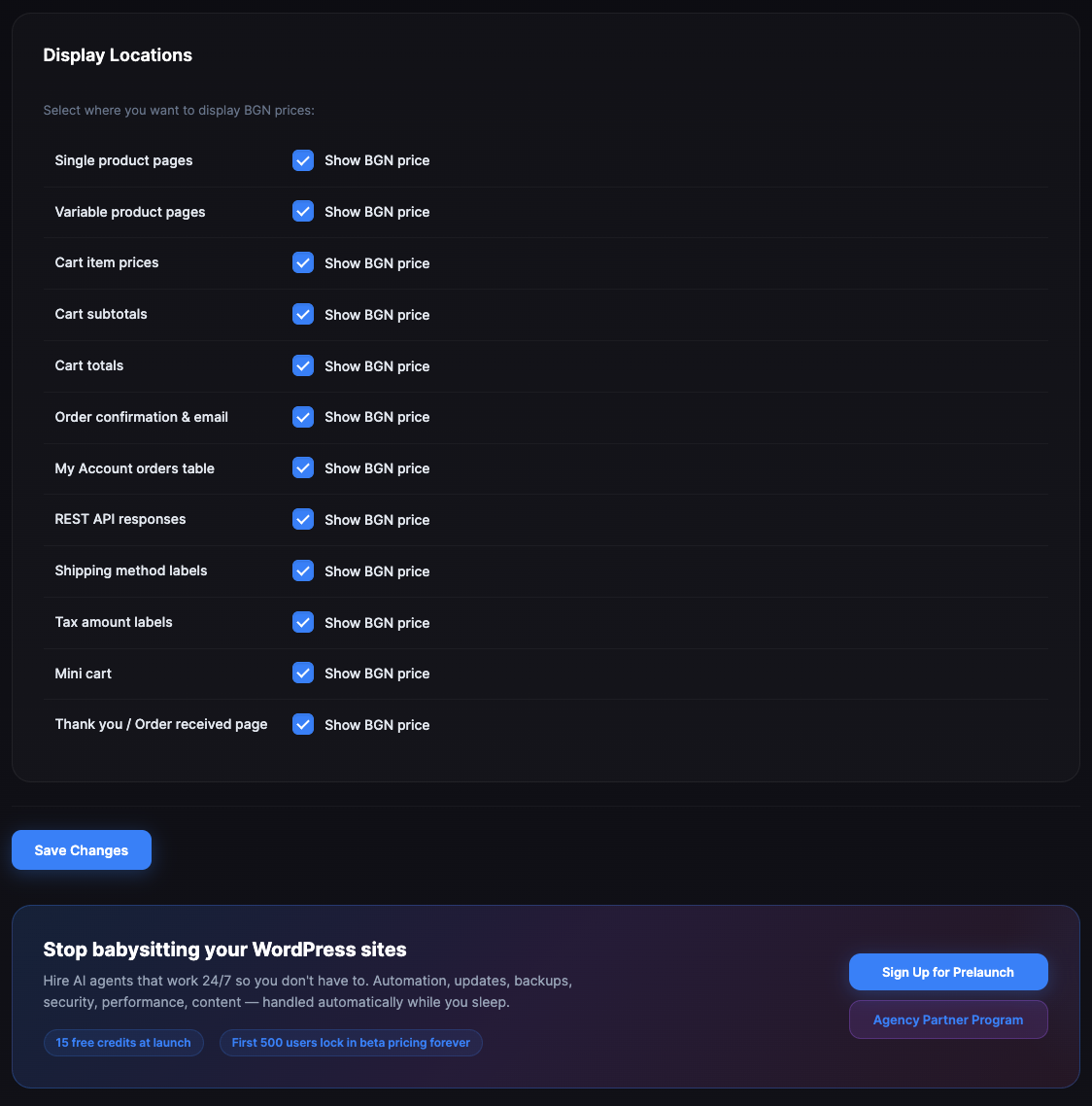
- Support for all WooCommerce price points including:
- Single product pages
- Variable product pages
- Cart item prices
- Cart subtotals
- Cart totals
- Order confirmation & email
- My Account orders table
- REST API responses
- Shipping method labels
- Tax amount labels
- Mini cart
- WooCommerce Gutenberg blocks (cart, checkout, and shipping methods)
- Dynamic updates when shipping methods change in checkout blocks
Configuration
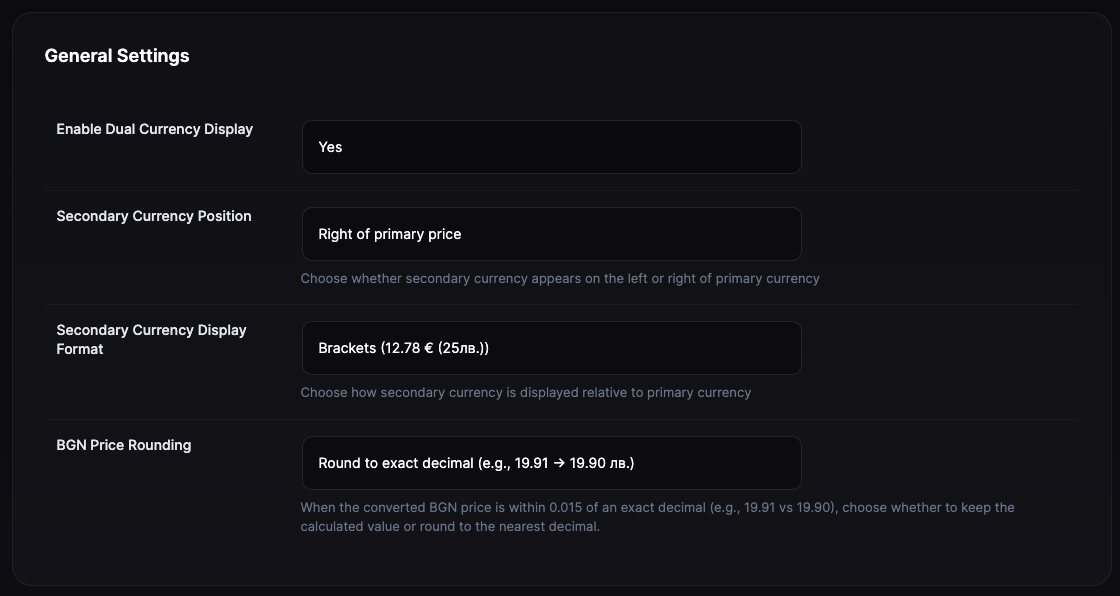
- Navigate to AboveWP > Eurozone Settings in your WordPress admin
- Enable or disable dual currency display
- Choose whether secondary currency appears on the left or right of primary prices
- Select display format (brackets or side divider)
- Choose which pages should display dual currency
- Save changes
Currency Migration Tool
When Bulgaria joins the Eurozone, use the built-in Currency Migration Tool to seamlessly transition your store from BGN to EUR:
- Navigate to AboveWP > Currency Migration in your WordPress admin
- IMPORTANT: Create a full database backup before proceeding
- Review the migration warnings and instructions
- Click “Start Migration to EUR” to begin the process
- The tool will:
- Convert all product prices (regular and sale prices) from BGN to EUR
- Update all product variations
- Change your WooCommerce store currency to EUR
- Process products in batches to handle large catalogs
- After completion, verify your product prices and currency settings
Note: The migration is irreversible without a database backup. Always backup your database first!
Support
For support, feature requests, or bug reports, please contact us at:
- Website: AboveWP.com
- Email: support@abovewp.com