
AAA Autoload Optimizer
v1.7.1Progress Planner · 2024年4月15日 上架
Find and fix bloated autoloaded options slowing down your WordPress database
- 正在使用
- 9,000+
- 评分
- 4.6 / 5
- 累计下载
- 13 万
- 最近更新
- 2026年11月18日
 Joost de Valk
 Ari Stathopoulos
 Filip Ilić
 Progress Planner
截图
Every WordPress site loads dozens — sometimes hundreds — of autoloaded
options from the wp_options table on every single page request. Many of
those options belong to plugins you removed long ago, or simply don’t need
to be autoloaded. The result: a bigger database query, slower page loads,
and wasted server resources.
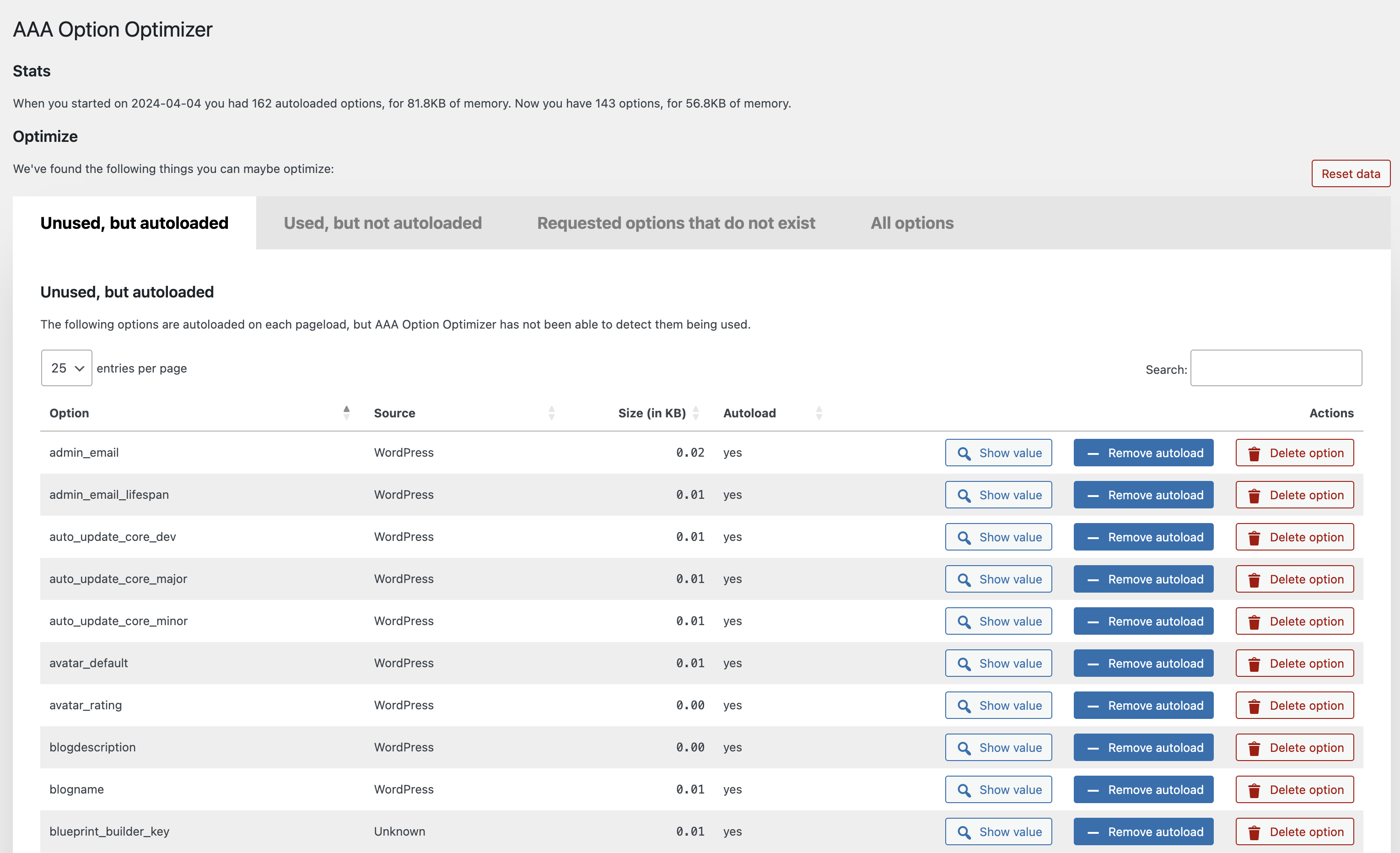
AAA Autoload Optimizer tracks which autoloaded options your site actually
uses, then shows you the ones it doesn’t — so you can safely remove them
or turn off autoloading.
How It Works
- Install and activate the plugin, then browse your site normally for a few days.
- The plugin quietly records which autoloaded options are actually used
during page rendering. - Visit the settings screen to see every autoloaded option that was
never used — and decide what to do with it.
You can remove unused options entirely (great for leftover data from
deactivated plugins) or disable autoloading for options that exist but
don’t need to load on every request. Disabling autoloading is
non-destructive — the option stays in your database, it just won’t be
fetched automatically.
Features
- Automatic usage tracking — monitors which autoloaded options are
loaded on every page, on both the front end and in the admin. - Bulk actions — optimize or delete multiple options at once instead
of one by one. - Known-plugin recognition — identifies which plugin or theme each
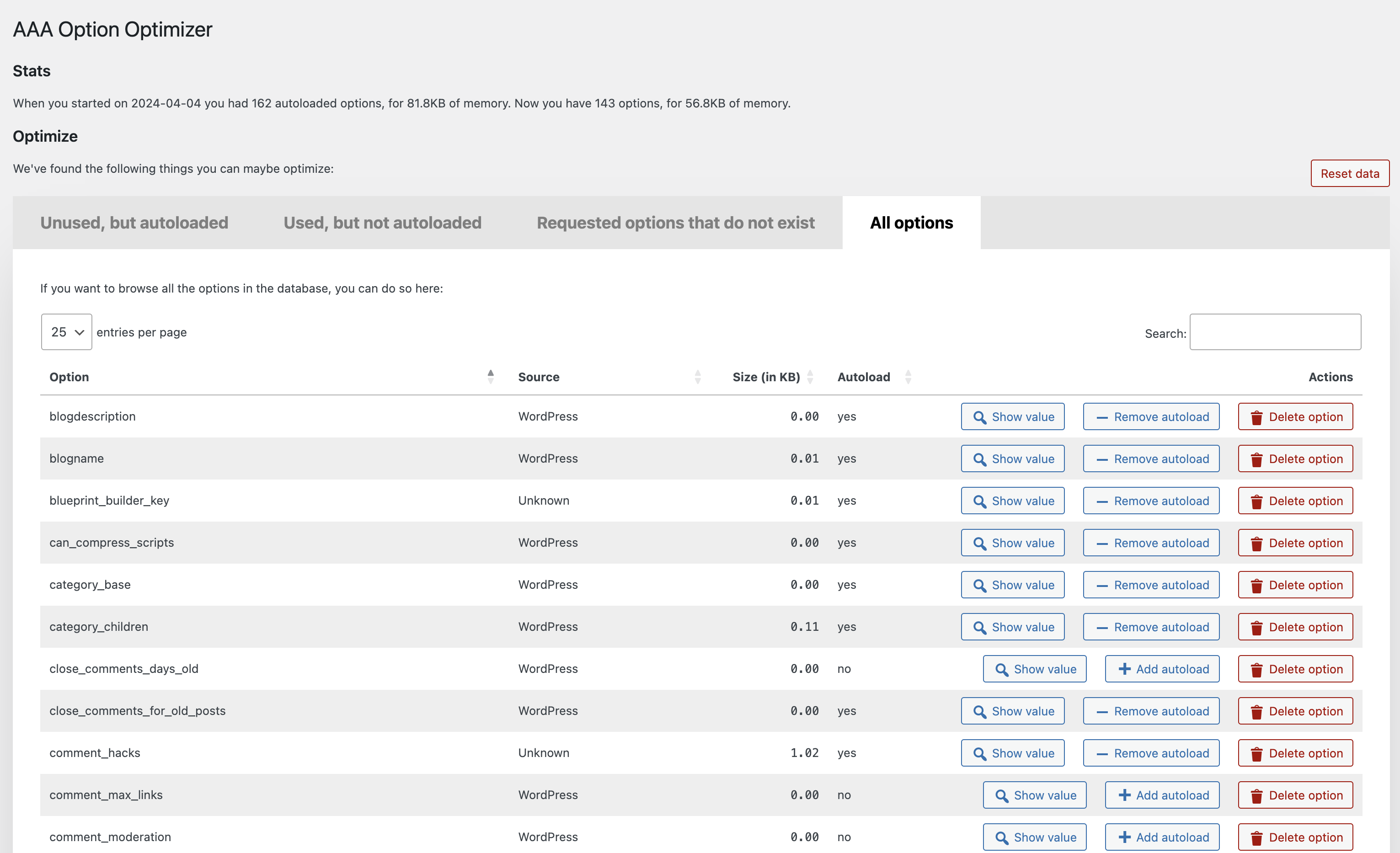
option belongs to, so you know exactly what you’re looking at. - “All Options” browser — view and manage every option in your
wp_options table, not just the unused ones. - Source filtering — filter options by their source plugin, theme, or
WordPress core to quickly find what you need. - Safe by design — disabling autoload is non-destructive. You can
always re-enable it. - Lightweight — the plugin’s own tracking data is stored in a custom
database table for optimal performance.
Why the “aaa” Slug?
WordPress loads plugins alphabetically. Because this plugin needs to start
tracking options as early as possible, the aaa-option-optimizer slug
ensures it loads first. It’s not vanity — it’s a technical requirement for
accurate measurement.
Links
- GitHub repository
— report bugs, contribute code, or browse the source. - Report a security vulnerability
— via the Patchstack Vulnerability Disclosure Program. - Built by the team behind
Progress Planner.