

404 Emails
v1.7.0404branding · 2026年10月28日 上架
Signup forms, pop-ups and thank-you messages for your 404 Emails newsletter - made in WordPress, with consent recorded for every subscriber.
- 正在使用
- 10 以下
- 评分
- 暂无
- 累计下载
- 366
- 最近更新
- 2026年11月3日
贡献者
 404branding
截图
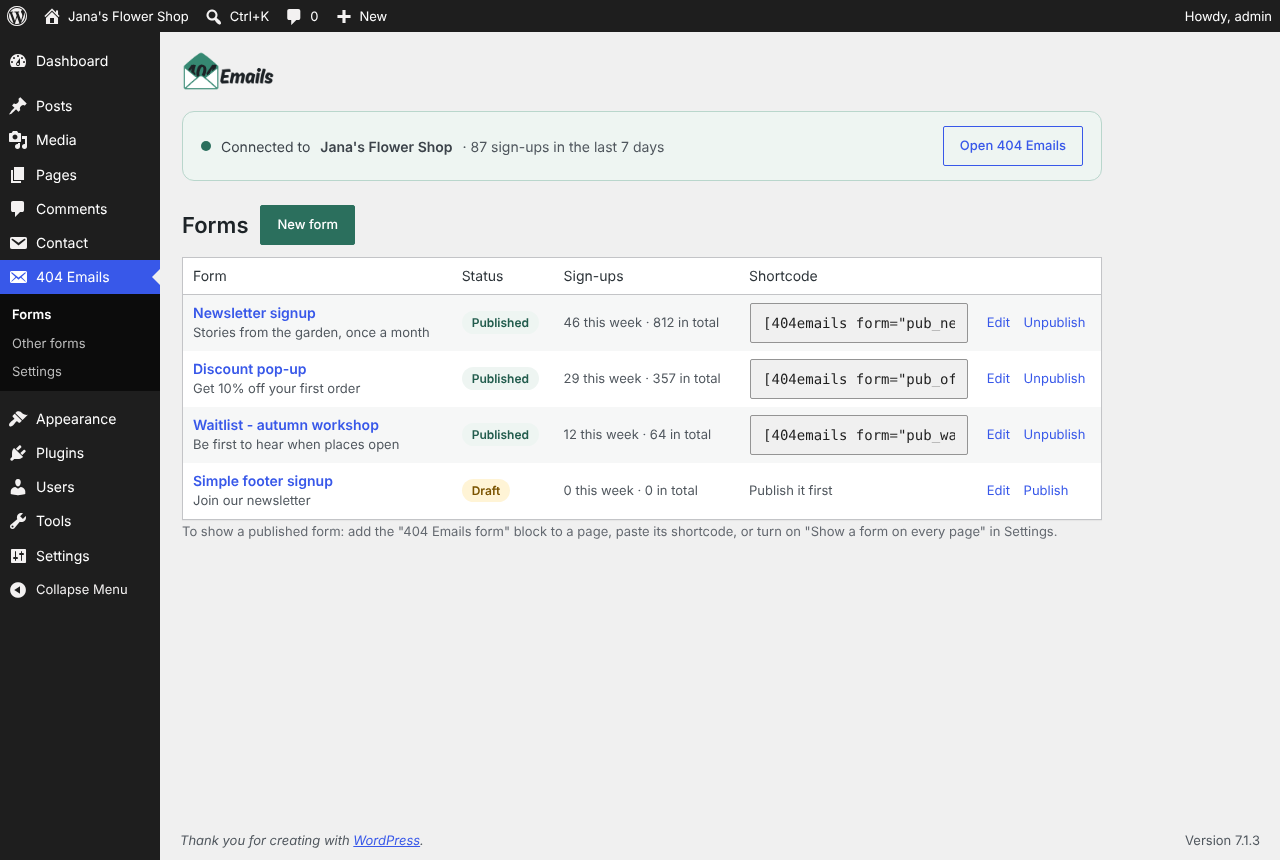
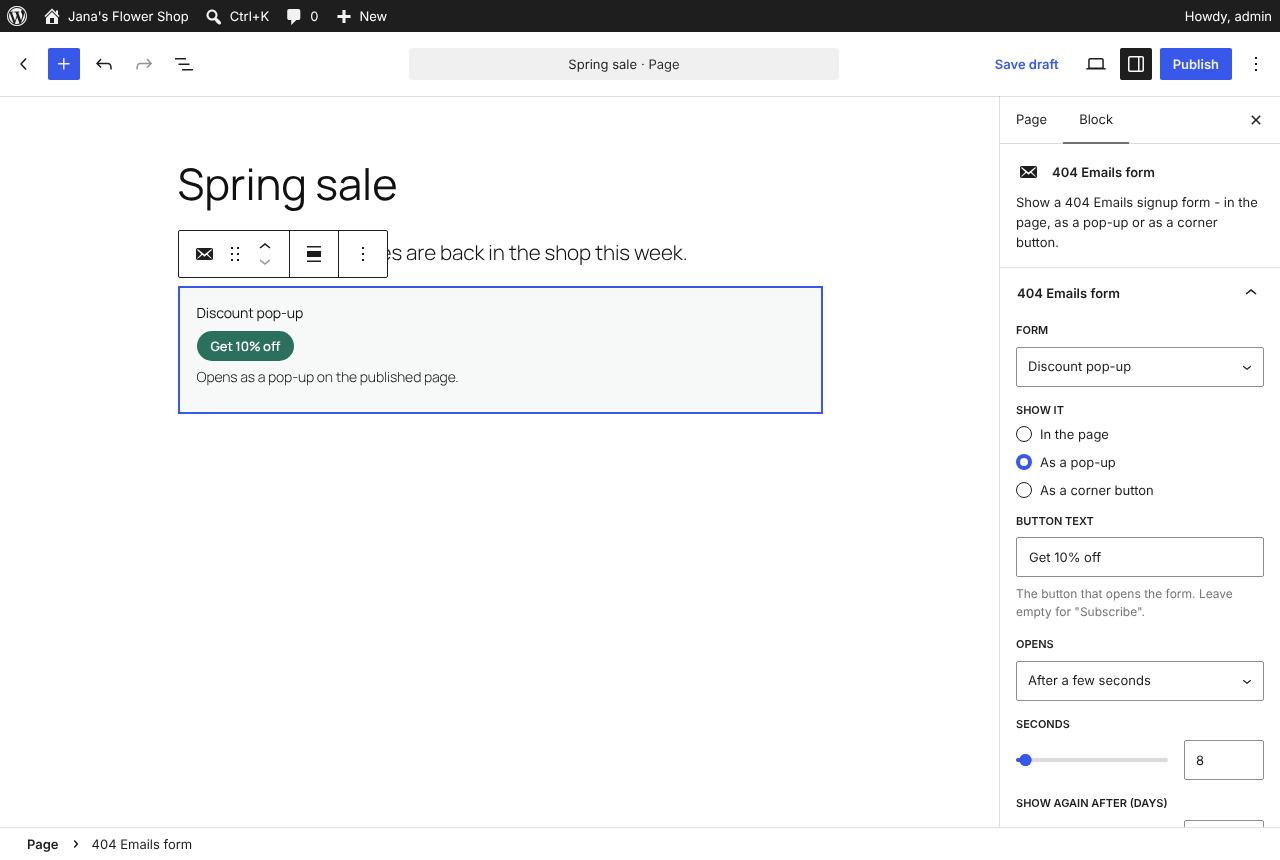
404 Emails is an email marketing service. This plugin connects your WordPress site to your 404 Emails account, so you can grow your list without leaving WordPress.
Make and edit forms in WordPress
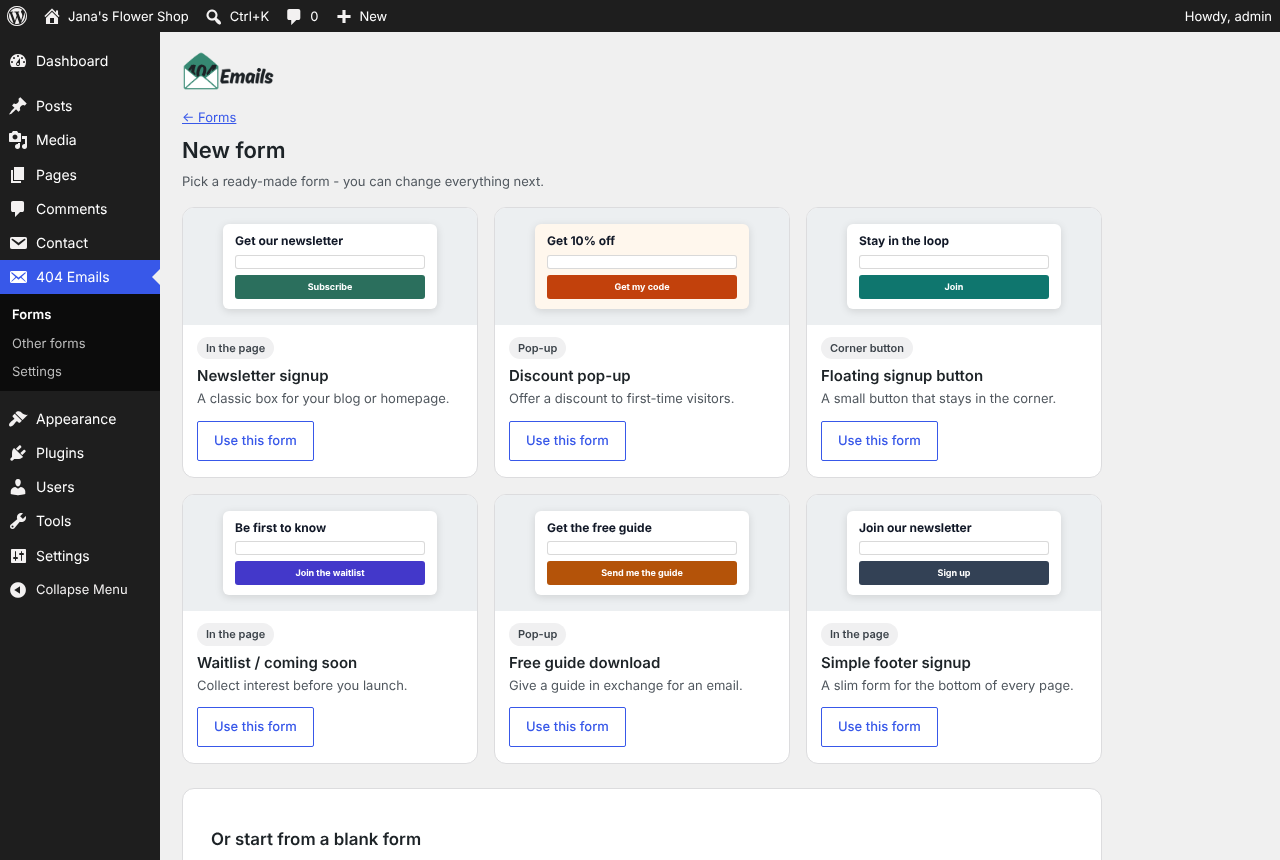
- Start from a ready-made form (newsletter, discount, waiting list…) or a blank one.
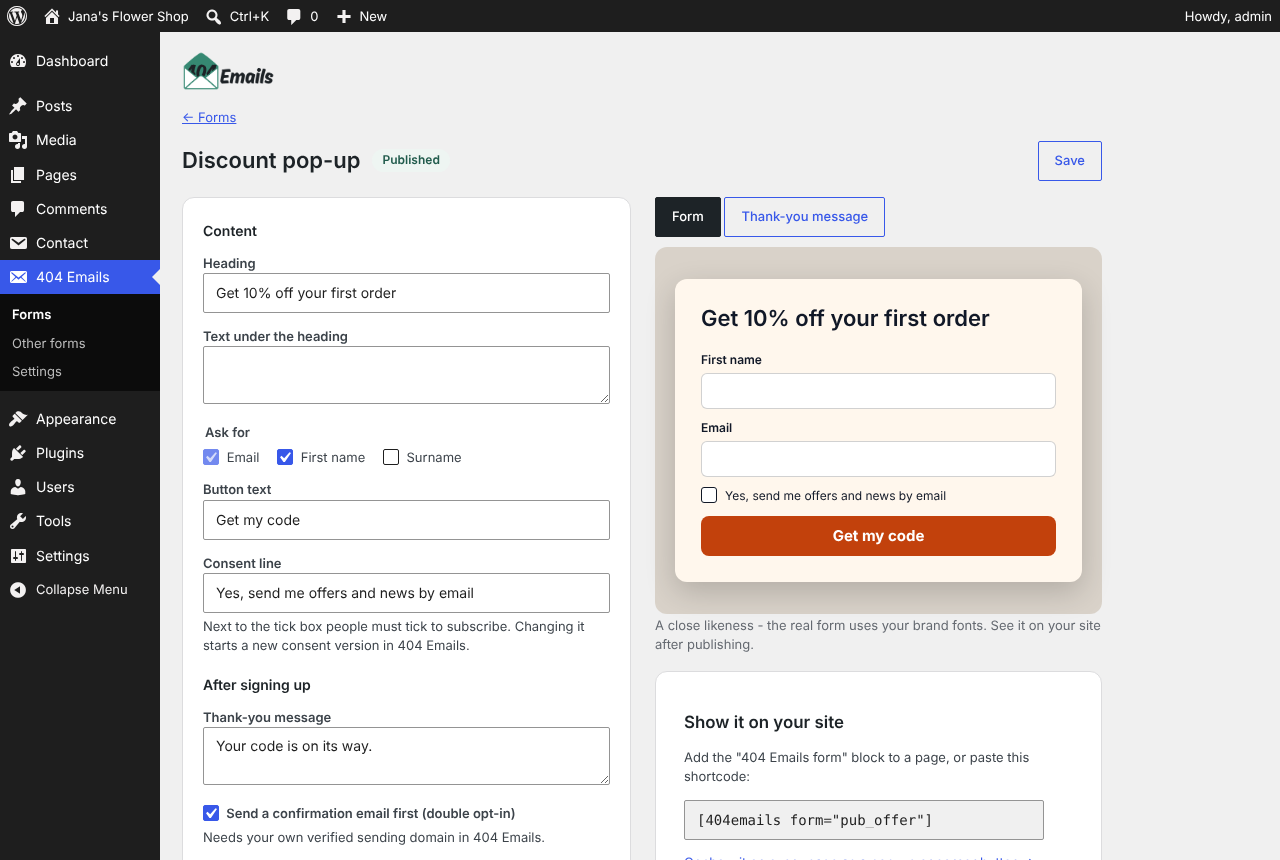
- Change the heading, text, name fields, permission text, double opt-in, groups, button and colours, with a live preview of the form and its thank-you message.
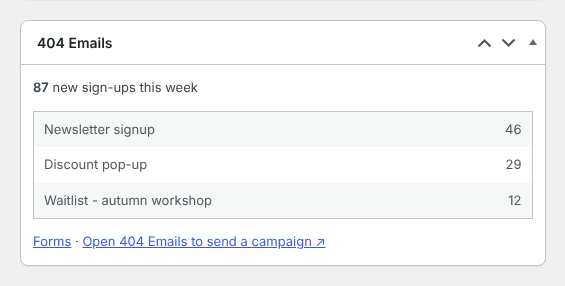
- See how many people signed up to each form, and this week’s sign-ups on your dashboard.
Show forms on your site – no page editing
- On each form’s page, choose how it shows: in the page (at the end of the content), as a pop-up (after a few seconds, on scroll, when leaving or on click) or as a corner button.
- Choose where: every page, or only the pages you tick – and all blog posts.
- For an exact spot, the “404 Emails form” block or the
[404emails]shortcode (also in page builders like Elementor).
Add people from forms you already use
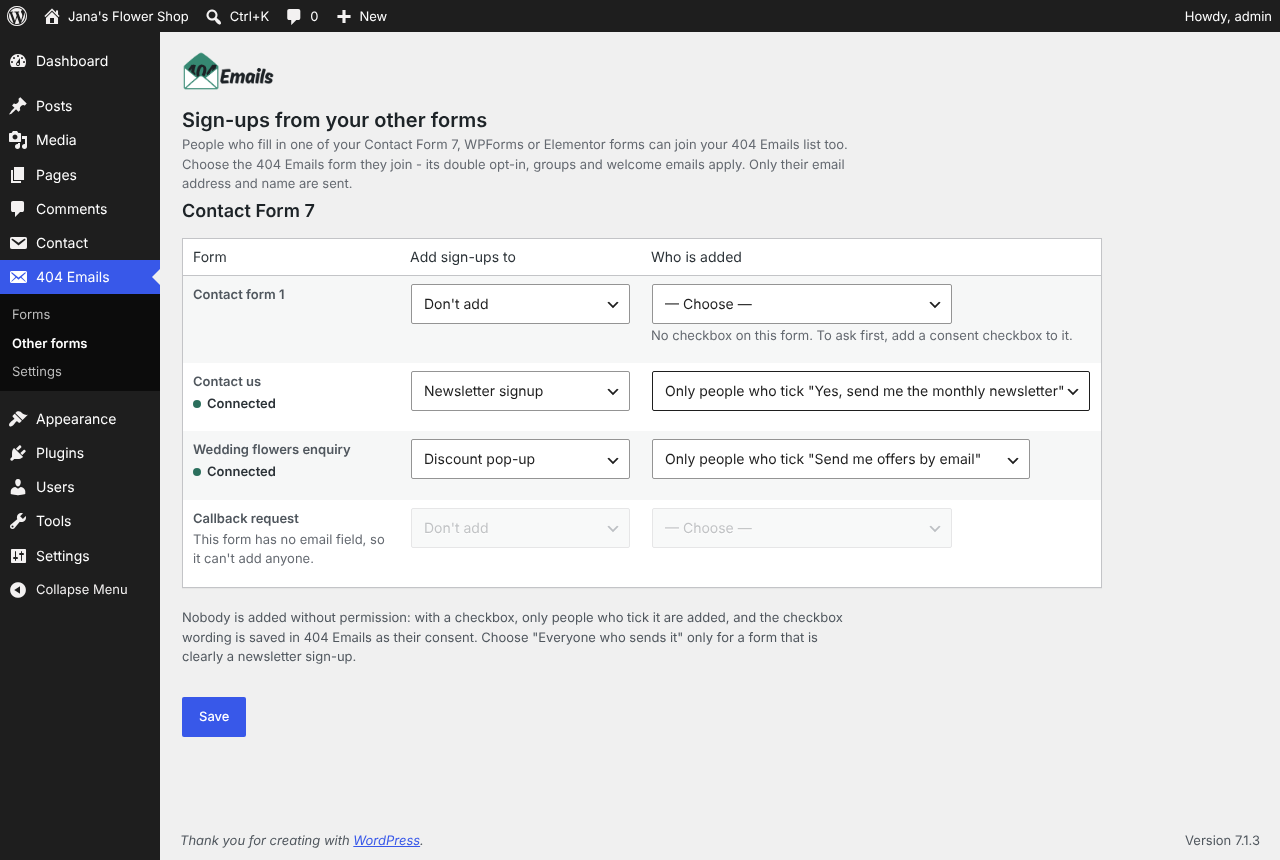
Connect your Contact Form 7, WPForms or Elementor Pro forms: people who tick your newsletter checkbox join your 404 Emails list, with the checkbox wording saved as their consent. On a two-language site (Polylang or WPML), each person is saved with the language of the page they used. Only the email address and name are sent – never the message. WooCommerce checkout and Event Tickets registrations can be added too, with their own newsletter tick-box – for Event Tickets, the free version is enough.
Events with an Elementor sign-up form
Show your events with The Events Calendar and take sign-ups with an Elementor Pro form? One setting adds a newsletter tick-box to the form on every event page – old and new events, without editing them.
Consent first
Nobody is added without permission. Every form has a permission line, double opt-in is one switch away, and 404 Emails keeps a consent record for each subscriber.
You need a 404 Emails account. The Free plan covers up to 250 subscribers and 1,000 emails a month. Create an account.
External services
This plugin connects to 404 Emails (https://app.404emails.com), the email marketing service it’s made for. It only contacts 404 Emails after a site administrator connects the site.
- Connecting – your browser goes to 404 Emails to sign in and allow the site; your site then exchanges a one-time code for its own access key. Disconnect tells 404 Emails to switch that key off.
- In the admin – the Forms, Other forms, Settings pages, the block editor and the dashboard box load your forms, groups and sign-up counts from 404 Emails, and send the changes you make to forms (wording, colours, settings). The block editor shows a preview of the form from 404 Emails.
- For visitors – on pages with a 404 Emails form, the visitor’s browser loads the form script and form from 404 Emails. When they sign up, the details they type in the form (email address, name if asked, their consent) go to 404 Emails.
- Sign-ups from other forms – when someone sends a connected Contact Form 7, WPForms or Elementor form (including the sign-up form on an event page, when its newsletter tick-box is switched on), or completes a WooCommerce order or Event Tickets registration with the newsletter box ticked, your site sends their email address, name, the permission wording they agreed to and a reference to the form, order or registration. Nothing is sent for people who don’t tick the box. These connections are off until you switch them on.
404 Emails Terms of Service and Privacy Policy.